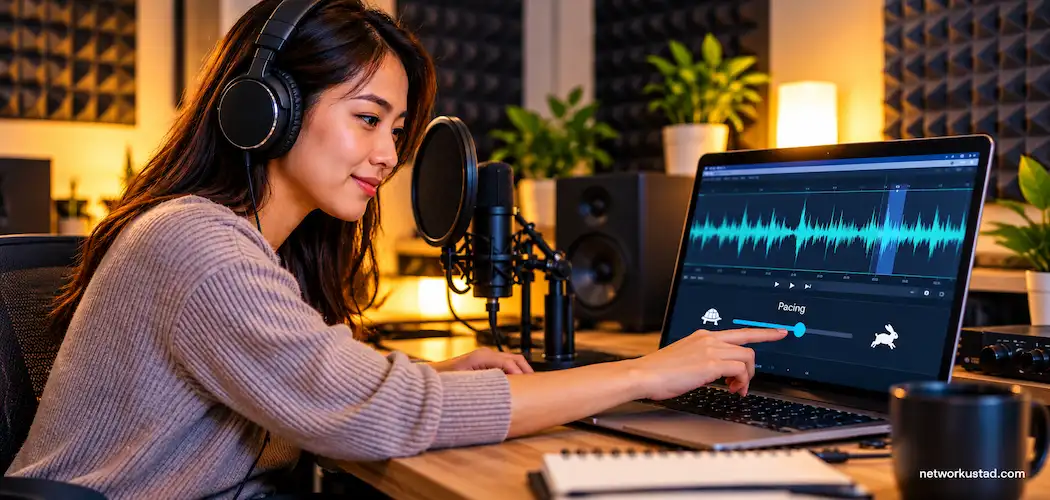
Natural-sounding AI voice narration comes from three things: a voice that fits your content, a script written for the ear, and fine control over pacing and emphasis. Adobe Firefly’s text to speech supports that with 60+ voices in 20+ languages and controls for emotion, pacing, and pronunciation.
Whether you’re narrating a product walkthrough, an online course, or a short documentary, listeners decide within seconds whether a voice feels real. AI voices have come a long way, but over several minutes, small problems add up: flat delivery, wrong stress on a name, or a pause in the wrong spot. The tools that sound closest to a human narrator pair a strong voice model with controls that let you fix those moments.
How Do You Make Text to Speech Voice Narration Sound Natural?
Text to speech voice narration sounds natural when the script, the voice, and the delivery all work together.
Write for listening: Use short sentences, everyday words, and contractions. Spell out numbers, dates, and abbreviations the way you’d say them.
Match the voice to the job: A warm, steady voice suits a course, while a brighter voice fits a product launch. Try the same paragraph with three or four voices before you commit.
Direct the delivery: In Adobe Firefly, you can apply emotions to specific words, adjust pacing, and correct how a name or term is pronounced. Small changes on key lines often matter more than switching voices.
Edit like a producer: Generate in sections, then listen to the full piece in one sitting to catch tone shifts between sections.
Best Realistic AI Text to Speech Tools for Narration in 2025 and 2026
The best realistic AI text to speech tools for narration in 2025 and 2026 differ mainly in how you control the read. Some offer visual editors, some use stage directions in the script, and some accept plain-language instructions. The table below compares four options.
| Platform | Best for | Key details |
| Adobe Firefly | Narration for videos, courses, and podcasts within a creative workflow | 60+ voices in 20+ languages; emotion, pacing, and pronunciation controls; WAV download; Firefly Speech model audio designed for commercial use; works with the Firefly video editor and Premiere |
| Murf | Teams that want a visual, block-based voiceover editor | Voices across 33 languages; adjustable pauses, speed, and emphasis per block; MP3 and WAV export |
| Narakeet | Turning scripts and slide decks into narrated audio or video | 800+ voices in 100+ languages; stage directions in the script control voice, speed, and pronunciation |
| OpenAI gpt-4o-mini-tts | Developers who want to direct delivery in plain language | Instructions guide tone, accent, and pacing; speed setting from 0.25 to 4.0; available through an API |
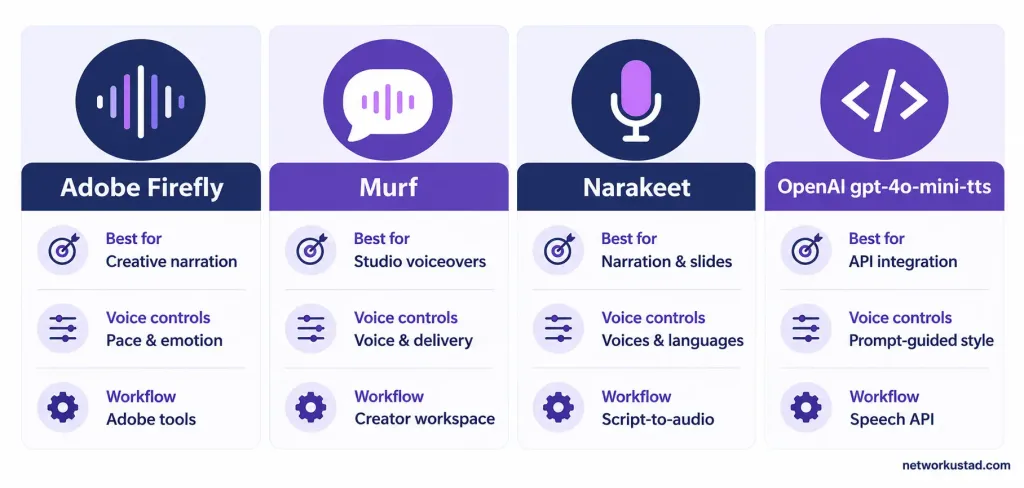
If you work mostly in video, a tool that connects narration to your editing timeline saves the most time. If you build apps, an API with instruction support may fit better.
What’s the Best Text to Speech That Sounds Human for 2025 and 2026 Projects?
The best human-sounding text to speech for 2025 and 2026 projects is the one that holds up across your full script, not just a short demo. Short samples are easy to get right. Long narration tests consistency.
When you compare tools, listen for these qualities:
Context-aware stress: The voice should emphasize the right word in a sentence, such as stressing “new” in “our new plan.”
Natural breathing and pauses: Pauses should follow meaning, not just punctuation.
Steady character: The voice should sound like the same person in minute one and minute twenty.
Easy corrections: You should be able to fix a single word or line without regenerating everything.
Tools that score well on all four usually sound the most human in finished work.
What Is the Most Realistic Human-Sounding Text to Speech AI?
No single text to speech AI is the most realistic human-sounding option for every project. Realism depends on the language, the voice you pick, and how much you direct the delivery. A voice that sounds lifelike reading a calm explainer may sound stiff reading dialogue.
The fairest test is a side-by-side listen. Pick a 100- to 150-word passage from your actual script, including a name, a number, and a question. Run it through each tool with your best-matched voice, then play the results for someone who hasn’t heard the script. Ask which one sounds like a person. whichever tool you choose, run this same side-by-side test before committing.
FAQ
Can listeners tell when narration is AI-generated?
Sometimes, especially in long passages with repeated sentence patterns or mispronounced names. Varying sentence length, fixing pronunciations, and adjusting pacing on key lines makes AI narration much harder to spot.
Is AI narration allowed in commercial projects?
It depends on the tool and plan. Adobe says audio from the Firefly Speech model is designed for commercial use. Murf, Narakeet, and OpenAI each set their own commercial-use terms as well, and those terms can vary by plan tier within the same tool. Check the specific provider and plan you’re using before you publish, sell, or distribute narrated content.
What audio format should I use for narration?
WAV is uncompressed and best for editing, mixing, and video work. MP3 is smaller and better for podcasts and web players. Many creators edit in WAV, then export a final MP3 for distribution.