
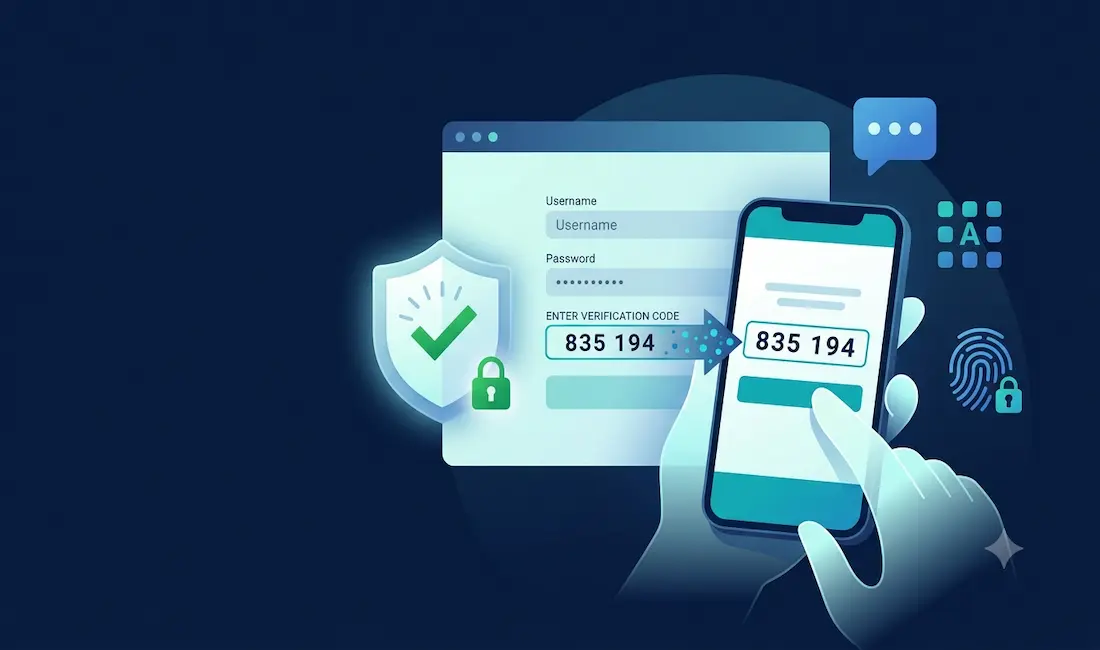
Almost every app and website now asks you to verify a phone number when you sign up, then sends a short code you have to type back in. That code is a one-time password (OTP), and it’s one of the most common security features on the internet. This guide explains what OTP and two-factor authentication actually are, why services use them, which methods are genuinely secure (and which aren’t), and — for the privacy-conscious — how to keep your real phone number private without undermining your own security or landing in a sketchy corner of the web.
What is an OTP?
An OTP is a temporary, single-use code — usually 4 to 8 digits — that’s valid for only a few minutes. You’ve seen them constantly: “Your verification code is 487291. Don’t share this code with anyone.” It’s used in two situations:
Verification at sign-up — to confirm you control the phone number or email you gave, which helps a platform cut down on fake and throwaway accounts.
Two-factor authentication (2FA) at login — as a second factor on top of your password, so that even if someone steals your password, they still can’t get in without the code.
That second use is the important one for your security. Passwords alone are weak — they get phished, reused, and leaked in breaches. Adding a second factor is one of the single most effective things you can do to protect an account; Microsoft’s research has repeatedly found that multi-factor authentication blocks the large majority of account-compromise attempts.
Why services require phone verification
When an app asks for your number, it’s usually doing two things at once: confirming you’re a real, unique person (which reduces spam, bots, and fraud), and setting up a channel to send you login codes later. This is genuinely useful — it’s part of what keeps platforms from being overrun by fake accounts and scammers.
It also, understandably, raises a privacy question: handing your personal mobile number to every service you try means more spam, more exposure in the next data breach, and more ways to be tracked. That’s a legitimate concern, and we’ll come to how to handle it responsibly. But first, the security part that most “verification” articles skip entirely: not all OTP methods are equally safe.
The security ranking: which OTP method should you actually use?
If you care about protecting an account, the delivery method of your OTP matters a lot. Here’s the honest 2026 picture, from weakest to strongest.
SMS text codes — the weakest, still the most common
SMS codes are convenient and universal, and they’re far better than no 2FA at all — they block the vast majority of automated and bulk attacks. But they have well-documented weaknesses, which is why the US National Institute of Standards and Technology (NIST) classifies SMS as a “restricted” authenticator:
- SIM swapping: an attacker convinces (or bribes) your mobile carrier to move your number to their SIM, and then your login codes arrive on their phone. The FBI has reported thousands of SIM-swap complaints with tens of millions in losses, and it disproportionately targets people holding crypto or with a public profile.
- SS7 interception: the aging protocol that routes texts between carriers has no real encryption, and researchers have shown codes can be intercepted at the network level.
- Real-time phishing: fake login pages relay your code to the attacker the instant you type it.
The practical takeaway: SMS 2FA is fine for low-value accounts, but for anything that matters — email, banking, crypto — you should use something stronger.
Authenticator apps (TOTP) — the practical best choice for most people
Apps like Google Authenticator, Microsoft Authenticator, Authy, 2FAS, or Aegis generate codes locally on your device using a shared secret and the current time (the TOTP standard, RFC 6238). Because the code never travels over the phone network, this eliminates SIM-swapping and SS7 interception entirely. It’s free, works offline, and NIST rates it above SMS. For most people, switching your important accounts from SMS to an authenticator app is the single biggest, easiest security upgrade available.
Passkeys and hardware keys — the strongest
Passkeys (built on the FIDO2/WebAuthn standard) are the direction the whole industry is moving in 2026, and they’re the new default for many major services. A passkey is a cryptographic credential on your phone or laptop that signs you in with a fingerprint or face scan — there’s no code to phish, nothing to intercept, and the device verifies the real website before authenticating. Hardware security keys (like a YubiKey) offer the same phishing resistance in physical form; a well-known Google study found that requiring hardware keys for its 85,000+ employees resulted in zero successful phishing takeovers. For your most valuable accounts — primary email, bank, crypto — a passkey or hardware key is the gold standard.
A simple, defensible setup for a typical person: a passkey or authenticator app on your email and bank, an authenticator app everywhere else, SMS turned off where the provider allows it, and a port-out/number-lock PIN set with your mobile carrier to blunt SIM-swap attempts.
Protecting your privacy responsibly (without a public SMS site)
Now, the legitimate privacy question: what if you simply don’t want to hand your real mobile number to a random service you’re trying once? There are sensible ways to do this — and one very risky way that a lot of articles wrongly recommend.
The risky way — public “receive SMS online” websites. These are free sites that publish a shared pool of phone numbers and display every incoming text on a public page. Here’s the security problem that makes them genuinely dangerous: any OTP sent to those numbers is visible to anyone on the internet. If you use one to register an account you actually care about, a stranger watching that public inbox can grab your verification code and hijack the signup — or later reset your account. Never use a public SMS-receiving site for anything you want to keep, log into again, or that’s tied to your identity, payment, or personal data. At best they’re throwaway; at worst they’re a handoff of your account to whoever’s watching.
The responsible ways to keep your real number private:
- A secondary number you control — Google Voice, a second eSIM line, or a reputable dedicated app number. Because you control it, codes come to you privately, and you can use it as your “public-facing” number for signups while keeping your real SIM private.
- Email verification where the service offers it, using an email alias (many providers let you generate per-site aliases) so you can see who leaked your address and shut it off.
- A prepaid SIM for a genuinely separate identity where that’s appropriate and permitted.
The key distinction: a number or inbox only you can see protects both your privacy and your security. A public inbox anyone can read protects neither.
One honest caveat on the ethics. Using a secondary number to protect your privacy is entirely reasonable. Using disposable numbers to mass-create fake accounts, evade bans, or get around a platform’s “one account per person” rules generally violates that platform’s terms of service — and it’s the exact behavior verification exists to stop. This guide is about protecting your own privacy, not about circumventing legitimate anti-fraud controls.
Key takeaways
- An OTP is a short, single-use code used to verify you and, more importantly, to protect your accounts as a second factor.
- Turn on 2FA everywhere — any 2FA dramatically beats none.
- SMS is the weakest method (SIM swapping, SS7, phishing) — fine for low-value accounts, but move important accounts to an authenticator app, and ideally a passkey or hardware key for email, banking, and crypto.
- Set a carrier port-out PIN to reduce SIM-swap risk.
- To keep your real number private, use a secondary number you control or an email alias — never a public “receive SMS online” site, because anyone can read the codes sent to it.
- Never share an OTP with anyone, and never type one into a page you reached from a text-message or email link — legitimate services will never ask you to.
This article is general security information, not professional advice. Choose the authentication methods each of your important accounts supports, and when in doubt, favor the stronger option.



