TCL Note A1 Review: A Solid Digital Notebook for Everyday Use
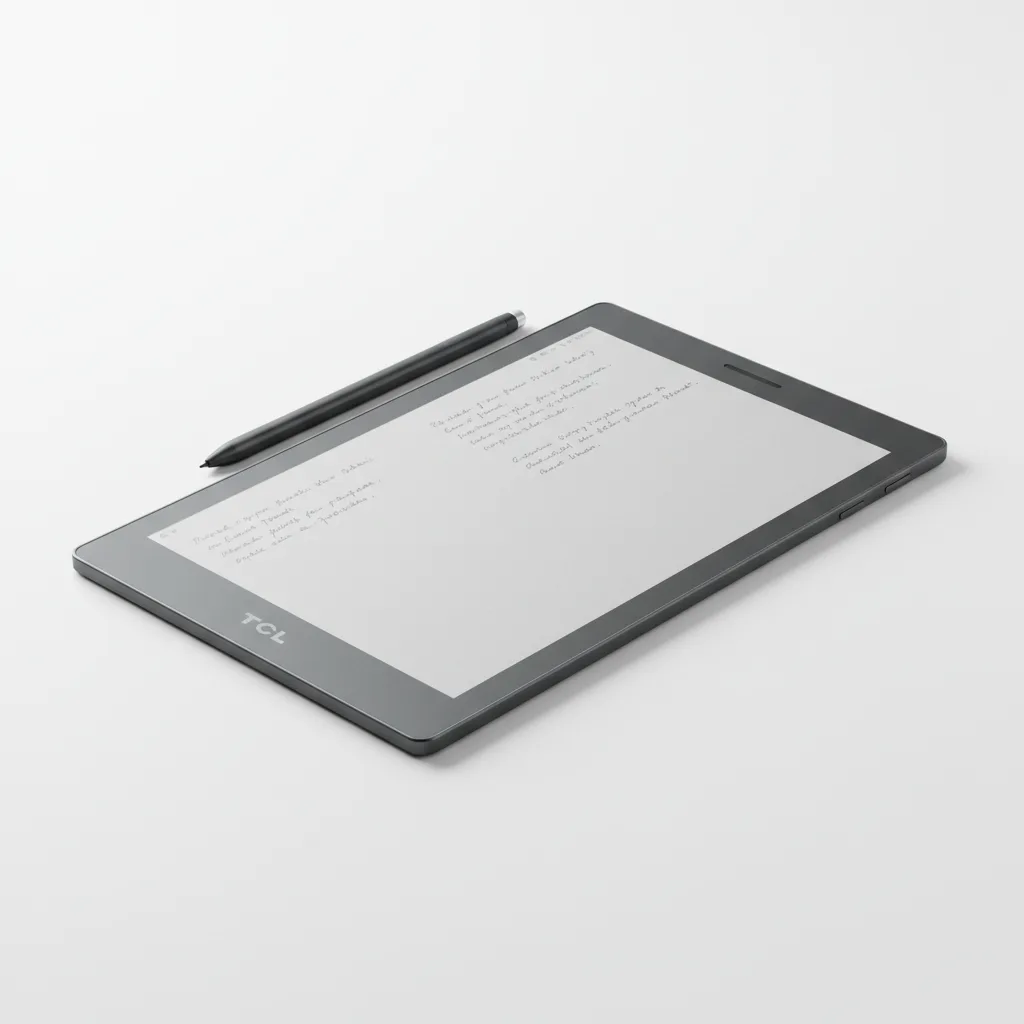
The TCL Note A1 NXTPAPER is a released, Android-powered digital notebook that shipped in February 2026 at $549 — not an unconfirmed $229 device as earlier coverage suggested. It combines an 11.5-inch NXTPAPER Pure LCD with a 120Hz refresh rate, a T-Pen Pro stylus offering 8,192 pressure levels at under 5ms latency, 8GB of RAM, and 256GB of storage in an aerospace-grade aluminum chassis that weighs 500g at just 5.5mm thin. The anti-glare matte display genuinely reduces eye fatigue compared to conventional glossy tablets, and the 8,000mAh battery comfortably covers a full workday — though it does not approach the multi-week runtime of true E Ink devices. Its custom Android UI can feel restrictive, AI tools are inconsistent in their execution, and the writing surface never quite replicates true paper texture. For readers, researchers, and students who want one device for color PDFs, handwritten notes, and light productivity, the Note A1 NXTPAPER earns its spot in a Venn diagram no other single product currently fills.
Performance Analysis
The MediaTek Helio G100 inside the Note A1 NXTPAPER is not a flagship-class chip, but it is well-matched to the device’s intended workload. Reading documents, switching between notes, browsing the file library, and navigating the custom Android UI happen without meaningful hesitation in everyday use. The 120Hz display contributes significantly to the perception of speed: page flips and scroll animations feel fluid in a way that slower E Ink panels cannot replicate, which is one of the core advantages TCL is selling here.
More demanding tasks reveal the chip’s limits. Processing large PDFs with many annotations introduces occasional slowdowns, and the AI-powered features — real-time transcription, translation, and automated meeting summaries — can take longer than expected and sometimes return inaccurate results. AndroidGuys’ hands-on review noted that transcriptions can struggle with accuracy and translation tools are not always reliable enough to use without manual verification. These features feel like they are approaching but not yet fully delivering on their promise, and software updates are likely to improve them over time.
Handwriting recognition is the AI feature that performs most consistently. AndroidGuys reported being intentionally sloppy with handwriting during testing and finding the conversion still accurate — a positive result for note-takers who write quickly or imprecisely. The T-Pen Pro’s 8,192 levels of pressure sensitivity and sub-5ms latency provide a genuinely responsive stylus experience. Multiple pen styles, shape recognition, and customizable shortcuts are included in the native note-taking software. The surface itself, however, is relatively smooth compared to devices engineered specifically to mimic paper texture; users coming from a reMarkable or BOOX Note will notice the difference.
Design and Build Quality
The Note A1 NXTPAPER’s aerospace-grade aluminum unibody is the first thing that distinguishes it from expectations. At 5.5mm thick and 500g, the device is noticeably thinner than most tablets of this screen size, though 500g is heavier than paper notebooks and lighter dedicated E Ink readers. Extended handheld reading sessions of more than an hour can produce some wrist fatigue — a trade-off of the larger screen and aluminum chassis.
TCL has done several ergonomic things right. One side of the tablet has a deliberately wider bezel that serves as a natural grip area during reading and note-taking, avoiding accidental touch inputs on the screen. A physical shortcut button is embedded in this bezel and can be configured for single press, double press, or long-press actions — useful for launching a new note page without navigating menus. The T-Pen Pro attaches magnetically to the side, though the magnetic hold is not strong enough to confidently prevent the stylus coming loose inside a bag; a case with a dedicated stylus loop is recommended.
All four HDMI ports — not applicable here; this is a tablet. Connectivity is handled via USB-C and POGO pins along the bottom edge, enabling the optional keyboard case accessory. The fingerprint scanner is integrated into the power button for quick and secure unlock. TCL ships two optional accessories: a flip case and a keyboard case with a physical keyboard. AndroidGuys found the keyboard responsive and practical for drafting longer text inputs when the T-Pen Pro’s handwriting conversion is not convenient.
The 13MP rear camera is unusual for a digital notebook but has a clear purpose: scanning physical documents, whiteboards, and handwritten pages directly into the device’s file system. It is an autofocus camera capable of clean captures in good lighting.
Software and User Experience
The Note A1 NXTPAPER runs Android with the Google Play Store available, but TCL has heavily customized the interface around reading, note-taking, and document management. The home screen and navigation structure are purpose-built for the device’s primary use case, and some standard Android features — settings search, the ability to view system apps, developer options, and home app replacement — are absent or inaccessible according to Jason Bayton’s hands-on first impressions from March 2026. AndroidGuys noted that the menu structure takes adjustment and can feel like it expects one more navigation step to reach familiar territory.
Within its intended purpose, the software is well organized. Notes, books, and documents are front and center. The Google Play Store allows users to install additional Android apps selectively, which AndroidGuys found useful for light casual gaming and productivity apps without loading the device with every notification-generating service that would defeat the distraction-free purpose. Exporting files — backing up notes to Google Drive, for example — uses a cloud sync menu rather than the standard Android share sheet, which is a departure that initially surprises users.
One significant limitation: annotation support is largely restricted to PDFs and native note files. Marking up an arbitrary screen capture or annotating other document types directly is not supported as of the February 2026 release. For a device positioned around annotation and note-taking, this is a meaningful gap. The software security patch at time of shipping was October 2025, which Bayton flagged as older than expected for a new device; TCL will need to demonstrate a consistent update cadence to reassure buyers who use the device for work.
For users coming from networkustad.com’s TCL NXTPAPER 70 Pro review, the Note A1 NXTPAPER represents a more focused, note-forward iteration of the same display philosophy. Where the NXTPAPER 70 Pro is a general-purpose Android tablet with eye-comfort benefits, the Note A1 prioritizes writing and reading workflows at a higher price point.
Battery Life
The 8,000mAh battery is large by tablet standards and supports 33W wired charging. In practical testing by AndroidGuys, battery life is described as “respectable” and sufficient to cover a full workday of reading, annotating, and note-taking — roughly 8 to 10 hours of active use depending on screen brightness and task intensity.
That figure is meaningfully different from the “4-week” claim in earlier coverage of this device, which was based on a confusion with E Ink devices (some of which achieve 2–4 weeks of standby plus limited daily use by drawing minimal current from the always-off display). The Note A1 NXTPAPER uses an active-backlit LCD that draws power continuously, similar to any conventional tablet. Users who want multi-week stamina without charging should look at E Ink alternatives. Users who want a full workday of active use without battery anxiety will find the 8,000mAh sufficient, and 33W charging is fast enough to top up substantially during a lunch break.
Charging from empty to full takes several hours at 33W, which is acceptable for overnight charging but slower than the 45W–65W charging found on some competing tablets.
Value for Money and Competition
At $549, the TCL Note A1 NXTPAPER does not position itself as a budget device. The retail price places it directly against two established E Ink competitors: the reMarkable Paper Pro ($629 for the bundle with stylus and case) and the Kindle Scribe Colorsoft ($629.99 for the base 32GB model). The TCL undercuts both by $80 while offering significant practical advantages: a 120Hz refresh rate that makes scrolling and writing feel fluid, full Android with Google Play, 256GB of storage (four times the Kindle Scribe’s 64GB), dual speakers, eight microphones, and a 13MP camera. Against these rivals, the TCL’s value case is clear for users who want color, Android flexibility, and faster responsiveness.
Where the value calculation becomes harder is against conventional Android tablets. A Samsung Galaxy Tab S9 FE or base iPad can be purchased at or below $549 with superior app ecosystems, better performance headroom, and broader annotation support — they simply lack the eye-comfort matte coating and paper-textured writing experience. Buyers who spend significant portions of their day reading long-form documents, annotating PDFs, and taking handwritten notes will find the Note A1’s eye-comfort credentials genuinely valuable. Buyers who want a versatile media and productivity device will likely find a standard Android tablet or iPad more practical per dollar.
For students considering the Note A1, it competes with carrying separate physical notebooks, a tablet, and potentially a voice recorder. Consolidating those into a single 500g device that fits in a sleeve — with handwriting-to-text conversion, AI meeting summaries, and cloud sync — represents real utility at $549 if all those functions matter.
Verdict
The TCL Note A1 NXTPAPER succeeds at an unusual goal: being genuinely useful for reading, writing, annotating, and light AI-assisted productivity in a single device, without being the outright best at any one of those things. AndroidGuys put it well — you can find dedicated devices that read better, write better, run AI better, or function as full tablets better. What you cannot easily find is one device that does all four at once and fits in a single slim sleeve for $549.
The caveats are real and worth naming honestly. The $549 price requires a clear picture of your use case to justify — if you primarily need a general-purpose tablet, a conventional Android slate or iPad offers more versatility per dollar. If you need multi-week battery and the most authentic paper writing feel, a reMarkable or E Ink BOOX device will serve you better. The Note A1 is for the user in between: someone who reads a lot, annotates heavily, takes handwritten notes, and wants those features in a color, fast, Android-compatible device without carrying multiple gadgets.
For students, researchers, and knowledge workers who recognize themselves in that description, the Note A1 NXTPAPER is a thoughtful, well-built product that earns its asking price. The software will improve with updates; the hardware is already above expectations for the category. Check the current price for the TCL Note A1 NXTPAPER at TCL's official store — and look for the optional keyboard case if typing-heavy workflows are part of your plan.
Rating: 4.0 / 5 — A credible middle ground between E Ink tablet and Android slate, held back only by software immaturity and a smooth writing surface
Sources: TCL Note A1 NXTPAPER Official Page | website, AndroidGuys TCL Note A1 NXTPAPER Review | website, Android Authority — TCL Note A1 Launch | website, Gizmochina — TCL Note A1 Specs | website, GSMArena — TCL Note A1 NxtPaper | website, Notebookcheck — TCL Note A1 NxtPaper | website, Jason Bayton — TCL Note A1 Hands-On | website — September 2026
Sources: TCL Note A1 NXTPAPER Official Product Page, TCL US Store u2014 Note A1 NXTPAPER, AndroidGuys u2014 TCL Note A1 NXTPAPER Review (June 2026), Android Authority u2014 TCL Note A1 Official Launch Coverage, Gizmochina u2014 TCL Note A1 NxtPaper Specs and Price, GSMArena u2014 TCL Note A1 NxtPaper Announcement, Notebookcheck u2014 TCL Note A1 NxtPaper Review, Jason Bayton u2014 TCL Note A1 First Impressions (March 2026), TechCrunch u2014 Kindle Scribe Colorsoft Review (for competitor pricing) — September 2026
Frequently Asked Questions
Is the TCL Note A1 NXTPAPER worth buying in 2026?
What is the actual battery life of the TCL Note A1 NXTPAPER?
How does the TCL Note A1 compare to the reMarkable Paper Pro?
Where can I buy the TCL Note A1 NXTPAPER at the best price?
Does the TCL Note A1 support Google Play apps?
Is the TCL Note A1's display actually E Ink?
+Pros
- 11.5-inch 120Hz NXTPAPER display genuinely reduces eye fatigue versus glossy tablets
- T-Pen Pro's 8,192 pressure levels and <5ms latency deliver a responsive writing experience
- 256GB storage and Android with Google Play give it versatility E Ink rivals cannot match
- Dual speakers and 8-microphone array enable capable meeting capture and transcription
- Premium aerospace aluminum build at 5.5mm thin is impressive at the price
- 13MP camera useful for scanning physical documents directly into the workflow
- Undercuts reMarkable Paper Pro and Kindle Scribe Colorsoft by ~$80 with meaningful advantages
−Cons
- $549 retail price is significantly higher than early coverage estimated ($229 was incorrect)
- Writing surface doesn't fully replicate paper texture; users from reMarkable will notice immediately
- AI tools (transcription, translation, summaries) are inconsistent and need refinement
- Annotation limited to PDFs and native note files — cannot mark up arbitrary documents
- Android UI heavily customized; some standard Android settings and features are removed
- Battery is good for a full workday but nowhere near the multi-week E Ink stamina
- Security patch at shipping was several months old; update cadence needs to be proven
- 500g is heavier than dedicated E Ink readers; extended handheld use causes wrist fatigue