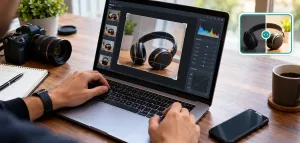
Most AI image tools can now produce something that looks impressive on the first try. And there are a lot of tries: by one count from Everypixel Journal, people generated more than 15 billion AI images in roughly the first year that text-to-image tools went mainstream. When output is that abundant, the quality of a single render stops being the thing that separates tools. The difference shows up the moment you try to change one thing.
You have a portrait you like. You want to swap the background, or fix the lighting, or put the same character in a second pose for a sequence. So you write a new prompt. The tool regenerates the whole image, and now the face is subtly different. Different jaw, different eyes, a hairstyle that drifted. You got a new picture, not an edit of the one you had. For anyone doing real work, that single behavior is what separates a toy from a tool.
This guide is about that problem and how the current generation of prompt-driven editors handles it. I’ll use Imagvio AI as the running example because it’s built around exactly this constraint, but the ideas apply whether you land on it or something else.
What “consistency” actually means here
There are two kinds of consistency that matter, and people conflate them.
The first is identity consistency: the same face, product, or character survives across edits and across a set of images. If you generate a mascot and then ask for that mascot waving, it should still be the same mascot, not a cousin.
The second is scene consistency: the composition, lighting, and layout you liked don’t collapse when you touch one region. You edit the sky and the foreground stays put.
Older text-to-image systems were weak at both. Every prompt was a fresh roll of the dice, which is fine when you want novelty and painful when you want control. The recent shift, the one worth understanding, is that editing moved from “regenerate everything” to “change the region I named and leave the rest alone.” That’s a local edit, and it’s the difference between iterating and gambling.
In short: an AI image editor worth using lets you make a targeted change to part of an image, in plain language, without breaking the parts you didn’t mention. Everything below is a consequence of that one capability.
The model behind the name (a clarification worth making)
There’s a naming knot here that’s easy to trip on, so let me untangle it before we go further.
“Nano Banana” is the nickname for Google DeepMind’s Gemini Flash Image model, a system genuinely good at consistent, prompt-driven editing. You can read Google’s own description of the Gemini image model directly.
Imagvio AI is a separate, independent product. It is not Google, and its own site says as much: it notes that “Nano Banana,” “Gemini,” and “Veo” are trademarks of their respective owners, and that Imagvio is not affiliated with Google. What Imagvio provides is a front end and a workflow around this class of capability, plus its own credit system, tooling, and now video. So when you evaluate it, judge the product and its terms, not an official model datasheet. That distinction protects you from over-trusting marketing numbers on either side, and it’s a good habit with any hosted AI product: the wrapper and the model underneath are two different things with two different sets of promises.
Where prompt-driven local editing earns its keep
Here’s what the local-edit approach lets you do in practice, and why each one matters for actual work rather than one-off demos. If you want to follow along, a browser-based option like Imagvio AI lets you test these on your own images without installing anything.
Targeted edits. You point at a region with words (“replace the background with an overcast studio”, “remove the coffee cup on the left”) and only that region changes. Composition holds. This is the feature that turns a generator into an editor, and it’s the one that saves the most time, because you’re no longer re-rolling a full image and hoping the good parts survive.
Character and style consistency across a set. For anything that needs more than one image, a product line, a short comic, a set of ad variants, you need the same subject to persist. Consistency across outfits, poses, and lighting is the whole game for storytelling and brand work. One good character that reappears reliably is worth more than ten gorgeous one-offs that don’t match.
Multi-image fusion. You can blend several source images, borrow a style from one and a subject from another, and get a coherent result rather than a collage. This is where you stop describing what you want from scratch and start composing from things you already have, which is a fundamentally different and faster workflow.
Pose, lighting, and color control by text. Instead of masks and sliders, you nudge with language. That lowers the skill floor without removing the ceiling for people who know what they’re asking for. A beginner gets a usable result; an art director gets precise control. Same interface.
The through-line: none of these are about making a prettier single image. They’re about making the second, third, and tenth image behave. That’s the whole reframe, quality is table stakes now, and control is the scarce thing.
It’s not only images anymore
Worth flagging, because it changes how you’d slot the tool into a workflow: Imagvio has extended past still images into AI video generation. That matters because the consistency problem is even harder in motion. A character that drifts frame to frame is far more obvious than one that drifts between two stills, the human eye is exquisitely tuned to catch a face that “wobbles” across frames.
If you’re already producing consistent image sets, extending the same subject into short video clips from the same tool removes a handoff, you’re not exporting to a second platform and hoping the identity survives the trip. In practice that handoff is where a lot of small teams lose time and consistency both. I’d treat the video side as newer and evaluate it on your own footage before committing a deadline to it, but the direction is the right one: keep identity stable across both media, in one place.
A prompt-refinement workflow that actually holds up
Here’s the principle that took me longest to internalize: prompt discipline beats model choice. The single biggest determinant of output quality in these tools is not which model is under the hood. It’s how you write and iterate the prompt. Two people on the identical model will get results a tier apart based purely on how they structure their instructions. Here’s the loop I keep coming back to, and it’s worth saving:
- Start with the anchor, not the scene. Describe the subject’s identity first (who or what must stay constant), then the change you want. “Same woman, same face, now in side profile” beats “a woman in side profile”, the second invites a new person entirely.
- Change one variable per pass. If you edit lighting and pose and background in one prompt, you can’t tell which instruction caused the drift. One change, look, then the next. This is just controlled iteration, the same discipline you’d use debugging anything: isolate the variable before you blame it.
- Name what must not change. Explicitly pin the constants (“keep the background and the logo unchanged”). Silence is not instruction; the model fills gaps with guesses, and its guesses are what wreck your composition.
- Use a reference, then correct in words. Feed a source image, generate, then describe only the delta. Corrections in language are faster than re-describing the whole frame from zero.
I tested this on a single portrait across four prompt passes. Identity held well through background and lighting swaps, and the face stayed recognizably the same person across all four. The honest caveat: on a sharp side-angle pose, the profile drifted a little, the jawline changed enough to notice on close inspection. Consistency is strong, not absolute. Plan for a corrective pass on hard angles rather than assuming one prompt nails it, and you’ll rarely be surprised.
The honest part about cost and limits
Two things you’ll want to know before you build a workflow on this.
Credits, not unlimited. Imagvio runs on a credit system, new users get some free credits, with more available through daily check-ins, referrals, and paid plans. The free tier is real and useful for evaluation, but it’s an evaluation tier, not a production allowance. Its own generator lists a per-generation credit cost, so treat “free” as “free to try,” not “free forever.” That’s not a knock; it’s just the shape of the pricing, and knowing it up front saves you a surprise mid-project when the credits run dry on your busiest day.
Provenance and watermarking. Outputs carry Google’s SynthID invisible watermark, which embeds a signal identifying an image as AI-generated. If you work in a context where AI provenance matters, disclosure rules, editorial policy, client contracts, this is relevant: the marking is there whether or not you mention it. You can read about SynthID from Google directly. For most workflows this is a non-issue or even a plus, but it’s the kind of detail you want to know before a client asks, not after.