
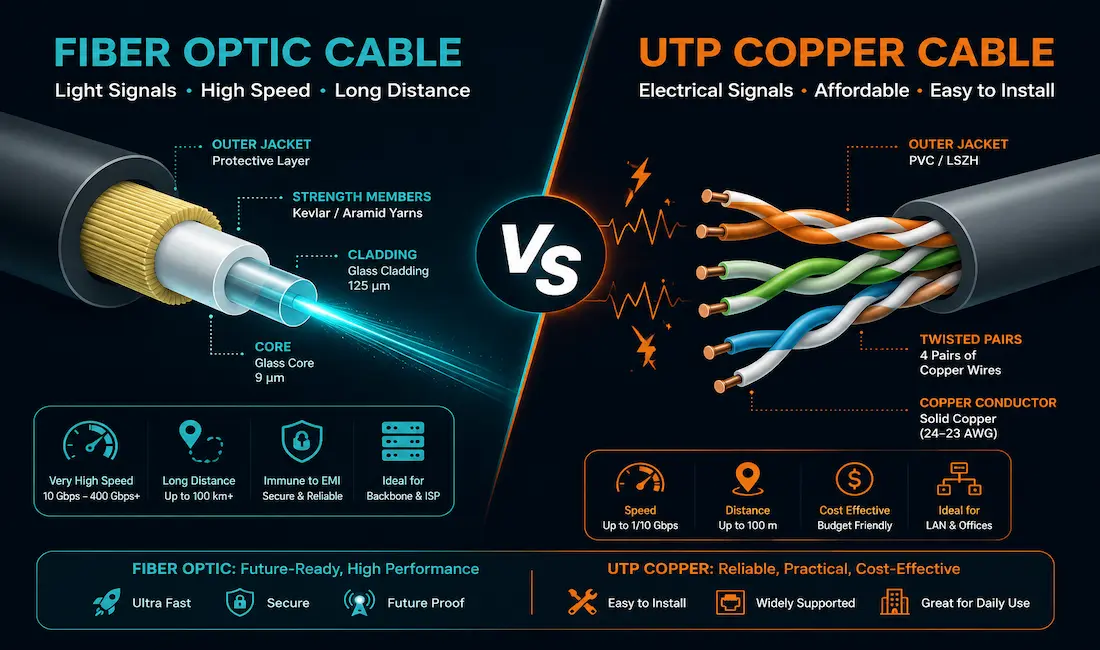
Fiber and copper both move data from one point to another, but they do it in fundamentally different ways, and each suits a different set of needs. Choosing between them isn’t about which is universally “better” — it’s about matching the medium to the distance, environment, and budget of the specific run you’re actually installing.
How They Transmit Data
Fiber sends data as pulses of light through a glass or plastic core, in either single-mode (one light path, longer distance) or multimode (multiple light paths, shorter distance, lower cost) configurations. Copper, by contrast, sends electrical signals through twisted pairs of wire — standard UTP Ethernet cabling being the most common form in modern networks, with Cat6a supporting 10 Gbps over 100 meters per the ANSI/TIA-568.2-D standard.
Comparison at a Glance
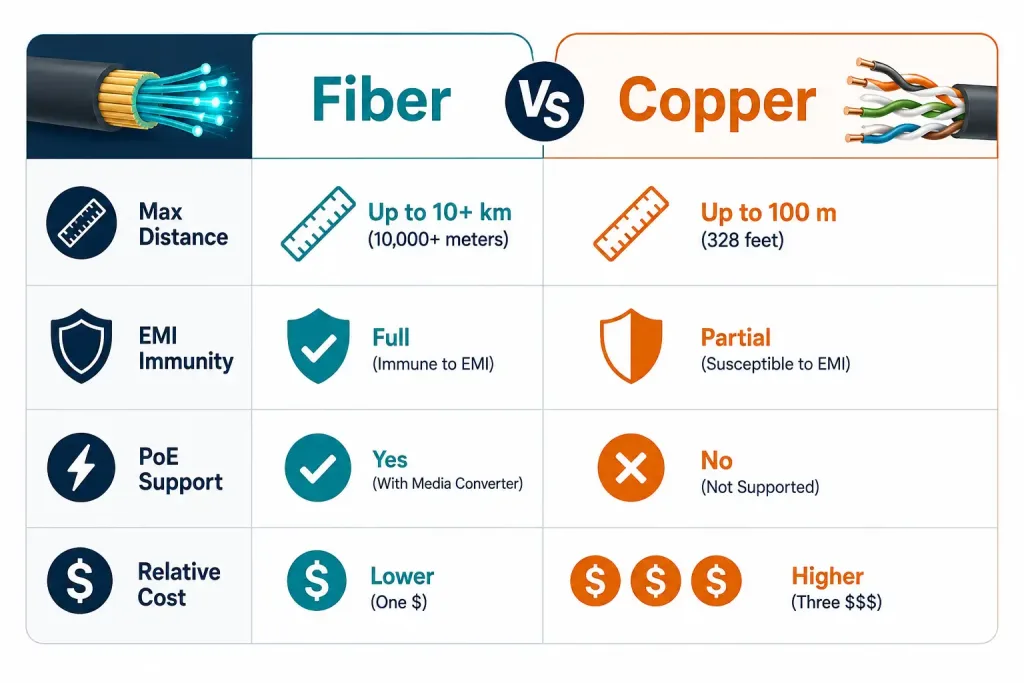
| Factor | Copper | Fiber |
|---|---|---|
| Max distance (common) | 100 m | Tens of km (single-mode) |
| Bandwidth ceiling | ~10-40 Gbps (Cat6a/Cat8) | 100+ Gbps per strand (DWDM) |
| EMI immunity | Depends on twisting | Immune |
| Electrical hazard | Yes (grounding, lightning) | No |
| Tap resistance | Lower | Higher |
| Installation skill | Moderate (crimping, certification) | Higher (fusion splicing, OTDR testing) |
| Carries power (PoE) | Yes | No |
| Typical cost | Lower per run | Higher (mainly transceiver cost) |
Bandwidth
Fiber’s practical bandwidth ceiling is set mainly by the optics at each end, not the glass itself — commercial systems using DWDM (dense wavelength-division multiplexing) can carry well over 100 Gbps on a single strand by running many wavelengths of light simultaneously. Copper is more tightly bounded: Cat6a tops out at 10 Gbps over the standard 100-meter run, while Cat8 reaches 25 or 40 Gbps, but only over roughly 30 meters — a tradeoff worth remembering before assuming Cat8 is a drop-in upgrade for a longer existing run.
Distance
Standard copper Ethernet is limited to 100 meters before signal degradation becomes a real problem. Single-mode fiber, in contrast, can cover tens of kilometers without any signal regeneration in between — which is exactly why fiber dominates for anything connecting separate buildings, campuses, or longer backbone runs. <!– INFOGRAPHIC: Fiber vs Copper – Where Each One Actually Wins goes here –>
Reliability
Fiber resists moisture, temperature swings, and corrosion meaningfully better than copper over the long run, since it isn’t carrying an electrical signal that environmental conditions can degrade or interfere with. That durability advantage compounds over a cable’s lifespan, particularly in outdoor or harsh-environment installations.
Security
Copper can be physically tapped to intercept a signal without leaving obvious visible signs, which is a real consideration for any run carrying sensitive data through a space you don’t fully control. Fiber is considerably harder to tap without detection, since doing so typically requires physically interrupting the light path in a way that’s much more likely to be noticed.
EMI and RFI
Fiber is completely immune to electromagnetic and radio-frequency interference, since it carries light, not an electrical signal. Copper depends on the twist rate of its paired conductors to cancel out interference, which works well in most environments but can degrade meaningfully near heavy machinery, power lines, or other strong EMI sources.
Electrical Safety
Copper conducts electricity, which introduces real grounding, lightning strike, and electrical fault considerations that simply don’t apply to fiber. This matters more than it might seem for any run between buildings or through areas with lightning exposure.
Size and Weight
Copper cabling gets heavier and bulkier as the category rises — a bundle of Cat8 cable takes up noticeably more conduit space than Cat5e. Fiber’s physical size doesn’t scale with speed the same way, which is part of why it’s the practical choice once a data center or campus backbone needs serious bandwidth density.
Cost
Copper is generally cheaper per run, both in cable cost and in the equipment needed to terminate and test it. Fiber’s main cost driver isn’t the cable itself but the transceivers at each end, which can add up quickly across a large deployment. Published per-foot or per-port figures vary significantly by vendor and region, so getting actual quotes for your specific project is a far better approach than budgeting off a generic published number.
Power Over Ethernet (PoE)
Only copper can carry electrical power alongside data on the same cable, which is why PoE — powering IP cameras, access points, and VoIP phones directly over the network cable — is exclusively a copper capability. Fiber has no equivalent, since it carries light rather than an electrical current.
Real-World Use Cases
Data center backbones and inter-building links favor fiber, given the combination of distance, bandwidth, and EMI immunity it offers. Office and home LANs are still built almost entirely on copper, since runs rarely exceed the 100-meter limit and the cost advantage is real. For 5G backhaul specifically, the picture is more mixed than it’s often presented: according to Ericsson’s 2025 Microwave Outlook report, microwave backhaul currently supports around 75% of live 5G networks globally, with the overall fiber-versus-microwave split projected to even out to roughly 51% fiber and 49% microwave by 2030 as fiber buildout continues. IoT devices, for their part, rely mostly on wireless connectivity rather than either wired medium.
Installation Considerations
Fiber installation demands careful cable routing (to avoid exceeding bend-radius limits), fusion splicing for permanent joints, and OTDR (optical time-domain reflectometer) testing to verify the finished link’s actual performance. Copper installation is comparatively more forgiving — proper RJ45 crimping, EMI-aware routing away from interference sources, and standard certification testing cover most of what’s needed.
Troubleshooting Common Issues
Fiber problems most often trace back to a dirty or damaged connector end-face, or a type mismatch (single-mode fiber connected to multimode equipment, for instance). Copper problems more commonly involve EMI interference from nearby sources, a connector that isn’t fully seated, or a wiring fault introduced during termination. Checking these specific, common causes first — rather than assuming a deeper equipment failure — resolves most real-world issues on both media.
Making the Actual Choice
As a practical default: copper handles in-building runs under 100 meters perfectly well and costs less to deploy. Fiber is the right call for anything longer, any link between separate buildings, any electrically noisy environment, or any situation where you genuinely need more bandwidth than copper can deliver. Most real networks end up using both, applied where each actually makes sense, rather than standardizing on one medium throughout.
Frequently Asked Questions
Which has more bandwidth, fiber or copper?
Fiber, by a wide margin at the high end — commercial fiber systems using DWDM can exceed 100 Gbps per strand, while copper’s practical ceiling sits at 25-40 Gbps (Cat8) over a much shorter maximum distance of roughly 30 meters.
How far can each type of cable actually run?
Standard copper Ethernet is limited to 100 meters. Single-mode fiber can run tens of kilometers without needing signal regeneration in between, which is the main reason it’s used for longer or inter-building links.
Is fiber more secure than copper?
Generally, yes. Copper can be tapped without obvious physical signs, while tapping fiber typically requires interrupting the light path in a way that’s far more likely to be detected.
Can fiber carry power the way copper does with PoE?
No. PoE is a copper-only capability, since it relies on carrying electrical current alongside the data signal. Fiber carries light, not electricity, so it has no equivalent to PoE.
Is microwave or fiber more common for 5G backhaul?
As of Ericsson’s 2025 Microwave Outlook report, microwave backhaul supports around 75% of live 5G networks globally today, though the broader fiber-versus-microwave split is projected to even out to roughly 51% fiber and 49% microwave by 2030 as fiber infrastructure continues to expand.
Is copper or fiber the right choice for a home network?
Copper, in almost every case. Home network runs are well under the 100-meter limit, the cost difference is real, and fiber’s main advantages — long distance and extreme bandwidth — aren’t typically relevant at residential scale.
The Bottom Line
Neither fiber nor copper is the universally correct choice — they solve different problems well. Copper remains the practical, cost-effective default for in-building runs under 100 meters, while fiber earns its higher cost for longer distances, inter-building links, electrically noisy environments, and bandwidth needs copper simply can’t meet. The right network design usually uses both, deployed where each one’s actual strengths matter most.



