
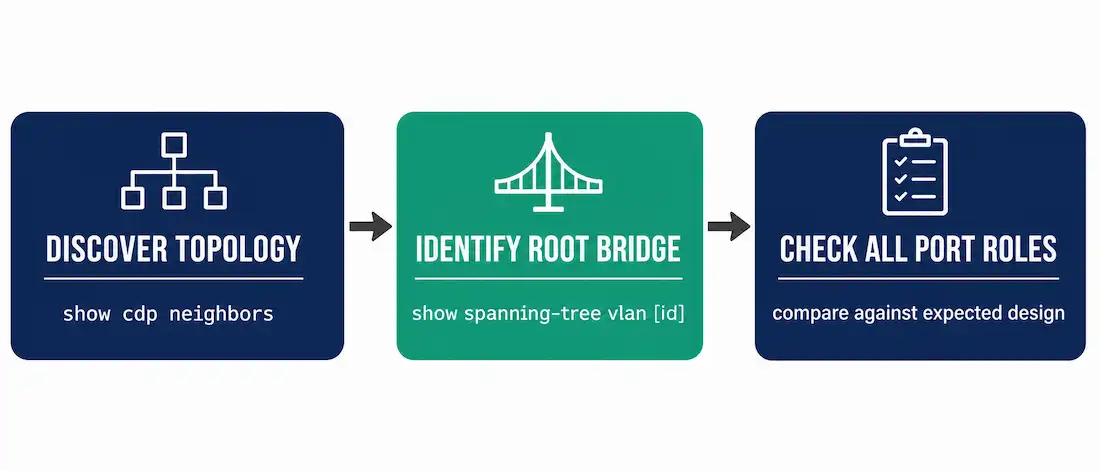
Spanning tree topology is usually planned as part of the network design — root bridge placement, priority values, and which links should end up blocked. But actual switches on actual cabling don’t always match that plan, especially after months or years of undocumented changes. Troubleshooting STP starts with a simple question: does the network’s actual behavior match what was designed, and if not, where’s the gap?
This guide walks through a concrete diagnostic workflow, the two ways STP can actually fail, and the guards that prevent the more dangerous of the two — using the SW1-SW4 topology established earlier in this series as a worked example.
Step 1: Discover the Actual Layer 2 Topology
Before comparing actual behavior to expected behavior, confirm what’s actually connected to what — documentation drifts out of date faster than cabling changes.
Switch# show cdp neighborsThis shows every directly-connected Cisco device and the local/remote port each connection uses, which is often the fastest way to rebuild an accurate topology map when documentation is stale or missing.
Step 2: Identify the Root Bridge
Switch# show spanning-tree vlan 10Confirms which switch is root for that VLAN, as covered in the root bridge article. If the root bridge shown isn’t the one your design intended — often an access-layer switch that won a default-priority election it should never have been part of — that’s frequently the actual root cause, not a symptom.
Step 3: Check Every Switch’s Port Roles and States
Run the same command on every switch in the topology, not just the one showing symptoms:
Switch# show spanning-tree vlan 10Look at the Role (Root, Desg, Altn) and Sts (FWD, BLK) columns for each port, covered in detail in the port roles article. In the SW1-SW4 topology, the expected state is SW1 fully designated, SW2 and SW3 each with one root port, and the SW2-SW3 link blocked on one end. If a different port is blocked than expected — say, SW1’s link to SW3 instead of the SW2-SW3 link — a cost or priority value has drifted from the intended design somewhere in the topology.
The Two Ways STP Actually Fails
STP failures split into two categories with very different severity, and telling them apart quickly matters:
Failure Type 1: A Port Incorrectly Stays Blocked
STP blocks a port that should be forwarding, based on a cost or priority miscalculation somewhere in the topology. Traffic that should route through that switch gets lost or takes a longer path instead. This is disruptive but contained — the rest of the network, and often the rest of the VLAN, keeps functioning normally while this one path is suboptimal.
Failure Type 2: A Port Incorrectly Moves to Forwarding
This is the dangerous failure. A port that should stay blocked — often due to a failed BPDU exchange, a unidirectional link, or software/hardware fault — transitions to forwarding, and the physical loop that STP was blocking becomes an active one.
Since Ethernet frames carry no TTL field, unlike IP packets, a frame caught in an active loop keeps circulating indefinitely rather than eventually expiring. Frames with a known destination MAC address are forwarded directly and don’t loop, but any flooded frame — broadcasts, multicasts, or unicasts to an unlearned destination — enters the loop and multiplies every time a switch in the loop forwards it onward.
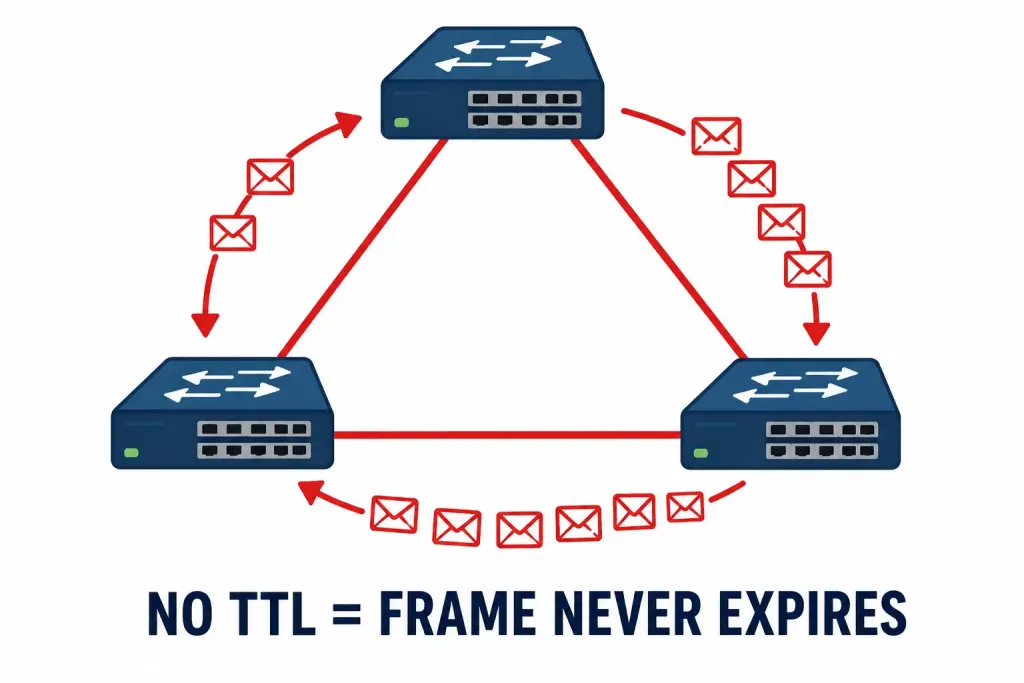
Signs of an active loop:
- Link utilization climbing sharply across every link in the affected VLAN, not just one
- Switch CPU utilization spiking toward 100%, since flooding and MAC table churn both consume CPU cycles
- The MAC address table for a given switch showing the same source MAC address flip-flopping between two different ports in rapid succession — the classic signature of a frame circling the loop and being seen from multiple directions
- Control-plane protocols sharing the same VLAN, like OSPF or EIGRP hellos, degrading or failing as device CPUs become saturated
A failure confined to a single VLAN typically stays confined to that VLAN’s ports and trunks — an unrelated VLAN sharing the same physical switches usually keeps working normally, which is a useful diagnostic signal on its own.
Repairing an Active Loop
1. Break the loop immediately. Physically or administratively disable one of the redundant links causing it. Traffic and CPU load should drop back to normal within seconds once the loop is actually broken — this is the emergency response, not the fix.
2. Confirm recovery before doing anything else. Verify CPU utilization and MAC table stability have returned to normal on the affected switches before proceeding.
3. Find the actual cause before restoring redundancy. Removing the redundant link only treated the symptom. If a port failed to block when it should have — the actual root cause — restoring that redundant link without understanding why will very likely trigger the same storm again. Check for:
- A failed or misconfigured BPDU exchange between the two ends of the link that shouldn’t have activated
- A unidirectional link — one where traffic passes in only one direction — which can fool STP into thinking a link is healthy when it can’t actually receive BPDUs from its neighbor
- A recent configuration change to priority, cost, or the STP mode itself on any switch in the topology
4. Only then restore the redundant link, once the underlying cause is identified and corrected.
Preventing the Dangerous Failure Type
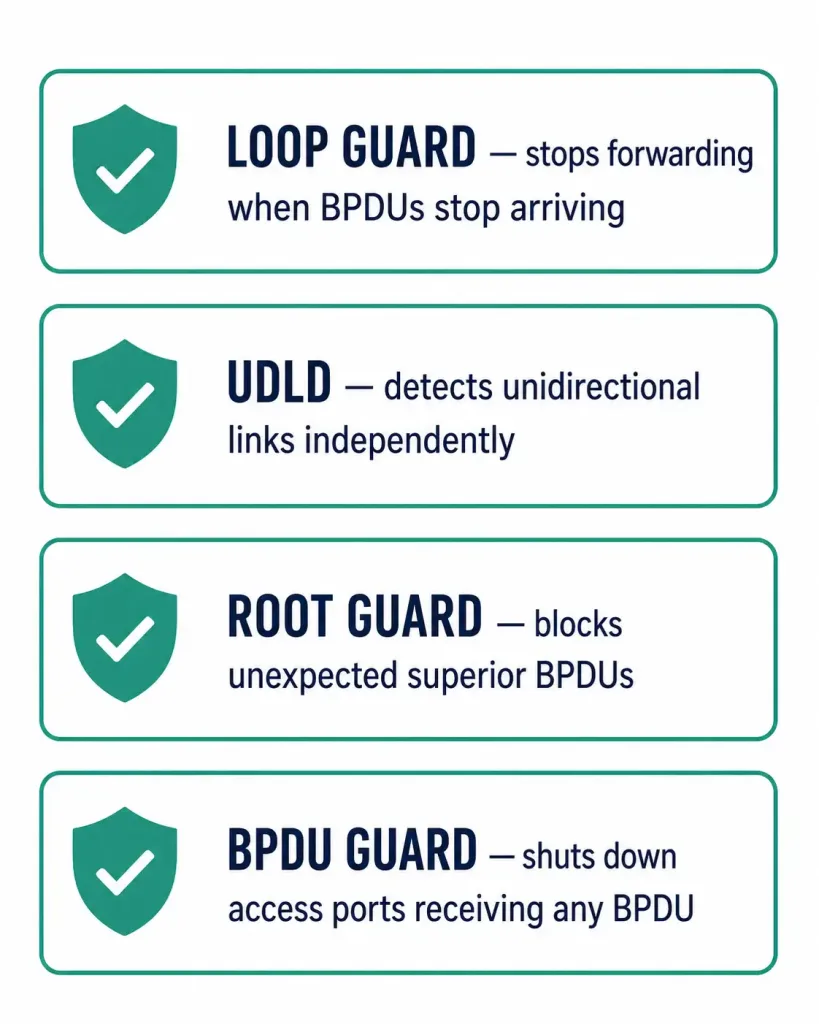
Several features exist specifically to stop a port from incorrectly transitioning to forwarding in the first place:
- Loop Guard. Applied to non-designated ports, it prevents a port from transitioning to forwarding if it stops receiving BPDUs — the exact scenario behind a unidirectional link failure. Without Loop Guard, a port that should stay blocked can transition to forwarding simply because BPDUs stopped arriving, which STP interprets as “the other path is gone” rather than “the link has failed silently in one direction.”
Switch(config-if)# spanning-tree guard loop- UDLD (Unidirectional Link Detection). A Cisco protocol that specifically detects unidirectional links using its own periodic hello messages, independent of STP’s BPDU mechanism. UDLD catches the fiber-mismatch or one-way-copper scenario that Loop Guard is designed to protect against, and the two are commonly deployed together.
Switch(config)# udld enable
Switch(config-if)# udld port aggressive- Root Guard, covered in the root bridge article, prevents an unexpected switch from becoming root by blocking a port that receives a superior BPDU it shouldn’t.
- BPDU Guard, covered in the BPDU article, shuts down an access port entirely if it ever receives a BPDU, protecting against a switch or hub being plugged into what should be an end-device-only port.
Reading STP-Related Log Messages
Cisco switches log specific, recognizable messages during STP events, and knowing what each one actually means saves time during an active incident.
Topology Change Notifications, visible via show spanning-tree detail as a rising topology change counter, indicate a port has transitioned in a way that requires other switches to flush their MAC address tables. An occasional TCN during planned maintenance is normal; a rapidly climbing TCN counter with no known cause usually points to a flapping link somewhere in the topology.
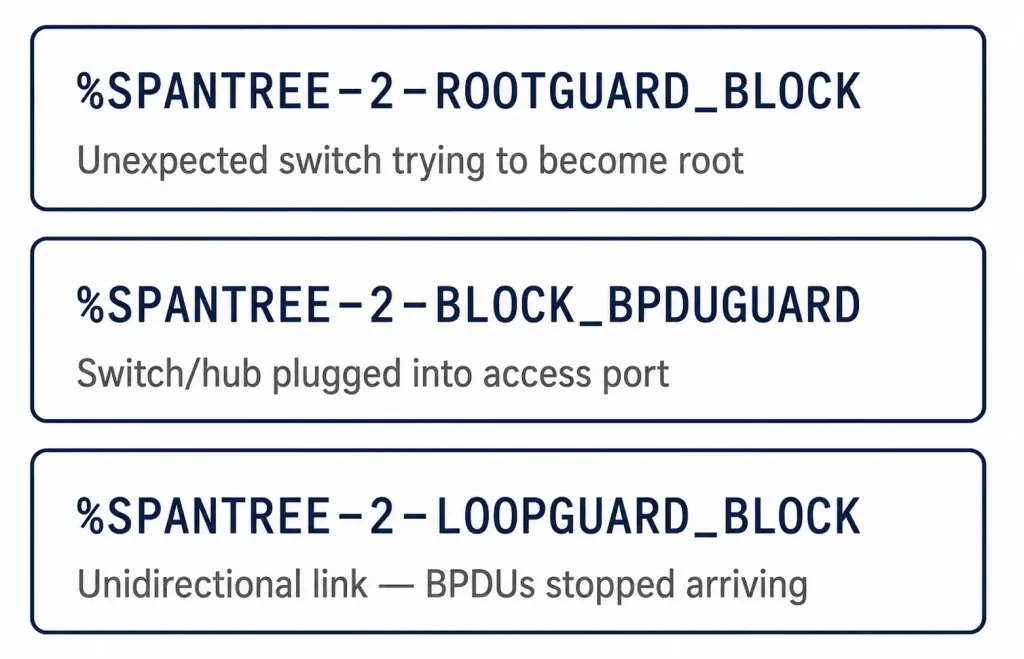
%SPANTREE-2-ROOTGUARD_BLOCK: Root guard blocking port Gi1/0/1 on VLAN0010Root Guard blocked this port because it received a BPDU claiming a lower Bridge ID than the current root, covered in the root bridge article. This is either a misconfigured switch on the other end that shouldn’t be trying to become root, or a genuine rogue device — worth investigating immediately rather than just clearing the block.
%SPANTREE-2-BLOCK_BPDUGUARD: Received BPDU on port Gi1/0/5 with BPDU Guard enabled. Disabling port.BPDU Guard shut this port down because it received a BPDU on what was configured as an access port, covered in the BPDU article. Almost always means a switch, access point, or hub got plugged into a port that was intended for a single end device.
%SPANTREE-2-LOOPGUARD_BLOCK: Loop guard blocking port Gi1/0/2 on VLAN0010Loop Guard put this port into a loop-inconsistent state because it stopped receiving BPDUs on a port that should be receiving them — the signature of a unidirectional link failure. Check show interfaces status for a duplex mismatch or physical layer issue on that specific link before assuming it’s a configuration problem.
Diagnostic Commands Reference
| Command | Purpose |
|---|---|
show cdp neighbors | Rebuild the actual Layer 2 topology map |
show spanning-tree vlan [id] | Root bridge, port roles, and states for a specific VLAN |
show spanning-tree vlan [id] detail | Deeper per-port detail, including BPDU counts |
show interfaces status | Duplex and speed, useful for spotting mismatches that break point-to-point detection |
show spanning-tree summary | Active mode and a compact per-VLAN overview across the whole switch |
debug spanning-tree events | Real-time STP event logging — use sparingly on production or heavily-loaded switches, and always follow with undebug all |
Frequently Asked Questions
What is Spanning Tree Protocol troubleshooting actually trying to find?
The gap between the network’s designed spanning tree topology — which root bridge, which ports blocked — and its actual current behavior. That gap is usually caused by a priority or cost value that drifted from the original design, or by a link failing in a way STP didn’t correctly detect.
What are the two ways STP can fail?
A port can incorrectly stay blocked, which is disruptive but contained to one path. Or a port can incorrectly move to forwarding when it should stay blocked, which activates a physical loop and can cause a network-wide broadcast storm — a far more serious failure that demands immediate action.
How do you recognize an active bridging loop?
Rapidly climbing link utilization across multiple links in the same VLAN, switch CPU utilization spiking toward 100%, and a switch’s MAC address table showing the same source MAC address flip-flopping between two different ports. Control-plane protocols like OSPF or EIGRP sharing the same VLAN often degrade or fail as device CPUs saturate.
What’s the correct order of operations for fixing a loop?
Break the loop first by disabling one of the redundant links — this is triage, not the fix. Confirm CPU and MAC table behavior return to normal. Then find the actual cause, commonly a failed BPDU exchange or a unidirectional link, before restoring the redundant link. Restoring redundancy before fixing the underlying cause risks triggering the exact same storm again.
What prevents STP from incorrectly moving a port to forwarding?
Loop Guard stops a non-designated port from transitioning to forwarding just because BPDUs stopped arriving — the classic unidirectional-link scenario. UDLD independently detects unidirectional links using its own hello mechanism, and is commonly paired with Loop Guard. Root Guard and BPDU Guard protect against unexpected root bridge takeover and rogue devices on access ports, respectively.
Which commands are most useful for STP troubleshooting?
show cdp neighbors to confirm actual topology, show spanning-tree vlan [id] for root bridge and port roles, show spanning-tree vlan [id] detail for deeper per-port information, show interfaces status to catch duplex mismatches, and show spanning-tree summary for a quick overview across every VLAN on the switch. Between these five, most STP problems reveal themselves without needing to reach for debug commands at all.



