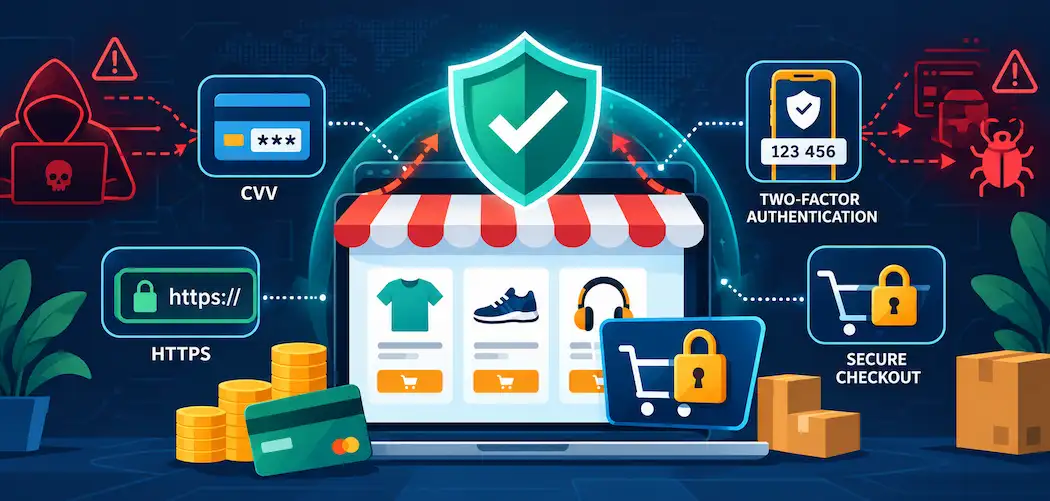
Online fraud isn’t a hypothetical risk for small eCommerce stores — it’s a scaled, automated business for the people running it. Global losses to online payment fraud reached roughly $44.3 billion in 2024 and are projected to climb to $107 billion by 2029, according to Juniper Research, with cumulative losses over that five-year window expected to exceed $362 billion. Small businesses aren’t a side target either: Verizon’s data, reported via Cybersecurity Magazine, found that roughly 43% of all cyberattacks are aimed at small businesses specifically — often because they have real customer payment data but weaker defenses than a large retailer.
None of the ten measures below are exotic. What actually protects a store is consistent execution of fundamentals, not a single silver-bullet product. Here’s what genuinely matters, and why.
1. Keep Platform and Plugin Software Updated
Whether you’re running WooCommerce, Shopify, Magento, or another platform, outdated core software and plugins are one of the most common entry points for attackers — security patches exist specifically because a vulnerability was discovered and needs closing before it gets exploited at scale. Enable automatic updates wherever your platform allows it, and for anything that requires manual review first, set a recurring schedule rather than updating only when something breaks.
2. Verify CVV on Every Card Transaction
Requiring the card verification value (the 3- or 4-digit code on the card itself) adds a real layer of friction against stolen card numbers used without physical possession of the card. It won’t stop every fraud attempt — CVV data does leak in some breaches — but it remains a baseline check that most payment processors support natively, and skipping it removes a layer of protection for no real benefit.
3. Move to HTTPS With a Valid SSL/TLS Certificate
Every page that collects any customer data, not just the checkout page, should run over HTTPS. Beyond the direct security benefit of encrypting data in transit, browsers now visibly flag non-HTTPS sites as “not secure,” which damages customer trust before a sale even happens. When choosing a certificate, understand what you actually need: a basic domain-validated certificate protects a single domain, while a wildcard certificate covers a domain and its subdomains if your checkout flow spans multiple subdomains.
4. Use an Address Verification System (AVS)
An AVS check compares the billing address the customer enters against the address on file with their card issuer, flagging mismatches that often indicate stolen card details being used with an unrelated shipping address. It’s not foolproof on its own, but combined with CVV verification, it meaningfully raises the cost of attempting fraud through your checkout.
5. Lock Down Admin Panels and Default Credentials
Default usernames and passwords on CMS admin panels are one of the first things automated attack tools check for. Change default credentials immediately on setup, enforce strong unique passwords for every admin account, and restrict admin panel access by IP address where your hosting setup allows it. A compromised admin account doesn’t just risk your storefront — it risks every customer record and order your store has ever processed.
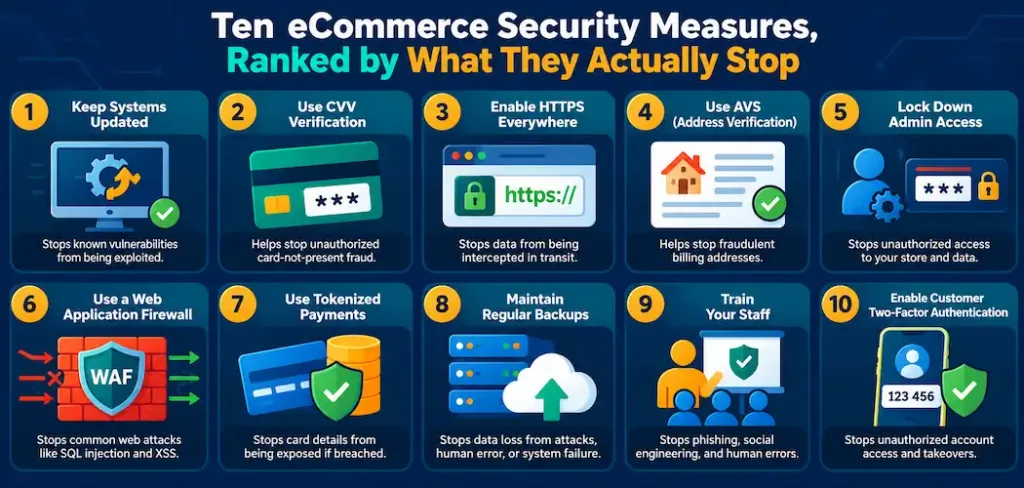
6. Deploy a Web Application Firewall
A web application firewall (WAF) filters incoming traffic for known attack patterns — SQL injection attempts, cross-site scripting payloads, and malicious bot traffic — before it ever reaches your application. Most major hosting providers and CDNs offer a WAF as a built-in or add-on service, and for a small store without a dedicated security team, that managed option is usually more practical than running one yourself.
7. Use Tokenized Third-Party Payment Processing
Routing payments through an established processor (Stripe, PayPal, Square, and similar services all handle this) means raw card numbers never touch your own servers — the processor returns a token your system uses instead. This dramatically shrinks your PCI DSS compliance burden and, more importantly, means a breach of your own systems doesn’t expose stored card numbers, because there aren’t any to steal.
8. Back Up Data Frequently and Test the Restores
A backup that’s never been tested isn’t a real backup — it’s an assumption. Back up order data, customer records, and site configuration on a regular schedule, store at least one copy somewhere isolated from your live environment (so ransomware hitting your main system can’t also encrypt your backups), and actually run a test restore periodically to confirm the backup works when you need it.
9. Train Staff on Password Hygiene and Phishing Recognition
A large share of breaches start with a human, not a technical flaw — a staff member reusing a password across services, or clicking a convincing phishing link that harvests admin credentials. Regular, practical training (recognizing a fake invoice email, understanding why password reuse is dangerous, knowing who to report a suspicious message to) closes a gap that no firewall addresses.
10. Educate Customers and Offer Two-Factor Authentication
Customer accounts are a target too, especially when customers reuse passwords across multiple sites. Offering two-factor authentication on customer accounts, and briefly explaining why it matters at account creation, measurably reduces account-takeover fraud — attackers with a stolen password still can’t get in without the second factor.
Why This Matters Beyond Avoiding a Single Breach
The cost of a security incident for a small eCommerce store isn’t just the immediate fraud loss. Chargebacks, processor fee increases after a fraud spike, the reputational damage of a breach becoming public, and the genuine possibility of losing your payment processor relationship entirely if fraud rates climb too high are all downstream costs that dwarf what any of the measures above cost to implement. Security here isn’t a compliance checkbox — it’s a direct input into whether a small store stays viable as online fraud losses keep climbing industry-wide.
The Bottom Line
None of these ten measures are individually complicated, and none require an enterprise security budget. What they require is consistent, ongoing attention — updated software, verified transactions, encrypted connections, locked-down admin access, tested backups, and a staff and customer base that understands the basics. With online payment fraud losses projected to more than double by 2029, a small store that treats security as a one-time setup task rather than an ongoing practice is taking on real, growing risk.
Frequently Asked Questions
How much does eCommerce fraud actually cost globally?
Global online payment fraud losses reached approximately $44.3 billion in 2024 and are projected to reach $107 billion by 2029, with cumulative losses over that period expected to exceed $362 billion, according to Juniper Research.
Are small eCommerce stores really a common target?
Yes. Verizon’s data, reported via Cybersecurity Magazine, found that roughly 43% of all cyberattacks target small businesses specifically, often because they hold real customer payment data while running weaker defenses than larger retailers.
What’s the single most important eCommerce security measure?
There isn’t one silver bullet — routing payments through a tokenized third-party processor (so raw card data never touches your servers) and keeping software updated are both foundational, but the real protection comes from applying all ten measures consistently rather than relying on any single one.
Do I need a dedicated security team to implement these measures?
No. Most of these — HTTPS, tokenized payment processing, managed WAFs through your host or CDN, automatic software updates — are available as built-in or low-cost add-on services through mainstream hosting and payment providers, making them accessible to small stores without in-house security staff.