A link that looks completely ordinary can quietly reveal your IP address, your approximate location, your browser, and your device — all without you ever realizing it happened. That’s the basic trick behind an IP logger, and understanding how it works is genuinely useful knowledge, whether you’re trying to avoid clicking something you shouldn’t or you’re a site owner thinking about legitimate visitor analytics.
This guide explains what an IP logger actually is, where the line sits between legitimate and harmful use, what information these links can and can’t reveal, and — most usefully — how to protect yourself from one.
What Is an IP Address Logger?
An IP logger is a service that generates a tracking link. When someone clicks that link, the service records the visitor’s IP address along with other details the browser exposes automatically — things like approximate location, device type, browser, and operating system. The link itself is usually disguised as something ordinary: a shortened URL, a link to what looks like an image or article, or something branded to look like a familiar site.
The mechanism isn’t exotic or especially sophisticated. Every website you visit technically receives your IP address as a basic function of how the internet works — a server has to know where to send its response back to. An IP logger simply isolates that one piece of information and hands it back to whoever created the link, often with a dashboard showing exactly when and from where the link was clicked.
Legitimate Uses vs. Harmful Ones
This is the distinction that matters most, and it’s the one earlier coverage of this topic has generally skipped.
Legitimate uses generally involve a website or service tracking its own visitors with appropriate disclosure — standard web analytics, fraud detection, or security monitoring on infrastructure you own and operate. Most website owners already do a version of this through tools like Google Analytics, typically disclosed in a privacy policy as expected, routine practice.
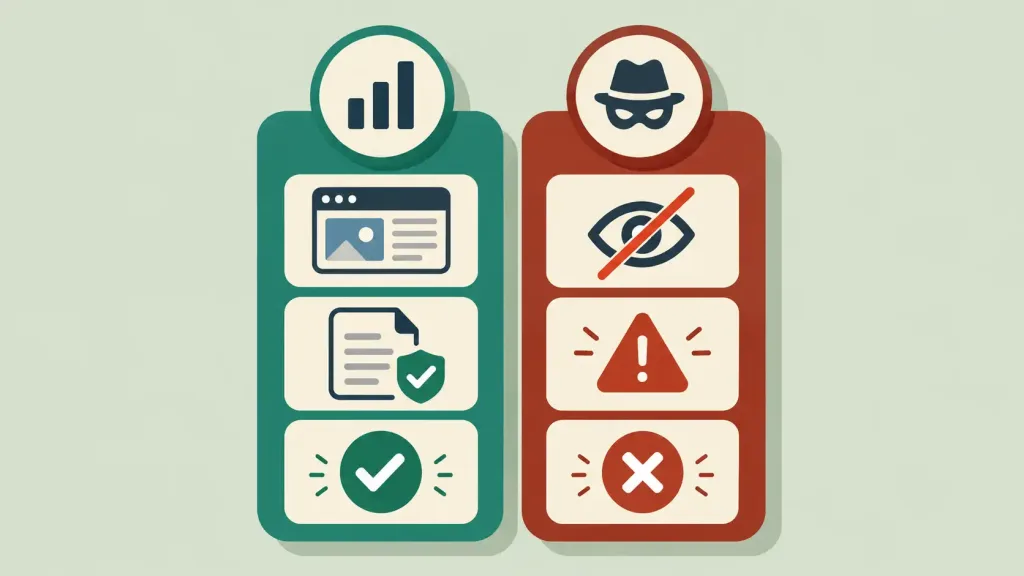
Harmful uses involve sending a disguised tracking link to a specific person without their knowledge or consent, specifically to find out their location or confirm their identity. This is the exact technique behind several forms of real harm: doxxing (publicly exposing someone’s location or identity against their will), harassment campaigns, and in extreme cases, “swatting” setups where an attacker uses a victim’s location to send emergency services to their home as a form of attack. Using an IP logger this way can also carry real legal consequences depending on jurisdiction, separate from the clear ethical problem of covertly surveilling someone who hasn’t agreed to it.
The technology itself is neutral — the difference is entirely about consent and disclosure. A link you create to see which of your own marketing channels performs best is a different thing entirely from a link designed to covertly identify a private individual who doesn’t know they’re being tracked.
What an IP Logger Can Actually Reveal — and What It Can’t
This matters for understanding the real scope of the risk, in both directions.
What it can reasonably reveal: a visitor’s public IP address, their general internet service provider, an approximate geographic region (typically city or metro-area level, based on how that IP address block is registered), and basic technical details like browser and operating system.
What it generally cannot reveal: a precise home address, the person’s name, or other personally identifying details — unless that information is independently connected to the IP address through some other means, such as a legal request to an ISP. IP-based geolocation is commonly overstated in both directions: more precise than “no information at all,” but far less precise than “your exact front door,” despite how it’s sometimes portrayed.
This is the same underlying technology and the same limitations covered in general IP address education — the information exposed through an IP logger isn’t fundamentally different from what any website already receives when you visit it; an IP logger just packages it specifically for the purpose of identifying and tracking one target.
How to Recognize a Suspicious Link
A few practical habits meaningfully reduce the risk of clicking a tracking link without realizing it:
Be cautious with unexpected shortened links, especially from people you don’t know well or in contexts where a shortened link seems unnecessary. Legitimate shortened links are extremely common, so this isn’t about avoiding all of them — it’s about treating an unexpected one with more scrutiny, especially if it arrives alongside pressure to click quickly.
Use a link-preview or URL-expander tool before clicking an unfamiliar shortened link. Several free tools let you see where a shortened URL actually leads without visiting it directly, which exposes an IP logger’s true destination before you’ve exposed anything to it.
Check the context, not just the link. A tracking link is often paired with a pretext designed to create urgency or curiosity — “look at this photo of you,” a fake prize notification, or an urgent-sounding message from an unfamiliar sender. The social engineering around the link is often a bigger giveaway than the link itself.
Use a VPN if you’re generally concerned about link-based tracking. A VPN masks your real IP address from any site or link you visit, including an IP logger, by routing your connection through the VPN provider’s own servers instead.
Be skeptical of unfamiliar domains mimicking known services, since IP loggers sometimes use domain names designed to look like a trusted brand or service at a glance.
What to Do If You Think You’ve Clicked One
If you suspect you’ve clicked a tracking link, a few steps are worth taking: change your VPN server or restart your router to get a new IP address if you have a dynamic IP (most home connections do), be extra cautious of any follow-up contact referencing your location, and if the situation involves clear harassment or a credible threat, this is worth reporting to the platform where it occurred and, in serious cases, to local authorities — IP-based harassment and doxxing are taken seriously by most platforms’ trust and safety teams specifically because of how often this technique shows up in real harassment cases.
Frequently Asked Questions
Is using an IP logger illegal? It depends heavily on how it’s used and the jurisdiction involved. Using one on your own website with proper disclosure is standard, legitimate practice. Using one covertly against a specific individual to harass, threaten, or expose them can carry real legal consequences, separate from the clear ethical problem involved.
Can an IP logger reveal my exact home address? Generally no. IP-based geolocation is typically accurate to a city or metro-area level, not precise enough to pinpoint an exact address on its own.
Does clicking a link always expose my IP address? Yes, in the basic sense that any website you visit receives your IP address as a normal function of how web requests work. An IP logger simply isolates and reports that information specifically, rather than using it invisibly the way most ordinary websites do.
How can I avoid being tracked by a suspicious link? Use a link-preview or URL-expander tool before clicking unfamiliar shortened links, be skeptical of urgent or curiosity-driven messages paired with a link, and consider using a VPN if you’re generally concerned about this kind of tracking.
Is it the same as being hacked? No. An IP logger reveals basic connection information through a link click — it doesn’t install anything on your device or grant access to your files, unlike malware. It’s a privacy and tracking concern, not a device-compromise one.
What should I do if someone uses an IP logger against me? If it involves harassment or a credible threat, report it to the platform where the contact occurred, and in serious cases, to local authorities. Changing your IP (via your router or a VPN) removes the immediate exposure from that specific link.
The Bottom Line
An IP logger is a simple tool with a real legitimate purpose — website analytics and security monitoring — and a genuinely harmful misuse when deployed covertly against a specific person without consent. Understanding how the underlying mechanism works is useful precisely because it demystifies the risk: these links can reveal a real but limited slice of information, mostly your approximate location and basic device details, not a complete picture of your identity or exact whereabouts. The most effective protection is simple, habitual caution — treating unexpected shortened links the way you’d treat any other unsolicited request for information, and using a preview tool or VPN when something feels off.