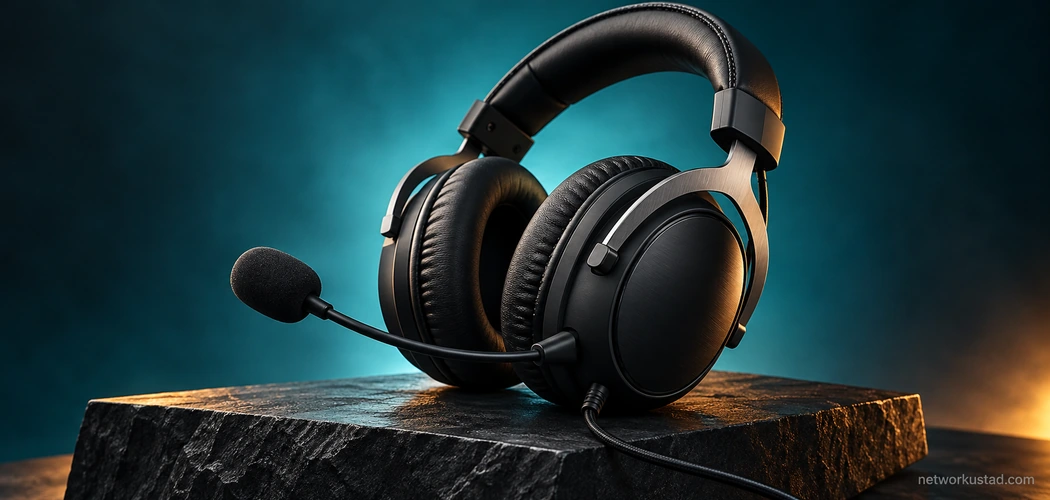
A gaming headset needs to do several ordinary things well: fit your head, connect to your equipment, let you hear the game and carry your voice clearly enough for the people listening. A long specification table does not establish that it meets those needs, especially when the product name covers more than one version.
The HyperX Cloud Stinger is a useful example of why exact identification matters. A retailer’s title, an older review and a current manufacturer page may not describe the same headset. Before relying on a claim about the microphone, controls or supplied cables, establish which unit is actually being offered.
This is a practical evaluation guide, not a hands-on listening review. It does not claim measured audio performance, guaranteed all-day comfort or independently tested microphone quality. Where original-model specifications could not be verified, the guide explains what to check instead of repeating uncertain numbers.
Identify the exact HyperX Cloud Stinger version
Read the full product name and, where available, the part number on the packaging or headset label. Ask for photographs of the actual unit when buying used or through a marketplace. A seller’s stock image may omit differences that matter to your setup.
During this update, the older manufacturer product address redirected to the HyperX Cloud Stinger 2 product page. That page describes the newer named product. It should not be used automatically to validate every statement about the original headset or another variant.
Match the listing, label and relevant documentation before comparing specifications. If a seller uses Cloud Stinger and Cloud Stinger 2 interchangeably, ask for clarification. A family resemblance is not evidence that microphone construction, controls, weight or included accessories are identical.
For a HyperX Cloud Stinger purchase, keep a short record of the verified version and the features you need. This prevents a comparison from quietly switching between products halfway through. If identification remains uncertain, treat the uncertainty as part of the buying decision rather than filling the gap with assumptions.
Start with the devices you intend to use
Write down the actual devices and connections involved. A PC, console controller, handheld device and phone can require different arrangements. The presence of a socket that looks suitable does not establish that both headphone playback and microphone input will work through it.
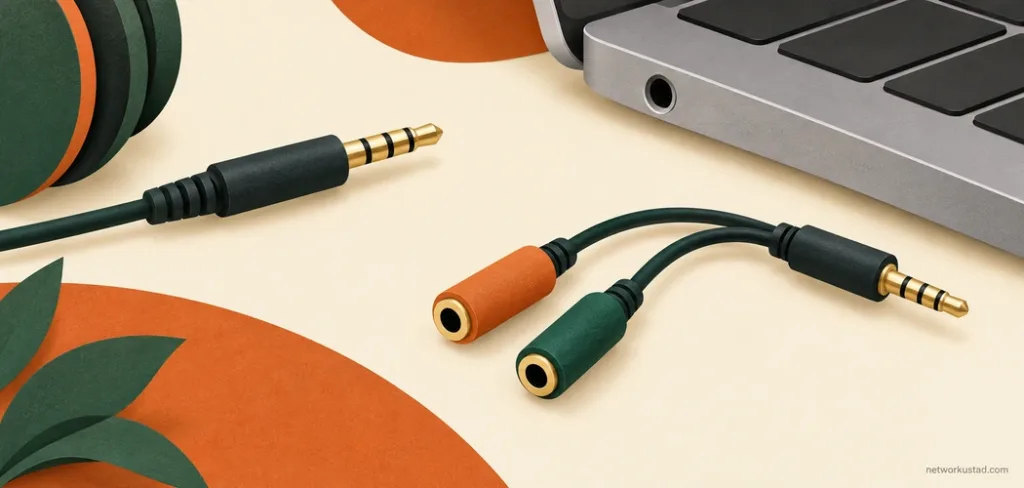
Check whether your device has a combined headset connection or separate headphone and microphone connections. A suitable splitter may be needed for some arrangements, while a combined connection may accept an appropriate headset plug directly. Confirm the requirements for the exact equipment and cable rather than assuming one setup covers every device.
The original article gave broad plug-and-play assurances and suggested a separate cable was universally necessary for Nintendo Switch use. Those statements have not been carried forward. A HyperX Cloud Stinger should be checked against the connection you will actually use, including any controller, dock or adapter in between.
For a phone or tablet without a suitable analogue audio connection, investigate whether an appropriate adapter supports microphone input as well as playback. Do not buy an adapter solely because its connector fits. Compatibility, included accessories and return arrangements are worth resolving before payment.
Locate the controls on the actual headset
Volume controls and microphone muting can be implemented in different ways. They may be on an earcup, on a cable or through another control arrangement. Read the documentation for the identified model and inspect photographs closely enough to locate the control you will use.
For the current Cloud Stinger 2, the manufacturer describes on-headset volume controls and a swivel-to-mute microphone. That is a useful example of why a generic claim about in-line controls should not be applied across a product family. It does not independently establish the configuration of every older unit.
When assessing a HyperX Cloud Stinger listing, ask the seller to demonstrate the volume and mute functions if practical. Listen to whether both channels remain consistent while the control is adjusted. Check the microphone’s actual mute behaviour rather than assuming that moving a boom has the same effect on every headset.
Do not pull on a microphone to test whether it detaches. Confirm the construction through the appropriate documentation first. The earlier article repeatedly described a detachable microphone without establishing the exact model, so that claim has been removed rather than treated as a verified feature.
Judge microphone performance with a recording
A microphone description is not a substitute for hearing a sample. If you can test the headset, record a short passage in a setting similar to the one where you will use it. Include ordinary speech and a few quiet pauses so background sounds are easier to notice.
Keep microphone position and input settings consistent when comparing recordings. If software processing is active, note that too. A result produced with aggressive noise suppression or automatic gain should not be presented as though it comes solely from the microphone hardware.
For a HyperX Cloud Stinger, listen for whether speech is understandable, whether the level is usable and whether nearby sounds become distracting. These are practical observations, not a laboratory measurement. A keyboard, fan or shared room can create a different challenge from a quiet recording space.
Avoid treating noise-cancelling microphone language as a promise that all background sound disappears. Also distinguish microphone processing from active noise cancellation in the headphones. They concern different parts of the listening and speaking experience, and one label should not silently stand in for the other.

Driver size does not establish sound quality
Driver diameter, frequency-response claims and impedance can help describe a product, but they do not provide a complete listening verdict. A larger driver is not automatically more accurate, and a wide advertised frequency range does not prove that every part of the sound is reproduced equally well.
The earlier article treated specifications as evidence of exceptional clarity and competitive gaming performance. This guide makes no such inference. A useful HyperX Cloud Stinger assessment should distinguish manufacturer specifications from the reviewer’s listening impressions and any measurements actually performed.
If you can listen before buying, use familiar material at a comfortable level. Try spoken dialogue, music and a game you know. Notice whether voices are understandable and whether any part of the sound becomes distracting for your intended use. Keep comparisons at similar perceived loudness where practical.
Do not rely on an impressive first burst of volume. A headset that sounds exciting for a minute may not suit your preferences over a longer session. Avoid making universal claims from your own preference, and do not increase volume to compensate for an unsuitable fit or noisy environment.
Evaluate comfort as an individual fit question
Weight is only one part of comfort. Headband adjustment, earcup position, cushion condition and the way pressure is distributed can all affect how a headset feels. Glasses, hairstyle and individual head shape can make the same product feel different to different people.
Try the headset for a reasonable period if the seller or return terms permit it. Check whether the earcups sit where you need them, whether the cable creates an awkward pull and whether the microphone can be positioned conveniently. Take breaks rather than treating endurance as proof of suitability.
For the HyperX Cloud Stinger, a claim of comfortable all-day wear should not be accepted as a guarantee. The original review did not document a wearer, session length or test conditions. That limits what its comfort verdict can establish for another reader.
A used headset adds hygiene and wear considerations. Inspect cushions, headband material and other contact surfaces. Confirm which parts can be cleaned or replaced according to the relevant instructions. Do not assume that visible wear is merely cosmetic when it changes fit or exposes damaged material.
Inspect cables, plugs and moving parts
Look at the cable along its length, paying attention to the plug, strain relief and points where it meets the headset. Exposed conductors, severe kinks or repairs need an explanation. Avoid accepting a demonstration that works only while a damaged cable is held in a particular position.
Check the headband adjustment and earcup movement gently. A rotating earcup is not permission to force it beyond its intended range. If a part feels loose or damaged, ask about its history and whether an appropriate repair or replacement is available.
When buying a HyperX Cloud Stinger used, distinguish condition claims from evidence. A clear photograph can show an exterior detail, but it cannot confirm both audio channels or microphone function. Request a suitable demonstration where possible and describe any untested functions honestly.
Durability also cannot be established by a material name alone. Steel in one component does not make every joint, cable and cushion equally durable. Assess the whole unit and the terms offered by the seller rather than treating sturdy construction as a promise of trouble-free ownership.
Verify warranty and return terms separately
A warranty is governed by its actual terms. The applicable product, country, seller, purchase date and exclusions can matter. The previous article’s blanket statement about one year of coverage for any issue has been removed because it did not establish those conditions.
Check the relevant manufacturer warranty information and ask the seller what documentation will be supplied. If buying used, do not assume coverage remains active or transfers automatically. Obtain clarification before treating a warranty claim as part of the product’s value.
For a HyperX Cloud Stinger purchase, separate manufacturer warranty from retailer returns. A return window may provide a chance to check fit or compatibility under specified conditions, while a warranty generally addresses a different set of obligations. Read both rather than assuming one substitutes for the other.
Keep the receipt and the listing information that influenced your decision. If the seller promises a particular accessory, condition or compatibility feature, ask for the description to be corrected when it is unclear. A low price is less attractive when a consequential claim cannot be explained.
Compare the complete setup cost
Consider the headset, any required connection accessory, delivery and the cost of resolving known wear. A used unit missing an appropriate adapter or needing replacement cushions may not be cheaper overall than a better-documented alternative.
Avoid relying on old retailer availability, payment methods or an undated best-value claim. Check what is actually offered in your market and whether the seller can supply the identified model. A familiar product name does not establish that stock images, specifications and contents have been kept in sync.
The HyperX Cloud Stinger should be compared with alternatives using the same requirements. If you need clear voice chat on one device, focus on that setup. If you regularly switch between devices, give connection convenience and verified microphone support more weight.
Do not pay for a feature you have not established you need. Conversely, do not ignore a required feature because an unrelated specification looks impressive. A sensible comparison starts with your use case and ends with a working, comfortable arrangement at an acceptable total cost.
Record what a review actually demonstrates
A useful review explains its method. It identifies the product version, devices used, connection arrangement and any relevant software settings. Listening impressions should be described as impressions unless supported by appropriately documented measurements.
For microphone comparisons, a sample and a description of the room can be more informative than a list of adjectives. For comfort, explain the wearer’s experience and session conditions. For reliability, distinguish an initial inspection from long-term ownership.
This HyperX Cloud Stinger guide does not supply those tests. Its purpose is to help you ask better questions and avoid confusing a specification sheet or promotional overview with an independent evaluation. If hands-on testing is added later, record its scope and results without implying that every variant was tested.
The same standard applies to images. Generic illustrations can explain connections or inspection themes, but they cannot prove what a named model includes. Use authentic photographs of the identified unit when documenting its physical features, and keep conceptual artwork clearly labelled.
Checklist before you buy
Confirm the following before committing:
- The exact model and part number match the description.
- Your intended device supports the required headphone and microphone connection.
- Any necessary adapter is identified and included in the budget.
- Control location, mute behaviour and microphone construction are verified.
- Both audio channels and microphone operation have been checked where practical.
- Fit, cushion condition and cable condition are acceptable.
- Warranty, returns and supplied accessories are clear.
A HyperX Cloud Stinger purchase should rest on the unit you can identify and the setup you can verify. Treat sound-quality promises cautiously, test the functions that matter to you and keep the complete cost in view. That approach is more useful than assuming a familiar name guarantees the right experience.
This is a general buying and evaluation guide, not a hands-on audio review. Confirm the exact model, connections, accessories and applicable warranty before purchase. Original-model specifications were not independently verified; Cloud Stinger 2 information is identified separately. Fit and listening preferences vary, and no performance or durability outcome is guaranteed. Images are generic concepts, not photographs of a verified HyperX product or connection instructions.