
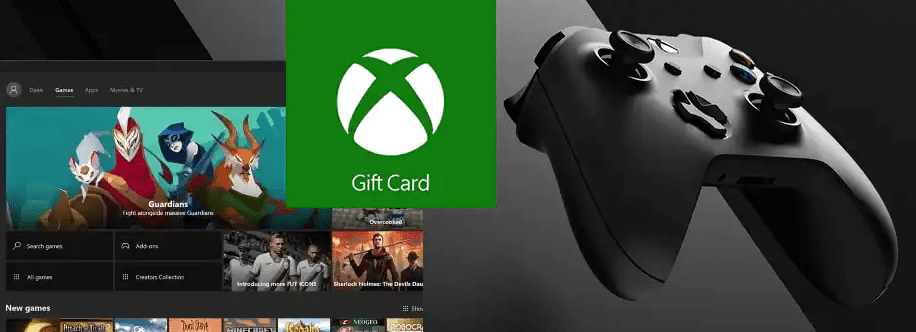
An Xbox gift card is one of the safest, most flexible gifts you can give a gamer, and a handy way to manage your own spending on the Microsoft Store. Whether the recipient wants a brand-new game, a subscription, add-ons, or in-game currency, an Xbox gift card lets them choose exactly what they want. You can buy one directly from the official Xbox gift card page. Here’s a clear look at what Xbox gift cards are, how they work, and why they’re worth using in 2026.
What Is an Xbox Gift Card?
An Xbox gift card (sometimes called a Microsoft gift card) is a prepaid credit you add to a Microsoft account. Once redeemed, the balance sits in the account’s wallet and can be spent across the Microsoft Store on Xbox and Windows. There’s no fee to use it, and the balance doesn’t expire, so there’s no pressure to spend it all at once.
It’s worth knowing there are two closely related cards. An Xbox gift card is typically tied to the Xbox/Microsoft Store for games and entertainment, while a Microsoft gift card works across the broader Microsoft Store, including apps and some hardware. For most gamers, either adds spendable balance to the same account wallet.
Physical vs. Digital Gift Cards
You can buy Xbox gift cards in two forms. A physical card is the classic option, bought in-store or online and delivered by mail, good for wrapping and giving in person. A digital card is delivered by email as a code, usually within minutes, which makes it ideal for last-minute gifts or when you want to redeem instantly. Both work identically once the code is entered; the only real difference is delivery.
What You Can Buy With an Xbox Gift Card
Gift card balance is flexible and can be spent on far more than just full games. You can use it for full game downloads and pre-orders, downloadable content and expansions, in-game currency and add-ons (like V-Bucks or other in-game credit), apps and movies on the Microsoft Store, and subscriptions such as Xbox Game Pass. If two codes are redeemed to the same account, the amounts simply stack into one balance, giving the recipient more to spend.
Xbox Gift Cards and Game Pass
This is where it’s important to be current, because Microsoft’s subscriptions changed. Xbox Live Gold no longer exists, it was replaced by Xbox Game Pass Core in 2023, which has since been folded into Microsoft’s restructured Game Pass lineup. As of 2026, Game Pass is offered in tiers: Essential (entry level, includes online multiplayer, a library of games, and cloud gaming), Premium (a larger library with first-party games added over time), PC Game Pass (for Windows gamers, with day-one first-party titles and EA Play), and Ultimate (the all-in-one flagship covering console, PC, and cloud, with day-one releases and extra perks).
Gift card balance can be used to pay for these subscriptions, which is a popular reason to buy one. Many players prefer prepaid gift cards over automatic monthly billing because it caps spending and lets them top up their subscription on their own schedule. Note that pricing and tier features change periodically (Microsoft cut the price of its top tiers in April 2026, for example), so always check xbox.com for the current tiers and prices before buying.
Key Benefits of Xbox Gift Cards
Pulling it together, the main advantages are: flexibility, since the recipient picks exactly what they want rather than being given a game they may already own; no fees and no expiration on the balance; instant delivery if you choose a digital code; the ability to stack multiple cards into one wallet; and budget control, since it’s a fixed amount that can’t be overspent. For gifting, it removes the guesswork; for personal use, it’s a simple way to keep gaming spending in check.
A Safer Option for Kids and Teens
For younger players, a gift card is a smart alternative to putting a credit or debit card on the account. Parents can add a set amount of balance so children can buy games and content without exposing family financial details or risking accidental overspending. Combined with Microsoft’s family safety settings, it gives parents control over what and how much gets spent. If you’re weighing gaming purchases for a young person, our guide on the best prepaid debit cards for minors covers related options.
How to Redeem an Xbox Gift Card
Redeeming is quick. On an Xbox console, sign in and go to the Store, select Redeem, and enter the 25-character code. On a PC, open the Microsoft Store or visit microsoft.com/redeem, sign in, and enter the code. You can also redeem in the Xbox app. Once entered, the balance is added to your account wallet immediately and is ready to spend.
Tips for Buying Safely
To avoid scams, buy Xbox gift cards only from Microsoft directly or from well-known, authorized retailers. Be wary of third-party sites offering cards at prices that seem too good to be true, deep “discount” codes are a common scam, and a legitimate gift card is rarely sold well below face value. Never pay for something unrelated (a “fee,” a debt, or a prize) using gift card codes; that’s always a scam. Keep your receipt and the code secure until you redeem it, and redeem promptly to your own account. For a broader look at staying safe when downloading games, see our piece on whether Romsfun is safe.
FAQs
Do Xbox gift cards expire?
No. Once redeemed, the balance stays in your Microsoft account wallet with no expiration date.
Can I use an Xbox gift card for Game Pass?
Yes. Gift card balance can be applied to Xbox Game Pass subscriptions. Since tiers and prices change, check xbox.com for current options before buying.
What’s the difference between an Xbox gift card and a Microsoft gift card?
An Xbox gift card is geared toward games and entertainment on the Xbox/Microsoft Store, while a Microsoft gift card works across the wider Microsoft Store. Both add balance to the same account wallet for most purchases.
Can I combine multiple gift cards?
Yes. Redeem each code to the same account and the amounts stack into a single balance.
Is a digital or physical Xbox gift card better?
They function identically. Choose digital for instant email delivery, or physical if you want a card to give in person.
How do I redeem an Xbox gift card?
Sign in on your console, PC, or the Xbox app, choose Redeem in the Store (or go to microsoft.com/redeem), and enter the 25-character code. The balance is added instantly.



