
A Sony wireless subwoofer can add weight to movie effects and music, but the first thing to check is the model number on your soundbar or receiver. A Sony logo on both products does not guarantee they will pair. Even within the same soundbar family, models can have different accessory options.
Start with the system you already own. Once you know which subwoofers it supports, you can compare cabinet size, decide where the unit will sit, and check how your system handles pairing and level adjustment.
Sony Wireless Subwoofer Compatibility by Model
Look for the complete model number on the soundbar or receiver itself. The label may be underneath or on the rear panel. You can also check the manual or the device information screen. Use the audio component’s model number rather than the model printed on the TV or the remote.
These examples cover the SA-SW3 and SA-SW5. Check Sony’s current compatibility guidance if you have a different model or are considering a newer subwoofer.
| Sony audio system | Compatible subwoofer options covered here |
|---|---|
| HT-S2000 | SA-SW3 or SA-SW5 |
| HT-A3000, HT-A5000, HT-A7000 | SA-SW3 or SA-SW5 |
Sony documents the HT-S2000 pairing in its HT-S2000 optional speaker guide. For additional soundbars, home theater systems and receivers, see Sony’s optional speaker compatibility list.
If a used listing says “works with Sony soundbars,” ask for a photo of the model label before you buy. A subwoofer sold as part of a different soundbar bundle may have its own pairing requirements. Confirm the pairing using the exact codes on both units.
SA-SW3 or SA-SW5?
If both models work with your system, measure the spot where the subwoofer will go. Include room for the power cord and any clearance specified in the manual. Compare the outside dimensions on Sony’s product pages with the space you have. A floor plan that looks generous can get tight once the cabinet and nearby furniture are in place.
Think about when you listen and how loud you normally play movies or music. The listening seat and the subwoofer’s position both affect the bass you hear. A cabinet that fits in several locations gives you more room to experiment. If you can audition both models, compare them at similar levels from your usual seat and listen for clear bass across a few different scenes or tracks.
If you’re shopping for the soundbar as well, use our Sony TV soundbar guide to narrow down the main system first. Then check the optional subwoofer list for the soundbar you choose.
Where to Put a Sony Wireless Subwoofer
Start near the front of the room, beside the media console if there’s space. Choose a stable floor position near an outlet and keep the power cord out of walking paths. Wireless pairing carries the audio signal, and the subwoofer still needs mains power.
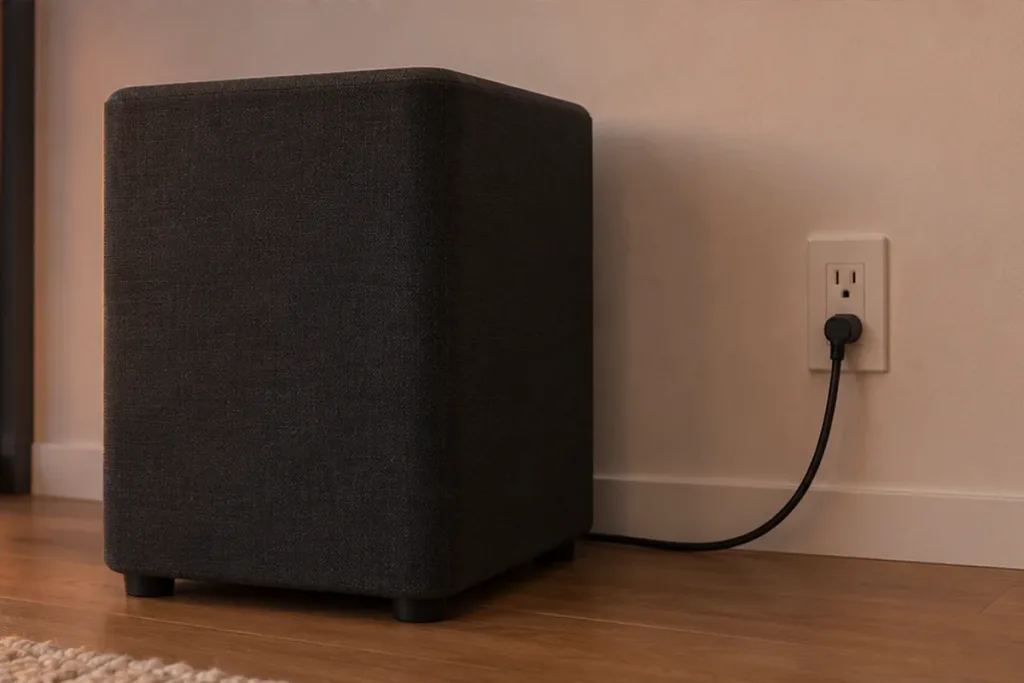
Play a familiar scene or song, then listen from the seat you use most. If bass overwhelms dialogue or a few notes linger longer than others, try moving the cabinet away from the corner or along the front wall. Keep the volume steady while testing so you can hear the effect of the move. If the room has several seats, check a second seat before settling on a position.
How to Set Up a Sony Wireless Subwoofer
- Confirm the model pairing. Check the support list and install any system software update Sony specifies for your equipment.
- Plug in the subwoofer. Turn on the soundbar or receiver and give the devices time to connect.
- Confirm the connection. Check the indicator or speaker status screen using the instructions for your model. If automatic pairing fails, follow the manual linking procedure in the applicable app or system menu.
- Run any available speaker setup. Follow the system’s calibration prompts, if available, then play material with audible low bass.
- Adjust the level from your seat. Use the system’s subwoofer level control if it offers one. Try a small change at a time and check it with speech, music and a film scene.
An optional subwoofer may produce little sound during speech-heavy content. Use a scene or track with a clear low-frequency passage before deciding there is a fault.
What to Check When the Subwoofer Won’t Connect
| Symptom | First check |
|---|---|
| No status light | Check that the power cord is seated and the outlet works. |
| Subwoofer has power but does not appear in setup | Verify both model numbers and use Sony’s manual linking instructions for the main unit. |
| Bass cuts out intermittently | Move the subwoofer closer to the main unit for a test. Follow Sony’s guidance for wireless settings if the problem persists. |
| Status shows connected but bass is faint | Check the subwoofer level and test with a track or scene that has a clear bass passage. |
| Bass sounds boomy in one seat | Try a different cabinet position, then repeat any available calibration and listen again. |
If pairing fails after those checks, note the two model numbers, the indicator behavior and the system software version before contacting support. That gives support a clearer starting point than a general report that the subwoofer has no sound.
Frequently Asked Questions
Can I connect an SA-SW3 or SA-SW5 directly to a TV?
These models are optional subwoofers for compatible Sony audio equipment. Connect your TV to the soundbar or home theater system as instructed by the manufacturer, then pair the subwoofer with that audio system.
Does a wireless subwoofer need a power cord?
Yes. The SA-SW3 and SA-SW5 need an electrical outlet. Choose the cabinet position with both the outlet and the wireless connection in mind.
Can I add two subwoofers?
Check Sony’s documentation for the exact main unit and both subwoofers. Support for one optional subwoofer does not establish support for two. Confirm dual-subwoofer compatibility before purchasing a second unit.