
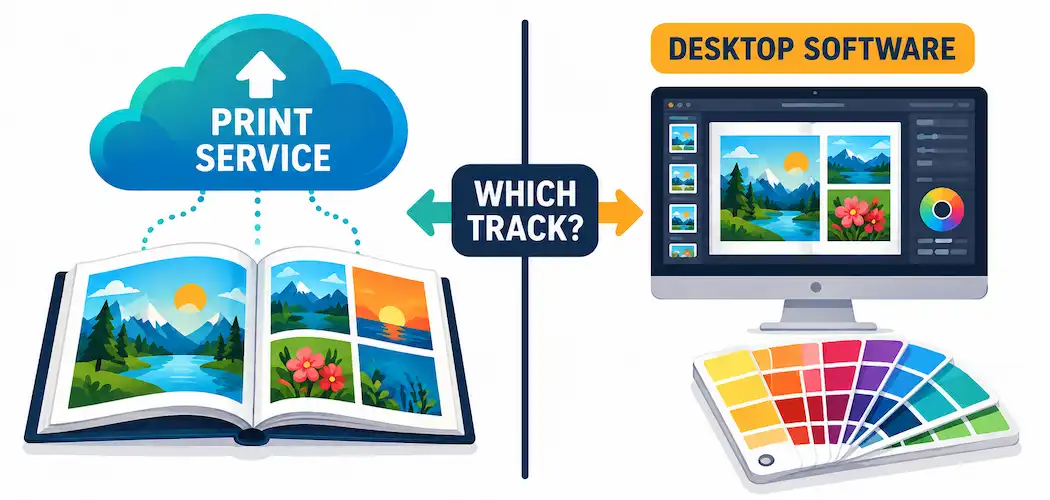
A phone full of photos isn’t the same as a wall full of them, or an album someone can actually hold. Printing has quietly become a two-track decision: you’re either sending files to an online print service that handles the printing for you, or you’re using desktop software to control the printing yourself on your own printer. Both paths have real software behind them, and picking the wrong one for your actual goal — a quick photo book versus a gallery-ready fine art print — wastes time and, often, a fair amount of ink or money. Here’s an honest walk through both tracks, with real products instead of vague feature checklists.
The Two Tracks: Print Services vs. Desktop Software
Online print services (you upload files, they print and ship) are the right choice for most casual and semi-casual printing: photo books, canvas prints, greeting cards, and standard prints. Mixbook, Shutterfly, CEWE Photoworld, and Printique are all established names in this space, each with their own template editors, paper/finish options, and turnaround times. You’re trading some control over the printing process itself for convenience — you don’t need a calibrated printer or ICC profile knowledge, because the lab handles color management on their end.
Desktop printing software is for anyone printing on their own photo printer, especially for serious or professional output. This is where tools like ON1 Print Studio, Qimage Ultimate, and the print modules built into Adobe Lightroom and Affinity Photo come in — they give you direct control over layout, color management, paper profiles, and batch output rather than handing that control to a lab.
Features That Actually Matter, by Use Case
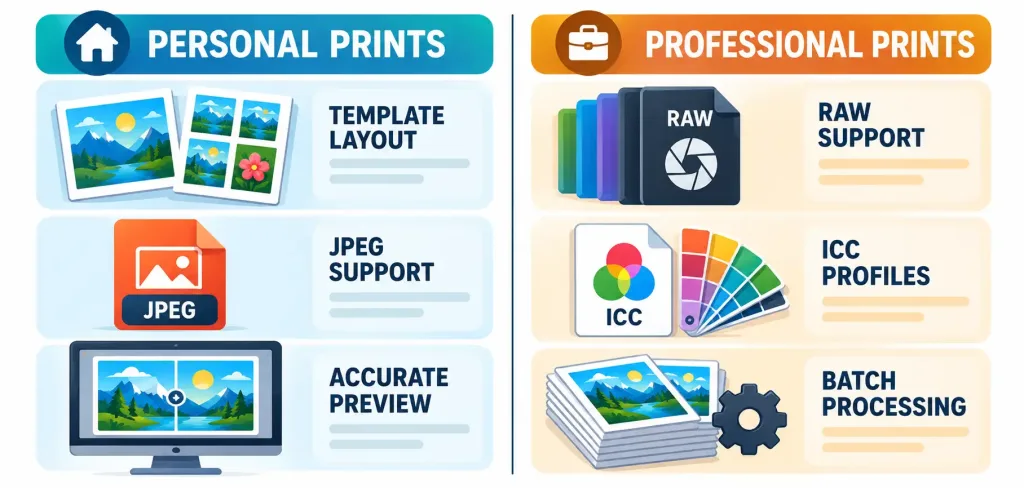
If you’re printing for personal memories (albums, gifts, everyday prints):
- Simple, template-driven layout tools matter more than deep color control — you want to drag photos into a book layout quickly, not fight with color profiles.
- Support for common file formats (JPEG at minimum; most consumer services don’t need RAW support since you’re typically uploading already-edited images).
- Preview accuracy — a service or software that shows you a genuinely accurate preview of the final print saves you from an unpleasant surprise when the physical product arrives.
If you’re printing professionally (client work, exhibitions, fine art):
- RAW file support and genuine color management — the ability to load an ICC profile for your specific printer-and-paper combination, and soft-proof on screen before committing ink and paper, is the difference between consistent, predictable output and expensive trial and error.
- Batch processing with consistent settings — printing dozens of images for a client shoot or an exhibition needs software that applies the same color and sizing logic across the whole batch, not one-at-a-time manual adjustment.
- Paper profile libraries — serious printing software ships with (or lets you import) ICC profiles matched to specific paper stocks from manufacturers like Canson, Hahnemühle, or Epson, which genuinely affects how accurate your colors print on a given paper.
What “Durability” Claims Actually Mean
Marketing around photo printing often mentions UV protection or archival quality, and it’s worth knowing what that actually refers to rather than taking it as a vague selling point: archival inks (typically pigment-based rather than dye-based) resist fading from UV light exposure significantly longer than standard dye inks, and archival paper (acid-free, often cotton-rag based) resists yellowing over time. These are real, measurable properties tied to specific ink and paper chemistry — not something the printing software itself controls, but something worth checking on the printer/paper/ink combination you’re actually using, whatever software sits in front of it.
Buying and Choosing: Practical Guidance
- Match the tool to the job, not the other way around. Don’t buy a professional color-management suite for family photo books, and don’t try to run a client print workflow through a basic online template editor.
- Check actual printer compatibility before committing, especially for desktop software — color-management features are only as good as your printer’s and software’s actual communication, and not every tool supports every printer model equally well.
- For online services, compare paper/finish options and turnaround time directly, since these vary more between services than the editing interface does — a photo book from one service might use noticeably different paper stock than another at a similar price.
- For desktop software, check whether ICC profile support is genuine and current — a tool with outdated or limited profile support will give you inconsistent color even if every other feature looks solid.
- Read reviews that specify actual print quality, not just software usability — a tool can have a great interface and still produce mediocre prints if the color pipeline isn’t solid.
The Bottom Line
Most people printing for personal memories are well served by an online print service — the convenience and template tools outweigh the control you’d gain from desktop software you’re unlikely to fully use. Anyone printing professionally, or printing seriously enough to care about consistent, accurate color across a batch of images, needs genuine color-management tools: real ICC profile support, soft-proofing, and batch processing that doesn’t compromise consistency. Knowing which track you’re actually on — convenience-first or control-first — is the real decision here, more than any single feature on a checklist.
Frequently Asked Questions
Do I need RAW file support in photo printing software?
Only if you’re printing directly from unedited RAW files, which is mainly a professional workflow concern. Most consumer printing (photo books, standard prints through an online service) uses already-edited JPEGs, so RAW support isn’t a meaningful factor for casual use.
What’s the real difference between an online print service and desktop printing software?
An online service prints and ships for you, handling color management on their end — you trade control for convenience. Desktop software controls printing on your own printer, giving you direct control over color profiles, layout, and batch settings, which matters most for professional or color-critical work.
Does “archival quality” printing actually matter, or is it just marketing?
It’s a real, measurable property — archival (typically pigment-based) inks resist UV fading meaningfully longer than standard dye inks, and acid-free archival paper resists yellowing over time. It’s worth checking the actual ink and paper used, not just taking an “archival” label at face value.
What should I look for if I’m printing for a client or exhibition?
Genuine ICC profile support for your specific printer-and-paper combination, soft-proofing before you print, and reliable batch processing that applies consistent settings across multiple images. These are the features that separate professional printing software from consumer-grade tools.



