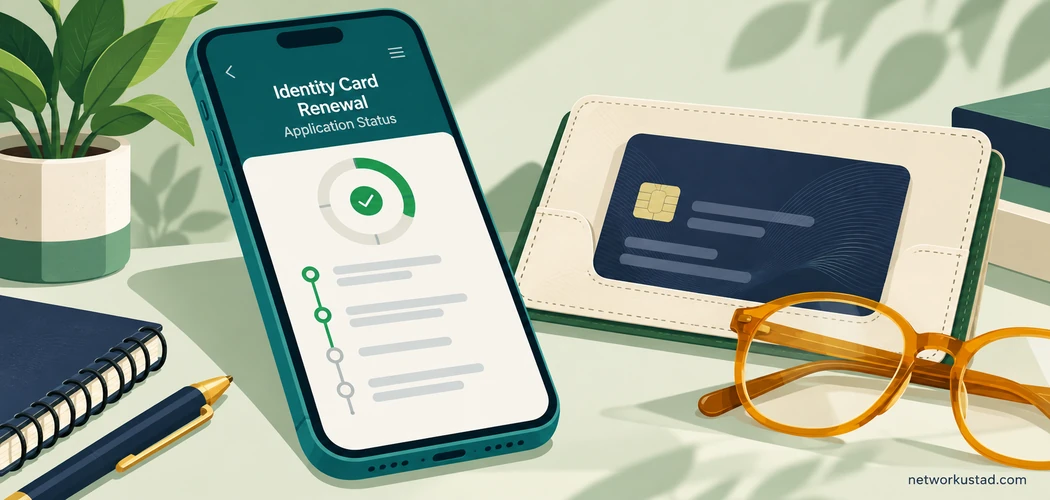
NICOP stands for National Identity Card for Overseas Pakistanis. Yes, you can check the progress of a NICOP renewal application through official NADRA channels. Start with the account or acknowledgement connected to your application. Avoid entering identity details into a website simply because its name contains NADRA.
A status check answers a limited question: what information is currently available about this application? It does not necessarily establish approval, dispatch or delivery. Those stages need their own confirmation.
This guide explains NICOP renewal tracking in practical terms. It also helps you organise a useful support request when the displayed information does not answer your question. It does not offer a guaranteed completion date or replace application-specific instructions from NADRA.
Start NICOP renewal tracking through an official route
NADRA describes PakID as its official mobile application for identity services, including application tracking. Its published information says applications can be monitored within the app. Use the links and guidance on the official NADRA website to identify the appropriate service.
The official PakID overview explains the app and its features. Begin there if you are unsure which app or service is genuine. Check the publisher and destination before installing anything or signing in.
A private assistance company can have its own customer portal. That does not make its portal a NADRA system. Keep the company’s service record separate from the government application record.
If someone helped submit your application, establish what was actually submitted and through which authorised route. Ask for the relevant acknowledgement. Do not assume a payment to an intermediary proves that NADRA received an application.
Gather the correct record before checking
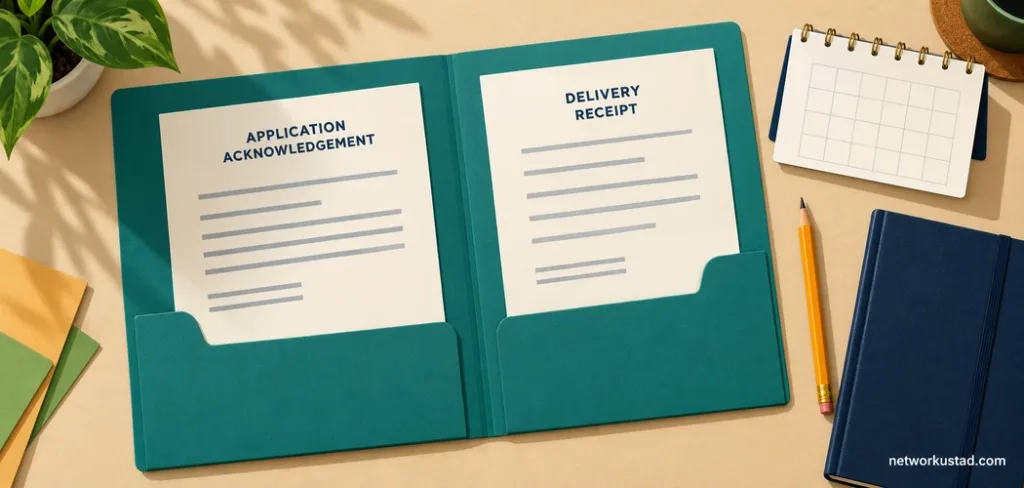
Find the acknowledgement or confirmation associated with the renewal you want to track. Check the applicant’s details privately. Make sure you have not opened an older application or another family member’s record.
Keep the reference exactly as issued. Avoid inserting spaces, changing characters or guessing a required length. Follow the format shown by the official service you are using.
For NICOP renewal tracking, a small record sheet can help. Store it securely and avoid including more personal information than necessary.
| Item | What to record |
|---|---|
| Application | The renewal you are checking, distinguished from older records |
| Reference | The identifier shown on its official acknowledgement |
| Submission | The date and route recorded in your confirmation |
| Current display | The status wording and date you checked it |
| Action request | Any instruction, query or document request visible in the account |
| Support enquiry | Its reference and the date you contacted support |
| Delivery | Any separately confirmed dispatch or courier information |
This is an organisation aid, not a list of mandatory application documents. Your own application may require different information or further verification.
Check the application in PakID
Open the official app or sign-in route identified by NADRA. Use the account connected with the application. Follow the current authentication process rather than trying to bypass it.
Look for your submitted applications or application inbox. Select the relevant renewal and read the information available. Menu names and screen layouts can change, so this guide does not promise a particular button sequence.
Read any accompanying message in full. A short status label may not explain whether you need to respond. Check for an attached instruction or a request associated with that application.
Note when you checked. If you take a screenshot, store it privately. Redact identity numbers, addresses and other sensitive details before sharing an image outside an authorised support process.
For NICOP renewal tracking, the important result is a clear account of what the service displayed. Avoid translating a vague message into a conclusion that the screen does not support.
If the record is missing, stop before starting a new application. First check that you are using the correct account and looking at the right application category. Then seek official assistance if the record still cannot be found.
If you submitted through a centre or another service route
A receipt from a registration centre may differ from an online acknowledgement. Use the instructions associated with that submission. Do not assume every application follows an identical screen or tracking process.
Check what organisation issued the receipt. If you applied with assistance from an overseas office, ask which organisation handles status enquiries for that route. Use contact details reached independently through an official source.
An intermediary may supply updates about its own work. Ask whether an update concerns preparation, submission or the government application’s progress. These are separate events.
NICOP renewal tracking becomes clearer when you identify the record holder. The person who helped prepare documents may not control verification or dispatch. Ask for evidence of the relevant stage rather than a broad assurance that everything is complete.
Do not send account passwords or one-time codes to someone merely because they previously assisted you. Confirm what information an authorised process actually requires.
Read status messages without assuming more than they say
Treat each status as information about a stage. Read it alongside any message or instruction in the application. When the wording is unclear, ask NADRA what it means for your particular record.
The following distinctions are useful questions to ask. They are not a reproduction of NADRA’s current status glossary.
A submission acknowledgement confirms a recorded submission. It does not, by itself, establish that every check has finished. A payment confirmation likewise does not establish approval.
A review message may require patience, further information or clarification. Read the actual instruction. Do not assume that another applicant’s interpretation applies to your case.
A dispatch notice concerns movement after processing. It should not be treated as proof that the card reached the intended recipient. Check any delivery information separately.
For NICOP renewal tracking, avoid relying on a fixed number of days assigned to an unfamiliar label. A social-media post claiming that a status always clears within a week cannot establish what will happen to your application.
Keep application progress separate from card delivery
Once dispatch is confirmed, identify the delivery information actually provided. Record any courier reference separately from the application reference. They may be used in different systems.
Check the destination through an authorised route. If you notice an address problem, contact official support for instructions. Do not assume a correction in your account automatically changes an item already dispatched.
If a courier reports an attempted delivery, follow that courier’s verified process. Avoid paying a charge demanded by an unexpected message without independently checking it.
If delivery is marked complete but you cannot locate the card, ask the relevant service to investigate. Record the reported delivery date and reference. Avoid posting the card number or delivery address in a public group while seeking help.
The practical lesson for NICOP renewal tracking is to ask the right question at the right stage. A processing query and a missing-delivery query need different supporting details.
What to do when the status does not change
First, check whether the account contains an instruction you have missed. Read messages connected to the application, not just the headline status. Confirm whether any requested action has actually been completed.
Next, review your submission record. Establish the date, selected service and any timeframe stated in your own confirmation or current official guidance. Do not substitute an old fee table or an undated search snippet.
If you contact support, describe the issue narrowly. Say what the application currently shows, when you last checked and what clarification you need. This is more useful than sending repeated messages saying only that the application is delayed.
Do not assume that paying a new charge, changing priority or submitting again will solve the issue. Ask what options are available for your application before taking those steps.
NICOP renewal tracking cannot reveal every internal processing activity. An unchanged display does not establish either a rejection or a particular reason for delay. Ask for clarification instead of inventing an explanation.
Use official support and keep a record
NADRA’s official contact page provides support routes and states that application status can be checked through the application inbox. Use that page to confirm the current route before contacting someone about your identity record.
At the time this guide was checked, NADRA listed 1777 for mobile users and +92 51 111 786 100 as a contact number. Confirm availability and any calling charges with your operator, especially when calling from abroad.
Use official chat or complaint options only through a verified route. Do not treat a number copied into a comment thread as authenticated merely because other people recommend it.
For NICOP renewal tracking enquiries, save the response and any enquiry reference. Keep the enquiry reference separate from the application reference. If you follow up, explain the earlier enquiry rather than restarting the story without context.
An official support listing is a contact route. It is not a promise that a particular representative will resolve every issue immediately.
A concise support message you can adapt
Prepare a short message before opening a support channel. Use only the personal details requested by that authorised process.
Subject: Clarification requested about a NICOP renewal application
I submitted a NICOP renewal application through [submission route] on [date]. The application currently displays [exact status wording]. I checked it on [date]. Please confirm whether any action is required from me and which official route I should use for further updates.
My previous enquiry reference, if applicable, is [reference]. I can provide the application details securely through your authorised process.
This is a writing example. It does not represent a required NADRA form or a guaranteed response procedure.
For a delivery issue, change the question. Explain whether dispatch or delivery was reported and what remains unresolved. Keep unrelated history out of the first message unless it helps explain the problem.
If you cannot find the tracking reference
Search your own acknowledgement, confirmation emails and saved receipts. Check the account used for submission. If another person helped, ask for the submission confirmation without requesting or accepting their account password.
Do not manufacture a reference from the card number or an example found online. Different records serve different purposes. An invented format can waste time or lead you into the wrong service.
If the reference remains missing, ask official support how to identify the application securely. Be ready to explain how and when you submitted it. Follow the verification procedure they provide.
A useful NICOP renewal tracking habit is to save the acknowledgement immediately after submission. Keep a secure backup that you can access if you change phones. Avoid leaving the only copy inside a disappearing chat.
Protect your identity details during the process
Treat the application record as sensitive. It may contain your address, identity details or family information. Share it only where necessary and through the intended process.
Check a destination before entering credentials. A familiar name, a search advertisement or a forwarded link does not establish that the operator is NADRA. Navigate independently when you are unsure.
Avoid publishing full screenshots in community groups. You can ask a general question without displaying a tracking reference or identity document. Redact carefully and check the resulting image before sharing it.
Do not send one-time authentication codes to someone who unexpectedly contacts you. If a message creates urgency around cancellation, delivery or an extra payment, pause and verify the request through an official channel.
NICOP renewal tracking should help you understand your application. It should not require unnecessary disclosure to an unverified third party.

Avoid old promises about fees, documents and validity
A tracking guide should not turn an outdated application checklist into a universal rule. Requirements can depend on the application and the service being used. Follow the current official instructions for your record.
Check the expiry information on your own card. Do not assume that every NICOP is valid for life. If you are unsure whether you need renewal, modification or a replacement, obtain official clarification before choosing a category.
Likewise, read the current payment instructions inside the authorised process. A payment option mentioned in an older article may not apply to your service. Verify any new payment request before acting on it.
This guide deliberately avoids a static fee table and a fixed completion promise. Those details need their own current, application-specific check. A convenient estimate should not be mistaken for a confirmed outcome.
Plan around confirmed information
If an upcoming journey or administrative task depends on the document, identify exactly what that organisation requires. An application acknowledgement may not satisfy a requirement for a valid identity card or travel document.
Ask the relevant authority about your situation. Do not assume that submitting a renewal extends an expired document’s validity or guarantees acceptance elsewhere.
Keep your planning separate from an expected dispatch date. Confirmed delivery gives you different information from an estimated processing period. Leave room to respond to an official query where possible.
NICOP renewal tracking is a monitoring tool. Use it alongside the rules governing the purpose for which you need the card, rather than treating a status label as permission to travel or complete another transaction.
Frequently asked questions
Can I check the application through PakID?
NADRA lists tracking among PakID’s features. Use its official guidance to reach the appropriate app or account route, then check the application associated with your submission.
Does an acknowledgement mean the card is approved?
Do not assume so. Read the information displayed for your application. Ask support what remains outstanding if the record does not make that clear.
Should I use a private company’s status page?
Understand whose record it shows. A company’s service update is separate from confirmation by NADRA. Ask for the official submission acknowledgement and use verified government routes for government status queries.
Can I get a guaranteed completion date from an online guide?
No general guide can guarantee your application’s completion. Check current official information and any application-specific response. Avoid relying on another applicant’s timeline.
What if my status appears unchanged?
Check for messages or required actions. Review the submission record and contact official support with a clear question. Keep the enquiry reference for follow-up.