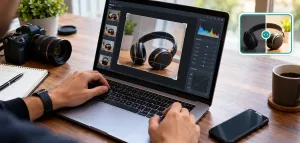
AI photo editing has quietly crossed a threshold. What used to take Photoshop skills and hours of manual work now happens in seconds — and the tools doing it in 2026 are sharper, faster, and more accessible than ever. Whether you’re a content creator, marketer, or just someone who wants better photos without the learning curve, there’s something on this list for you. Here are eight emerging AI photo editing tools worth knowing right now.
1. Pollo AI Photo Editor
Pricing: Free tier available; paid plans start at $10/month
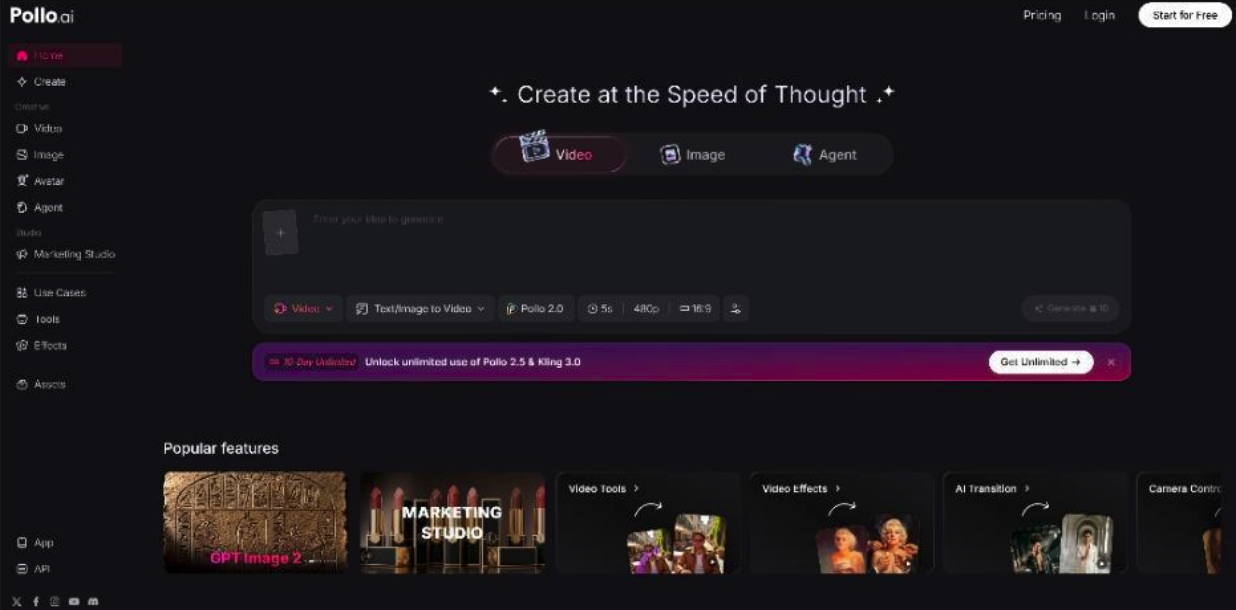
Pollo AI has built a reputation as one of the most versatile AI creative platforms available, and its photo editor lives up to that standard. The tool lets you retouch, enhance, and transform images using simple text prompts or one-click actions — no design background required. Features include AI background removal, style transfer, face enhancement, and object replacement, all processed with impressive speed. It fits naturally into a broader creative workflow since Pollo AI also covers video generation and AI avatars, making it a genuine all-in-one hub for visual content creators. The interface is clean enough for beginners but capable enough for professionals who need consistent, high-quality output at scale.
2. Gencraft AI
Pricing: Free tier available; premium plans available for higher usage
Gencraft AI positions itself as a creative-first platform with photo editing capabilities that lean heavily into artistic transformation. It excels at turning ordinary photos into stylized artwork — whether that’s cinematic, painterly, anime-inspired, or hyper-realistic. The editing workflow is prompt-driven, meaning you describe the look you want and Gencraft interprets it visually. It’s particularly popular among social media creators and digital artists who want to produce eye-catching visuals without hiring a designer. The platform also supports batch editing, which is a genuine time-saver for anyone managing high content volume. Results tend to be bold and visually distinctive, making it a strong choice when standing out matters more than subtlety.
3. Adobe Firefly
Pricing: Included with Adobe Creative Cloud; standalone access via Firefly web app
Adobe Firefly has matured significantly and now functions as a capable standalone photo editor beyond just its Photoshop integration. Its generative fill and generative expand features remain best-in-class for smoothly extending or replacing parts of an image. In 2026, Firefly’s model has been trained on licensed content, which gives it a commercial safety advantage that matters for brands and agencies. The tool handles complex selections, lighting adjustments, and texture blending with a level of realism that’s hard to match. It’s not the most budget-friendly option on this list, but for professional-grade output with legal peace of mind, it earns its place.
4. Canva AI
Pricing: Free tier available; Canva Pro starts at $15/month
Canva has evolved well past its template roots. Its AI photo editing suite now includes background removal, magic eraser, AI upscaling, and a text-to-image editor built directly into the design workflow. What makes Canva’s approach effective is the smooth connection between photo editing and content creation — you edit an image and immediately drop it into a social post, presentation, or ad without switching tools. It’s aimed squarely at marketers and non-designers who need professional results without a steep learning curve. The AI features have improved noticeably in accuracy and speed, making it one of the most practical options for everyday content production.
5. Luminar
Pricing: One-time purchase or subscription; starts around $9.95/month
Luminar from Skylum continues to be a strong contender for photographers who want AI assistance without fully abandoning traditional editing control. Its AI tools — including sky replacement, portrait enhancement, background blur, and GenExpand — work within a layer-based system that feels familiar to anyone coming from Lightroom or Photoshop. The 2026 version has added real-time AI masking that’s noticeably faster and more accurate than previous iterations. It strikes a balance between automation and manual fine-tuning that more advanced users tend to appreciate. If you want AI speed with photographer-level control, Luminar Neo is worth serious consideration.
6. Picsart AI
Pricing: Free tier available; Picsart Gold starts at $5/month
Picsart has quietly become one of the most feature-complete AI photo editors available on mobile and web. Its 2026 toolkit includes AI background generation, object removal, style filters, face retouching, and a generative AI layer that lets you add or replace elements using text prompts. The platform is particularly strong for social-first content — everything is optimized for the formats and aesthetics that perform on Instagram, TikTok, and Pinterest. It’s fast, intuitive, and the free tier is genuinely useful rather than artificially limited. For mobile-first creators who need professional output on the go, Picsart sits near the top of the list.
7. Clipdrop
Pricing: Free tier available; paid plans start at $9/month
Clipdrop is a focused, no-frills AI photo editing tool that does a small number of things exceptionally well. Background removal, image upscaling, relighting, and object cleanup are its core features — and each one performs at a level that rivals tools costing significantly more. The relight tool in particular stands out: it lets you adjust the direction and quality of light in a photo after the fact, which opens up creative possibilities that were previously only available in professional studio setups. It’s a tool built for speed and precision rather than breadth, making it ideal for product photographers and e-commerce teams who need clean, consistent results fast.
8. Fotor AI Photo Editor
Pricing: Free tier available; Fotor Pro starts at $3.33/month
Fotor rounds out this list as a reliable, accessible option that has significantly upgraded its AI capabilities heading into 2026. It covers the essentials — background removal, portrait retouching, AI art generation, and one-tap enhancement — with an interface that’s straightforward enough for complete beginners. What’s improved most recently is the quality of its AI upscaling, which now handles low-resolution images with noticeably better detail preservation. Fotor won’t replace a dedicated professional tool, but for bloggers, small business owners, and casual creators who need good-looking images without complexity, it delivers solid value at a low price point.