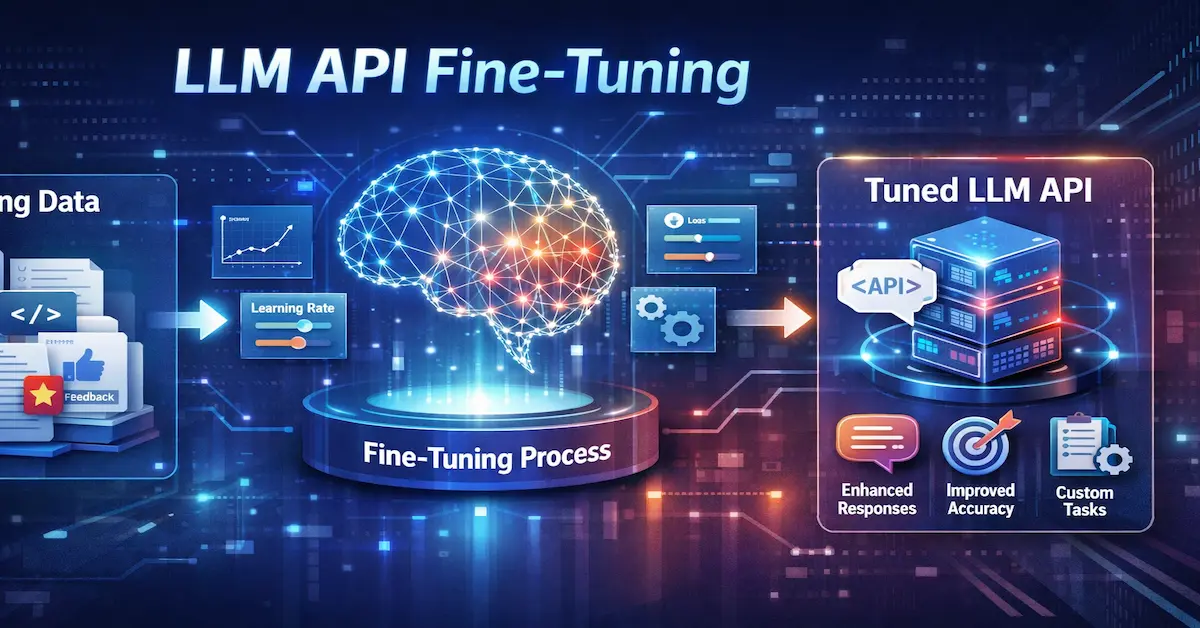
Large language models have fundamentally changed what’s possible in software development, customer service, content generation, and countless other domains. Yet there’s a persistent gap between what a general-purpose model delivers out of the box and what a specific business actually needs. A customer support chatbot trained on generic internet text won’t understand your product terminology. A legal document analyzer built on a base model may miss the nuances of your jurisdiction’s case law. This is where the LLM API becomes more than just an inference tool—it becomes a bridge to customization.
Fine-tuning through APIs offers developers a powerful path to close this gap without managing GPU clusters or wrestling with distributed training frameworks. Modern API platforms now expose the entire fine-tuning lifecycle programmatically, enabling teams to transform a foundation model into a domain-specific powerhouse with structured API calls. This article serves as a practical guide for developers ready to fine-tune models using modern LLM API platforms, covering everything from data preparation through deployment and ongoing management.
Understanding LLM APIs for AI Development
An LLM APIs is a programmatic interface that allows developers to interact with large language models without managing the underlying infrastructure. At its simplest, you send a request containing your prompt and parameters, and the API returns the model’s generated output. But modern platforms have expanded far beyond this basic exchange.
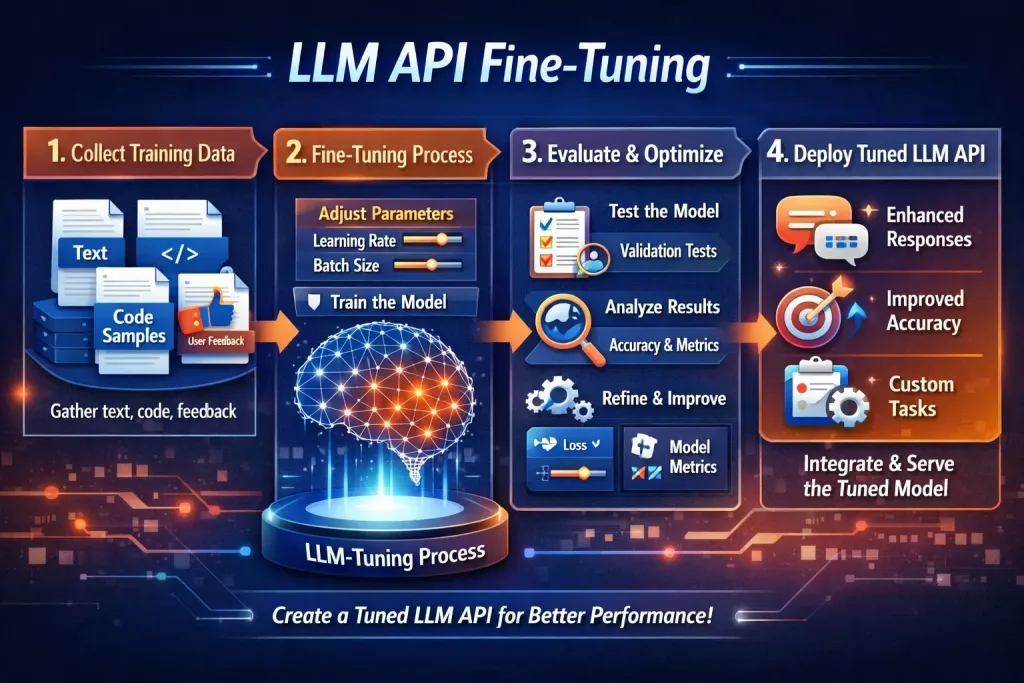
Every model inference API shares a set of core components. The model endpoint serves as the URL where requests are directed, specifying which model handles your input. Pre-processing layers handle tokenization and context formatting before the model sees your data, while post-processing manages output parsing, token probability extraction, and response formatting. Authentication—typically through API keys or OAuth tokens—secures access and tracks usage across your organization.
The distinction between API types matters significantly for fine-tuning work. Inference-only LLM APIs limit you to prompting existing models; you can adjust temperature and system instructions, but the model’s weights remain untouched. Full-lifecycle APIs, offered by comprehensive AI development platform providers like SiliconFlow, expose training, evaluation, deployment, and monitoring capabilities alongside inference. These platforms let you upload datasets, configure training runs, validate results, and deploy custom models—all through structured API calls.
This abstraction layer is what makes API-driven fine-tuning practical. Rather than provisioning GPU instances, configuring CUDA drivers, managing checkpointing, and building serving infrastructure, developers interact with a clean programmatic interface. The platform handles distributed training orchestration, hardware allocation, and LLM deployment logistics behind the scenes. You focus on your data and your use case while the infrastructure complexity disappears behind well-documented endpoints.
Preparing for Fine-Tuning: Data and Platform Selection
The success of any fine-tuning effort hinges on two foundational decisions: the quality of your training data and the platform you choose to execute the work. Getting either wrong means wasted compute, underwhelming results, and frustrated stakeholders. Guidance on fine-tuning models for specific applications consistently points to data preparation as the single highest-leverage activity in the entire process.
Your training dataset needs to reflect the exact task you want the model to perform. If you’re building a customer support agent, your examples should consist of real customer queries paired with ideal responses—not synthetic conversations generated by another model. Format your data as JSONL (JSON Lines), where each line represents one training example with clearly defined roles: a system instruction, a user message, and the assistant’s expected completion. Quality trumps quantity here. Fifty meticulously crafted examples that demonstrate nuanced reasoning will outperform thousands of sloppy, inconsistent samples. That said, most platforms recommend a minimum of several hundred examples to achieve meaningful behavioral shifts, with diminishing returns typically appearing beyond a few thousand well-curated pairs.
When selecting an AI development platform, evaluate candidates across several dimensions. First, consider which base models the platform supports—you want access to architectures suited to your task complexity and latency requirements. Second, examine the developer experience: clear documentation, responsive error messages, and intuitive SDK design dramatically reduce iteration time. Third, assess the end-to-end workflow. The best platforms provide seamless access to simple APIs for AI deployment after tuning completes, meaning your fine-tuned model can be served through the same endpoint patterns you already use for inference. Finally, understand the cost structure. Some platforms charge per training token, others by compute-hour, and pricing differences compound quickly at scale. Choose a platform where the fine-tuning workflow and subsequent deployment integrate cleanly into your existing development pipeline.
A Step-by-Step Guide to Fine-Tuning via LLM APIs
With your data prepared and platform selected, the actual fine-tuning process follows a predictable sequence of API interactions. Each step builds on the previous one, and understanding the full flow before you begin prevents costly missteps mid-process.
Step 1: Initializing Your Project and Uploading Data
Start by authenticating with your chosen platform’s API using your credentials. Most platforms use bearer token authentication—you’ll include your API key in the request header for every subsequent call. Once authenticated, create a new fine-tuning project or workspace that will contain your training artifacts. Next, upload your prepared JSONL dataset to the platform’s file storage endpoint. This typically involves a multipart form upload where you specify the file’s purpose (e.g., “fine-tune”) so the platform knows how to validate it. The API will return a file identifier that you’ll reference when configuring the training job. Before proceeding, call the file’s status endpoint to confirm the upload completed successfully and passed format validation—platforms check for proper JSONL structure, role formatting, and token limits at this stage.
Step 2: Configuring Hyperparameters and Base Model
With your data uploaded, construct the fine-tuning job configuration. Select your base model first—this decision depends on your task’s complexity, acceptable latency, and budget. Smaller models fine-tune faster and serve cheaper but may lack capacity for complex reasoning tasks. For hyperparameters, specify the number of training epochs (typically between 2 and 5 for most tasks), the learning rate multiplier (start conservative and increase if the model underperforms), and batch size. Many platforms offer sensible defaults, and starting with those defaults before tuning individual parameters prevents you from chasing multiple variables simultaneously. Include your training file ID and optionally a validation file ID in the configuration payload. The validation file enables the platform to compute loss metrics on held-out data during training, giving you early signal on whether the model is learning or overfitting.
Step 3: Launching and Monitoring the Fine-Tuning Job
Submit your configuration to the fine-tuning jobs endpoint via a POST request. The API returns a job ID and initial status, typically “queued” or “running.” Training duration varies from minutes to hours depending on dataset size and model architecture. Poll the job status endpoint periodically, or configure webhooks if the platform supports them, to receive notifications when training completes or encounters errors. During training, most platforms expose intermediate metrics—training loss, validation loss, and token accuracy—through the job’s events or logs endpoint. Watch for validation loss that stops decreasing or begins climbing, which signals overfitting. If you spot problems early, some platforms allow you to cancel a running job to save compute costs and iterate on your data or configuration.
Step 4: Evaluating the Fine-Tuned Model
Once training completes, the platform provisions your fine-tuned model and assigns it a unique model identifier. Before deploying to production, run systematic evaluation against a test set that the model never saw during training. Send representative inputs through the model inference API using your new model ID and compare outputs against expected responses. Measure task-specific metrics: accuracy for classification tasks, BLEU or human preference scores for generation, or exact-match rates for structured extraction. Run the same test set through the base model to quantify improvement—this comparison justifies the fine-tuning investment to stakeholders and establishes your performance baseline. If results fall short, iterate by expanding your training set with examples that address specific failure modes, adjusting hyperparameters, or cleaning problematic training samples before launching another job.
Deploying and Managing Your Fine-Tuned Model
The transition from a successful training run to a production-ready system requires deliberate planning around deployment, integration, and ongoing operations. Once your fine-tuned model passes evaluation, the platform typically makes it available through a dedicated endpoint—or in many cases, through the same inference endpoint you’ve already been using, just referenced by your custom model’s unique identifier. This seamless continuity is one of the key advantages of working within an AI development platform that handles the full lifecycle. Your LLM deployment becomes a configuration change rather than an infrastructure project.
Integrating the new model inference API into your applications usually means swapping the model ID parameter in your existing API calls. If your application already communicates with the platform for inference, pointing it to your fine-tuned variant requires minimal code changes. However, production readiness demands more than a working endpoint. Implement robust AI model hosting practices by setting up autoscaling policies that match your traffic patterns—burst capacity for peak hours and scale-down during quiet periods to control costs. Configure monitoring dashboards that track latency percentiles, error rates, and token throughput alongside business-level metrics like task completion accuracy or user satisfaction scores.
Version control deserves particular attention as your fine-tuning practice matures. Maintain clear naming conventions for each model iteration, linking them back to the specific training dataset and hyperparameter configuration that produced them. This traceability becomes essential when you need to roll back after a regression or understand why a newer version behaves differently. Establish a promotion pipeline—development, staging, production—where each model version undergoes automated evaluation before serving live traffic. Budget management rounds out the operational picture: set spending alerts, review per-request costs regularly, and retire deprecated model versions that still consume hosting resources. With these practices in place, your fine-tuned model operates as a reliable, maintainable component of your production stack rather than a fragile experiment.
From Data Preparation to Production: Key Takeaways for LLM APIs-Driven Fine-Tuning
Fine-tuning through APIs represents a fundamental shift in how developers build specialized AI systems. The journey begins with understanding what modern LLM API platforms offer beyond simple inference—full-lifecycle capabilities that encompass training, evaluation, and deployment within a unified programmatic interface. From there, success depends on meticulous data preparation: curating high-quality examples that precisely mirror your target task, formatted correctly, and validated before a single training token is consumed.
The API-driven fine-tuning process itself—uploading data, configuring hyperparameters, monitoring training, and evaluating results—transforms what was once a specialized machine learning engineering challenge into a structured workflow accessible to any developer comfortable with REST endpoints. And when training succeeds, the path to LLM deployment is remarkably short: swap a model identifier, verify production readiness, and your custom model serves live traffic through the same infrastructure patterns you already trust.
Modern AI development platform APIs have genuinely democratized advanced model customization. You no longer need a dedicated ML infrastructure team or deep expertise in distributed training to build AI that understands your domain’s language, follows your organization’s reasoning patterns, and delivers responses calibrated to your users’ expectations. Start with a small, high-quality dataset targeting your most impactful use case. Measure improvements rigorously against the base model. Iterate on failures by expanding your training examples where the model struggles. The tools are ready—the differentiator now is the quality of your data and the clarity of your objectives.
Frequently Asked Questions
What is LLM API fine-tuning?
LLM API fine-tuning customizes a base language model using domain-specific data, improving accuracy and relevance for specialized tasks.
Why is data quality important in fine-tuning?
LLM API fine-tuning customizes a base language model using domain-specific data, improving accuracy and relevance for specialized tasks.
Why is data quality important in fine-tuning?
High-quality, well-structured training data ensures the fine-tuned model learns correct patterns, reducing errors and boosting performance.
How do developers prepare data for fine-tuning?
Data is formatted in JSONL with system instructions, user queries, and ideal responses, ensuring clarity and consistency for training.
What platforms support full-lifecycle fine-tuning?
Platforms like SiliconFlow offer APIs for training, evaluation, deployment, and monitoring, simplifying the entire fine-tuning workflow.
How is a fine-tuned model deployed into production?
Deployment involves swapping the model ID in API calls, setting autoscaling, monitoring performance, and managing version control.
Disclaimer:
This article is intended for informational purposes only and does not constitute legal, financial, or technical advice. While LLM APIs provide powerful tools for fine‑tuning and customization, results may vary depending on data quality, platform choice, and implementation practices. Readers should independently evaluate LLM APIs before applying them in production environments. The author assumes no responsibility for errors, omissions, or outcomes arising from reliance on LLM APIs described herein. Always consult qualified professionals when deploying LLM APIs for mission‑critical or regulated applications.