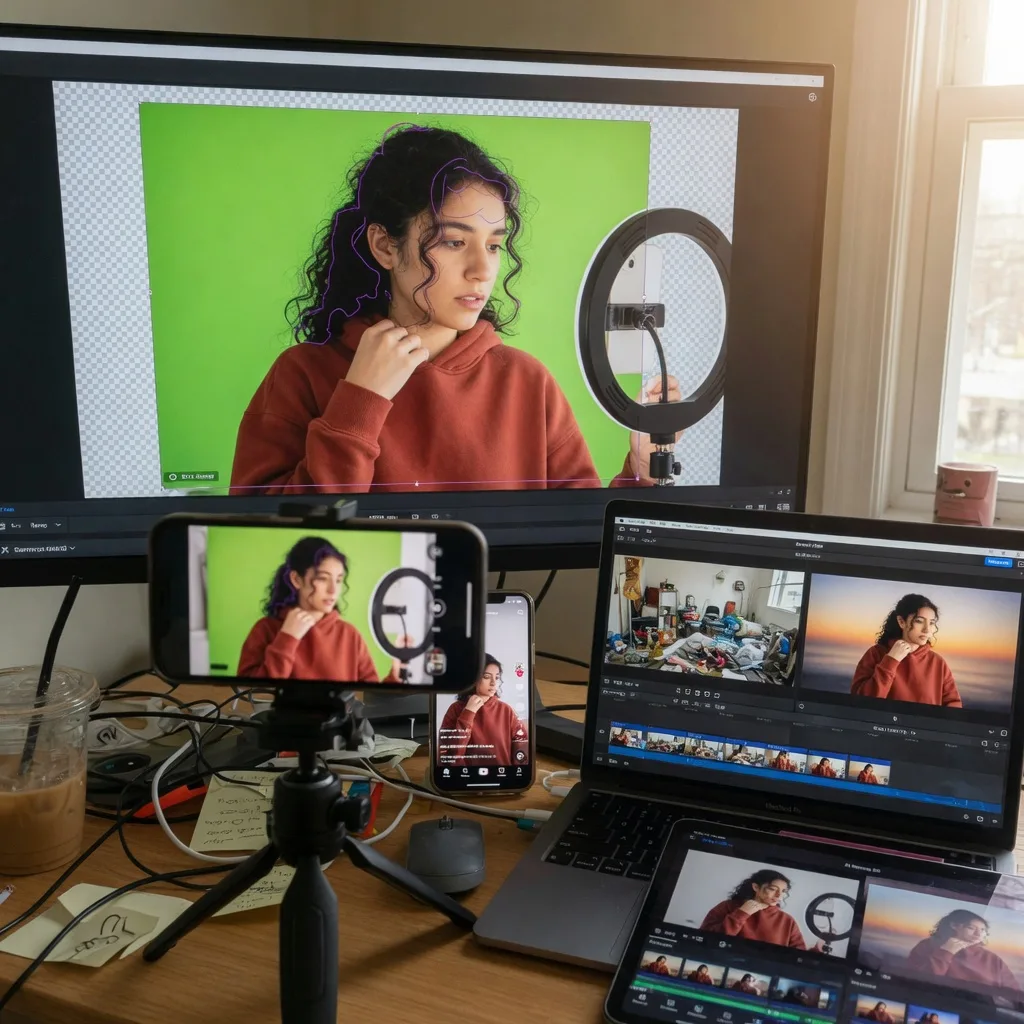
Video is now a standard format for creators, marketers, educators and small businesses. It is used for tutorials, product demos, social clips, online courses, advertisements, webinars and customer education. As video demand grows, creators need editing workflows that are faster, easier and more flexible than traditional production methods.
One of the most common needs is background removal. A useful recording may have a cluttered room, a distracting office or a setting that does not match the final message. Instead of reshooting, many users compare tools such as a runway background remover to find a practical way to clean up footage and reuse it across multiple platforms.
Why Background Removal Matters
The background of a video affects how viewers understand the content. A messy or unrelated setting can distract attention from the speaker, product or tutorial. A cleaner background makes the subject easier to see and helps the content feel more intentional.
For online creators, this matters because viewers often make quick decisions. A short video needs to look clear within seconds. A product demo, training clip or social post can lose impact if the visual environment feels confusing.
Background removal gives creators more control after filming, which is useful when ideal recording conditions are not available.
From One Recording To Multiple Formats
Modern content rarely stays in one place. A single video may need to become a vertical social clip, a square ad, a website section, a course lesson or a webinar segment. Recording separate footage for each format is inefficient.
When the subject is separated from the original background, the same recording can be placed into different layouts. This makes it easier to adapt one clip for several platforms while keeping the message consistent.
For small teams, this kind of reuse saves time and reduces production pressure.
Common Use Cases
AI video background removal can support many workflows:
- Social media videos
- Product demonstrations
- Online course lessons
- Webinar introductions
- Founder messages
- Customer tutorials
- Paid ad creatives
- Sales presentations
- E-commerce videos
- Agency client content
The common benefit is flexibility. A clean subject layer is easier to combine with product screenshots, branded designs, presentation slides or neutral backgrounds.
What To Compare Between Tools
Not all background removal tools behave the same way. Some focus on broad video editing, while others are built for quick subject separation. Users should compare tools based on the actual workflow they need.
Important factors include:
- Edge quality around hair and clothing
- Stability during movement
- Processing speed
- Export resolution
- Transparent-background support
- File format compatibility
- Ease of use for beginners
- Watermark and pricing limits
- Browser-based or desktop workflow
Testing a short clip before committing to a full project is often the most practical way to judge quality.
Source Footage Still Matters
AI tools can simplify editing, but source quality still affects the result. Good lighting, a steady camera and clear contrast between the subject and background usually produce cleaner separation.
Creators should avoid heavy motion blur, low-resolution clips and clothing that blends into the background. Hair, hands and fast movement are common areas where artifacts may appear, so these details should be reviewed before publishing.
Better recording habits make the editing process more reliable.
Choosing The Right Replacement Background
Removing the original background is only part of the workflow. The new background should support the purpose of the video. A product tutorial may work well with interface screenshots. A business presentation may need a neutral or branded layout. A social media clip may use a bold but simple visual style.
A replacement background should not compete with the subject. In most cases, clean and simple designs work better than busy scenes.
Why Smaller Teams Benefit Most
Large production teams may have studios, editors and controlled filming environments. Smaller teams often record from home offices, shared spaces or ordinary rooms. They still need content that looks credible and consistent.
AI background removal helps close that gap. It allows creators and businesses to improve practical recordings without building a full editing pipeline. This makes video production more accessible and repeatable.
Common Mistakes To Avoid
One mistake is expecting background removal to fix every production problem. Poor audio, dark footage and severe blur will still reduce quality.
Another mistake is choosing a replacement background that distracts from the subject. The best background is usually the one that supports the message quietly.
Users should also review the final export carefully. Even strong tools can produce small edge issues during fast movement or complex frames.
Final Takeaway
AI video background removal tools are becoming essential because creators need faster ways to produce clean, reusable video content. They help turn ordinary recordings into flexible assets for social media, websites, courses, ads and presentations.
The best results come from clear source footage, careful tool comparison and simple replacement backgrounds. For creators and small teams, the value is practical: less reshooting, faster publishing and more adaptable video assets.