Asad Ijaz
NetworkUstad's lead networking architect with CCIE certification. Specializes in CCNA exam preparation and enterprise network design. Authored 2,800+ technical guides on Cisco systems, BGP routing, and network security protocols since 2018. Picture this: I'm not just someone who writes about tech; I'm a certified expert in the field. I proudly hold the titles of Cisco Certified Network Professional (CCNP) and Cisco Certified Network Associate (CCNA). So, when I talk about networking, I'm not just whistling in the dark; I know my stuff! My website is like a treasure trove of knowledge. You'll find a plethora of articles and tutorials covering a wide range of topics related to networking and cybersecurity. It's not just a website; it's a learning hub for anyone who's eager to dive into the world of bits, bytes, and secure connections. And here's a fun fact: I'm not a lone wolf in this journey. I'm a proud member and Editor of Team NetworkUstad. Together, we're on a mission to empower people with the knowledge they need to navigate the digital landscape safely and effectively. So, if you're ready to embark on a tech-savvy adventure, stick around with me, Asad Ijaz Khattak. We're going to unravel the mysteries of technology, one article at a time!"

How to configure Floating Static Route
Static routes are manually configured paths in a router’s routing table, offering precise control over traffic flow. Unlike dynamic routing protocols like EIGRP or OSPF, static routes are ideal for small networks or backup scenarios. Floating static routes enhance this by serving as a backup path with a higher administrative distance (AD), activating only when...
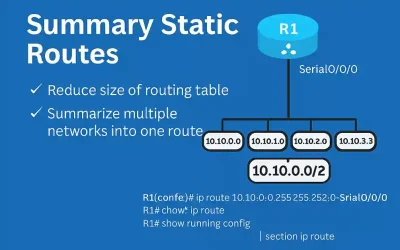
What is Summary Static Route? – Briefly Explained
Static routes are manually configured entries in a router’s routing table, directing traffic to specific destinations. Unlike dynamic routing protocols like OSPF or EIGRP, static routes offer simplicity and control, making them ideal for small networks or specific scenarios like stub networks or default gateways. For CCNA and CCNP students, mastering static routes and their...
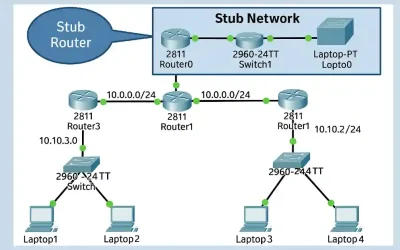
What is Stub Network? – Introduction
As a network engineer preparing CCNA and CCNP students for real-world Cisco deployments, understanding stub networks and routers is crucial. These concepts help optimize routing in environments with limited paths, reducing unnecessary overhead from dynamic protocols. In this article, we’ll explore definitions, topology analysis, configuration examples, advantages, troubleshooting, and more. We’ll base our discussion on...
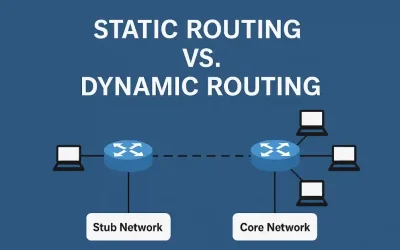
Static Routing vs Dynamic Routing – Complete Explanation
Routing is the process of selecting paths in a network along which to send network traffic. It forms the backbone of all data communication in IP networks, enabling devices to exchange data across different networks. Routers, the critical devices in this process, forward packets based on the destination IP address, learning about remote networks through...
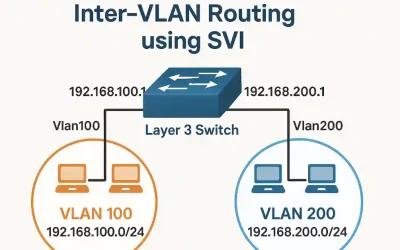
What is Switch Virtual Interface (SVI) – Everything to Know
Switch Virtual Interfaces (SVIs) are a cornerstone of modern enterprise networking, enabling efficient inter-VLAN routing on multilayer switches. This guide, designed for CCNA and CCNP students, explores the evolution of Layer 2 and Layer 3 switching, SVI configuration, verification, troubleshooting, and real-world applications. Whether you’re preparing for certification exams or deploying networks, this article provides...
Unlock Layer 3 Switches Mastery: Essential Cisco Guide for CCNA and CCNP Success in 2025
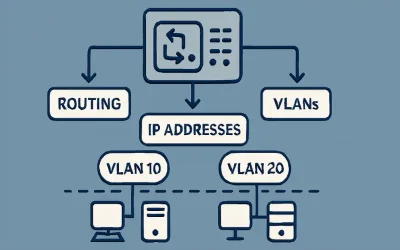
In the world of networking, understanding the OSI model’s Layer 3 is crucial for anyone preparing for CCNA (200-301) or CCNP Enterprise. This layer, known as the Network layer, handles logical addressing using protocols like IP and is responsible for packet forwarding between different networks, including path determination and routing through intermediate devices like routers....

Troubleshooting Inter-VLAN Issues – Briefly Explained
If you are using a legacy Inter-VLAN routing, ensure that the switch ports connecting to the router interface are configured in the correct VLAN. This is a very common issue with a switch port and requires troubleshooting. If a switch port is not configured to the correct VLAN, the devices on that VLAN cannot communicate...
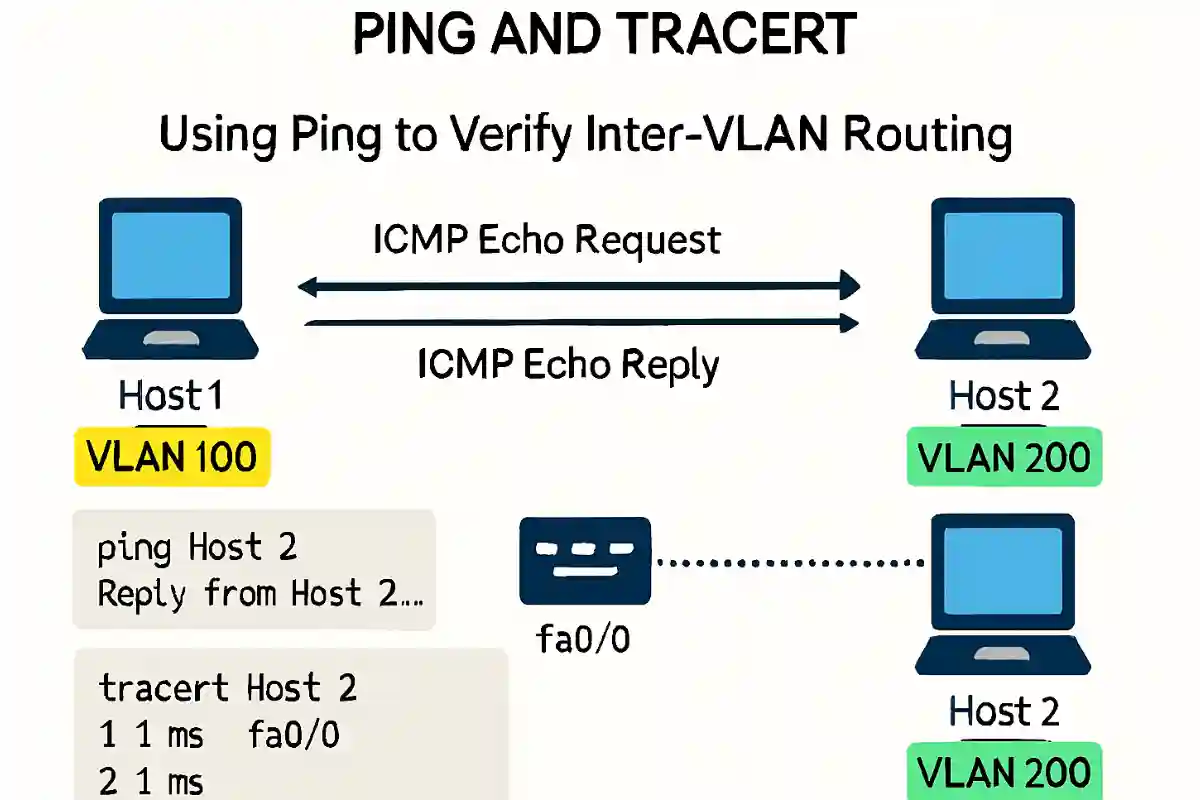
Verifying Inter-VLAN Routing Using Ping and Tracert Commands
Inter-VLAN routing enables communication between devices on different VLANs, a critical concept. Verifying host-to-host connectivity ensures proper configuration and operation of inter-VLAN routing. This article explores the ping and tracert utilities, essential tools for network engineers to test connectivity and troubleshoot issues. When configuring the Inter-VLAN routing, we must verify the host-to-host connectivity and data...
Router-on-Stick Inter-VLAN Routing – Exclusive Explanation
In a previous lesson, legacy inter-VLAN routing requires multiple physical interfaces on the router and the switch. However, in the ‘Router-on-stick’ configuration, only one physical interface is needed on both sides. The Router-on-a-stick allows routing packets to subnets associated with VLANs connected to a router 802.1Q trunk. The Router-on-Stick uses a VLAN trunking configuration and...
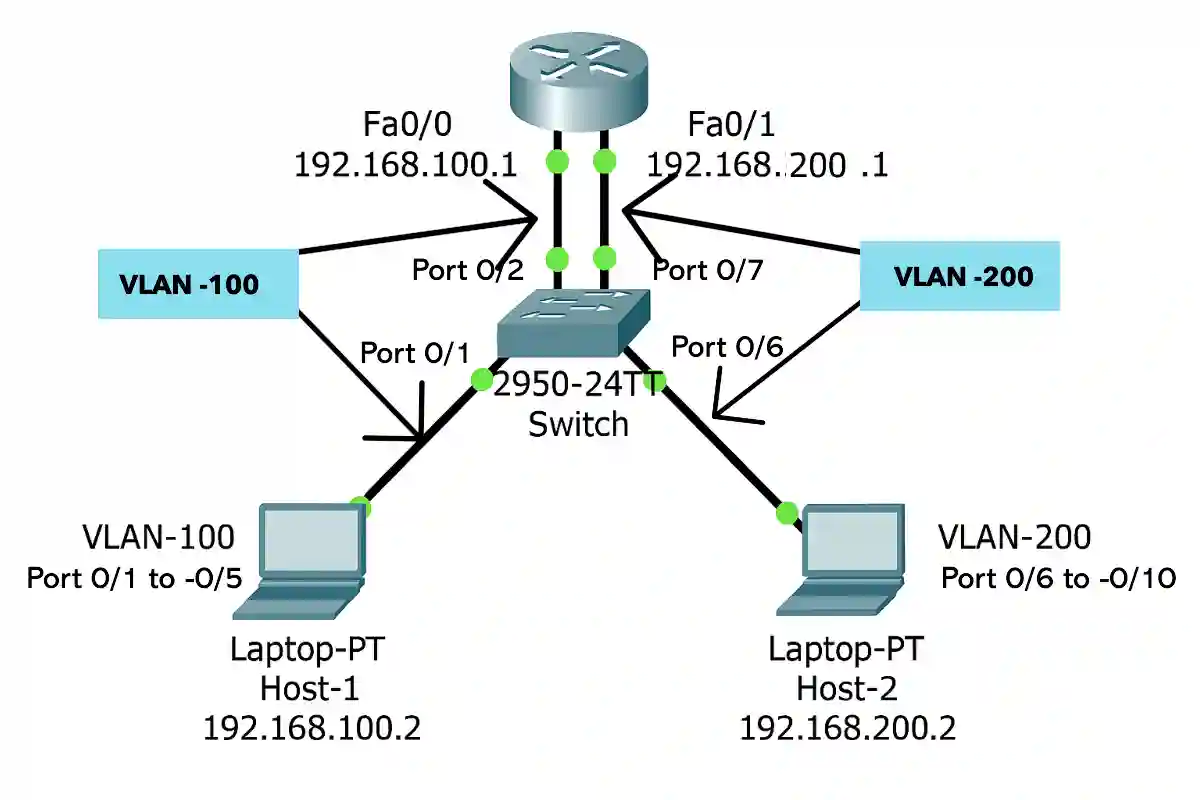
Master Legacy Inter-VLAN Routing (Updated 2025)
As we learned, each VLAN usually works on its own subnet. The network switches mainly work at layer 2 of the OSI model, so they do not examine the logical addresses. Therefore, for traffic between VLANs, inter-VLAN routing is required. The Legacy Inter-VLAN routing is the first solution for traffic between different VLANs. It relies...