
You can cut audio online when you need a shorter voice recording, a clean introduction or a permitted excerpt for a project. The basic task is simple: choose the section you want, preview it and export a copy. Good results depend on the decisions around those steps.
Keep the original recording. Know what the finished clip is for. Check whether the service suits the material before giving it access to a file. These habits matter more than a promise that editing takes only seconds.
A short personal voice memo and a confidential interview call for different handling. Likewise, a clip for casual listening has different requirements from audio that must stay synchronised with a video.
This guide explains a practical workflow you can adapt to the editor you choose.
Before you cut audio online, define the result
Decide what the clip should communicate. A shorter recording is not automatically a clearer recording. Removing an introduction may save time while leaving listeners unsure who is speaking or what the discussion concerns.
Write down the intended start, end and purpose. Approximate timestamps are useful, but listen to the surrounding passage before treating them as final. The strongest excerpt may begin slightly earlier than the phrase that first caught your attention.
When you cut audio online, consider the destination too. A messaging application, editing project and publishing platform may accept different formats or have different file limits. Check those requirements before choosing export settings.
Also decide whether trimming is enough. If you need to combine several speakers, balance levels or make many changes, a more capable editor may be easier to manage than a simple range-selection tool.
Start with a recording you are entitled to use
Use your own recording or material you have appropriate permission to edit and share. Being able to open a file does not establish permission to publish part of it. Check any relevant agreement or licence before preparing the excerpt.
Consider the people in the recording. A speaker may have agreed to an interview without agreeing to every possible promotional reuse. If the intended use is unclear, resolve that question before editing for publication.
A download or conversion tool does not grant rights to the material it handles. Keep the source and permission question separate from the technical ability to produce an audio file.
For practice, record a short passage yourself. That gives you material you understand and avoids using a private conversation merely to try an unfamiliar service. There is no need to use a commercially released track to learn where the trim handles are.

Preserve a clean starting point
Save the original somewhere you can find it again. Work on a copy, and give the edited version a name that explains its purpose. A simple label such as interview-introduction-draft is more useful than several files all called final.
Listen to the source before opening an editing page. Confirm that it contains the section you need and that it plays correctly. If the recording already has a fault, trimming may leave that fault in place.
Before you cut audio online, note any essential details. These might include the source duration, channel arrangement and the destination’s format requirement. You do not need to change every available setting simply because the editor exposes it.
Avoid repeated edits to the only remaining copy. A backup lets you reconsider a cut without trying to reconstruct words or pauses that have already been discarded from an exported version.
Choose the service for the file, not just the task name
A tool may accept one format but offer a different export format. File-size limits and available controls can also vary. Check the current interface with a non-sensitive sample before depending on it for a deadline.
For example, AudioCut offers a page to crop music using a selected range and an export workflow. Its page describes free use, temporary processing and preserved quality. Those statements describe the provider’s offer; they do not independently establish what happens to every file.
If you plan to cut audio online with any service, confirm what is available before committing the full recording. Can you preview the selection? Can you identify the output format? Does the process introduce an account or payment requirement you did not expect?
A modest test can answer basic workflow questions. It cannot certify security, prove deletion from all systems or establish the provider’s long-term reliability.
Understand the difference between browser use and local processing
An editor that opens in a browser may process audio locally, send data to a server or combine both approaches. The fact that you did not install a desktop application does not identify which arrangement is being used.
Browser audio capabilities can handle file data, but that general capability does not establish the behaviour of a particular website. Look for a clear explanation of the service’s processing and data handling. Do not infer it from a polished interface.
Before you cut audio online, ask whether the recording contains confidential information. Client discussions, employee matters and unpublished work may have handling requirements that rule out an unfamiliar service.
If you cannot establish that the proposed workflow is suitable, use an approved alternative. For workplace material, follow the organisation’s instructions rather than treating a general privacy claim as permission to upload.
Set the start point by listening
Open the file through the editor’s normal file-selection control. Let the audio load, then play the relevant passage. Use the waveform and timeline as navigation aids rather than substitutes for listening.
Place the start point before the sound you want to keep. Listen for the beginning of the first word and any useful breath or lead-in. Starting too late can make speech sound clipped even when the selected duration looks correct.
When you cut audio online, zoom or use a time field if the editor provides one. Small adjustments are easier to assess when you can hear the result immediately. Do not assume the visible cursor position is the final exported boundary until you check the output.
For music or ambient sound, consider the intended transition. The most obvious visual peak is not necessarily the best place to begin. Choose the boundary according to what the listener should hear.
Give the ending enough room
A clip can end after the final word yet still feel abruptly cut. Listen for the natural decay of a sound, the end of a sentence or a transition that makes sense for the project.
Avoid removing context that changes the speaker’s meaning. A statement followed by an important qualification should not be presented as an unqualified claim merely because the shorter version fits a desired duration.
If you cut audio online for a lesson or interview excerpt, replay the entire selection. Ask whether it stands on its own and remains faithful to the source. Keep the original available if you need to restore surrounding material.
Use a fade only when the tool supports it and the effect suits the recording. A fade can shape a transition. It cannot restore a missing syllable or correct a misleading edit.
Preview the selection before exporting
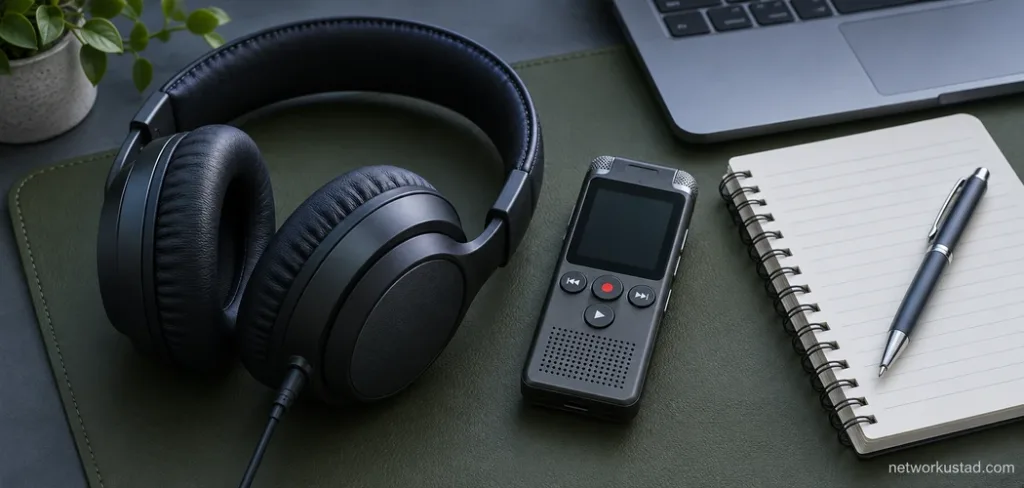
Listen from the beginning of the chosen range to the end. Then replay a little of the surrounding source if the editor allows it. This helps you distinguish a clean edit from an excerpt that only sounds convincing in isolation.
Check for an accidental gap, a repeated fragment or a cut through a word. If the recording has more than one channel, confirm that the parts you need remain audible. A single brief preview may not reveal every problem.
When you cut audio online, make one deliberate adjustment at a time. Move the boundary, listen again and decide whether it improved the result. Changing several settings together makes it harder to identify what caused a problem.
Keep volume comfortable during these checks. You do not need loud playback to judge whether a word starts naturally. If an issue remains unclear, pause and compare against the original rather than making increasingly large changes.
Export quality depends on the actual process
Trimming and encoding are separate questions. Some workflows can retain an encoded stream within particular limitations. Others decode the audio and create a newly encoded file. Do not assume every online cutter follows the same method.
Lossy encoding can discard audio information. Repeatedly exporting a lossy file through another lossy encoding stage can introduce further degradation. Saving a previously compressed source into a larger file does not recover information that was already lost.
Audacity’s MP3 export guidance explains the relationship between encoding choices, quality and file size. It also cautions about repeated MP3 encoding. Those principles help frame export questions; they do not establish how AudioCut processes files.
If you cut audio online for further production work, consider whether a suitable lossless working format is available and accepted by the next application. For final delivery, follow the destination’s requirements rather than choosing the smallest file without listening.
Check format, channels and file size together
A filename extension is useful, but it does not explain every property of the audio. Check the available format information and test the downloaded file in the application that will receive it.
Preserve the channel arrangement the project needs. Do not convert stereo material to mono merely because a smaller result is convenient. Conversely, do not assume a stereo export creates meaningful spatial information from a mono source.
Use this short export review:
| Detail | Question to resolve |
|---|---|
| Format | Will the destination accept the chosen output? |
| Channels | Are the required voices and channel relationships intact? |
| Duration | Did the selected range export as expected? |
| File size | Is it within the destination’s limit? |
| Playback | Does the downloaded file sound right in another player? |
| Name | Can you distinguish it from the source and earlier drafts? |
When you cut audio online, changing a setting should solve a defined problem. A higher number or a larger output is not automatically an improvement over the source.
Download the result and open it separately
An editor’s preview is not the final delivery check. Download the file, locate it on your device and open it in a suitable player. Confirm that you are listening to the exported copy rather than the original.
Check the start and end again. Listen through the middle, too. A correct boundary does not establish that the entire file plays properly or contains the intended section.
If you cut audio online for a video project, import the result into that project and check timing there. Different formats and workflows can affect how a file behaves in another application. A clip that sounds fine alone may still need attention when placed against pictures.
Keep the export only when it passes the checks that matter for its purpose. If it does not, return to the preserved source and review the selection and settings rather than stacking another uncertain conversion onto the failed result.
Handle private recordings cautiously
A promise of automatic deletion needs context. Find out what data the service says it receives, how it is used and what retention arrangements apply. The disappearance of a download link does not prove that every copy or related record has been erased.
Do not upload sensitive material merely to see whether a website accepts it. Test the interface with an ordinary recording you are comfortable using for that purpose. If an account is required, consider the additional information involved.
For recordings connected with work, consent or confidentiality obligations, use an approved workflow. If you cannot resolve the handling requirements, stop before sending the file. A convenient interface does not remove your responsibility for deciding what material you can share.
The simplest way to reduce uncertainty is to choose tools whose handling arrangements fit the recording. No general editing guide can certify a particular service’s implementation from its public claims alone.
When a simple cutter is not enough
A range-selection tool works best when the main decision is what beginning and ending to keep. More complicated work may require several clips, level adjustments, effects or repeated revisions.
If you are editing a long interview, write down the changes you need before choosing the workflow. You may want separate tracks for speakers, a project you can reopen or an organised way to compare versions.
To cut audio online is one option within that larger process. It is not a requirement to complete every task in a browser. An approved desktop editor may be more appropriate when handling restrictions, repeated editing or project organisation matter more than a quick export.
Choose the method that lets you understand the changes and verify the result. Convenience is useful when it supports that control, rather than replacing it.
A dependable trimming routine
Keep a source copy, identify the permitted use and choose a service suitable for the file. Set the boundaries through listening. Preview the whole selection, export deliberately and reopen the downloaded result.
Those steps are repeatable across different projects. They do not promise that every tool offers the same features or that every recording needs the same settings.
When you cut audio online, aim for a clear, faithful excerpt that works where it will be used. A little attention to context, quality and privacy can prevent a quick trim from creating a larger problem later.
Frequently asked questions
Does trimming automatically remove background noise?
No. Selecting a shorter range is different from noise reduction. Check whether you need a separate process, and keep the original before applying effects.
Does a smaller file always sound worse?
Not necessarily in an audible or practically important way. The source, format and encoding settings matter. Compare the actual output for its intended use.
Can I assume every browser editor keeps files on my device?
No. Verify the particular service’s handling arrangements. Browser access alone does not establish where processing happens.
Should I delete the original as soon as the clip exports?
Keep it until you have verified the result and no longer need it under your project’s retention arrangements. An exported excerpt may omit material you later need.
<div style=”background:#EFF6FF;color:#172033;border:1px solid #BFDBFE;border-left:6px solid #2563EB;border-radius:14px;padding:26px;margin:28px 0;line-height:1.8;”><strong style=”display:block;color:#1E3A8A;font-size:20px;margin-bottom:10px;”>Audio Editing and Privacy Disclaimer</strong>Use recordings you are authorised to edit and share. Tool features, processing arrangements and export options can change. Check current terms before submitting a file, and use approved methods for confidential material. This guide does not certify a service’s security, deletion practices, output quality or suitability for a particular recording.</div>