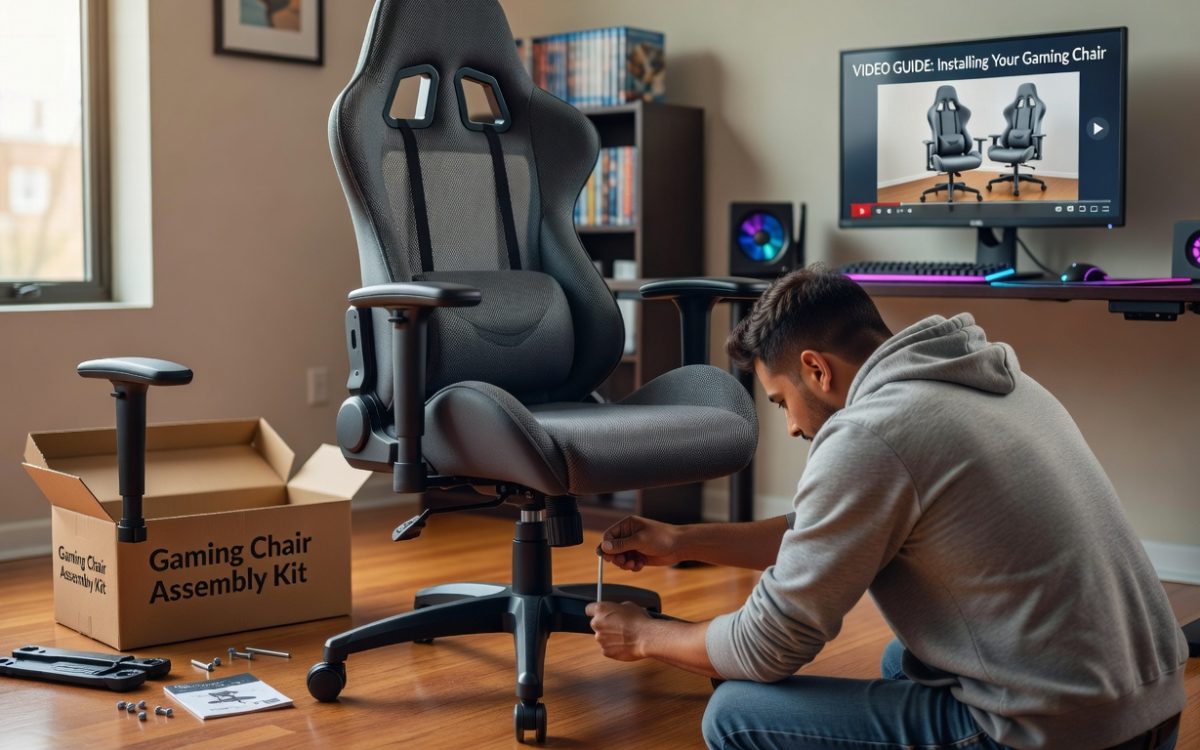
There’s something genuinely exciting about unboxing your first gaming chair — the smell of fresh materials, the promise of long comfortable sessions, and the anticipation of finally having a proper setup. But that excitement can quickly turn into frustration when you’re staring at a pile of parts, a bag of screws, and an instruction sheet that seems to raise more questions than it answers. If you’ve ever felt that sinking feeling mid-assembly, you’re far from alone.
This guide is designed to eliminate that anxiety entirely. Whether you’re a first-time buyer or someone who’s struggled through a chair build before, you’ll find everything you need here — clear written steps, practical tips, and complementary video guidance that walks you through each stage of the process. The goal isn’t just to get your chair standing upright; it’s to ensure every component is properly installed, every adjustment is dialed in, and the final result is a comfortable gaming chair that fits your body and supports your playstyle. Let’s get you set up and ready to game.
Preparing for Your Comfortable Gaming Chair Installation
Before touching a single bolt, take five minutes to inventory everything in the box. Most gaming chairs ship with a seat, backrest, armrests, base, five casters, a gas lift cylinder, a seat mechanism, a bag of screws and bolts, and an Allen wrench. Some packages also include a lumbar pillow and headrest cushion. Lay every piece out on a flat surface so nothing gets lost under packaging foam — a missing bolt discovered halfway through assembly is nobody’s idea of fun.

Read the manual before you start. It sounds obvious, but skimming it first gives you a mental map of the entire process, so each step feels familiar rather than surprising. Choose your workspace wisely too: a hard floor with enough room to move around the chair freely is ideal. Carpet can make it harder to snap casters in and keep components stable during assembly.
Keep safety front of mind throughout. Never overtighten screws — snug is enough, and stripping a bolt hole early creates headaches later. Have a second person nearby if possible, since holding the backrest steady while bolting it in place is genuinely easier with an extra pair of hands. Finally, take a breath. Assembly typically takes 20 to 30 minutes, and approaching it calmly rather than rushing means fewer mistakes and a sturdier result.
Step-by-Step Installation Process for Your Gaming Chair
With your workspace cleared and parts laid out, you’re ready to build. The process follows a logical bottom-up sequence — foundation first, then the seat, then everything that connects to your body. Rushing any stage tends to create wobbles or misalignments that are annoying to fix later, so move deliberately through each step.
Assembling the Base, Casters, and Gas Lift
Start by pressing each caster firmly into the five holes around the star-shaped base. No tools are required here — just position each wheel stem directly over its socket and push down with steady pressure until you hear or feel a click. Once all five are seated, stand the base upright and slide the gas lift cylinder into the center column, narrow end pointing up. It should drop in snugly without force. The most common mistake at this stage is inserting the gas lift upside down — the tapered end always goes up into the seat mechanism, not down into the base.
Attaching the Seat, Backrest, and Armrests
Flip the seat cushion upside down and locate the seat mechanism — the metal plate with adjustment levers underneath. Align it over the mounting holes and secure it with the provided bolts, tightening in a cross pattern rather than one side at a time to keep pressure even. Next, slot the backrest brackets into the seat mechanism’s side receivers and fasten the bolts finger-tight first, then snug them down fully once you’ve confirmed the backrest sits straight. Armrests typically bolt directly into pre-drilled holes on the seat sides — thread each bolt by hand before using the Allen wrench to avoid cross-threading. Give every connection a firm shake to check for play before moving on.

Final Adjustments and Safety Checks
Before sitting down, run through a quick verification: tug each armrest, press down on the backrest, and spin the seat to confirm the base rolls freely. Then carefully lower yourself onto the chair and test the height lever, recline function, and tilt tension knob. Everything should move smoothly without grinding or resistance. If anything feels loose or stiff, identify the culprit bolt and address it now rather than after extended use.
Leveraging Video Guidance for a Smooth Setup Experience
Written instructions are excellent for reference, but there’s a reason video tutorials have become the go-to resource for assembly tasks — seeing someone perform each step in real time eliminates the guesswork that even the clearest text can leave behind. When you’re trying to figure out which direction a bracket faces or how firmly to press a caster home, watching hands actually do it is worth a thousand words. The video guide accompanying this article is structured to mirror the written steps exactly, so you can switch between the two without losing your place.
To get the most out of the video, resist the urge to watch it straight through before starting. Instead, treat it as a live companion during assembly. Pull it up on your phone or tablet, prop it where you can see it hands-free, and follow along one stage at a time. The pause button is your best tool here — stop the video the moment a step is demonstrated, complete that action on your chair, then resume. Rewinding a few seconds to re-watch a tricky moment costs you nothing and prevents the kind of small errors that compound into bigger problems later.
Where written instructions excel is in moments when you need to double-check a bolt sequence or remind yourself of a safety note without scrubbing through footage. Use both formats together: the video for visual clarity on how something physically connects, and the written guide for precise details like tightening order or torque guidance. New builders especially benefit from this combination — the video builds confidence by showing that assembly is straightforward, while the text reinforces the why behind each action. Together, they transform what can feel like an overwhelming task into a manageable, even satisfying process that sets you up for success before you ever sit down to game.
Ensuring Universal Gamer Fit for Optimal Comfort
A properly assembled chair is only half the equation — how well it fits your body determines whether those long gaming sessions feel energizing or exhausting. Universal Gamer Fit is the idea that a quality gaming chair should adapt to you, not the other way around. Chairs designed with this philosophy in mind, such as those from AutoFull, incorporate multiple adjustment points specifically to accommodate different heights, weights, postures, and play styles, so spending a few minutes dialing these in after assembly pays dividends every single session.
Start with seat height: your feet should rest flat on the floor with your knees at roughly a 90-degree angle. From there, adjust the lumbar support pillow up or down along the backrest until it sits naturally in the curve of your lower back — you shouldn’t have to lean into it, it should meet you where you are. Tilt tension controls how much resistance the backrest offers when you recline; tighten it if the chair tips back too easily, loosen it if leaning back requires effort. Armrest height is often overlooked but matters enormously — your elbows should rest comfortably without your shoulders shrugging upward or drooping down.

If your chair includes seat depth adjustment, slide the seat pan forward or backward until there’s roughly two fingers of clearance between the front edge and the back of your knees. This prevents pressure on circulation during extended play. Don’t treat these settings as one-time decisions — experiment freely over your first few sessions and revisit them as your preferences become clearer. Small tweaks compound into significantly better comfort, and a chair that fits you precisely is one you’ll actually want to sit in for hours at a time.
From Assembly to Perfect Fit: Your Gaming Chair Is Ready
Setting up a gaming chair doesn’t have to be a stressful ordeal — and if you’ve followed this guide, you now have proof of that. From laying out your components before a single bolt is turned, to working through the bottom-up assembly sequence, to using the video guide as a real-time companion rather than a passive reference, every step here was designed to give you clarity and confidence at each stage of the process.
The assembly itself is just the beginning. Once your chair is standing solid and every connection has been checked, the Universal Gamer Fit adjustments are what transform a well-built chair into your chair. Seat height, lumbar positioning, tilt tension, armrest height, seat depth — these aren’t afterthoughts. They’re the difference between a chair you tolerate and one that actively supports you through every session. Revisit those settings as you settle in over the coming days; your preferences will sharpen quickly.
Most importantly, you now have a reliable framework for this entire process — one you can return to anytime, share with a friend setting up their first chair, or use as a baseline when upgrading down the road. Your setup is ready. Your comfort is dialed in. Now the only thing left to do is play.