
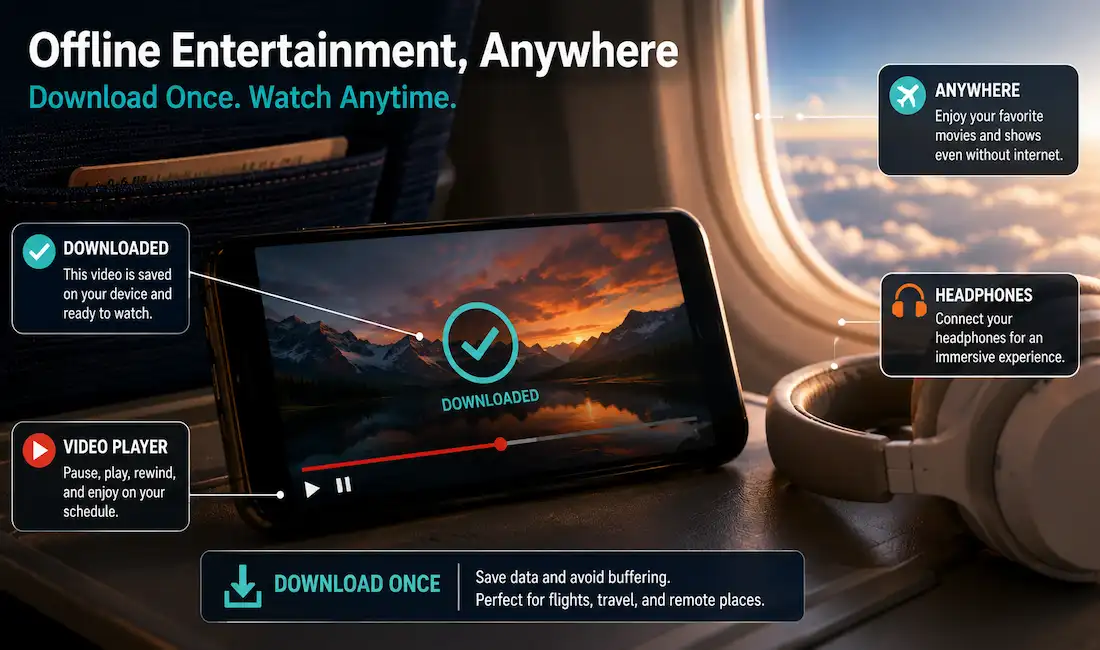
Streaming has changed the way we watch movies, novelas, and live sports — but it comes with one persistent frustration: you need a strong, stable internet connection to enjoy it. Whether you’re on a long flight, commuting through a subway system with no signal, or simply trying to avoid burning through your monthly data plan, buffering wheels and error messages can turn a relaxing night in front of your favorite telenovela into an exercise in patience.
ViX, the popular Spanish-language streaming platform, understands this pain point well. That’s why the platform has built offline viewing directly into its official app, giving both free and Premium subscribers a way to download select titles and watch them later without needing a live connection. This guide walks through everything you need to know about using this feature — how it works, which devices support it, what content is eligible, and how to troubleshoot the most common issues users run into.
Why Offline Viewing Matters
Before diving into the how-to, it’s worth understanding why offline viewing has become such an important feature for streaming platforms in general.
Unreliable connectivity. Not everyone has consistent broadband access. Rural areas, older apartment buildings, and countries with less developed internet infrastructure often mean spotty Wi-Fi or slow mobile data — and video streaming is one of the most bandwidth-hungry activities a phone or smart TV can perform.
Travel. Airplanes, road trips, and international travel frequently put you in situations where data is either unavailable or prohibitively expensive through roaming charges. Downloading a few episodes before a flight can be the difference between an enjoyable trip and hours of staring at a loading screen.
Data caps. Many mobile plans, especially prepaid ones, come with strict data limits. Streaming a two-hour movie in HD can consume several gigabytes, which might eat through an entire month’s allowance in a single sitting. Downloading over Wi-Fi at home avoids this problem entirely.
Battery and background use. Downloaded content also tends to play more smoothly and consume less battery than a live stream, since the device isn’t constantly buffering and re-requesting data packets from a server.
For all these reasons, ViX’s built-in download feature is a genuinely useful tool for anyone who wants more flexibility in how and when they watch.
Getting Started: What You’ll Need
Before you can download anything, there are a few basic requirements to check off:
- The official ViX app. Offline downloads are only available through ViX’s official mobile app on iOS and Android. The desktop website version does not currently support downloads, so if you’ve only ever watched ViX through a browser, you’ll need to install the app first.
- An active account. You’ll need to be signed in, whether you’re using the free, ad-supported tier or a paid Premium subscription.
- Sufficient storage space. Downloaded video files, especially in HD, can range from a few hundred megabytes to a few gigabytes depending on length and quality settings. Make sure your device has enough free storage before starting a download.
- A stable internet connection for the initial download. Ironically, you do need a good connection to download something in the first place — ideally Wi-Fi, both to save on mobile data and to keep the download from failing partway through.
Step-by-Step: How to Download Content on ViX
Once you’ve confirmed the basics, downloading a title is straightforward:
- Open the ViX app and browse or search for the movie, series, or episode you’d like to watch offline.
- Locate the download icon. On most title pages, you’ll find a small download arrow or icon near the play button, episode list, or details section.
- Tap to download. The app will begin fetching the file in the background. You can typically continue browsing or even watching other content while this happens.
- Check your downloads library. Most streaming apps, ViX included, keep a dedicated “Downloads” tab or section in the main menu where you can see everything you’ve saved, along with file size and download progress.
- Watch anytime. Once the download completes, you can open the file directly from the Downloads section — no internet connection required.
It’s worth noting that download availability isn’t universal across all content. Some titles, particularly certain live sports broadcasts or very recently added releases, may not have the download option enabled due to licensing agreements between ViX and the original content owners. If you don’t see a download icon on a specific title, that’s usually the reason.
Free Tier vs. Premium: What’s the Difference?
ViX operates on a freemium model, offering a free, ad-supported tier alongside paid Premium subscriptions. Both tiers generally support offline downloads, but there are a few practical differences worth knowing:
- Ad-supported downloads. On the free tier, downloaded content may still include the same ad breaks you’d see while streaming live. This is a common trade-off across ad-supported platforms — the ads help fund the free content, even when watched offline.
- Premium content library. Premium subscribers typically have access to a broader catalog, including exclusive series and films not available on the free tier, and by extension, a larger pool of titles eligible for download.
- Simultaneous downloads and device limits. Depending on your subscription level, there may be limits on how many titles you can have downloaded at once, or how many devices can hold downloaded content tied to a single account. Checking your account settings or the app’s help section can clarify the specific limits tied to your plan.
How Long Do Downloads Last?
One detail that catches many users off guard: downloaded content isn’t necessarily yours to keep forever. Like most licensed streaming platforms, ViX applies expiration windows to downloaded files, governed by agreements with studios and distributors. This usually plays out in two ways:
- A download expiration window, where the file remains available for a set number of days after downloading, whether you’ve started watching it or not.
- A viewing window, which begins counting down once you actually press play on the downloaded file, giving you a shorter period (often 24–48 hours) to finish watching before it becomes inaccessible.
If a downloaded title suddenly disappears or won’t play, this is almost always the reason — not a bug, but a built-in limitation tied to licensing. Reconnecting to the internet and re-downloading the title (if it’s still available on the platform) usually resolves this.
Managing Storage and Downloads Effectively
Because video files can take up significant space, a little organization goes a long way:
- Download over Wi-Fi. Most apps, including ViX, default to allowing downloads only on Wi-Fi unless you manually change the setting, which helps avoid accidentally burning through mobile data.
- Choose your quality setting wisely. If your app offers a choice between standard and HD downloads, opting for standard definition can significantly reduce file size — useful if you’re trying to save several titles for a long trip.
- Regularly clear finished downloads. Once you’ve watched something, deleting it from your downloads library frees up space for new content and keeps your device running smoothly.
- Monitor your device’s available storage before starting a large download, especially for full seasons of a series, which can add up quickly.
Troubleshooting Common Issues
Even with a straightforward process, users occasionally run into hiccups. Here are the most common ones and how to address them:
Download won’t start.
Double-check your internet connection, confirm you’re logged into your account, and make sure the app is updated to its latest version. Outdated app versions are one of the more frequent causes of download failures.
Download stuck at a percentage.
This is often caused by an interrupted or weak connection. Canceling and restarting the download, ideally on a stronger Wi-Fi network, usually clears this up.
Downloaded video won’t play.
This is typically tied to the expiration windows discussed earlier. If a title has expired, you’ll need to reconnect to the internet and download it again.
Storage errors.
If your device reports insufficient storage even though you believe you have space, check for other large files, app caches, or photos that may be taking up more room than expected.
Download option missing entirely.
As mentioned earlier, not all titles are licensed for offline download. If this is the case, there’s typically no workaround within the app — it’s a limitation tied to the content owner’s distribution agreement rather than a technical glitch.
A Note on Third-Party “Downloader” Tools
A quick search online will turn up a number of third-party applications and websites claiming to let you download ViX content directly, often marketed as bypassing restrictions or unlocking Premium content downloads for free. It’s worth approaching these with real caution.
Beyond the fact that content licensing exists to compensate the creators, actors, and studios behind the shows and movies you’re watching, using tools designed to strip copy protections or download subscriber-only content typically violates the platform’s terms of service — and can carry legal risk in many jurisdictions, since it often runs afoul of copyright law. The official ViX app’s download feature exists precisely so users don’t need to turn to these third-party tools: it offers a legitimate, supported way to watch content offline, respecting both the platform’s rules and the rights of the people who made the content in the first place.
If you find that a title you want isn’t available for official download, the safest path is simply to wait for a stronger connection or check whether the licensing restriction changes over time, rather than seeking out unauthorized workarounds.
Making Offline Viewing Part of Your Routine
Once you’ve downloaded your first title, it’s easy to build offline viewing into a regular habit rather than something you only remember to do the night before a trip. A little planning ahead can make a noticeable difference in your overall streaming experience.
Download during off-peak hours.
Many home networks slow down in the evening when everyone in the household is streaming, gaming, or video calling at once. Queuing up downloads earlier in the day, or overnight while your device charges, often results in faster, more reliable downloads.
Build a rotating library.
Rather than downloading one title at a time, consider keeping a small rotating library of two or three shows or movies ready to go at any moment — one for a commute, one for a flight, one for a night when the Wi-Fi at home acts up. This way, offline content is always available when you need it, not just when you remember to plan for it.
Sync downloads with your schedule.
If you know you have a busy week of travel coming up, download new episodes of an ongoing series a few days in advance rather than waiting until the last minute, in case a download takes longer than expected or your subscription’s viewing window is shorter than you think.
Keep the app updated.
Streaming apps regularly push updates that improve download speed, fix bugs, and occasionally change how offline content is managed. Keeping the ViX app updated ensures you’re getting the most stable version of the download feature available.
Offline Viewing Across Devices
While the ViX app is available on both iOS and Android, how you experience offline downloads can vary slightly depending on your device and how you use it.
Smartphones.
For most users, a smartphone is the primary device for offline viewing — small enough to carry everywhere, with enough storage on modern models to comfortably hold several downloaded titles at once.
Tablets.
Tablets offer a larger screen for a more comfortable viewing experience, particularly useful for longer flights or road trips where you might be watching for extended periods. The download process works the same way as on a phone, just with more screen real estate to enjoy the result.
Storage-constrained devices.
If you’re using an older phone or a device with limited internal storage, it’s worth paying close attention to file sizes before downloading, particularly for full seasons of a series. Opting for standard-definition downloads over HD, where the option exists, can help you fit more content onto a device with less available space.
Frequently Asked Questions
Can I download ViX content on a computer?
Currently, offline downloads are supported through the official mobile app on iOS and Android. Desktop and browser-based viewing require an active internet connection.
Does downloading use up my mobile data?
Only if you choose to download over a mobile connection. By default, most apps encourage or require Wi-Fi for downloads to help you avoid unexpected data charges.
Will downloaded content play with subtitles or alternate audio tracks?
This depends on the specific title and how it was originally encoded. Many titles retain their available subtitle and audio options even when downloaded, though this can vary.
What happens if I cancel my subscription?
If you’re a Premium subscriber and your subscription lapses, downloaded Premium-exclusive content will typically become inaccessible, consistent with standard streaming industry practice.
Can I download live sports broadcasts?
Live content is generally not eligible for download due to its real-time nature and specific licensing terms, though replays or highlight packages may become downloadable after the fact if the platform makes them available in its regular library.
Final Thoughts
Offline viewing has become a genuinely valuable feature for streaming platforms, and ViX’s built-in download tool offers a simple, reliable way to enjoy your favorite shows and movies without worrying about spotty Wi-Fi, expensive data plans, or long stretches without a connection. By understanding how downloads work, what limitations apply, and how to manage your storage effectively, you can make the most of this feature and keep your favorite content ready to watch, wherever you happen to be.
Whether you’re prepping for a long flight, a weekend without reliable internet, or just want a backup plan for your evening entertainment, taking a few minutes to download your next binge-watch ahead of time can save you a lot of frustration down the road.



