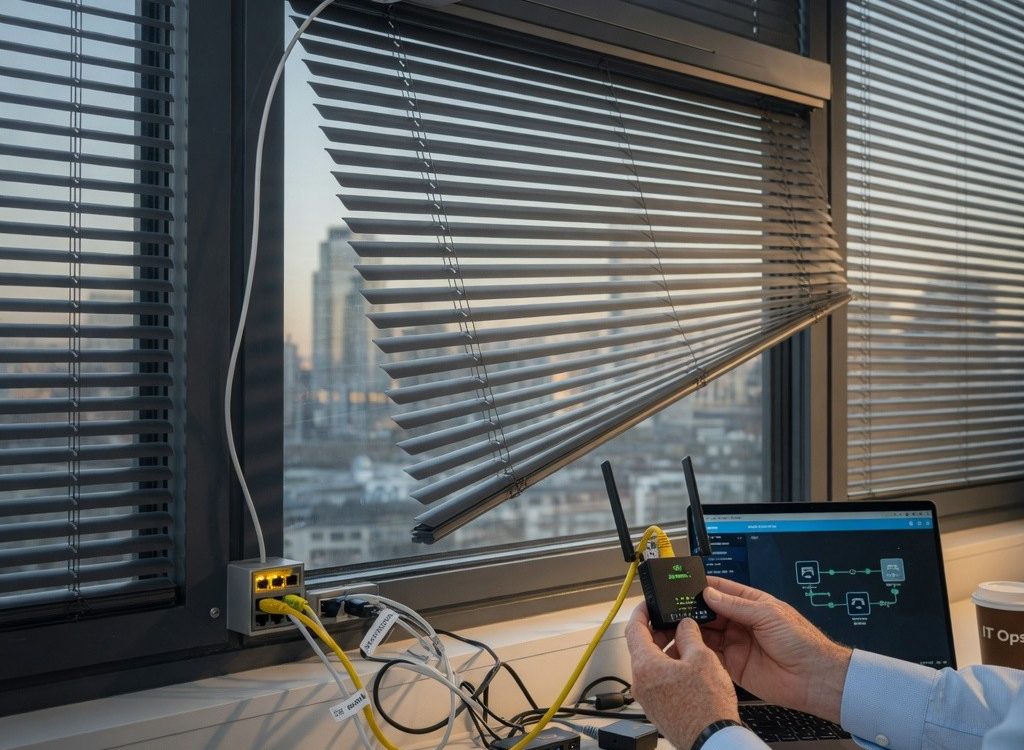
When a senior network engineer at a Fortune 500 company was called to a conference room to fix a motorized blind that would not close on command, the initial assumption was a faulty motor or a dead battery. After two hours of swapping hubs and re-pairing remotes, the root cause turned out to be a misconfigured VLAN access list. The blind’s Zigbee coordinator sat on a guest Wi-Fi subnet that had been inadvertently blocked by a new ACL applied during a firewall upgrade. That moment — a multi-million-dollar meeting delayed because of a window covering — is why every IT professional managing modern office environments needs to understand the network implications of Windows Blinds.
Smart blinds are no longer a niche consumer gadget. They are standard equipment in LEED-certified buildings, co-working spaces, and even home offices where teleconferencing requires precise light control. But the convenience of app-controlled blinds comes with a stack of networking requirements that most deployment guides gloss over. This article covers the protocols, security risks, and configuration best practices that network engineers must know when integrating motorized blinds into enterprise infrastructure.
How Smart Blinds Connect to Your Network: Protocols and Topologies
The first decision in any smart blind deployment is the wireless protocol. The market is split among four dominant standards, each with distinct network implications. Zigbee and Z-Wave operate on sub-GHz frequencies (2.4 GHz and 908/868 MHz respectively) and form mesh topologies, which extend range but introduce latency as packets hop through repeaters. Thread, an IP-based mesh protocol, offers native IPv6 support and can integrate directly with existing network management tools. Wi-Fi blinds skip the hub entirely but consume more power and compete for bandwidth with every other wireless device in the building.
Protocol Comparison Table
| Protocol | Frequency | Topology | Max Range (indoor) | Hub Required | IP Layer |
|---|---|---|---|---|---|
| Zigbee | 2.4 GHz | Mesh | 10–20 m per hop | Yes | No (application layer) |
| Z-Wave | 908/868 MHz | Mesh | 30 m per hop | Yes | No |
| Thread | 2.4 GHz / Sub-GHz | Mesh (IPv6) | 30 m per hop | Optional (border router) | Yes (6LoWPAN) |
| Wi-Fi (2.4/5 GHz) | 2.4/5 GHz | Star (via AP) | Depends on AP | No | Yes (IPv4/IPv6) |
The implication for network architects is clear: Thread and Wi-Fi blinds can be managed with standard IP tools, while Zigbee and Z-Wave require a dedicated hub that often acts as a NAT gateway. That hub becomes a single point of failure and a potential security chokepoint. For enterprise deployments, Thread-based blinds are gaining traction because they eliminate the hub and allow direct integration with existing network monitoring systems via SNMP or REST APIs.
When planning the topology, consider the physical placement of repeaters or border routers. In a multi-floor office, each floor typically needs its own coordinator to avoid cross-floor interference. A common mistake is placing the hub in a wiring closet behind metal racks, which severely attenuates the signal. Field surveys using spectrum analyzers are recommended before permanent mounting.
Why Your Office Blinds Need Their Own VLAN
IoT devices — including smart blinds — are notoriously insecure. Default credentials, unpatched firmware, and lack of encryption make them attractive entry points for lateral movement. The standard mitigation is to isolate all building automation devices onto a dedicated VLAN. This practice prevents a compromised blind from reaching the corporate data VLAN or the voice VLAN used by VoIP phones.
A typical Cisco switch configuration for a smart blind VLAN might look like this:
interface vlan 100
 description IoT_Blinds
 ip address 10.100.0.1 255.255.255.0
 no shutdown
!
interface GigabitEthernet0/1
 description Blind_Hub_1
 switchport mode access
 switchport access vlan 100
 spanning-tree portfast
!
In addition to VLAN segmentation, apply ACLs to restrict outbound traffic from the blind VLAN. Blinds rarely need internet access — most commands come from a local controller or a cloud service through a specific port. A default-deny ACL that only permits traffic to the controller’s IP address on TCP port 443 (HTTPS) and UDP port 123 (NTP) is sufficient. For Thread-based blinds that use IPv6, ensure the RA guard and DHCPv6 guard features are enabled on the switch to prevent rogue router advertisements.
This level of isolation also helps with troubleshooting. When a blind fails to respond, the network engineer can quickly verify that the device has an IP address in the correct subnet and that the ACL is not blocking the control traffic. Without a dedicated VLAN, diagnosing a blind issue becomes a needle-in-a-haystack exercise across the entire broadcast domain.
Security Blind Spots: Vulnerabilities in Motorized Blind Systems
The most significant vulnerability in smart blinds is the hub. Many consumer-grade hubs run embedded Linux with outdated kernels and have no mechanism for automatic updates. In 2025, researchers from Trend Micro demonstrated a proof-of-concept attack where they exploited a command injection vulnerability in a popular Z-Wave hub to gain a reverse shell on the corporate network. The attack vector was the blind’s mobile app, which sent unencrypted HTTP requests to the hub.
Enterprise deployments should mandate hubs that support TLS 1.3, certificate-based authentication, and signed firmware updates. Avoid hubs that rely solely on cloud connectivity for local control — if the internet goes down, the blinds should still operate via the LAN. The fake Claude AI site that dropped Beagle backdoor on Windows users is a cautionary tale: attackers are actively targeting IoT devices as beachheads. Treat every blind hub as a potential threat until proven otherwise.
Another blind spot is the physical security of the hub itself. A malicious insider with physical access to a hub can reset it to factory defaults, join it to a rogue network, or extract cryptographic keys. Mount hubs in locked enclosures or wiring closets, and disable physical reset buttons where possible.
Configuring QoS for Reliable Blind Control
Smart blind commands are latency-sensitive. A user pressing “close” expects the blind to respond within a second or two. If the network is congested with video streams or large file transfers, control packets can be delayed or dropped. Quality of Service (QoS) policies should prioritize the control traffic from the blind hub or controller.
On a Cisco Catalyst switch, a simple QoS policy might mark control packets with DSCP AF41 (Assured Forwarding class 4, low drop probability) and place them in a priority queue:
class-map match-any BLIND-CONTROL
 match ip dscp af41
!
policy-map QOS-BLINDS
 class BLIND-CONTROL
  priority percent 10
 class class-default
  fair-queue
!
Apply this policy to the uplink port that carries traffic from the blind VLAN to the controller. Also ensure that the wireless access points serving the blind hub are configured with WMM (Wi-Fi Multimedia) enabled and that the control traffic is marked at the source. Many blind hubs allow DSCP marking in their configuration — set it to AF41 to align with the switch policy.
Without QoS, a single large backup job can cause the blind hub’s TCP connection to the controller to time out, resulting in “device offline” errors. This is especially common in home offices where the same Wi-Fi network handles Zoom calls, Netflix, and blind control. A dedicated SSID for IoT devices, combined with QoS, eliminates the problem.
Troubleshooting Common Connectivity Issues
When a smart blind stops responding, the troubleshooting workflow mirrors that of any network device. Start with Layer 1: verify power to the hub and the blind motor. Then check Layer 2: is the hub connected to the correct switch port? Use show mac address-table on the switch to confirm the hub’s MAC address is learned on the expected VLAN. If not, check for STP topology changes or port flapping.
At Layer 3, confirm the hub has an IP address via DHCP. On a Cisco switch, use show ip dhcp binding to see active leases. If the hub is not getting an IP, verify the DHCP relay configuration if the DHCP server is on a different subnet. For Thread-based blinds, use ping6 from the border router to the blind’s link-local address to test reachability.
ACLs are a common culprit. A quick test is to temporarily apply a permit-all ACL to the blind VLAN interface. If the blind starts working, the ACL is blocking something. Refine the ACL to allow only the necessary control traffic. Also check firewall logs for dropped packets from the hub’s IP address.
Finally, consider RF interference. In dense office environments, 2.4 GHz channels are congested with Wi-Fi, Bluetooth, and Zigbee traffic. Use a Wi-Fi analyzer to identify the least congested channel and configure the blind hub accordingly. For Z-Wave, which uses sub-GHz frequencies, interference is less common but can come from cordless phones or baby monitors.
Future Trends: SD-WAN and Building Automation Integration
As enterprises adopt SD-WAN, the management of IoT devices like smart blinds is becoming more centralized. SD-WAN controllers can enforce consistent QoS and security policies across multiple sites, ensuring that a blind in a branch office behaves identically to one at headquarters. MPLS circuits, with their guaranteed bandwidth, are ideal for latency-sensitive blind control, but SD-WAN can bond broadband and LTE links to provide redundancy at lower cost.
Another emerging trend is the use of VRF (Virtual Routing and Forwarding) to further isolate IoT traffic within the same physical infrastructure. In a multi-tenant building, each tenant’s smart blinds can be placed in a separate VRF, preventing any cross-tenant communication. This is particularly relevant for co-working spaces where different companies share a network.
For network engineers pursuing CCNA or CCNP certifications, understanding IoT segmentation and QoS is becoming a standard exam topic. Cisco’s DevNet Associate now includes objectives for managing IoT devices via REST APIs — a skill directly applicable to programming smart blind controllers. The days when window coverings were solely a facilities concern are over. The network team now owns the performance and security of every connected device, including the ones that hang on the wall.
Why Traditional Blinds Still Matter: A Network Engineer’s Perspective
Before deploying smart blinds, consider whether the use case justifies the complexity. In a server room where light control is minimal and reliability is paramount, manual blinds or blackout blinds that never fail are often the better choice. The same applies to conference rooms that are used infrequently — a simple pull-down shade avoids the need for a hub, VLAN, and ongoing firmware updates.
However, for spaces where dynamic light control is required — such as executive offices with automated schedules or open-plan areas with daylight harvesting sensors — smart blinds add real value. The key is to treat them as first-class network citizens, with the same security and reliability requirements as any other endpoint. Windows blinds vs curtains or drapes is a debate that now includes a networking dimension: smart blinds require infrastructure; curtains do not.
The most successful deployments are those where the network team is involved from the specification phase. By the time the blinds arrive on site, the VLAN, QoS policy, and ACL should already be configured and tested. That approach turns what could be a support headache into a seamless integration — and ensures that the next time a CEO asks why the blinds won’t close, the answer is not “we need to reboot the hub.”
The convergence of building automation and IT networking is inevitable. Smart blinds are just one example of a broader trend where every physical object in a building becomes a network endpoint. Network engineers who master the principles of IoT segmentation, QoS, and security will be in demand not just for traditional infrastructure, but for the entire connected building. The window of opportunity — pun intended — is now.