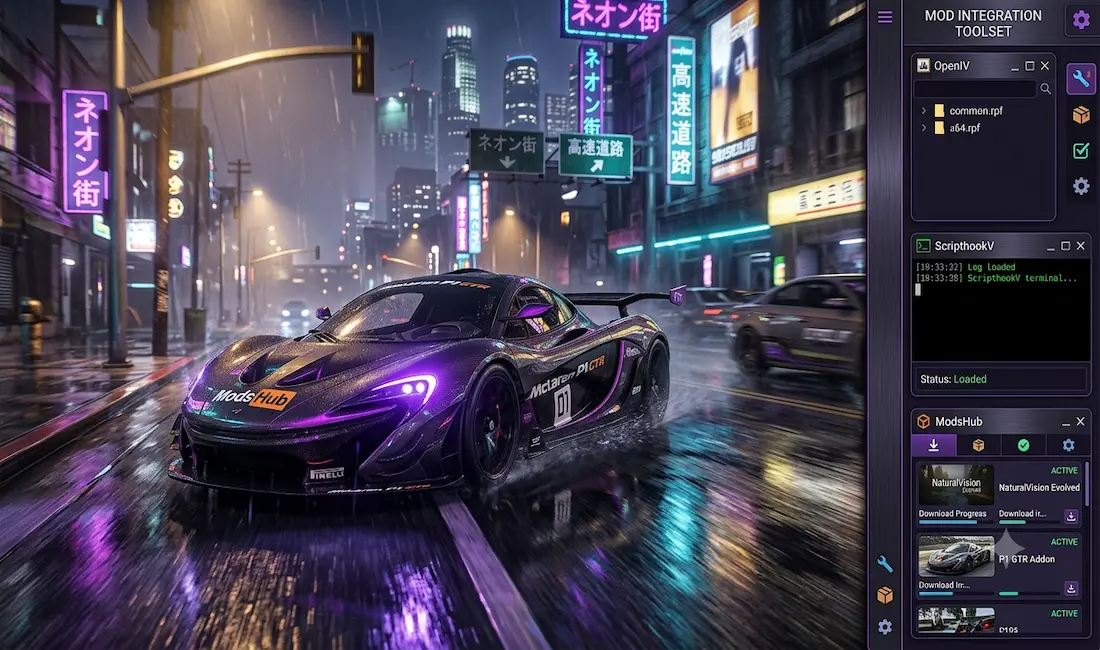
Grand Theft Auto V clips on TikTok, YouTube, and other platforms are full of attractive GTA 5 mods. New characters, improved graphics and gameplay mechanics, and real-world car brands add a new dimension and open up numerous possibilities.
Where can you find the best GTA 5 mods to breathe new life into your game? In fact, finding and applying these mods isn’t difficult. You don’t need to be an expert or have a high-end device. They’re easy to download and install if you find the right platform.
In this article, we will guide you to the best places with a wealth of GTA 5 Mods. They will enhance your gameplay, providing a new experience and feel. You will learn how to add them and troubleshoot common issues (if you encounter any).
What You Can Change with GTA 5 Mods
There are a huge number of user-made modifications for GTA 5, as this game has one of the most active modding communities. That is why you can start downloading mods randomly, enhancing parts of the game that you don’t particularly care about.
So, before upgrading your game’s story, graphics, or scripts, learn the basics. This will make it easier to understand what to focus on and what to look for on specialized GTA 5 platforms.
| Key Mods Categories | What Can You Improve? | Popular Examples |
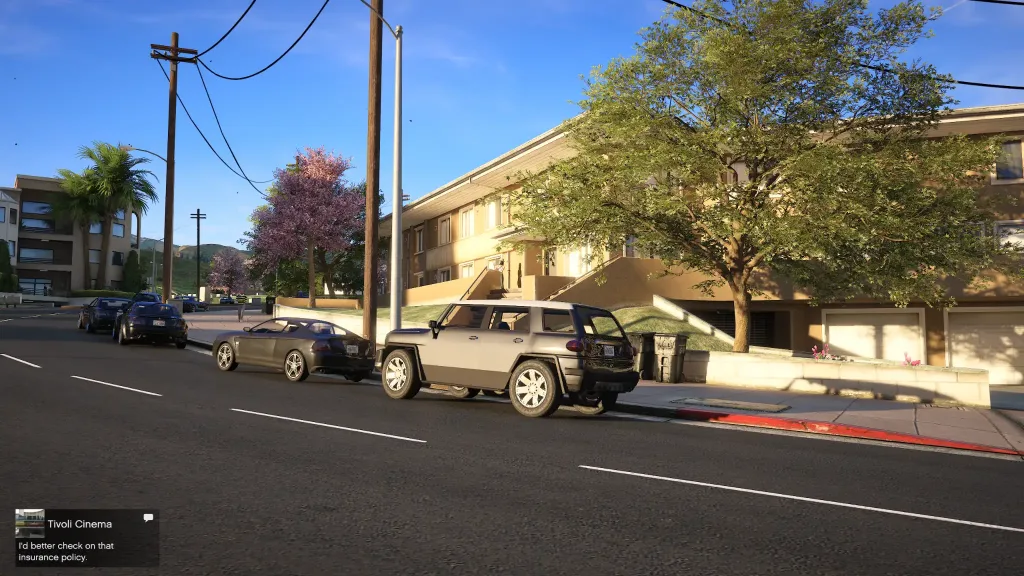
| Graphics | Changing the game’s visuals, including textures, lighting, weather, reflections, and effects | NaturalVision Evolved (NVE), VisualV, GTA 5 Redux, Ray Fusion |
| Vehicles | Adding real-world cars, motorcycles, planes, and other vehicles | McLaren P1 GTR, Nissan GTR, Ferrari F80, BMW F82 M4 |
| Sound | Replacing standard sounds with realistic audio samples for drone engines, police sirens, assault rifles, etc. | VStancer / Custom Car packs, Weapon Sound Overhaul |
| Gameplay & Mechanics | Transforming the game with new missions and scenarios, e.g., adding hacking abilities, store robberies, a zombie apocalypse, etc. | Euphoria Ragdoll Overhaul, LSPDFR, Real Handling |
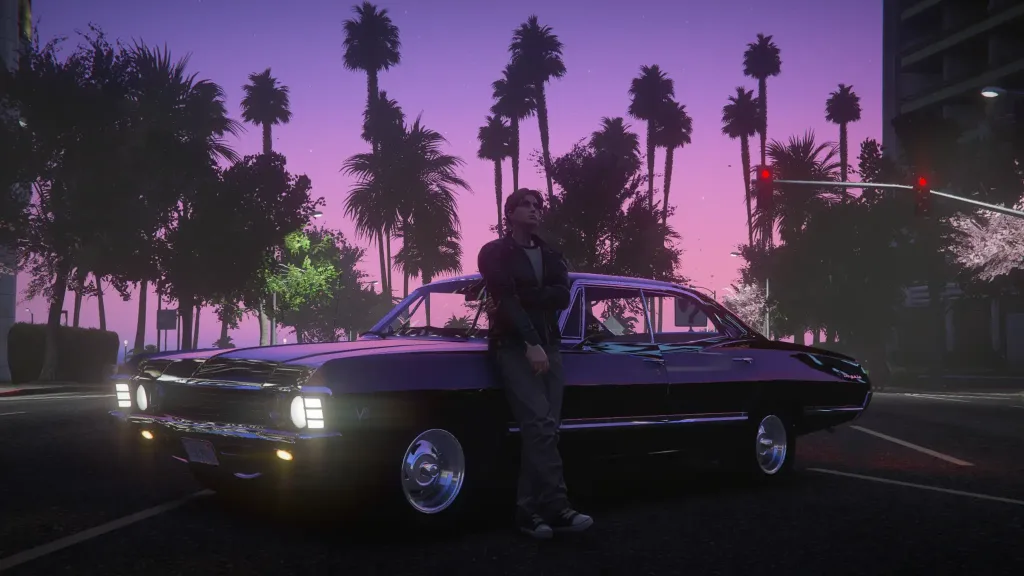
| Characters | Adding superheroes, famous pop culture figures with functioning powers, new costumes, skins, etc. | Meth Empire Mod, AddonPeds, Spider-Man V |
So, which mods should you start upgrading your game with? Follow these tips from experienced players:
- If you want a more immersive experience, choose graphics and sound mods, as well as vehicle & weapon add-ons.
- If you like trying on different roles, such as a police officer, choose global mods like LSPD First Response (LSPDFR).
- If you want to create your own missions, choose Menyoo PC.
Best GTA 5 Mod Download Sites
Since the GTA 5 modding community is so large, you will find a variety of mod sites. However, not all of them are equally good. Some are chaotic, simplistic, or haven’t been updated in a while. For the best experience navigating and downloading mods, visit the following platforms. They are the most popular, meaning you will find the greatest variety of high-quality mods there:
ModsHub
This modern auto-installer app will delight both newcomers and experienced players. You can easily navigate all categories and find the mods you need using convenient previews. Regular updates allow you to gain a fresh experience with new mods and stay up-to-date on the latest releases.
You have probably seen screenshots of mods from ModsHub on TikTok or Discord, as GTA 5 mods from this app are trending. If you install them in your game, you will probably want to share your upgrade with your friends as well.
GTAForums
Visit an online discussion hub that brings together GTA 5 mod fans and their creators. You won’t necessarily be able to download mods from these forums, but you will find relevant links to downloads, installation tutorials, troubleshooting tips, and much more. Just be prepared to browse through a fair number of threads to find what you need.
Patreon
If you want to support mod creators and receive exclusive new cars, weapons, and other mods, check out Patreon. This platform provides early access to new projects, experimental features, and other perks. But remember that using this platform does not provide consumer protection or refunds.
Moreover, you will be exposed to various risks, including scams, account bans, the lack of official dispute resolution, and more. In this regard, ModsHub is a more predictable and transparent platform. You get convenient access to mods in various categories, frequent updates, and a consumer-focused policy.
How to Check the Safety of a GTA 5 Mod Before Downloading
In poorly regulated areas, you may encounter unethical practices and scams. Therefore, don’t download mods immediately just because you discover an interesting new feature or find what you’ve been looking for. Downloading from untrustworthy sites can lead to malware on your device or simply cause crashes in the game. Perform a comprehensive yet quick check of mods before downloading:
- Gather as much information as possible about the mod creator using YouTube, Discord, GTA forums, or other platforms.
- Check the last update date of the mod you’re about to download. If it’s an older version, it can easily break in-game.
- Read reviews and comments from real players. They share their experiences after installing a given mod.
- Avoid unknown .exe files, which can launch malware on your device.
By following these simple tips, you will avoid the bitter experience of troubleshooting or scams that can happen to newbies.
Foundational Software Tools for Installing the Best GTA 5 Mods
To execute custom scripts in the game, you will need additional tools. They help your modifications run smoothly on the game engine, despite GTA 5’s restrictions. These tools are installed on your device once, so you won’t have to search for additional ones when downloading new mods.
| Tool | Possibilities |
| OpenIV | An effective file editor that can import custom 3D models, manage game archives, change textures, etc. |
| ScriptHookV | A library of native functions needed for communication with the game engine. |
| ScriptHookVDotNet | A plugin built on top of ScriptHookV. It is required in order to run .NET scripts. |
| ModsHub App | An application for automatically installing mods on your PC. |
| Menyoo or Simple Trainer | Trainers that are essential for avoiding game crashes and confirming that new mods work correctly. |
| AddonPeds | A tool for adding custom character skins without replacing the default characters. |
How to Choose Beginner vs. Advanced Mods Based on Skill Level
Should you start with advanced mods that provide expansive roleplay capabilities, full customization, and enhanced AI? Or is it better to choose beginner mods that elevate your gaming experience without radical customization or complex features?
Keep in mind that simple mods are safe for any PC. They won’t negatively impact performance and won’t require complex tutorials. However, if you’re already comfortable with simple mods and have a high-performance PC, move on to more advanced versions.
- Beginner players may install VisualV, Simple Trainer, and a few add-on cars. They work reliably and pose no serious risks to your computer. Furthermore, you can easily remove them when you want to replace them with new ones.
- Intermediate players can enhance their experience with Real Engine sound packs, road retexture packs, and other mods. These also don’t pose major stability risks, but they significantly improve the gameplay.
- Advanced players with powerful computers can install heavy texture overhauls and physics packs. These will provide a much more realistic gaming experience and extensive customization options.
Two Practical Methods for Installing GTA 5 Mods
You can install the best GTA 5 mods manually via OpenIV or automatically using the ModsHub app. Each method has its proponents, depending on their key priorities.
Manual Installation via OpenIV
If you want to build your setup piece by piece and retain full control over the installation, use the OpenIV file editor:
- Download the GTA mod in any format supported by OpenIV — .rpf / .oiv / .rar, etc.
- Launch OpenIV and select Edit Mode.
- Activate the GTA V mods folder feature.
- Follow the instructions to install the mod.
- Test your new mod using the Story Mode feature.
Automatic Installation with the ModsHub App
Automatic mod installation lets you reduce the installation process to just a few clicks. Here’s how to do it quickly with the ModsHub app:
- Get the latest version of the app from the official ModsHub Discord server.
- Install and launch the app on your PC.
- Choose your GTA V folder for proper configuration.
- Select the desired mods within the app.
- Click the Install button next to the mod to begin a quick and safe installation.
- Test your mod with GTA 5 Story Mode and start playing.
Troubleshooting for Beginners
If you are just starting out with mods, you may encounter some issues. Don’t be alarmed, as there are effective solutions for each of them:
- If ScriptHook isn’t up to date, the game may crash. Update it to the latest version and enjoy the game.
- If the files are in the wrong directory, you will encounter black or missing textures. Move these files to avoid such issues.
- If two gameplay modes conflict, characters will behave strangely. Disable one gameplay mode to return to their normal behavior.
- If your PC performance is low, FPS may drop sharply. Lower texture sizes to reduce the load on your PC.
Conclusion
Simplify integrating GTA 5 mods into your game with ModsHub. Easy searching and automatic downloads let you start playing without any extra steps. If you want to use numerous mods, watch this video for GTA 5 Enhanced. With our selection of the best GTA 5 mods, you can upgrade the game in just a few clicks.