
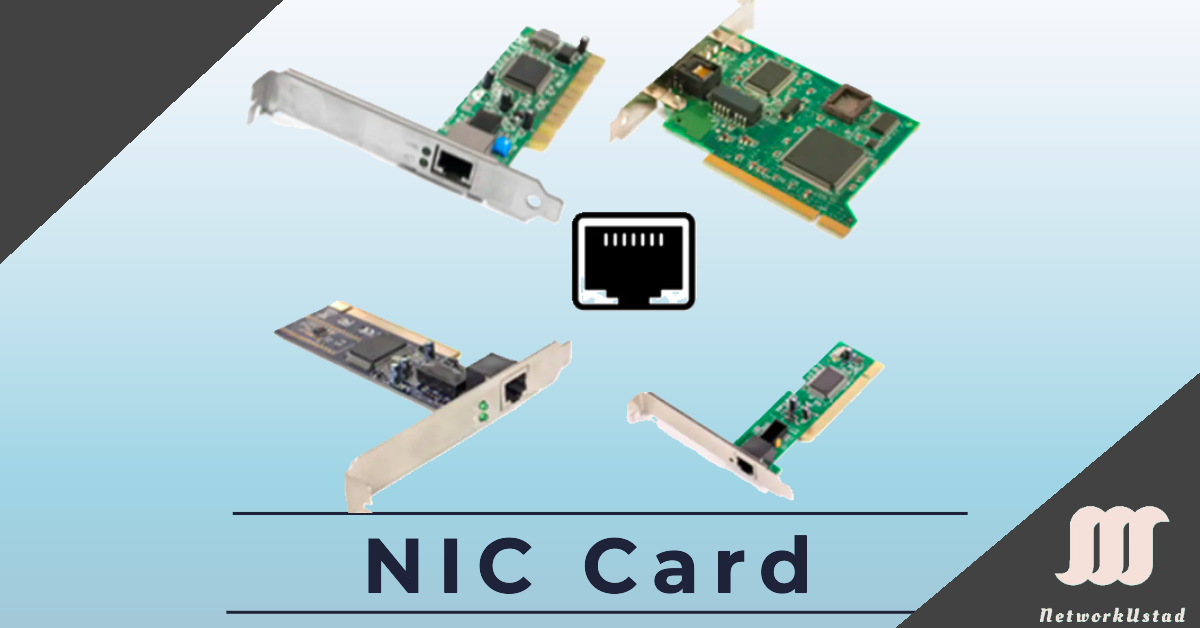
A Network Interface Card (NIC), also known as an Ethernet card or network adapter, is the hardware component that lets a computer connect to a network — whether a home network or the wider internet — using an Ethernet cable with an RJ-45 connector or wireless technology. The NIC provides a dedicated connection to the network, and in most modern computers it’s built directly into the motherboard rather than added as a separate card. On a local area network (LAN), computers and workstations rely on NICs designed for specific transmission technologies to deliver fast, reliable connectivity.
This guide explains what a NIC actually does, the types and speeds available, the role of the MAC address, how a NIC relates to the Ethernet protocol, and how to check the NIC in your own machine.
What Does a Network Interface Card Do?
A NIC does more than simply provide a port to plug a cable into. Its core jobs are:
- Converting data into signals. The NIC translates the digital data from your computer into electrical signals (for copper cabling), light pulses (for fiber), or radio waves (for Wi-Fi) that can travel across the network medium — and converts incoming signals back into data the computer understands.
- Framing data. It packages outgoing data into Ethernet frames with the correct format, and unpacks incoming frames, following the rules of the Ethernet protocol.
- Addressing. Every NIC carries a unique hardware identifier called a MAC address, which it uses to send and receive frames to the right device on the local network.
- Controlling access to the medium. The NIC manages when it can transmit, handling the timing and flow of data onto the shared network.
In short, the NIC is the bridge between your computer’s internal data and the physical network it connects to.
Types of Network Interface Cards
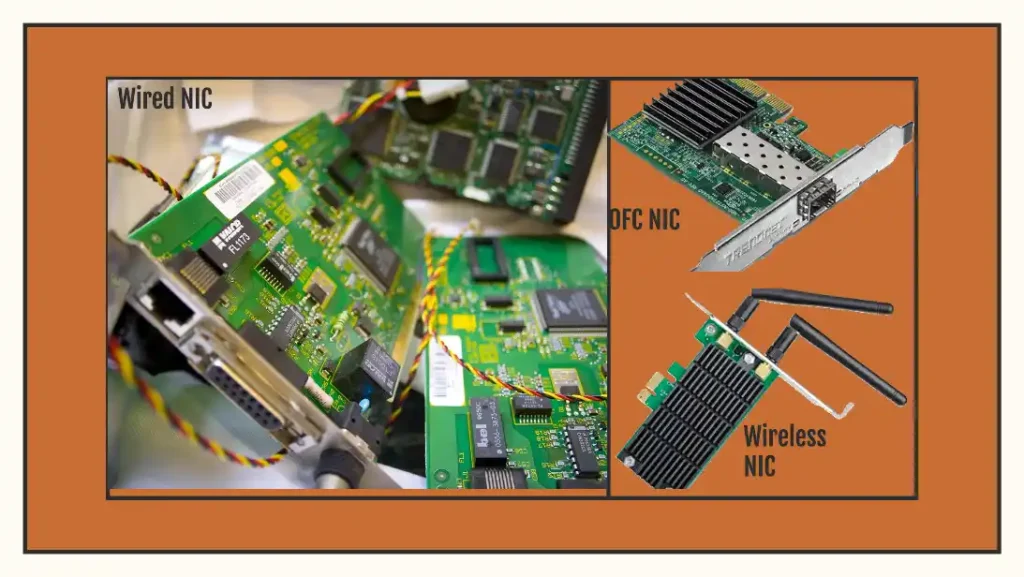
NICs come in three primary forms — wired, wireless, and fiber optic:
- Wired NICs: Use an RJ-45 port for Ethernet cables, offering stable, low-latency connections for LANs and data centers.
- Wireless NICs: Use antennas to connect over Wi-Fi, ideal for laptops, mobile devices, and home networks.
- Fiber Optic NICs: Support high-speed fiber connections over long distances, used in enterprise and data center environments.
NIC Types Comparison
| Type | Connection Method | Typical Use Case | Speed Range |
|---|---|---|---|
| Wired | RJ-45 / Ethernet | LANs, data centers | 10 Mbps – 100 Gbps |
| Wireless | Wi-Fi / antennas | Home networks, laptops, IoT | 11 Mbps – 40+ Gbps (Wi-Fi 7) |
| Fiber Optic | Fiber cables | Enterprise, high-speed backbones | 1 Gbps – 400 Gbps |
NIC Form Factors
NICs also differ in how they physically connect to a computer:
- Onboard (integrated) — built into the motherboard; the most common form in modern desktops and laptops.
- PCIe cards — expansion cards that slot into a PCI Express port, used to add or upgrade wired, wireless, or fiber connectivity in desktops and servers.
- USB adapters — external adapters that add network connectivity (often Wi-Fi or extra Ethernet) through a USB port, popular for laptops and quick fixes.
The MAC Address: Every NIC’s Unique Identity
One of the most important features of any NIC is its MAC address (Media Access Control address) — a unique, hardware-level identifier assigned to the card, usually burned in by the manufacturer. It’s written as six pairs of hexadecimal digits, such as 00:1A:2B:3C:4D:5E.
While IP addresses identify devices across networks and can change, the MAC address identifies a device on the local network and is tied to the physical hardware. When a switch forwards a frame to the correct device on a LAN, it uses MAC addresses to do so. Understanding the MAC address is central to understanding how a NIC actually delivers data to the right place.
Network Interface Card Speed
NICs support a range of speed ratings — 10 Mbps, 100 Mbps, 1 Gbps, 10 Gbps, and up to 100 Gbps and beyond in modern data centers. A NIC’s speed rating indicates its maximum capability, but actual throughput depends on the rest of the connection.
For example, if your internet plan delivers 16 Mbps and your NIC supports 100 Mbps, the NIC won’t raise your speed beyond the 16 Mbps your service provides. Conversely, a 10 Mbps NIC would cap a 16 Mbps connection at 10 Mbps, because the NIC becomes the bottleneck. The effective speed is always limited by the slowest link in the chain — the service plan, the cabling, the switch, or the NIC itself.
Modern Network Interface Card Features
Today’s NICs go well beyond basic connectivity and are central to advanced networking:
- High-speed data center NICs (10/25/100 Gbps) carry the bulk of modern data center traffic, supporting AI workloads and cloud computing.
- Wi-Fi 6 and Wi-Fi 7 NICs enable low-latency wireless for IoT and 5G-integrated networks, using technologies like OFDMA for more efficient channel access.
- SmartNICs, equipped with onboard processors, offload tasks such as encryption and virtualization from the CPU, boosting performance in data centers.
- Power over Ethernet (PoE) NICs, following the IEEE 802.3bt standard, deliver both power and data to IoT devices over a single cable.
Network Interface Card Drivers
A NIC needs a device driver to communicate with the computer’s operating system. If a NIC isn’t working, a missing, corrupted, or outdated driver is a common cause. Modern operating systems such as Windows 11 and most Linux distributions update NIC drivers automatically through their online repositories. If a manual update is needed, the driver can be downloaded from the manufacturer’s website — using another device if necessary — and transferred via USB.
How to Check the NIC in Your Computer
You can inspect your own network adapter easily:
- Windows: Open Device Manager and expand “Network adapters” to see your NICs, or run
ipconfig /allin Command Prompt to view details including the MAC address (listed as the “Physical Address”). - Linux: Run
ip a(or the olderifconfig) in a terminal to list your network interfaces and their hardware addresses. - macOS: Open System Settings → Network, or run
ifconfigin Terminal.
These tools show which NICs are present, whether they’re active, and their assigned IP and MAC addresses.
What Is Ethernet?
Ethernet, developed by Robert Metcalfe and David Boggs at Xerox PARC in 1973, is a data link and physical layer protocol for LANs, standardized as IEEE 802.3. It governs how data is transmitted on the network, specifying frame format, size, timing, and encoding. Ethernet works across many types of media and bandwidths while keeping a consistent frame format throughout.
Historically, Ethernet used Carrier Sense Multiple Access with Collision Detection (CSMA/CD) to manage collisions on half-duplex shared networks. In modern networks, full-duplex switches dominate — allowing devices to send and receive simultaneously without collisions — and support speeds up to 400 Gbps in enterprise environments.
NIC vs. Ethernet: What’s the Difference?
These two terms are closely related but describe different things, and it’s worth being clear about the distinction:
- A NIC is hardware — the physical card or chip that connects a device to the network.
- Ethernet is a protocol and standard (IEEE 802.3) — the set of rules that define how data is formatted and transmitted over the network.
A NIC uses the Ethernet protocol to communicate. In other words, Ethernet is the language, and the NIC is the device that speaks it. A wired NIC is often called an “Ethernet card” precisely because it implements the Ethernet standard.
Frequently Asked Questions
What is a Network Interface Card?
A NIC is a hardware component that allows a computer to connect to a network and communicate with other devices using Ethernet or other network protocols.
What are the different types of Network Interface Cards?
The common types are wired (Ethernet) NICs, wireless (Wi-Fi) NICs, and fiber optic NICs, each supporting different network connections.
How do Ethernet protocols work with NICs?
Ethernet protocols define the rules for data transmission over a network, ensuring the NIC can send and receive data reliably and in a consistent frame format.
What are the functions of a NIC in a network?
A NIC enables network connectivity, converts data into transmittable signals, packages data into frames, manages transmission and reception, and uses its MAC address to communicate with the correct devices.
What is a MAC address?
A MAC address is a unique hardware identifier burned into every NIC, used to send and receive data to the correct device on a local network.
What are some common features of NICs?
Common features include support for different transmission speeds, full-duplex communication, and advanced capabilities like Wake-on-LAN, Quality of Service (QoS), and — in SmartNICs — onboard processing for offloading tasks.
Conclusion
The Network Interface Card is one of the most fundamental pieces of networking hardware — the component that turns a standalone computer into a connected one. It converts data into signals, frames it according to the Ethernet standard, and uses its unique MAC address to move it to the right destination. Paired with the Ethernet protocol that defines the rules of the road, the NIC makes reliable communication between devices possible, from a simple home network to a 400 Gbps enterprise backbone. Understanding how NICs and Ethernet work together is a core foundation for anyone learning networking.



