
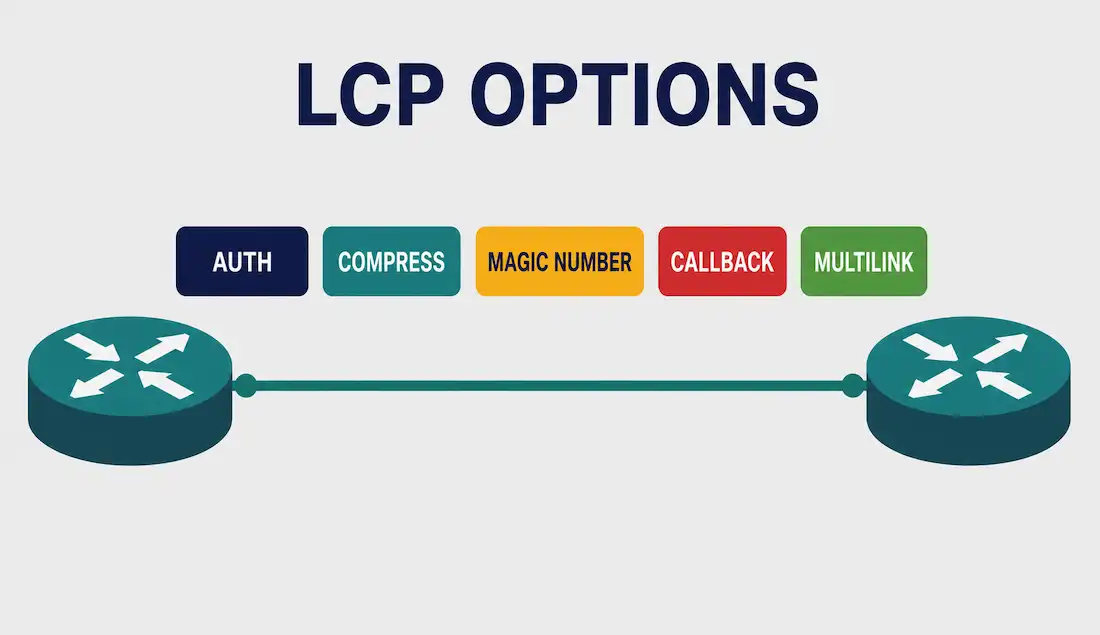
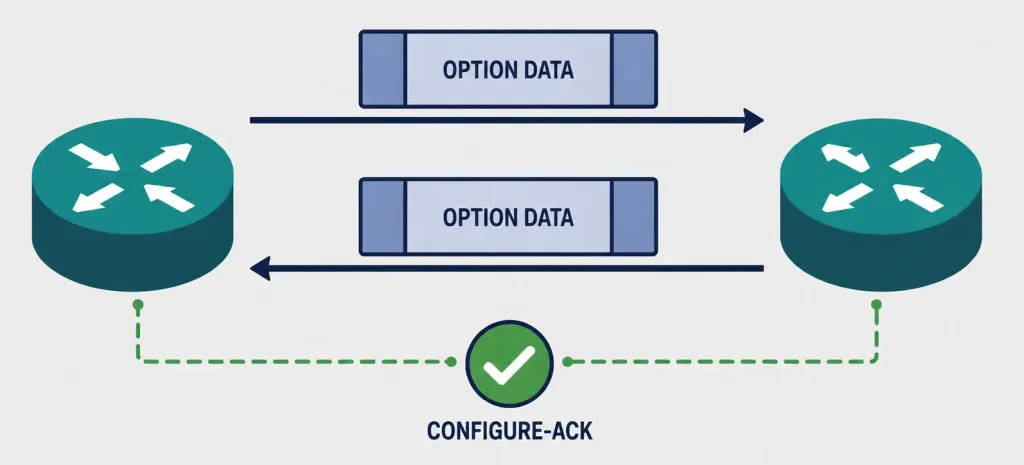
PPP supports several link options that can be configured optionally during link setup: authentication using PAP or CHAP, compression using either Stacker or Predictor, and Multilink, which combines two or more channels to increase available WAN bandwidth. To negotiate these options, LCP link-establishment frames carry option information in the Data field of the LCP frame. If a specific configuration option isn’t included in the negotiation, the default value for that option is simply assumed. This negotiation phase completes once a configuration acknowledgment frame has been exchanged between both ends of the link.
The LCP options most commonly configured for a specific WAN connection include Authentication, Compression, Magic Number, PPP Callback, and Multilink.
Authentication
The Authentication-Protocol Configuration Option uses Type value 3 within the standard LCP option format (Type, Length, Data). This configuration option provides a method for negotiating which specific protocol will handle authentication on the link. Within the option’s Data field sits a separate 2-byte (16-bit) identifier specifying exactly which authentication protocol is in use — 0xC023 for PAP (Password Authentication Protocol) or 0xC223 for CHAP (Challenge Handshake Authentication Protocol).
By default, authentication is not required on a PPP link — it must be explicitly negotiated if the two peers want to authenticate each other before allowing traffic to flow. This is an important detail: an unconfigured PPP link isn’t automatically secure, it’s simply open by default until authentication is deliberately turned on.
Why CHAP Is Generally Preferred Over PAP
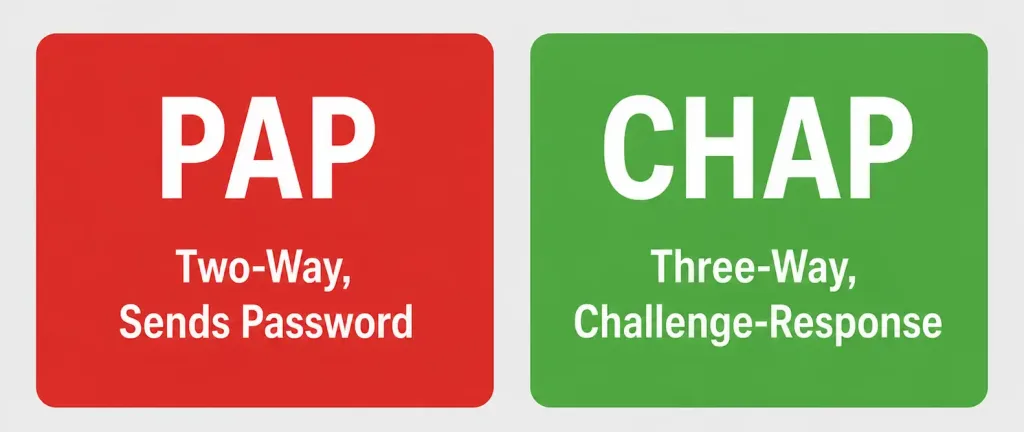
Both PAP and CHAP negotiate through the same Authentication-Protocol LCP option, but they differ meaningfully in how they actually protect credentials. PAP sends the username and password across the link in a simple two-way handshake — readable in plain text to anyone able to observe the link’s traffic.
CHAP instead uses a three-way handshake: the server sends a random challenge, the client responds with a one-way hash of that challenge combined with the shared secret, and the server independently computes the same hash to verify the response matches, all without the actual password ever crossing the link. This is exactly why CHAP is the generally preferred choice whenever both peers support it, with PAP reserved mainly for simpler or legacy scenarios where CHAP support isn’t available on one end.
Compression
The Compression option increases effective throughput on PPP links by reducing the amount of data that must physically travel across the link in each frame. The sending side compresses the frame’s payload before transmission, and the protocol decompresses it again at the receiving end. Two algorithms handle this compression: Stacker and Predictor, both legacy compression schemes designed specifically for the relatively low-bandwidth serial links PPP commonly ran over.
This option matters most on genuinely bandwidth-constrained links — the compression overhead itself consumes processing time on both ends, so the tradeoff only pays off when the link’s raw bandwidth is scarce enough that reducing transmitted bytes outweighs the processing cost.
Magic Number (Loopback Detection)
The Magic Number field detects links that have entered a looped-back condition, helping ensure a reliable, loop-free data link. Until the Magic-Number Configuration Option is successfully negotiated, the Magic-Number field must be transmitted as zero.
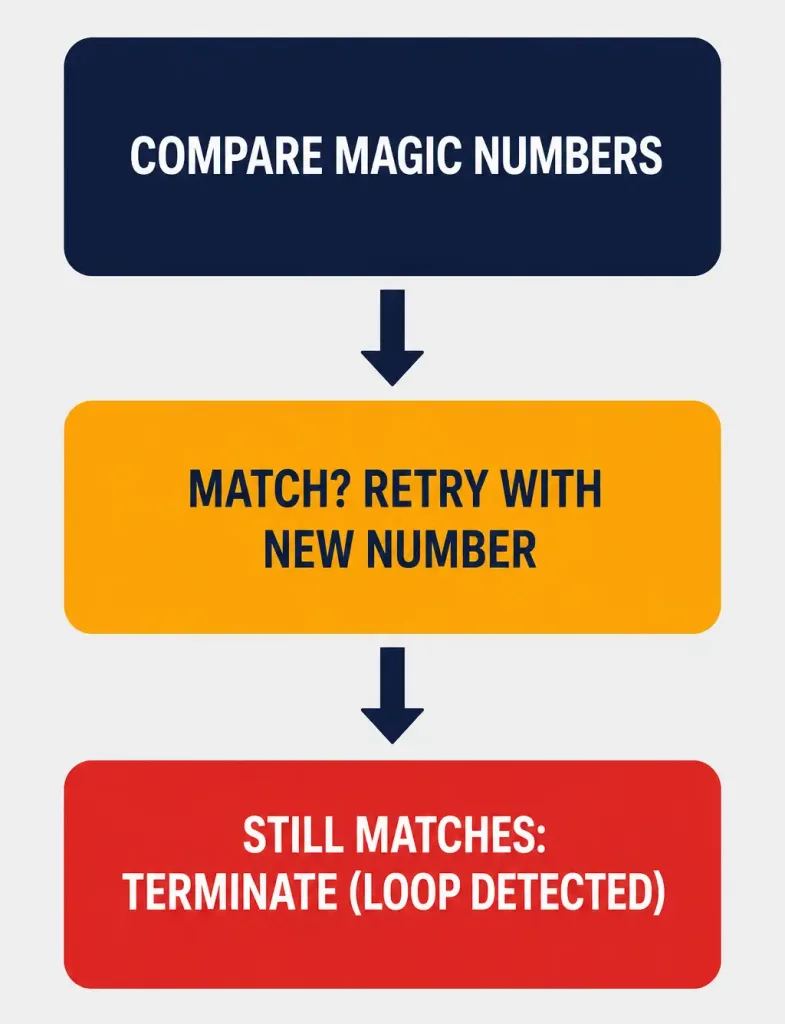
Magic numbers are randomly generated values used to identify one end of a point-to-point connection uniquely. Each side of the link negotiates its own magic number independently. If both sides discover they’ve negotiated the exact same magic number — a strong signal that the link is somehow looped back onto itself rather than reaching a genuinely separate peer — both sides attempt to change their magic number and try again. If the magic number remains identical even after this retry, the session terminates, since a persistent match confirms the loopback condition rather than being a coincidence.
Worked Example: Why Loopback Detection Matters
Imagine a technician accidentally connects both ends of a serial cable to ports on the same router, or a faulty piece of equipment silently loops a signal back to its source instead of forwarding it onward. Without Magic Number negotiation, PPP would have no reliable way to detect this condition — the link might appear to be “up” indefinitely while never actually reaching a real peer.
Magic Number negotiation catches this specific failure mode automatically: since a genuinely looped-back link will always receive its own magic number back, rather than a different value from an actual separate peer, the repeated collision is unambiguous evidence of the loop, and PPP terminates the session rather than leaving a broken, self-connected link falsely appearing operational.
PPP Callback
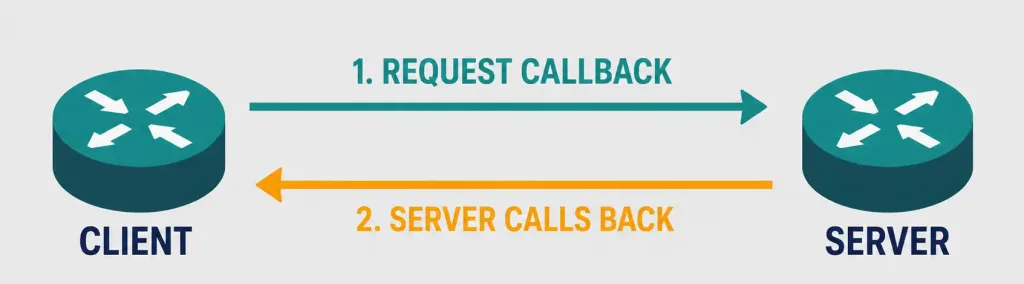
The PPP Callback option improves security on PPP links, and is formally defined in RFC 1570. A Cisco router can act as either a callback client or a callback server, with the callback exchange occurring at the very beginning of a new PPP session — LCP includes the callback option and its specific settings as part of that initial negotiation.
The sequence works like this: the client places the opening call, requests a callback from the server, and then terminates its own call. The callback-capable router (server) answers that initial call and then places a return call to the client, based on its own configuration statements — meaning the connection actually gets established on the server’s terms and, often, the server’s dime. The relevant Cisco IOS command is ppp callback [accept | request], configured on the appropriate side depending on whether that router should accept callback requests or actively request one.
This callback model has real security value: since the server initiates the return call to a pre-configured number or based on authenticated user information, it’s much harder for an unauthorized party to simply dial in and gain access, even if they somehow obtain valid-looking credentials — the actual connection only completes to a location the server already trusts.
Multilink
The Multilink option supports spreading traffic across multiple physical WAN links that PPP uses, effectively load-balancing bandwidth demand across more than one physical connection simultaneously. It’s also referred to as MP, MPPP, or MLP (Multilink PPP) interchangeably across different documentation.
Multilink provides a method for combining several physical links into a single logical bundle, which two benefits at once: additional aggregate bandwidth when all links are healthy, and continued connectivity if one bundled link fails, since traffic simply continues flowing over the remaining links in the bundle. A system indicates to its peer that it’s prepared to use Multilink by including the multilink option as part of the initial LCP option negotiation — both ends need to agree to this during setup for the bundling to actually take effect.
Real-World Deployment Context
Consider a company connecting three regional branch offices to headquarters over serial WAN links, each running PPP. The network team decides authentication is mandatory for all links, given the sensitivity of the data crossing them, so CHAP gets negotiated on every link rather than PAP, since CHAP never sends the actual password across the link — only a hashed challenge-response exchange — making it meaningfully harder for someone tapping the physical line to capture usable credentials.
At one particularly remote branch office, the available WAN circuit is unusually low-bandwidth, so the team also negotiates Compression on that specific link, accepting the modest processing overhead in exchange for meaningfully better effective throughput. Meanwhile, at headquarters, redundant physical circuits to a critical partner site get bundled together using Multilink PPP, so a single circuit failure doesn’t take down that connection entirely — traffic simply continues over the surviving link while the failed one gets repaired. This kind of per-link, needs-based LCP option selection — not blanket configuration across every link identically — is how PPP options actually get deployed in practice, since the right combination of options depends entirely on that specific link’s bandwidth, security requirements, and redundancy needs.
LCP Options Summary Table
| Option | Purpose | Key Mechanism |
|---|---|---|
| Authentication | Verifies peer identity before allowing traffic | PAP or CHAP, negotiated via Type 3 option |
| Compression | Increases effective throughput | Stacker or Predictor algorithms |
| Magic Number | Detects looped-back links | Randomly generated value, compared between peers |
| Callback | Improves security on dial-up links | Server calls back client on trusted terms |
| Multilink | Bundles multiple physical links | Combines links for bandwidth and redundancy |
Troubleshooting and Exam Tips
- Remember the LCP Configuration Option format: Type (1 byte) + Length (1 byte) + Data (variable) — don’t confuse the 1-byte Type field with the separate 2-byte protocol identifier found within some options’ Data field, like Authentication’s PAP/CHAP designator.
- Know that authentication is NOT required by default on a PPP link — it must be explicitly negotiated, which matters for both exam questions and real security audits of existing links.
- Remember Magic Number’s specific failure signature: a persistent identical magic number after a retry attempt indicates a genuine loopback condition, not a coincidence.
- Distinguish PPP Callback’s security value: the callback server initiates the actual connection to a trusted, pre-configured destination, rather than simply accepting an inbound connection at face value.
- Multilink PPP (MP/MPPP/MLP) provides both additional bandwidth and redundancy — remember it does both simultaneously, not just one or the other.
Conclusion
LCP options give PPP genuine configurability beyond a bare, unauthenticated point-to-point connection: Authentication (via PAP or CHAP) verifies the identity of the peer on the other end, Compression (via Stacker or Predictor) improves throughput on constrained links, Magic Number detects looped-back links automatically, Callback adds a meaningful security layer to dial-up connections, and Multilink bundles multiple physical links for both bandwidth and redundancy. Understanding how each of these options gets negotiated during LCP setup — and what each one specifically protects against or improves — is what separates a surface-level understanding of PPP from genuinely useful, exam-ready and real-world-troubleshooting-ready knowledge that transfers directly to configuring actual serial WAN links.
Frequently Asked Questions
Is authentication required on a PPP link by default?
No. Authentication must be explicitly negotiated using the Authentication-Protocol LCP option (Type 3); an unconfigured PPP link has no authentication enabled by default.
What compression algorithms does PPP support?
PPP supports Stacker and Predictor, two legacy compression algorithms designed to increase effective throughput on lower-bandwidth serial links by reducing the amount of data physically transmitted per frame.
How does the Magic Number option detect a looped-back link?
Each side negotiates a randomly generated Magic Number. If both sides discover they’ve negotiated the identical value — a signal the link may be looped back onto itself — they attempt to change their number and retry. If the values still match after retrying, PPP terminates the session, since a persistent match confirms a genuine loopback condition.
What is PPP Callback used for?
PPP Callback improves security on dial-up links by having the callback-capable router place a return call to the client based on pre-configured, trusted settings, rather than simply accepting the client’s initial inbound connection at face value. It’s defined in RFC 1570 and configured via the ppp callback [accept | request] command.
What is the difference between Multilink PPP and standard PPP?
Standard PPP operates over a single physical link. Multilink PPP (MP/MPPP/MLP) bundles multiple physical links into one logical connection, providing both additional aggregate bandwidth when all links are healthy and continued connectivity if one bundled link fails.
Why is CHAP generally preferred over PAP?
CHAP never sends the actual password across the link, using a challenge-response hash exchange instead. PAP sends credentials in a simple, more exposed two-way handshake, making CHAP the stronger choice whenever both ends of a PPP link support it.



