
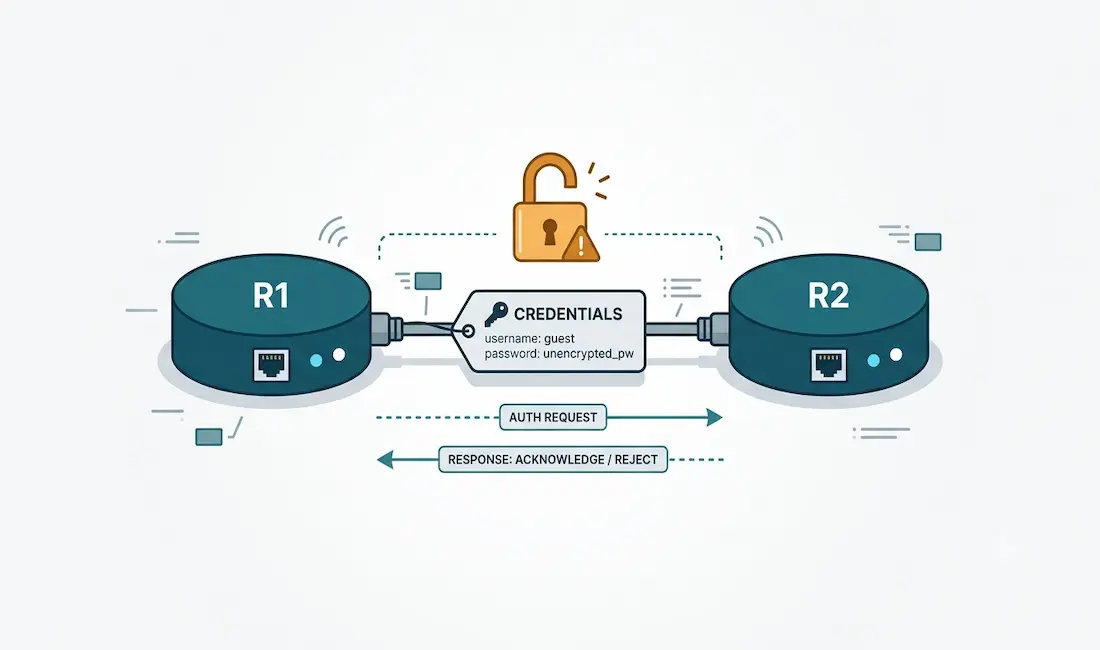
Point-to-Point Protocol (PPP) supports several optional features, and one of the most important is authentication. Authentication lets a router verify the identity of the device on the other end of a link before allowing traffic to pass. By default, PPP authentication is not enabled, but you can turn it on using one of two protocols: Password Authentication Protocol (PAP) or Challenge Handshake Authentication Protocol (CHAP), both originally defined in RFC 1334.
This guide explains what PAP is, how its authentication process works, how to configure it correctly on Cisco routers, how to verify and troubleshoot it, and — most importantly — why you should almost never use it in a production network today.
What Is Password Authentication Protocol (PAP)?
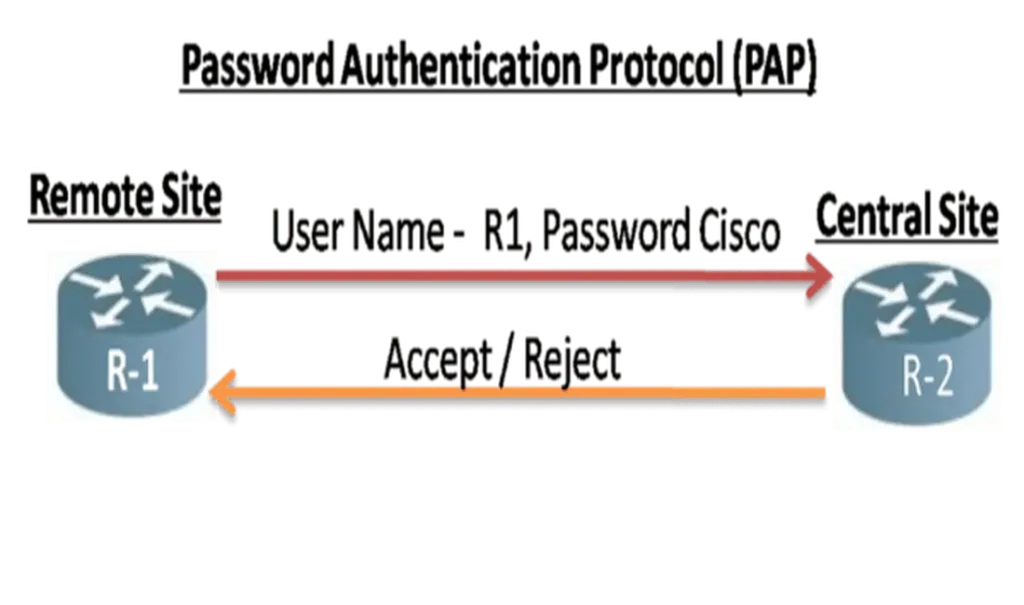
PAP is a simple, two-way authentication protocol used to verify a username and password over a PPP link. The client sends its username and password to the server, and the server checks them against its local database. If they match, the connection is accepted; if not, it is rejected.
The defining characteristic of PAP — and its biggest weakness — is that the username and password are sent in plain text, with no encryption. Anyone able to capture the traffic on the link can read the credentials directly. This makes PAP the least secure of the PPP authentication options.
PAP also authenticates only once, during initial link establishment. After the connection is up, it never re-authenticates. This creates a security gap: if an attacker can hijack the session after it’s established, PAP does nothing further to verify identity.
How the PAP Authentication Process Works
PAP uses a two-step (“two-way handshake”) exchange:
- The device initiating the connection (for example, R1) sends its username and password across the link to the receiving device (R2) as part of the PPP Link Control Protocol (LCP) exchange.
- R2 checks the received username and password against its local database. If they match, R2 returns an authentication-acknowledge message and the connection is allowed. If they don’t match, R2 returns an authentication-reject message and the connection is refused.
Because R1 sends its credentials and R2 validates them — and, in a two-way setup, the reverse happens as well — both routers must be configured with the correct matching credentials for each other. During the authentication phase, the requesting node repeatedly sends the username-and-password pair until the receiving node either acknowledges or terminates the connection.
The critical point to remember: PAP sends these credentials in cleartext, and only at connection setup.
When Is PAP Still Used?
Despite its weaknesses, PAP still appears in a few specific situations:
- Legacy interoperability — when a large installed base of client applications doesn’t support CHAP.
- Cross-vendor equipment — where different vendors’ CHAP implementations aren’t compatible with each other, PAP can serve as a lowest-common-denominator fallback.
- Plaintext login simulation — where a cleartext password is genuinely required to emulate a login on a remote host.
- Study and certification — PAP remains part of the CCNA curriculum, so understanding it is necessary for exam success even though you’d rarely deploy it.
Outside of these cases, PAP should be avoided.
Configuring PAP Authentication on Cisco Routers
PAP is a two-way authentication protocol: both routers authenticate and are authenticated. Getting the configuration right depends on one key rule:
Each router stores the other router’s username and password in its local database, and sends its own credentials using the
ppp pap sent-usernamecommand.
This is the step most tutorials get wrong. Two commands work together on each router:
username <name> password <password>— defines the credentials the router expects to receive from its neighbor (the neighbor’s identity).ppp pap sent-username <name> password <password>— defines the credentials this router sends to its neighbor.
Without the ppp pap sent-username command, PAP authentication will fail on Cisco IOS, because the router has nothing configured to send.
Example Topology
Two routers, R1 (remote site) and R2 (central site), connected over a serial link, each authenticating the other with PAP.
Router R1 (Remote Site)
Router> enable
Router# configure terminal
Router(config)# hostname R1
R1(config)# username R2 password ccna12345
R1(config)# interface serial0/0/0
R1(config-if)# ip address 192.168.10.1 255.255.255.252
R1(config-if)# ipv6 address 2001:AD01:BD00::1/64
R1(config-if)# clock rate 64000
R1(config-if)# encapsulation ppp
R1(config-if)# ppp authentication pap
R1(config-if)# ppp pap sent-username R1 password ccna12345
R1(config-if)# no shutdown
R1(config-if)# exit
Router R2 (Central Site)
Router> enable
Router# configure terminal
Router(config)# hostname R2
R2(config)# username R1 password ccna12345
R2(config)# interface serial0/0/0
R2(config-if)# ip address 192.168.10.2 255.255.255.252
R2(config-if)# ipv6 address 2001:AD01:BD00::2/64
R2(config-if)# clock rate 64000
R2(config-if)# encapsulation ppp
R2(config-if)# ppp authentication pap
R2(config-if)# ppp pap sent-username R2 password ccna12345
R2(config-if)# no shutdown
R2(config-if)# exit
Notice the difference from a naive setup: R1 stores username R2 (the credentials it expects R2 to send) and sends sent-username R1, while R2 stores username R1 and sends sent-username R2. The stored username on each router must match the sent-username on the other, and the passwords must match. Mixing these up — for example, storing a router’s own hostname instead of its neighbor’s — is the most common reason a PAP link fails to come up.
Verifying and Troubleshooting PAP
After configuring PAP, confirm it’s working with these commands:
show interfaces serial0/0/0— check that the interface is “up, line protocol is up.” If the line protocol is down, authentication may be failing.show ip interface brief— quickly confirm interface status and IP assignment.debug ppp authentication— watch the PAP exchange in real time. This shows the authentication request, and whether it results in an acknowledge or a reject, which is the fastest way to spot a credential mismatch.debug ppp negotiation— see the full LCP/NCP negotiation if the link won’t establish at all.
If authentication fails, check three things in order: that each router stores its neighbor’s username (not its own), that the passwords match exactly on both sides, and that both interfaces have encapsulation ppp set.
PAP vs. CHAP: Which Should You Use?
PAP and CHAP solve the same problem — authenticating a PPP link — but they are not equal.
- Security: PAP sends credentials in cleartext; CHAP never sends the password across the link at all. Instead, CHAP uses a three-way handshake with a challenge and an MD5 hash, so the actual password is never exposed.
- Re-authentication: PAP authenticates only at link setup. CHAP can periodically re-challenge the peer throughout the connection, closing the session-hijacking gap.
- When to choose PAP: essentially only for legacy or cross-vendor interoperability where CHAP isn’t an option, or for exam practice.
- When to choose CHAP: virtually every other case. CHAP is the more secure default and is preferred in any modern deployment.
The short version: if you have a choice, use CHAP, not PAP.
Security Recommendation
PAP should be treated as a legacy protocol. Because it transmits passwords in plain text and authenticates only once, it offers effectively no protection against anyone who can observe or hijack the link. Do not deploy PAP in a production network unless you are forced to by a specific interoperability constraint — and even then, consider whether the link can be secured by other means. For learning purposes and CCNA preparation, understand PAP thoroughly; for real networks, reach for CHAP or a stronger, more modern authentication method.
Summary
Password Authentication Protocol is a basic, two-way PPP authentication method that sends a username and password in cleartext and authenticates only during link establishment. It’s simple to configure, but that configuration must follow one rule: each router stores its neighbor’s credentials and sends its own via ppp pap sent-username. PAP’s cleartext nature and lack of re-authentication make it the least secure PPP option, which is why CHAP is almost always the better choice. Know PAP for the exam and for legacy interop — but don’t rely on it to secure anything that matters.



