
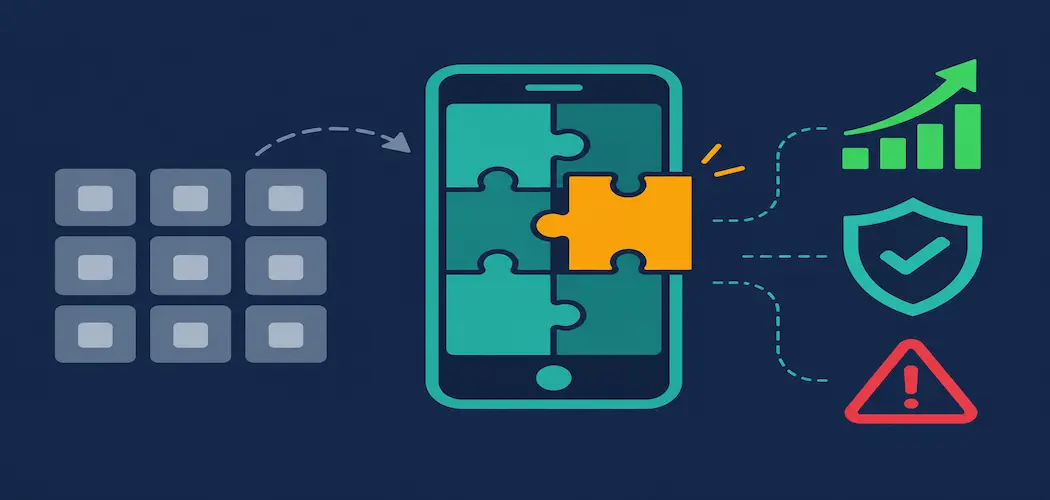
Smartphones and mobile applications play a huge role in daily life, for consumers and for the businesses that serve them. Banking, shopping, field service, logistics, healthcare scheduling and team collaboration all now happen through an app. So the question most organizations face is no longer whether they need a mobile app. It’s whether to build one to their own specification or adapt something that already exists.
Custom development can pay off, but only for the right project. Vendors tend to present it as the answer to everything, and it isn’t. This guide covers the six benefits of a custom mobile app, the trade-offs sales pages usually skip, and a practical way to decide whether building is the right call for you.
What “custom mobile app development” actually means
“Custom” covers several approaches, and the differences matter for cost and capability:
- Native development. Separate apps for each platform, typically Swift for iOS and Kotlin for Android. This gives the deepest access to device features and the most platform-specific polish, at the price of maintaining two codebases.
- Cross-platform development. Frameworks such as Flutter, React Native and Kotlin Multiplatform let one team share most of the code across iOS and Android. This usually lowers cost and speeds delivery, with some limits when you need very device-specific behavior.
- Hybrid and progressive web apps. Web technologies wrapped for mobile or delivered through the browser. These are quick to build but the most limited in performance and hardware access.
The alternative is off-the-shelf software: a ready-made app, a subscription product, a white-label template or a low-code builder. With off-the-shelf software, you adapt your process to the product. With custom software, the product is built around your process. Every benefit below flows from that difference.
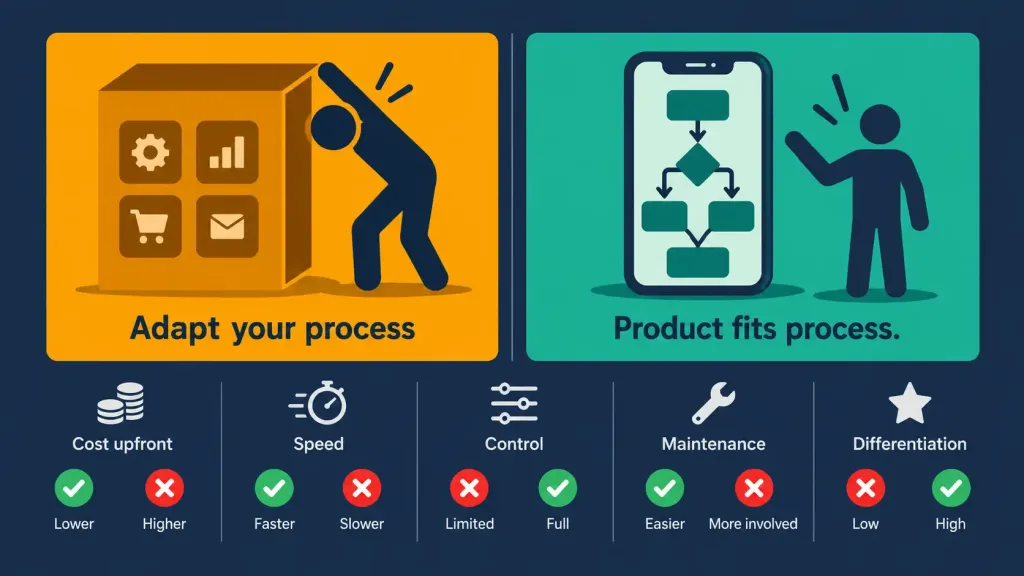
1. Personalization: the app fits your workflow
The word “custom” means the product is made to your exact needs. In practice, that means features, workflows, data models and integrations are chosen by you instead of inherited from a vendor’s roadmap.
This matters most in three situations:
- Non-standard processes. A logistics company with an unusual dispatch model, or a clinic with specific intake rules, often finds that off-the-shelf tools force workarounds such as spreadsheets, duplicate data entry and manual exports. A custom app removes those workarounds.
- Integration with existing systems. A custom app can connect directly to your CRM, ERP, inventory or payment systems instead of relying on whatever connectors a packaged product happens to support.
- Platform and device constraints. Sometimes the right solution exists, but not for the devices you use. Ruggedized handhelds, kiosks and older company-issued phones are common examples. Building for your actual hardware can open options a general product never will.
For individuals and startups, personalization also means you can build a product idea that no existing app covers. That is a real opening, though it doesn’t guarantee demand. Validate the idea first.
Also read: the ultimate difference between web apps and mobile apps
2. Long-term value: ownership, not just a lower sticker price
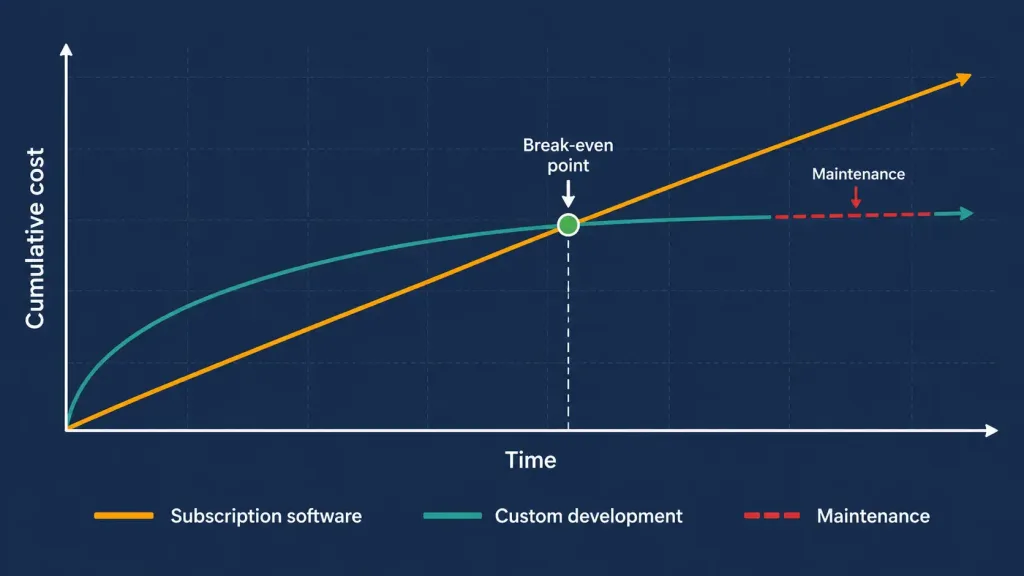
Pre-made products usually cost less at first and are sold at a fixed price or by subscription. A custom app costs more up front, and the price depends on scope, number of platforms, integrations and design complexity. Profitability isn’t automatic, but custom development can make economic sense over a longer horizon for these reasons:
- No per-user licensing that grows with headcount. Subscription pricing often scales with the number of users. A custom app has ongoing costs for hosting, maintenance and updates, but those don’t necessarily rise with every new employee or customer.
- Ownership of the product. Depending on your contract, you can own the source code and the data model. That gives you freedom to change vendors, add features or bring development in-house. Make sure the contract says this explicitly, because ownership terms vary.
- Differentiation. A commodity tool gives you commodity capabilities, and your competitors can buy the same one. A custom feature that solves a customer problem better than anyone else’s can become a genuine competitive advantage.
The honest comparison is total cost of ownership (TCO) over several years, not the first invoice. It includes design, development, testing, hosting, security work, operating-system updates, bug fixes and new features. Sometimes off-the-shelf software still wins that comparison, as the trade-offs section explains.
3. Quality: you set the standard
Most pre-made software is designed for a broad market. It has to serve many kinds of customers, so it carries features you’ll never use and can lack the ones you need. That generality is a design trade-off, not always a quality failure, and many packaged products are excellent. But general-purpose products can’t be tuned to your exact requirements.
With a custom app, you define what “good enough” means, in writing, before development starts. Good acceptance criteria might include:
- Response-time targets for key screens on mid-range devices, not just flagship phones.
- Crash-free session goals and how they’ll be measured.
- Accessibility requirements such as screen-reader support and adequate contrast.
- Behavior on poor or no connectivity.
- Automated test coverage for critical flows such as login, payments and data sync.
You also avoid paying for features you don’t need. That said, quality is not guaranteed just because the app is custom. It depends on the team, its code review habits, its testing discipline and how clearly you specified the requirements. Poorly managed custom projects produce poor software.
4. Scalability: growth without a rebuild
Businesses that grow need software that grows with them. Off-the-shelf products scale in the ways the vendor has planned for, and when you outgrow those limits you face a migration. A custom app can be designed around your expected growth from the beginning.
One of the main advantages of partnering with a custom mobile app development company is that they always provide support for their products. You can contact them anytime and ask to scale up the program you’ve been already using for months.
In reality, the level of support depends on your agreement. Before signing, get the support terms in writing, including response times, what maintenance covers and what counts as a paid change request. Good partners define these clearly.
Scalability comes from architecture decisions made early:
- Backend design. Stateless services, sensible database choices and well-designed APIs make it far easier to add capacity later.
- Cloud infrastructure. Managed cloud services let you add resources as usage grows, as long as the app was built to use them.
- Performance testing before launch. Load testing shows where the system breaks before real users find out.
- Modular code. Well-separated components let you add or change features without destabilizing everything else.
If future growth is accounted for during initial development, scaling is much smoother. If it isn’t, it’s often still easier for the original developers to extend a tailored app they know than for you to find and migrate to a new packaged product. Even so, it can be costly, which is why it’s worth raising during planning.
5. Security: more control, but also more responsibility
Security has a real effect on whether users trust and keep using an app. A custom app lets you decide how authentication works, how data is encrypted in transit and at rest, which third-party components are allowed and how you meet compliance requirements for regulated data such as health or payment information.
However, custom does not automatically mean secure, and no developer can promise that data can never be stolen. Widely used commercial products benefit from large user bases, dedicated security teams and years of public scrutiny. Custom code is newer and less exposed to outside review unless you deliberately arrange it. The advantage of custom development is control, and control only helps if it’s used well.
A useful reference is the OWASP Mobile Top 10, a widely used list of the most critical mobile app security risks. Its 2024 release lists these:
| # | Risk | A question to ask your development partner |
|---|---|---|
| M1 | Improper credential usage | How do you keep API keys and credentials out of the app code? |
| M2 | Inadequate supply chain security | How do you vet and update third-party libraries and SDKs? |
| M3 | Insecure authentication/authorization | How is user identity verified and access limited by role? |
| M4 | Insufficient input/output validation | How is data validated before it is processed or displayed? |
| M5 | Insecure communication | Is all network traffic encrypted and certificates handled correctly? |
| M6 | Inadequate privacy controls | What personal data is collected, and is it limited to what’s disclosed? |
| M7 | Insufficient binary protections | What protects the compiled app from tampering and reverse engineering? |
| M8 | Security misconfiguration | How are permissions, debug settings and defaults reviewed before release? |
| M9 | Insecure data storage | What sensitive data is stored on the device, and how is it protected? |
| M10 | Insufficient cryptography | Which encryption algorithms are used, and are they current and correctly implemented? |
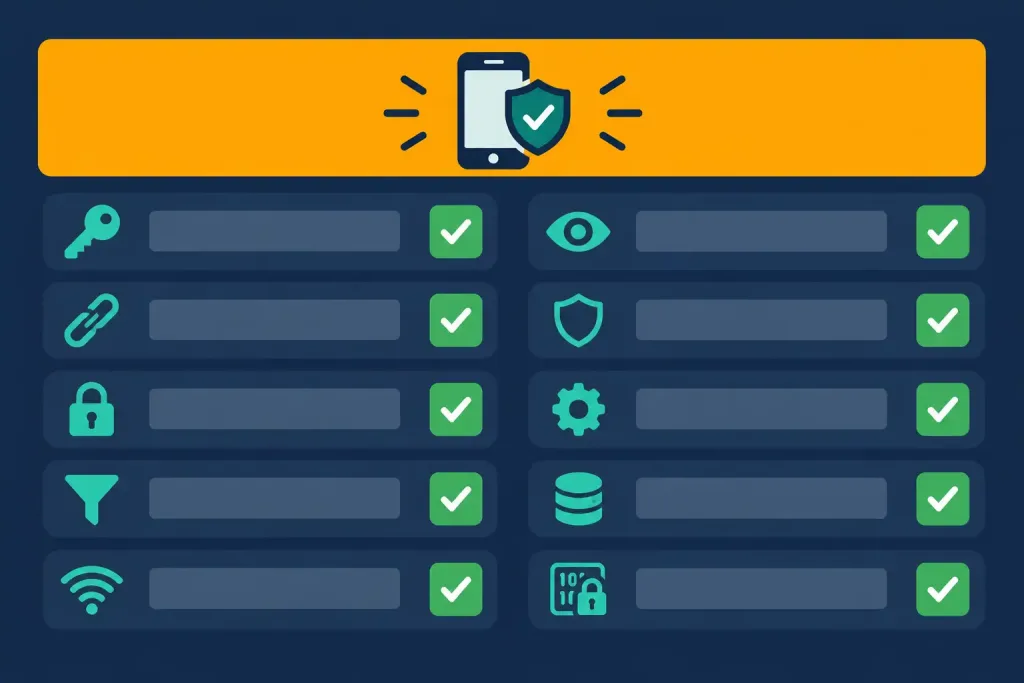
A responsible partner should be able to answer each of these clearly, run security testing before launch and plan for ongoing patching.
6. User experience: where the other benefits come together
The previous five benefits connect through user experience (UX). Personalization gives users the features they need, quality makes the app reliable, scalability keeps it fast as usage grows and security builds trust. UX is what users actually feel, and it decides whether an app is adopted or deleted.
A custom project lets you invest in UX deliberately:
- User research and testing. Design around how your actual users work, and test prototypes with them before building the full product.
- Platform conventions. Follow the design guidance for each platform, such as Apple’s Human Interface Guidelines and Google’s Material Design, so the app feels familiar.
- Performance and offline behavior. Design for the devices and networks your users really have.
- Accessibility. Build support for assistive technologies in from the start instead of retrofitting it.
The payoff differs by audience:
- Managers can improve the effectiveness of employees who use the app every day. Fewer taps and fewer errors add up over thousands of transactions.
- Independent entrepreneurs can compete with larger players by offering a more focused, pleasant experience in a specific niche.
- Large organizations can streamline workflows and automate repetitive tasks with an interface designed for their own processes.
The trade-offs nobody puts in the sales pitch
A fair evaluation includes the downsides:
- Higher upfront cost and longer timeline. Custom apps take longer to deliver than installing a ready-made product.
- Ongoing maintenance. Operating systems are updated regularly, devices change and app store rules evolve. Someone has to keep the app compatible and secure, which is a permanent budget line.
- Dependence on your development team. If a vendor disappears or the key developer leaves, poorly documented code can become a liability. Insist on documentation, repository access and a clean handover process.
- Risk of over-building. Teams sometimes build features nobody uses. Starting with a minimum viable product (MVP) reduces this risk.
- Requirements risk. If you don’t know exactly what you need, you may pay to build the wrong thing. A discovery phase before development helps.
Off-the-shelf software often wins when your needs are common (standard email, basic booking, generic project management), when you need something running quickly, when you’re still validating an idea, or when the budget is tight. A sensible middle path is to start with a packaged or low-code tool to test demand and move to custom development once you understand what’s missing.
How to choose a development partner
If you decide to build, the partner matters as much as the technology. Evaluate any vendor against the same checklist:
- Relevant portfolio and references. Ask for examples similar to your project and speak to past clients.
- Code and IP ownership. Confirm in writing that you own the source code, designs and data.
- Security practices. Ask how they test, whether they follow OWASP guidance and who handles vulnerabilities after launch.
- Discovery and estimation. A good vendor investigates before quoting, and explains the assumptions behind the estimate.
- Support and maintenance terms. Get response times, scope and pricing for post-launch work in the contract.
- Documentation and handover. You should be able to change vendors without starting over.
- Communication. Agree on tools, meeting rhythm and time-zone overlap early.
Agencies such as Develux offer full-cycle custom mobile development across native and cross-platform stacks. As with any provider, compare them against the checklist above and speak to references before committing.
A simple build-or-buy decision test
Answer these six questions honestly:
- Does an existing product cover at least most of what you need?
- Is the feature you want a source of competitive advantage, or a commodity?
- Do you have a budget for both the build and long-term maintenance?
- Can you wait for a custom build, or do you need something now?
- Do you handle regulated or highly sensitive data that needs specific controls?
- Do you have (or can you hire) the expertise to manage a software project?
If the answers point toward unmet needs, differentiation and a realistic budget, custom development deserves serious consideration. If they point toward speed, common requirements and limited resources, buying is usually smarter.
Frequently asked questions
How long does custom mobile app development take?
It varies widely with scope, number of platforms, integrations and design complexity. A reputable partner will give an estimate after a discovery phase, not before.
Native or cross-platform: which is better?
Native offers the best performance and device access, while cross-platform generally reduces cost and time by sharing code. The right choice depends on your feature requirements and budget.
Who owns the code in a custom project?
It depends entirely on the contract. Make sure ownership, licensing of third-party components and access to the repository are stated explicitly before work begins.
Is a custom app always more secure than off-the-shelf software?
No. Custom development gives you control over security decisions, but the outcome depends on the team’s practices, testing and ongoing maintenance.
Can I start with an MVP and expand later?
Yes, and it’s often wise. A focused first release lets you test assumptions with real users before investing in the full feature set.
Summing up
Custom mobile app development can deliver real advantages: an app that fits your workflow, long-term ownership, standards you control, room to scale, deliberate security decisions and a better user experience. Those advantages come with real costs in money, time and responsibility. Analyze your goals, your budget and your capacity to maintain what you build, then decide whether to build, buy or start small and grow into custom. Done for the right reasons and with the right partner, it can turn a good idea into working software.



