
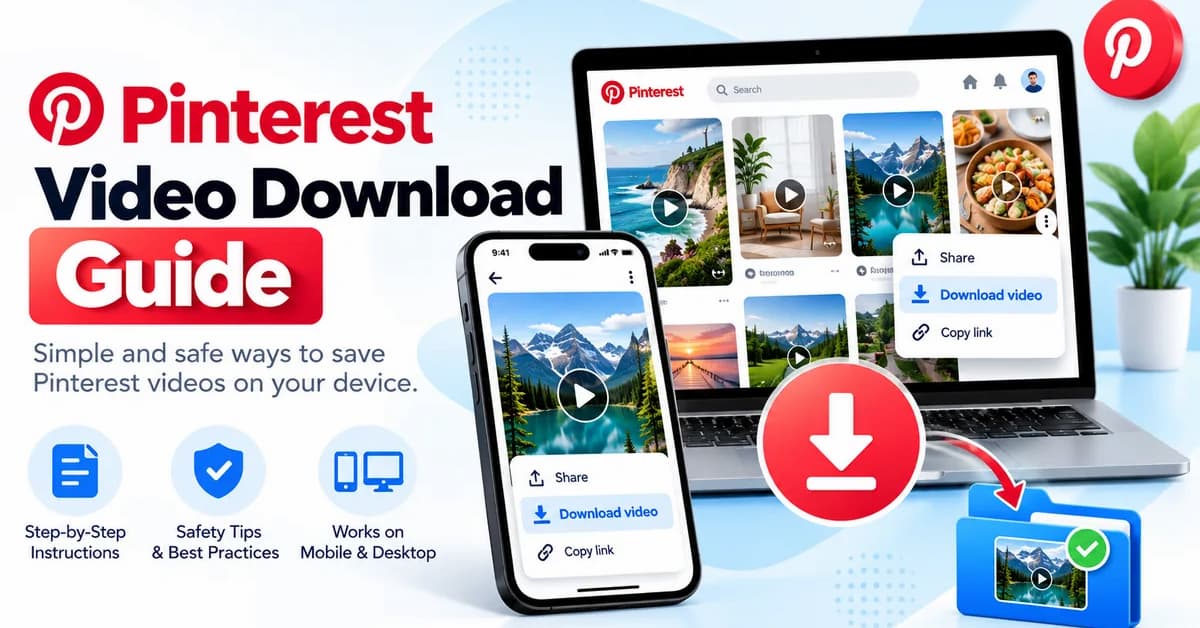
Ways to Save Videos
Learn how to check available download options, save eligible videos to your device, troubleshoot common problems, and respect creators’ rights.
Quick Answer: Can You Download a Pinterest Video?
Sometimes. Pinterest provides download options for certain content, but not every video Pin can be downloaded directly. Availability depends on the Pin, its format, and the creator’s settings.
Open the video Pin and check its available menu options. If a download option is provided, follow the on-screen instructions. If it is missing, the creator may not have enabled downloading or the content may not support it.
Saving a Pin to a Pinterest board is different from downloading a video file to your phone or computer.
How to Check Pinterest’s Official Download Option
The safest first step is to inspect the options available on the original Pin. Pinterest’s download availability can vary, and the platform does not provide a universal download button for every video.
- Open Pinterest. Find the video Pin you want to save.
- Open the Pin. View it individually rather than relying only on the feed preview.
- Check the menu. Look for an available download option in the Pin’s menu.
- Save the video if permitted. Follow the instructions shown by Pinterest and check your device’s downloads or gallery.

For platform guidance, read Pinterest’s official guidance on creating video Pins.
Pinterest Video Download on Android and iPhone
The steps are similar on Android phones, iPhones, and iPads, although the location of menus and saved files may differ by app version and operating system.
On Android
- Open the Pinterest app and select the video Pin.
- Open the Pin’s available options menu.
- If Pinterest offers a download option, select it and follow the prompts.
- Check your Gallery, Photos, or Downloads location, depending on your device and app settings.
On iPhone or iPad
- Open Pinterest and navigate to the video Pin.
- Inspect the Pin’s menu for a download option.
- Use the available option if it is offered.
- Check the Photos app or Files app, depending on where the download was saved.
If no download option appears, it does not necessarily mean your phone is faulty. The Pin may not be available for direct downloading.
How to Check Pinterest Video Downloads on a Computer
You can inspect Pinterest video Pins in a desktop browser. Whether a video can be downloaded directly still depends on the available options for that Pin.
- Open Pinterest in your browser and sign in if required.
- Open the video Pin you want to save.
- Inspect the Pin’s menu for an available download option.
- If a download is offered, follow the prompts and check your browser’s Downloads list.

If the file does not appear, check your browser’s download history and default download folder. Avoid repeatedly clicking unfamiliar download buttons on third-party pages.
What About Online Pinterest Video Downloaders?
Some third-party websites advertise Pinterest video downloading by asking you to paste a Pin URL. These services are not necessarily affiliated with Pinterest, and their reliability and safety can vary.
How to Assess a Third-Party Tool
- Do not provide your Pinterest password to a downloader website.
- Avoid tools that require suspicious browser extensions or unknown software.
- Do not install an APK or executable file simply to download one video.
- Leave pages that trigger repeated redirects, fake alerts, or unexpected downloads.
- Check whether you have permission to download and keep the content.
A website claiming to be free or secure is not proof that it is trustworthy. We cannot guarantee that any particular third-party downloader is safe, available, or compatible with Pinterest.
For general advice on writing and formatting digital content, explore our related guide.
Why Is My Pinterest Video Not Downloading?
If a download does not work, use the checks below before trying another service.
No Download Button
The Pin may not support direct downloading, or the creator may not have enabled the option. Check the original Pin’s menu.
Download Does Not Start
Check your internet connection, available storage, and browser or app status. Reopen Pinterest and try again if an official option is available.
File Cannot Be Found
Check your browser’s Downloads list, device gallery, Photos app, and Files app. The save location can vary.
Video Quality Is Different
Resolution may depend on the original upload and the available download method. A saved copy may not match the original quality.
A Downloader Shows Errors
The service may be unavailable, incompatible, or unable to access the Pin. Avoid giving it account credentials or installing unknown software.
Additional Checks
- Update the Pinterest app or your web browser.
- Check whether your device has enough free storage.
- Confirm that the Pin is still accessible.
- Review relevant web browser features if you need help finding downloaded files.
Privacy, Copyright, and Responsible Use
Being able to save a video does not automatically give you permission to republish, edit, sell, or use it in advertising. Videos may be protected by copyright or other rights, and creators may have specific conditions for reuse.
- Use downloaded videos for purposes permitted by the creator and applicable law.
- Ask the rights holder for permission before reposting or using content commercially when required.
- Do not remove watermarks or attribution to misrepresent who created a video.
- Respect private, personal, and sensitive content.
- Do not share your account password or sensitive personal information with download services.

Disclaimer
This article is for informational and educational purposes only. NetworkUstad is not affiliated with or endorsed by Pinterest. Features and download availability may change and can vary by Pin, device, account, and region.
Readers are responsible for following Pinterest’s terms, applicable copyright laws, privacy requirements, and creators’ rights. Downloading a video does not grant permission to reuse or redistribute it. We do not guarantee the safety, availability, or performance of third-party websites, apps, or browser extensions.
Frequently Asked Questions
Can I download every Pinterest video?
No. Direct download availability varies. Some video Pins offer a download option, while others do not.
Where are Pinterest videos saved on my phone?
Depending on your device and the method used, check Gallery, Photos, Files, or your Downloads folder.
Why is the Pinterest download option missing?
The Pin may not support downloading, or the creator’s settings may prevent it. Check the original Pin’s available menu options.
Are online Pinterest video downloaders safe?
Safety varies by service. Avoid giving third-party sites your password, installing unknown software, or accepting suspicious redirects.
Can I repost a downloaded Pinterest video?
Downloading does not automatically grant reuse rights. Check the creator’s permission requirements and applicable law before reposting or using a video commercially.
Can I download Pinterest videos on a computer?
You can inspect Pins in a desktop browser and use a download option when Pinterest makes one available. Check your browser’s Downloads list afterward.
Final Thoughts
The most reliable starting point for a Pinterest video download is the original Pin and its available options. When direct downloading is unavailable, avoid risky shortcuts and respect the creator’s rights. If you save a video, verify where it was stored and use it responsibly.



