Final Fantasy XVI arrived on Windows PC on September 17, 2024. It is a single-player action RPG in which you follow Clive Rosfield through Valisthea. The PC release is available through Steam and the Epic Games Store. There is a free demo, and the Complete Edition includes two story expansions. Before buying, check whether your PC can meet the performance target you want and whether the edition you are considering includes the extra chapters.
The biggest checks are practical. You need an SSD with enough free space, a graphics card with at least 8 GB of video memory, and a processor that can keep up with the game. The minimum specification targets 720p at 30 frames per second. If you want to play at 1080p and 60 frames per second, start with the recommended tier. Then use the demo to see how your own PC actually behaves.
Final Fantasy XVI on PC system requirements
The Steam listing for Final Fantasy XVI gives separate hardware tiers and an expected performance target for each. Both tiers list 64-bit Windows 10 or Windows 11, DirectX 12, 16 GB of system RAM, at least 8 GB of VRAM, and 170 GB of available storage on an SSD.
Minimum hardware for 720p at 30 fps
- Processor: AMD Ryzen 5 1600 or Intel Core i5-8400.
- Graphics card: AMD Radeon RX 5700, Intel Arc A580, or NVIDIA GeForce GTX 1070.
- Expected target: 720p at 30 fps.
Recommended hardware for 1080p at 60 fps
- Processor: AMD Ryzen 7 5700X or Intel Core i7-10700.
- Graphics card: AMD Radeon RX 6700 XT or NVIDIA GeForce RTX 2080.
- Expected target: 1080p at 60 fps.
Treat these tiers as reference points. Two computers with similar specifications can behave differently because of drivers, cooling, background applications, and the settings selected in the game. The recommended row gives you a target for 1080p. If you bought a 1440p or 4K monitor, start by testing one of the published targets before increasing the rendering workload.
Compare the exact processor and graphics model rather than looking only for a familiar label. A newer processor can belong to a lower performance class, and a laptop graphics chip can have different power and cooling limits from a desktop card with related branding. Check your GPU model and dedicated video memory in Windows or through its driver software. If the PC has both integrated graphics and a dedicated card, make sure the game uses the intended GPU.
Check SSD capacity and memory before downloading
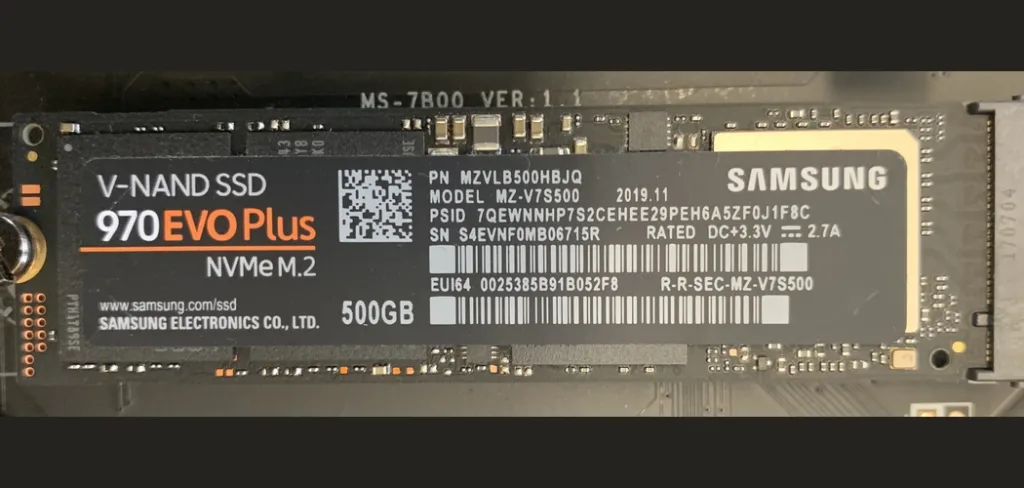
Check free space on the drive where the game will be installed. A desktop with a small SSD and a large hard drive can appear to have plenty of storage overall, even when the SSD is nearly full. In your launcher, confirm which drive contains the game library. If you have to move other games to make room, verify their destination and any save backups before freeing space.
The Steam listing calls for an SSD and specifies 170 GB of available space. Leave some extra room for future downloads, updates and normal system use. If you are comparing upgrades, check what your PC can accept before buying a new drive. NetworkUstad’s guide to SSDs and other storage types explains how M.2, SATA and NVMe relate to one another. The store requirement specifies an SSD without naming a particular interface.
System RAM and VRAM are separate checks. The listed 16 GB refers to system memory. The 8 GB requirement refers to graphics memory. If Windows reports a larger total by including shared memory, look for the dedicated figure as well. Note both quantities when comparing your system with the store listing. On a laptop, also test with the power adapter connected and the power profile you expect to use for longer sessions.
What you can test in the free demo
The Square Enix PC launch announcement confirms that a free demo is available. It lets you play the opening portion of the story. Completing that section unlocks the Eikonic Challenge, which gives you another opportunity to try the action combat. Square Enix says progress from the opening story portion can carry over to the full game. Progress in the separate challenge does not carry over.
Use the demo to answer two questions. First, do you enjoy the pace of the story and combat? The prologue introduces Clive and gives you time with the game’s dialogue, exploration and action. Second, is it comfortable to play on your hardware? If the game is on your shortlist because of its battles, stay long enough to test how movement, dodging and abilities feel when effects fill the screen.
Start the demo at the resolution you intend to use. Try moving through an area, spinning the camera and fighting with several effects active. Observe whether motion stays smooth while you move and whether the controls respond when you need to dodge. If frame pacing feels uneven, try a lower resolution or graphics preset and test the same encounter again. A short repeatable comparison is more informative than changing several settings at once and guessing what helped.
Treat the demo as a sample of the PC port. Later encounters and environments can put different loads on your hardware. If your PC struggles in the opening encounter, though, use that result when deciding whether to buy. Also check how text looks from your normal seating position and whether your preferred controls feel comfortable. Those details can make more difference to a long campaign than the first impression of a still screenshot.
What kind of Final Fantasy game is it?
Valisthea is a fantasy setting shaped by realms that depend on powerful crystals. The story follows Clive through conflicts involving the Eikons, supernatural beings whose powers come into play in the world and its battles. You can start here without having played an earlier numbered Final Fantasy. The campaign has its own characters and setting.
Combat takes place in real time. As Clive gains Eikonic powers, you can use different abilities to shape how you fight. You might favor movement and short bursts of damage, or set up larger attacks when an enemy gives you an opening. Boss fights alternate between reading attacks and taking advantage of chances to respond. Square Enix built the campaign around Clive’s story and Steam lists the PC game as single-player. Buy it for a solo campaign.
The game also gives you time between major fights to explore, talk to characters and take on side quests. If you prefer a more traditional party-based RPG with turn-by-turn combat, try the demo first. It gives a clearer impression of the pace than a trailer or a feature list. Players drawn to large boss encounters and a story-led action game can use that same trial to decide whether the campaign suits them.
Standard Edition or Complete Edition?
The Standard Edition contains the base game. The Complete Edition bundles the base game with the two paid story expansions, Echoes of the Fallen and The Rising Tide. If you already own the base game, check the add-on options in the same PC storefront where you own it. Look at the actual checkout price in your region before choosing between a bundle and individual expansions.
Echoes of the Fallen takes Clive and his allies into the Sagespire, a ruin connected to an artificial Mothercrystal. Its focus is on the ascent, encounters along the way, and boss fights. The Rising Tide takes the group to Haven and introduces a story involving Leviathan. Both are additional chapters for the solo campaign.
If you are new to the game, you can use the demo to decide whether you want the base adventure first. If you know you want the full base game and both expansions, compare the Complete Edition with buying the pieces separately. Read the edition contents at purchase time. Older release announcements can mention time-limited bonuses that no longer apply, and a storefront may also show an edition or add-on you already own.
Get your display and settings ready for the campaign
Choose a realistic performance goal based on your PC and how you like to play. If combat feels more comfortable at a steadier frame rate, first see how the game runs at your chosen resolution before raising visual settings. On a system close to minimum, start with the published 720p target. On a system closer to the recommended tier, test 1080p before trying a higher resolution. A high-refresh display gives you room to benefit from higher frame rates when the PC can deliver them consistently.
Save one usable baseline and change one thing at a time. If the game offers a resolution-scaling option for the setup you are using, check how it affects fine details and movement as well as the frame rate. Run the same short stretch after adjusting it. If you notice a problem, write down the setting and where it happens. That makes it easier to tell whether a driver update, a change of preset, or a different resolution helped.
Test with the way you actually play. If you plan to sit on a couch with a controller, check whether you can read menus from that distance. If you normally use a keyboard and mouse, try aiming the camera while moving and dodging. Take a few minutes to look through the control and accessibility settings before committing to a long session. The best starting setup is one you have tried in a fight and in a quieter area.
Before checkout, confirm the edition, the drive with room for the game, and the GPU’s dedicated memory. Give the demo a proper test at the resolution you want. If you enjoy the combat and the PC handles it well enough for you, you can make the purchase decision with a much clearer idea of what the full game will be like on your setup.
PC performance note.
Hardware requirements and performance targets come from the publisher’s storefront listing. Actual results vary by hardware, drivers, resolution, and settings. Check the current listing and try the demo on your own PC before purchasing.