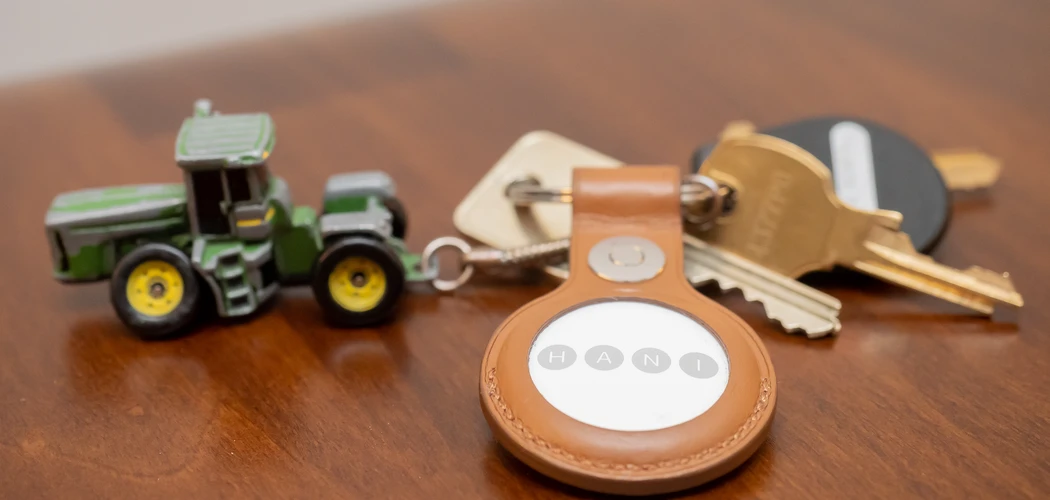
A wallet with an AirTag pocket can help you find it when it goes missing. The best fit depends on how you carry it. A zip-around wallet can give a round tracker a compartment of its own. A slim cardholder can still look compact on a product page, even when a tracker makes it thicker than you want to carry. Check the fit with your cards and cash in mind.
Start by deciding whether you want to use a separate Apple AirTag or buy a wallet with a tracker built in. Then check the pocket measurements, how the tracker stays in place, and whether your device supports the Find My features you expect to use. These checks apply whether you prefer a compact cardholder, a zip wallet, or a larger wallet that doubles as a wristlet.
Women’s AirTag wallets come in three designs
A dedicated AirTag pocket gives a round Apple tracker a defined space. An internal sleeve, snap, or fitted holder can keep the disc in place when you open the wallet. Look for a photo that shows how you insert and remove it. A round outline in a listing can be a design detail, so look for a description that names the compatible tracker and explains what comes in the box.
A regular wallet with a secure compartment can work if the pocket has enough room and closes reliably. A zip coin pocket is one option. Coins and keys can make that area crowded, so try the arrangement with the items you normally carry. If you need the pocket for change every day, a separate sleeve may be more practical than moving the tracker each time you open the zipper.
A wallet with built-in Find My tracking uses its own tracking hardware. Check whether it uses a replaceable battery or needs recharging, and how the seller handles the tracker if something stops working. Check what pairing and location features the exact model supports. The words “Works with Apple Find My” describe network compatibility. They do not establish that the wallet has a pocket that holds an Apple AirTag.
A related option is a flat tracker card. It can suit a wallet that already has room for another card. Read the card’s actual thickness and compare it with a slot that is already partly full. A holder shaped like a card can also contain a round AirTag, but the round disc still determines how thick the holder is at that point. Check which design the listing shows.
Measure the opening and usable space
Apple’s AirTag specifications list the second-generation tracker at 31.9 mm across and 8.0 mm thick. Measure the narrowest part of the opening as well as the space inside. A pocket can be wide enough in the middle and still be difficult to use if a seam, zipper, or snap narrows the opening. If you plan to use the tracker inside a protective cover, measure the covered tracker.
Ask the seller for internal measurements when a listing gives only the outside width of the wallet. For a flexible compartment, ask whether the stated fit was checked with cards in the surrounding slots. A compartment beside a stack of cards may lose usable space when the card slots are filled. If the seller supplies a side photo with the wallet loaded, compare it with the thickness you are comfortable carrying.
When buying in person, try your own AirTag with the seller’s permission. For an online order, check the return terms first. After it arrives, load the usual cards, a few bills, and the items you would normally carry in the coin section. Close the wallet without pressing on the outside and check for stress around the zipper and seams. Open it in the orientation you use at a checkout counter. The tag should stay in place while you reach for a card.
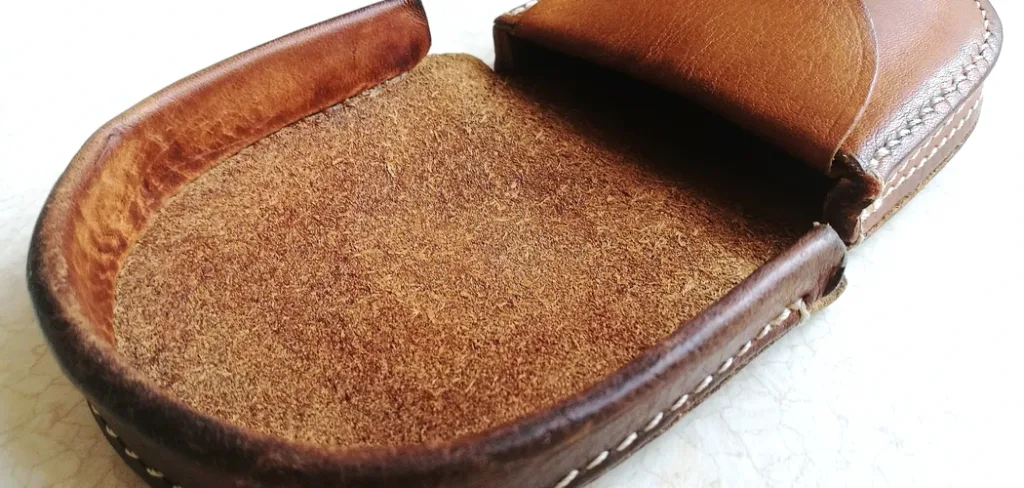
Try removing the tracker as well. Apple uses a replaceable CR2032 battery in the second-generation AirTag, so you will eventually need access to it. You should be able to remove the tag without pulling hard on a stitch or taking apart the wallet. A pouch that feels secure at first can become a nuisance if its opening is too tight to use comfortably.
Choose a wallet shape that suits your daily carry
A zip-around wallet offers room to arrange cash, cards, and a tracker in separate areas. It can be a good option if you carry a larger bag and like to keep receipts flat. Feel for the tracker’s outline when the wallet is full. If the disc sits directly behind the zipper or against a card stack, the closure may take more effort than you want to use several times a day.
A bifold or compact snap wallet can be easier to move between bags. Look at where the tag sits in relation to the fold and snap. A holder near the spine can affect how the wallet closes. Check whether the extra thickness changes how the wallet fits in an inside pocket, especially when you carry your phone and keys in the same compartment.
A cardholder works best when you carry few extras. Adding an AirTag can make one area significantly thicker than the rest of the holder. If a uniform profile matters to you, compare a card-shaped tracker with a dedicated round pocket on a larger wallet. Check the device requirements and charging or replacement process for any card-shaped accessory you consider.
Consider what is easy to carry as well as what looks good. When your main bag is a small crossbody, measure the usable width of its opening and the space alongside your phone. If you carry a wristlet on its own, check the strap attachment and how the loaded wallet feels in your hand. For a gift, ask how many cards the person carries and which phone they use before choosing a tracker format.
Check Find My compatibility before buying
Apple’s AirTag setup instructions explain the device and software requirements for adding a tracker. For the second-generation AirTag, Apple’s setup guide lists iOS or iPadOS 26.2.1 or later. Check the version actually installed on your device. Nearby Precision Finding has its own compatibility requirements, so check that feature separately if you expect directional guidance when you look for the wallet.
If you are also shopping for a used iPhone, NetworkUstad’s used iPhone 13 buying guide explains how to verify the model and check its condition. That is useful when comparing listings with nearly identical names. Once you know the exact device you will use, confirm its compatibility with your AirTag generation and the Find My features you want.
An AirTag transmits a Bluetooth signal. Nearby participating devices in Apple’s Find My network can detect it and relay its location. This makes Find My useful beyond your own Bluetooth range, but an update depends on a device detecting the tag. In a quiet area, the map can show an older location while the network waits for another detection. Look at the time of the latest update before assuming the wallet is still at the pin.
Try the Find My features at home after fitting the tracker. Play a sound with the wallet closed and see whether you can hear it from the places you typically put it, such as a bag or a drawer. If your device supports nearby guidance, try it with the wallet inside the bag you use most. These are simple checks for your own setup. They give you a better idea of what to expect than a promise about universal tracking range.
Read the product listing and return terms
Check whether the seller is offering a wallet only, a wallet bundled with an AirTag, or a wallet with its own tracker. Read the current listing for the exact color and size you plan to order. Some storefronts group several versions together, and the photos or features shown for one version may differ from those of another. Confirm the model number or product name when a feature is essential.
Look for photos of the pocket, the closure, and the wallet from the side. Look for the stated card capacity and ask whether that figure includes use of the tracker pocket. If a seller describes the wallet as having RFID-blocking material, check separately that the tracker works as expected in your intended compartment. Test in your usual carry setup while the return window is open.
Compare the total price, including the tracker if it is sold separately. Also check whether the seller accepts returns after the wallet has been opened or after personalization. A return window gives you time to check fit and comfort with the actual items you carry. For a gift, verify when that window starts so the recipient has a chance to try it.
Make the final fit check with the wallet fully loaded
Put your daily cards and cash inside, fit the tracker, and close every section. Check whether a card bends or whether the wallet catches on the opening of your bag. Set it down, pick it up, and open it as you would when paying. If the tag moves toward the opening, choose a different pocket or a wallet with a better closure.
Then pair the tracker and give it a clear name in Find My, such as “Daily wallet.” Practice locating it in a familiar place. If a real loss occurs, use the location and timestamp to decide where to look or whom to contact. A tracker can help with the search, while the wallet’s closures and your normal card-security habits still matter. Choose the wallet you can carry comfortably every day with the tracker in place.
Buying and tracking note.
Wallet fit and tracker compatibility vary by model. Check the seller’s measurements and Apple’s current device requirements. Use trackers for your own belongings, and expect location updates to depend on Find My network coverage.