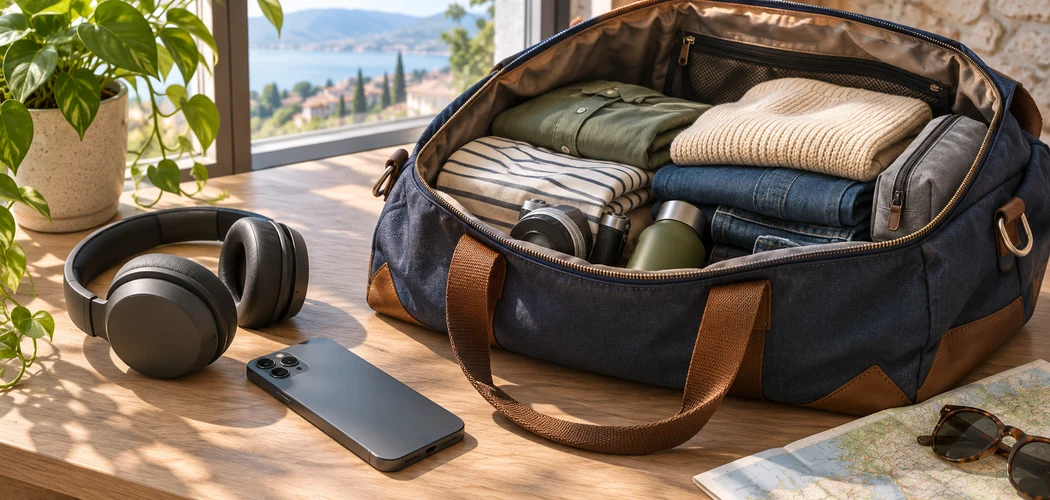
Download a playlist to your phone and you may be able to listen on a flight. Copy a music file to the same phone and you may be able to open it in several players. Both actions put something on the device, but they solve different problems. One prepares a service for temporary use away from a connection. The other gives a compatible player access to a file you are authorized to transfer.
That distinction matters when you replace a phone, cancel a plan, or move between platforms. Before buying a converter or deleting your old library, identify what you have. Check whether the item is a subscription download, a purchase tied to a store account, a library loan, or a file the supplier lets you download independently. Then choose a playback method that fits that type of access.
Offline Media Playback Starts With the Type of Access
Digital rights management, or DRM, is a broad term for technologies that control access to or use of digital material. An app may check whether an account is entitled to open an item or whether a device supports playback. Other limitations can come from the file format, the device, or the service plan. A playback error by itself does not tell you which restriction applies.
| What you have | Where to look first | What to check |
|---|---|---|
| Subscription music or video | The service’s official app on the new device | Plan eligibility, offline download support, and any account check-in |
| Store purchase | Purchase history or the provider’s library | Whether the title can be redownloaded, exported, or played in a supported app |
| Digital library loan | Your library’s approved borrowing app | When the loan ends and whether the app supports offline reading |
| A permitted standalone file | The original download, local library, or backup | File format and the player or reader that supports it |
One collection can contain several kinds of media. A music app might display tracks you bought, tracks you imported, and tracks you added through a subscription in one list. Match each category with its source before moving to another device. A receipt, purchase history entry, or original file folder can help you identify which route to take.
Use Official Downloads for Subscription Music
If your goal is listening when the connection drops, start with the app you already use. Check that your plan supports downloads on the device you will carry. Download a small sample while connected and play it with the network turned off. This is more informative than relying on a download icon on a second device. Downloads generally need to be prepared on the device that will play them.
For example, Apple’s guide to Apple Music downloads documents offline music downloads in the Apple Music app for Android as well as Apple devices. Add the track, album, or playlist to your library and use the app’s download control. Test the result on the Android phone you plan to take with you. Apple provides separate instructions for music purchased through the iTunes Store, which can appear alongside subscription items in a music library.
Before traveling, check how much space the app uses and decide what you actually want to keep offline. A short playlist that has finished downloading is more useful than a large collection still waiting for a network connection. Leave enough space for other needs, such as maps and photos. If you remove the app, sign out, change plans, or travel to another region, check the provider’s rules and test the items again.
Check Movie Purchases, Rentals, and Streaming Separately
Look up the movie in the service that sold, rented, or streams it. If you purchased it, start with that account’s library or order history. Check whether the provider offers an app for your new device and whether that app allows local playback. A service may support streaming on a television or browser and offer downloads only in certain mobile or desktop apps.
Rentals can have deadlines. Read the provider’s terms before starting a download or playing the title for the first time. A trip can overlap with the viewing window, so check the expected return date as well as the departure date. If you need captions, subtitles, or an audio description track, test them with the downloaded item on the exact device you will use.
A missing title may reflect an account mismatch. Open the receipt and compare the account used at purchase with the account on the device. If the title is still missing, contact the store with the order details. Record what the provider says about playback on the device you are considering before buying the same movie again.
Choose an Ebook Format Your Reader Supports
Start with the bookseller or library. For a purchase linked to a store, check its official reading apps and supported devices. For a loan, check the expiration date and download it inside the approved app if available. Open the book before leaving your connection and try jumping to a chapter. If your device is an e-reader, repeat the test there even if the book already works on your phone.
If the publisher offers a standalone ebook file, check which formats your reader accepts. EPUB is common for reflowable books, and PDF is often used for fixed-layout pages. Support varies by device and app. A dense PDF with narrow text may be awkward on a small screen even if it opens correctly. Check the sample page, navigation, and any reading or accessibility features you need before committing to a purchase.
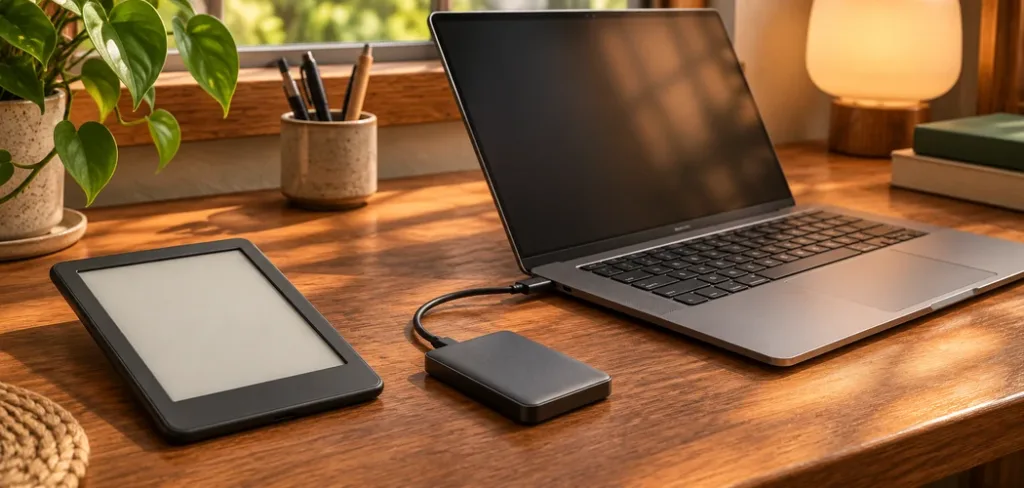
For a long-term reading library, keep permitted originals in a labeled folder and preserve a backup. Record the seller and format alongside the files if you buy from several sources. That information helps when you change reading apps or need to identify a particular edition.
Troubleshoot Downloads Before Switching Devices
- Verify the account. Match the email address or sign-in method to the original purchase or subscription.
- Confirm support. Check the service’s device list, app version, download rules, and available storage.
- Try one file or title. Download a representative item and confirm that it starts, seeks, and displays any required captions or chapters.
- Test offline. Turn off network connections and repeat playback on the device you will use.
- Keep the old device available until the test passes. Save permitted originals from its storage and make a backup before resetting it.
Make a list of the things that failed. Include the title, account, device, and any message from the app. That gives support a usable description of the problem. If other titles work and one does not, note the difference. If all titles fail, start with the account and device settings. Change one thing at a time so you can tell what solved the problem.
Check the new device before the old one goes
If you are trading in a phone, reserve time for a side-by-side check. Open a downloaded album, a purchased movie, and a book on the replacement device if those are the things you use most. Compare what you can retrieve from the provider with the files you have backed up. If a title matters and you cannot open it, keep the old device intact while you contact support. Finish the transfer only after you have verified the files and accounts you need.
Build a Library You Can Move
If portability matters before you buy, look for sellers, publishers, or creators that explicitly provide downloadable files in a supported format. For instance, a musician may offer an album in several formats, while an ebook publisher may list a standalone EPUB. Read the license and keep the downloaded original. A playable file and permission to redistribute it are separate matters.
For files you are permitted to store independently, keep the working library and a separate backup. Test the backup by restoring a sample. If you keep the only copy on a phone that you are about to sell, copy it to another device and open it there before clearing the phone. NetworkUstad’s guide to home and small-business security explains how keeping a copy off-site can protect against losing the device and its local backup together.
For account-based access, keep receipts and maintain an up-to-date recovery method for the account. Treat the purchase record and a playable backup as different resources. The receipt helps establish where you acquired the title. A file you can actually open on another device is what helps you recover playback after a device failure.
Understand the Legal Boundary
In the United States, Section 1201 of the Digital Millennium Copyright Act generally restricts circumvention of technological measures that control access to copyrighted works. The U.S. Copyright Office’s 2024 rulemaking page lists exemptions for specific classes of works and uses. Whether an exemption applies depends on the facts and the conditions of that exemption. Other jurisdictions have their own rules. If an accessibility, research, or preservation need is involved, start with the provider’s accessibility options and consult an appropriate specialist about the situation.
The practical choice depends on the goal. For a flight, test official offline playback before leaving home. For a new phone, check account and device support before erasing the old one. For a library you can move between compatible players, look for permitted standalone downloads when you buy. Once the new setup works, keep a verified backup of the files you can store independently.
Media access disclaimer. Service features, licenses, and legal requirements vary by provider, title, device, and jurisdiction. Check the applicable terms and official support guidance before transferring or downloading media.Download a playlist to your phone and you may be able to listen on a flight. Copy a music file to the same phone and you may be able to open it in several players. Both actions put something on the device, but they solve different problems. One prepares a service for temporary use away from a connection. The other gives a compatible player access to a file you are authorized to transfer.
That distinction matters when you replace a phone, cancel a plan, or move between platforms. Before buying a converter or deleting your old library, identify what you have. Check whether the item is a subscription download, a purchase tied to a store account, a library loan, or a file the supplier lets you download independently. Then choose a playback method that fits that type of access.
Offline Media Playback Starts With the Type of Access
Digital rights management, or DRM, is a broad term for technologies that control access to or use of digital material. An app may check whether an account is entitled to open an item or whether a device supports playback. Other limitations can come from the file format, the device, or the service plan. A playback error by itself does not tell you which restriction applies.
| What you have | Where to look first | What to check |
|---|---|---|
| Subscription music or video | The service’s official app on the new device | Plan eligibility, offline download support, and any account check-in |
| Store purchase | Purchase history or the provider’s library | Whether the title can be redownloaded, exported, or played in a supported app |
| Digital library loan | Your library’s approved borrowing app | When the loan ends and whether the app supports offline reading |
| A permitted standalone file | The original download, local library, or backup | File format and the player or reader that supports it |
One collection can contain several kinds of media. A music app might display tracks you bought, tracks you imported, and tracks you added through a subscription in one list. Match each category with its source before moving to another device. A receipt, purchase history entry, or original file folder can help you identify which route to take.
Use Official Downloads for Subscription Music
If your goal is listening when the connection drops, start with the app you already use. Check that your plan supports downloads on the device you will carry. Download a small sample while connected and play it with the network turned off. This is more informative than relying on a download icon on a second device. Downloads generally need to be prepared on the device that will play them.
For example, Apple’s guide to Apple Music downloads documents offline music downloads in the Apple Music app for Android as well as Apple devices. Add the track, album, or playlist to your library and use the app’s download control. Test the result on the Android phone you plan to take with you. Apple provides separate instructions for music purchased through the iTunes Store, which can appear alongside subscription items in a music library.
Before traveling, check how much space the app uses and decide what you actually want to keep offline. A short playlist that has finished downloading is more useful than a large collection still waiting for a network connection. Leave enough space for other needs, such as maps and photos. If you remove the app, sign out, change plans, or travel to another region, check the provider’s rules and test the items again.
Check Movie Purchases, Rentals, and Streaming Separately
Look up the movie in the service that sold, rented, or streams it. If you purchased it, start with that account’s library or order history. Check whether the provider offers an app for your new device and whether that app allows local playback. A service may support streaming on a television or browser and offer downloads only in certain mobile or desktop apps.
Rentals can have deadlines. Read the provider’s terms before starting a download or playing the title for the first time. A trip can overlap with the viewing window, so check the expected return date as well as the departure date. If you need captions, subtitles, or an audio description track, test them with the downloaded item on the exact device you will use.
A missing title may reflect an account mismatch. Open the receipt and compare the account used at purchase with the account on the device. If the title is still missing, contact the store with the order details. Record what the provider says about playback on the device you are considering before buying the same movie again.
Choose an Ebook Format Your Reader Supports
Start with the bookseller or library. For a purchase linked to a store, check its official reading apps and supported devices. For a loan, check the expiration date and download it inside the approved app if available. Open the book before leaving your connection and try jumping to a chapter. If your device is an e-reader, repeat the test there even if the book already works on your phone.
If the publisher offers a standalone ebook file, check which formats your reader accepts. EPUB is common for reflowable books, and PDF is often used for fixed-layout pages. Support varies by device and app. A dense PDF with narrow text may be awkward on a small screen even if it opens correctly. Check the sample page, navigation, and any reading or accessibility features you need before committing to a purchase.
For a long-term reading library, keep permitted originals in a labeled folder and preserve a backup. Record the seller and format alongside the files if you buy from several sources. That information helps when you change reading apps or need to identify a particular edition.
[Organizing a Portable Media Library]
Troubleshoot Downloads Before Switching Devices
- Verify the account. Match the email address or sign-in method to the original purchase or subscription.
- Confirm support. Check the service’s device list, app version, download rules, and available storage.
- Try one file or title. Download a representative item and confirm that it starts, seeks, and displays any required captions or chapters.
- Test offline. Turn off network connections and repeat playback on the device you will use.
- Keep the old device available until the test passes. Save permitted originals from its storage and make a backup before resetting it.
Make a list of the things that failed. Include the title, account, device, and any message from the app. That gives support a usable description of the problem. If other titles work and one does not, note the difference. If all titles fail, start with the account and device settings. Change one thing at a time so you can tell what solved the problem.
Check the new device before the old one goes
If you are trading in a phone, reserve time for a side-by-side check. Open a downloaded album, a purchased movie, and a book on the replacement device if those are the things you use most. Compare what you can retrieve from the provider with the files you have backed up. If a title matters and you cannot open it, keep the old device intact while you contact support. Finish the transfer only after you have verified the files and accounts you need.
Build a Library You Can Move
If portability matters before you buy, look for sellers, publishers, or creators that explicitly provide downloadable files in a supported format. For instance, a musician may offer an album in several formats, while an ebook publisher may list a standalone EPUB. Read the license and keep the downloaded original. A playable file and permission to redistribute it are separate matters.
For files you are permitted to store independently, keep the working library and a separate backup. Test the backup by restoring a sample. If you keep the only copy on a phone that you are about to sell, copy it to another device and open it there before clearing the phone. NetworkUstad’s guide to home and small-business security explains how keeping a copy off-site can protect against losing the device and its local backup together.
For account-based access, keep receipts and maintain an up-to-date recovery method for the account. Treat the purchase record and a playable backup as different resources. The receipt helps establish where you acquired the title. A file you can actually open on another device is what helps you recover playback after a device failure.
Understand the Legal Boundary
In the United States, Section 1201 of the Digital Millennium Copyright Act generally restricts circumvention of technological measures that control access to copyrighted works. The U.S. Copyright Office’s 2024 rulemaking page lists exemptions for specific classes of works and uses. Whether an exemption applies depends on the facts and the conditions of that exemption. Other jurisdictions have their own rules. If an accessibility, research, or preservation need is involved, start with the provider’s accessibility options and consult an appropriate specialist about the situation.
The practical choice depends on the goal. For a flight, test official offline playback before leaving home. For a new phone, check account and device support before erasing the old one. For a library you can move between compatible players, look for permitted standalone downloads when you buy. Once the new setup works, keep a verified backup of the files you can store independently.
Media access disclaimer. Service features, licenses, and legal requirements vary by provider, title, device, and jurisdiction. Check the applicable terms and official support guidance before transferring or downloading media.