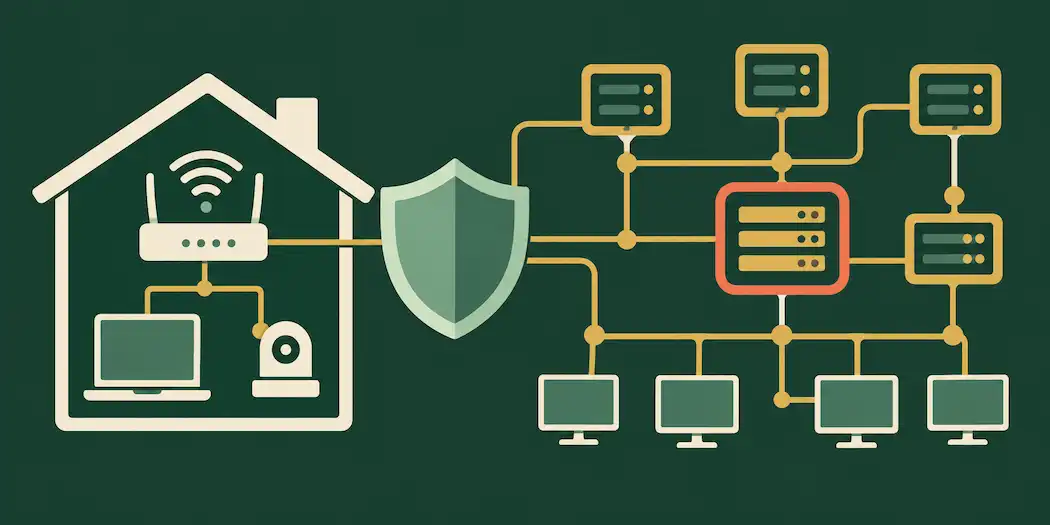
“Keep my network safe” is one of those searches that means something slightly different depending on who’s asking. A homeowner typing it usually wants to know their Wi-Fi isn’t being freeloaded on or their smart devices aren’t a backdoor into their life. A small business owner typing the same phrase is usually worried about something with real financial consequences — a ransomware attack, a data breach, or an employee accidentally letting something malicious through the front door.
The good news is that the two problems share a foundation. Whether you’re securing a home router or a small office network, the same core principles apply: control who and what can connect, keep software current, limit what any single compromised device can reach, and actually notice when something’s wrong. This guide starts with home-network basics that take an afternoon to implement, then builds up to small-business practices that require a bit more planning but aren’t out of reach without an enterprise IT budget.
Why this matters more than it used to
Home networks today aren’t just a router and a laptop. The average household now connects dozens of devices — smart TVs, doorbell cameras, thermostats, game consoles, voice assistants, kids’ tablets — many of which were built with convenience prioritized well above security. Every one of those devices is a potential entry point, and most people have no idea what’s actually connected to their network at any given time.
Small businesses face a version of the same problem at higher stakes. A compromised point-of-sale system, an employee’s phished credentials, or an unpatched server isn’t just an inconvenience — it can mean stolen customer data, regulatory exposure, and downtime that directly costs money. And unlike a large enterprise, most small businesses don’t have a dedicated security team watching for problems around the clock.
Neither situation requires an unrealistic amount of effort to meaningfully improve. It requires knowing which few things actually matter and building them into a routine.
Part 1: Securing a home network
Start with the router — it’s the front door
Your router is the single most important device on your network, because everything else connects through it. A few changes here have an outsized effect on your overall security.
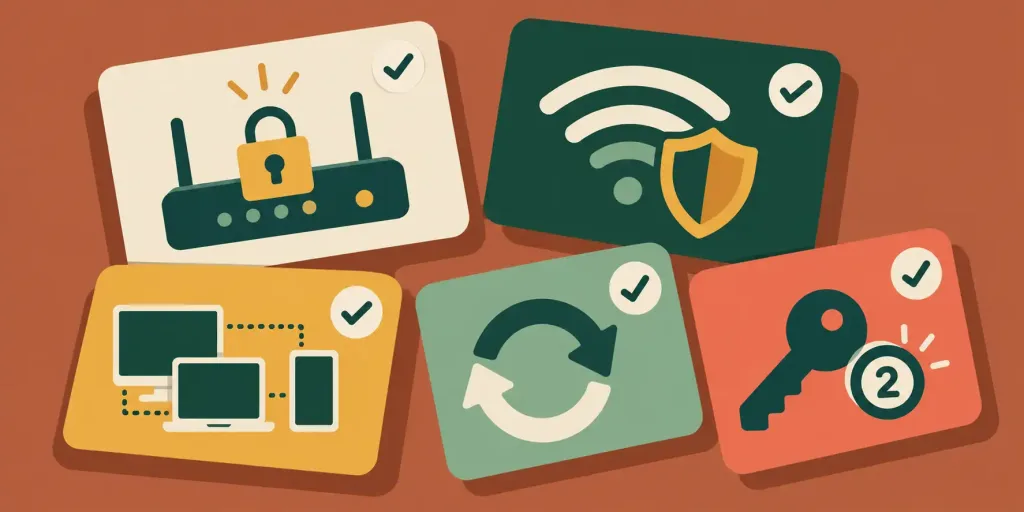
Change the default admin login immediately. Routers ship with a default username and password (often literally “admin/admin”) that’s publicly documented for every model. If you’ve never changed it, anyone who gets access to your network — or in some cases, anyone on the internet if remote management is enabled — can potentially take over your router’s configuration.
Update your router’s firmware. Router manufacturers regularly patch security vulnerabilities, but unlike your phone or laptop, most routers don’t update themselves automatically. Check your router’s admin panel (usually accessible at an address like 192.168.1.1 or 192.168.0.1) periodically for firmware updates, or enable automatic updates if your router supports them.
Use WPA3 encryption if your router and devices support it, or WPA2 at minimum. Older WEP encryption is trivially breakable and shouldn’t be used at all. Most routers made in the last several years support WPA2 by default; WPA3 is newer and more secure where available.
Set a strong, unique Wi-Fi password — not the same password you use for anything else, and not something guessable from your name, address, or phone number. A password manager (or a tool like your site’s own Password Generator) makes this painless rather than something you have to remember from scratch.
Disable WPS (Wi-Fi Protected Setup). WPS was designed to make connecting devices easier via a PIN code, but that same PIN system has well-documented vulnerabilities that make it easier to crack than a strong password would be on its own. Turning it off closes a real weakness for a feature most people never intentionally use anyway.
Rename your network (SSID) to something that doesn’t identify you. Avoid using your name, address, or apartment number as your network name — it’s a small detail, but it removes one easy piece of information from anyone scanning nearby networks.
Segment your network — especially for smart home devices
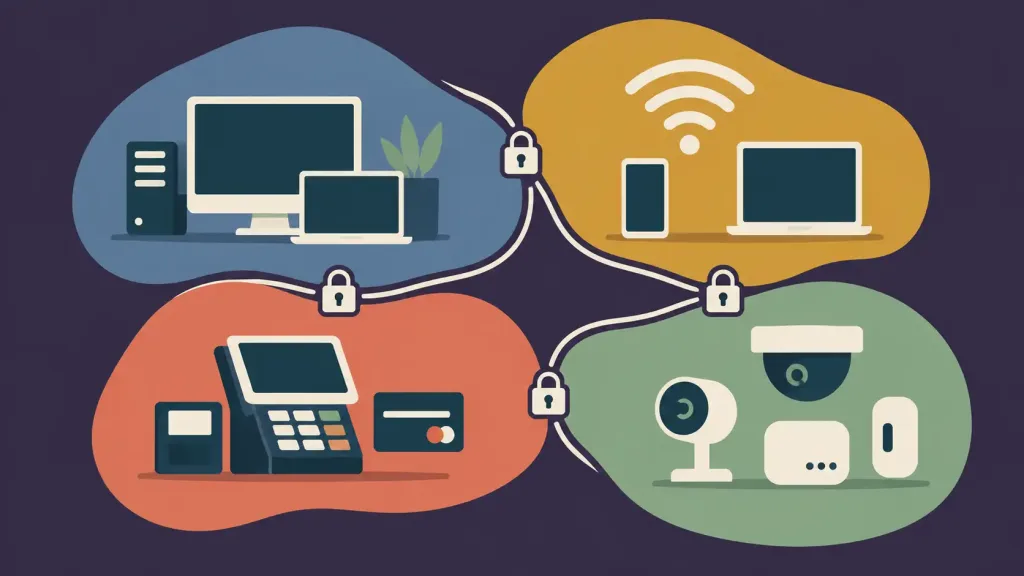
This is the single upgrade most home users skip, and it’s genuinely worth the effort: set up a separate guest network for IoT devices (smart plugs, cameras, thermostats, voice assistants) rather than putting them on the same network as your laptop and phone. Most consumer routers now support a guest network feature specifically for this. The logic is simple — if a smart bulb with weak security gets compromised, you want it isolated from the device where you do online banking, not sitting on the same network able to see and potentially reach it.
Keep every device updated, not just the router
Operating system updates, browser updates, and app updates frequently include security patches, not just new features. An unpatched laptop or phone is a much easier target than one running current software. Enabling automatic updates wherever possible removes the “I’ll do it later” problem that leaves devices exposed for months.
Use strong, unique passwords everywhere — and turn on two-factor authentication
Password reuse is one of the most common ways personal accounts get compromised: a breach at one unrelated service exposes a password that then works on your email or banking login because you used the same one everywhere. A password manager solves this by generating and storing unique, strong passwords for every account, so you only need to remember one master password.
Two-factor authentication (2FA) — a code from an app or text message in addition to your password — is one of the single highest-value security steps available, since it stops most account takeover attempts even if a password does leak.
Know what’s actually connected to your network
Most routers have an admin page listing currently connected devices. Checking this occasionally — and recognizing what you own versus what you don’t — is a simple way to catch an unauthorized connection or a device you forgot you own (and forgot to update).
Use a VPN on public or untrusted Wi-Fi
Coffee shop and airport Wi-Fi networks are convenient and generally not designed with strong security in mind. A reputable VPN encrypts your traffic on networks you don’t control, which matters far more on public Wi-Fi than it does on your own secured home network.
Part 2: Securing a small business network
Everything above still applies to a small business, but a business network usually has more at stake, more people using it, and more complexity worth addressing directly.
Segment your network by function, not just convenience
A home guest network is a light version of a much more important small-business practice: network segmentation. Using VLANs (virtual LANs), a business can separate its network into distinct zones — a segment for staff workstations, a separate one for guest Wi-Fi, another for point-of-sale or payment systems, and another for IoT devices like security cameras or smart locks.
The value here is containment: if one segment gets compromised — say, a guest laptop with malware, or an unpatched security camera — segmentation limits how far that compromise can spread into the systems that actually matter, like customer records or payment processing.
Move beyond a consumer-grade router
A basic home router is generally not built for business-grade security or the traffic volume of even a small office. A dedicated business firewall or UTM (Unified Threat Management) appliance offers real advantages: more granular traffic rules, intrusion detection and prevention, VPN support for remote staff, and often built-in content filtering — all managed from a single point rather than pieced together.
Apply least-privilege access control
Not every employee needs access to every system. Least-privilege access — giving each person and each device only the access actually required for their role — limits the damage a single compromised account can do. This applies to network access, shared drives, admin panels, and any system holding sensitive data. It’s worth periodically auditing who has access to what, since access tends to accumulate over time as roles change and rarely gets pruned back down.
Invest in security awareness training, because people are the real perimeter
The majority of successful breaches at small businesses don’t start with a sophisticated technical exploit — they start with a phishing email that tricks an employee into entering credentials on a fake login page, or an attachment that deploys malware once opened. Regular, practical training — recognizing suspicious emails, verifying unusual payment requests by phone rather than email, understanding what a legitimate IT request looks like — is one of the highest-return security investments a small business can make, and it costs far less than a technical breach does.
Have an actual patch management routine
Unpatched software is one of the most common ways businesses get breached, precisely because patches for known vulnerabilities are publicly documented — meaning attackers know exactly what an unpatched system is vulnerable to. A simple routine (a designated day each month to check and apply updates across servers, workstations, and network equipment) closes this gap far more reliably than an informal “we’ll get to it” approach.
Use endpoint protection on every device
Modern endpoint protection (antivirus/anti-malware software with active monitoring, sometimes called EDR — endpoint detection and response — in more advanced tools) should be running on every device that touches the network: workstations, laptops, and servers alike. This is the layer that catches malware execution even when it slips past other defenses.
Secure remote access properly
If staff work remotely or need to access business systems from outside the office, a properly configured VPN — rather than exposing internal systems directly to the internet — is essential. For businesses with more advanced needs, “Zero Trust” approaches (verifying every access request regardless of whether it originates inside or outside the traditional network perimeter) are increasingly standard, though a well-configured VPN with strong authentication covers the fundamentals for most small operations.
Secure business Wi-Fi properly
For a business network, WPA2-Enterprise or WPA3-Enterprise (using individual login credentials tied to a RADIUS server, rather than one shared Wi-Fi password everyone knows) is significantly more secure than a single shared password, and it means you can revoke one employee’s access without changing the password for everyone else — important when staff turnover happens.
Monitor and log network activity
You can’t respond to a problem you don’t know about. Even a modest monitoring setup — logging login attempts, tracking unusual outbound traffic, and getting alerts for failed access attempts — gives you a fighting chance of catching a problem early rather than discovering it weeks later. Many business-grade firewalls and routers include basic logging and alerting built in; it’s worth actually configuring and reviewing it rather than leaving it dormant.
Back up data properly — and test the backups
The 3-2-1 backup rule is a reasonable standard: keep three copies of important data, on two different types of storage media, with one copy stored off-site (including cloud backup). This matters enormously for ransomware resilience specifically — a business with clean, tested backups can recover without paying a ransom; a business without them often faces an impossible choice.
Critically, backups should be tested periodically. An untested backup that fails to restore when you actually need it provides false confidence, which is arguably worse than knowing you have no backup at all.
Have a basic incident response plan before you need one
Even a simple written plan — who to call, how to isolate an affected system, who’s authorized to make decisions during an incident, and how to communicate with customers if needed — makes a real difference in how quickly and calmly a business responds to a security incident. Figuring this out for the first time in the middle of an actual breach costs valuable time.
Know your regulatory obligations
Depending on your industry and location, you may have specific legal obligations around data security — PCI DSS if you process card payments, HIPAA if you handle health information in the U.S., GDPR if you handle EU residents’ data, and various other regional and sector-specific requirements. These aren’t just bureaucratic boxes to check; they generally reflect genuinely reasonable security baselines, and non-compliance can carry real financial penalties on top of the security risk itself.
Signs your network might already be compromised
Whether at home or in a business, a few warning signs are worth taking seriously:
- Unexplained slowdowns in internet speed or device performance, which can indicate something is using bandwidth or processing power without your knowledge.
- Unfamiliar devices showing up in your router’s connected-devices list.
- Unexpected password reset emails or login notifications for accounts you didn’t try to access.
- Pop-ups, browser redirects, or new toolbars appearing without you installing anything.
- Unusual outbound network activity, particularly to unfamiliar destinations, if you have any monitoring in place.
- Files that won’t open, or a ransom note — the unmistakable sign of ransomware, which requires immediate isolation of the affected device from the rest of the network.
If you see several of these together, disconnecting the affected device from the network while you investigate is a reasonable first step, both at home and in a business setting.
A simple maintenance rhythm that actually gets followed
Security habits fail most often not because people don’t know what to do, but because there’s no routine forcing it to happen. A realistic cadence:
Weekly: Glance at connected devices; note anything unfamiliar.
Monthly: Check for and apply router/firmware updates; review any security alerts or logs; for businesses, this is a natural checkpoint for patch management too.
Quarterly: Review who has access to what (especially in a business setting where staff turnover happens); test that backups actually restore; rotate any shared passwords that can’t use individual logins.
Annually: Reassess your overall setup — has your business grown enough to need network segmentation you don’t currently have? Has your home added enough smart devices to justify a dedicated IoT network? Revisit security awareness training content for a business, since phishing tactics evolve.
Frequently asked questions
What’s the single most important thing I can do to keep my home network safe?
Changing your router’s default admin credentials and using a strong, unique Wi-Fi password addresses the most common and most easily exploited weaknesses.
Do I really need a separate network for smart home devices?
It’s genuinely one of the higher-value steps available, since it limits how far a compromised smart device (often the weakest link security-wise) can reach into the rest of your network.
Is a consumer router good enough for a small business?
For a very small operation with minimal risk exposure, it can be a starting point, but most small businesses handling customer data, payments, or sensitive information benefit meaningfully from a dedicated business-grade firewall with better traffic control and logging.
How often should a small business review its network security?
At minimum, monthly for patching and monitoring, quarterly for access reviews and backup testing, and annually for a broader reassessment of the whole setup as the business changes.
What’s the biggest security risk for a small business — technical or human?
Human factors, generally. Most successful breaches at small businesses start with phishing or social engineering rather than a sophisticated technical exploit, which is why staff training is as important as any technical control.
Is a VPN necessary for a home network?
Less critical on your own secured home network, but genuinely valuable whenever you’re using public or unfamiliar Wi-Fi, where you don’t control the network’s security.
The bottom line
“Keeping your network safe” isn’t a single action — it’s a small set of habits applied consistently, scaled to how much is actually at risk. At home, that means securing your router, segmenting your IoT devices, keeping software updated, and using strong, unique passwords with two-factor authentication. In a small business, it means all of that plus network segmentation, access control, staff training, proper backups, and an actual plan for when something goes wrong. Neither requires an unlimited budget — it requires deciding that a few specific things happen on a schedule, rather than only after something’s already gone wrong.