Asad Ijaz
NetworkUstad's lead networking architect with CCIE certification. Specializes in CCNA exam preparation and enterprise network design. Authored 2,800+ technical guides on Cisco systems, BGP routing, and network security protocols since 2018. Picture this: I'm not just someone who writes about tech; I'm a certified expert in the field. I proudly hold the titles of Cisco Certified Network Professional (CCNP) and Cisco Certified Network Associate (CCNA). So, when I talk about networking, I'm not just whistling in the dark; I know my stuff! My website is like a treasure trove of knowledge. You'll find a plethora of articles and tutorials covering a wide range of topics related to networking and cybersecurity. It's not just a website; it's a learning hub for anyone who's eager to dive into the world of bits, bytes, and secure connections. And here's a fun fact: I'm not a lone wolf in this journey. I'm a proud member and Editor of Team NetworkUstad. Together, we're on a mission to empower people with the knowledge they need to navigate the digital landscape safely and effectively. So, if you're ready to embark on a tech-savvy adventure, stick around with me, Asad Ijaz Khattak. We're going to unravel the mysteries of technology, one article at a time!"
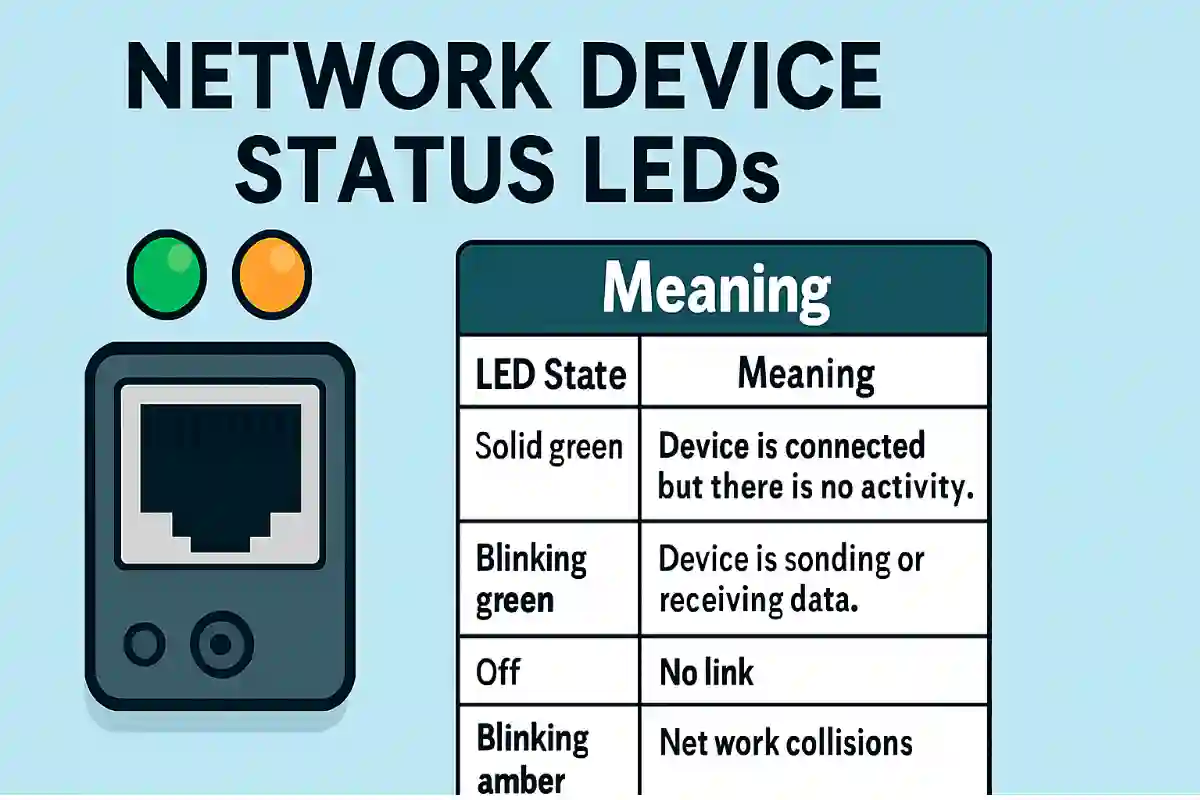
Introduction to Status LEDs of Ethernet and Network Devices
Device status LEDs are essential tools for CCNA and CCNP students, offering quick visual cues to diagnose network issues. These indicators on NICs, hubs, routers, and switches help troubleshoot connectivity, performance, and faults efficiently. This article explores common LED meanings, Cisco-specific indicators, and practical tips to master network monitoring for certification and real-world success. Ethernet...

How to Assign an IP Address to Windows Computer
Assigning IP addresses to host computers and network devices is a critical skill for CCNA and CCNP students, ensuring efficient network communication and management. This article explores two primary methods—static and dynamic IP assignment—providing step-by-step guidance on how to assign an IP address to Windows hosts and Cisco devices. Mastering these techniques to assign an...
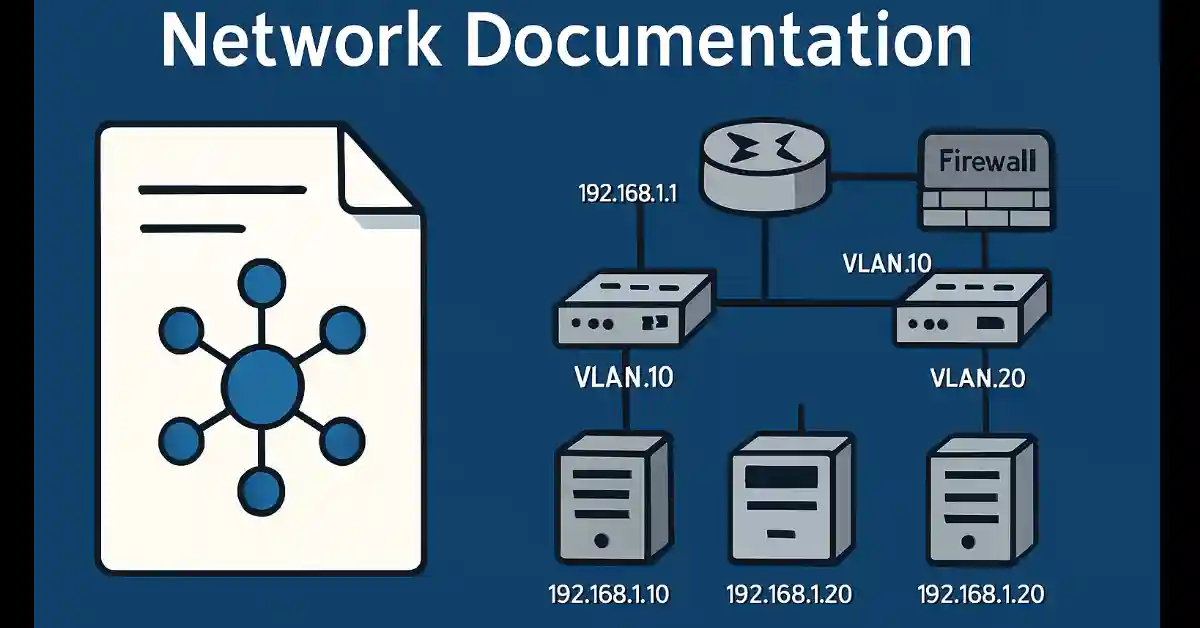
Network Documentation: The Essential Guide to Boost Network Efficiency in 2025
Network documentation is a critical skill for CCNA and CCNP students, serving as the backbone of efficient network management and troubleshooting. Comprehensive documentation ensures quick recovery from failures, simplifies upgrades, and supports compliance with industry standards. This article explores the essential components of network documentation, including topology diagrams, server details, and backup procedures, providing practical...

Cisco Router Forwarding Mechanism Briefly Explained
Understanding Cisco Router Forwarding Mechanism is a cornerstone of networking for CCNA and CCNP students. Routers, the backbone of network connectivity, rely on efficient packet-forwarding mechanisms to direct traffic toward its destination. Cisco routers support three primary methods—Process Switching, Fast Switching, and Cisco Express Forwarding (CEF)—each with unique characteristics affecting performance, scalability, and resource usage....
What is VLAN Attacks – Brief Explanation
In the previous article, I explained how trunks work. By default, trunk ports can use all VLANs and pass traffic for multiple VLANs across the same physical link between switches. The VLAN simplifies network administration and maintenance. It also improves the performance of the network, but it has some backhaul for hackers which is necessary...
What are Trunk Links? Common Problem and Troubleshooting
Trunk links are a common problem that mostly occurs due to incorrect configurations. Troubleshooting trunk links problems is a common task in networking. If a problem with a trunk is found and the cause is unknown, first, check the trunks for a native VLAN mismatch. If the native VLAN is correct, then check for trunk...
Dynamic Trunking Protocol (DTP) Explained
The Dynamic Trunking Protocol (DTP) is a Cisco proprietary protocol used to negotiate trunking between Cisco switches. For CCNA and CCNP students, understanding DTP is crucial for configuring and troubleshooting VLAN trunk links in enterprise networks. DTP simplifies the process of establishing trunk connections by automatically negotiating whether a link should operate in trunk or...
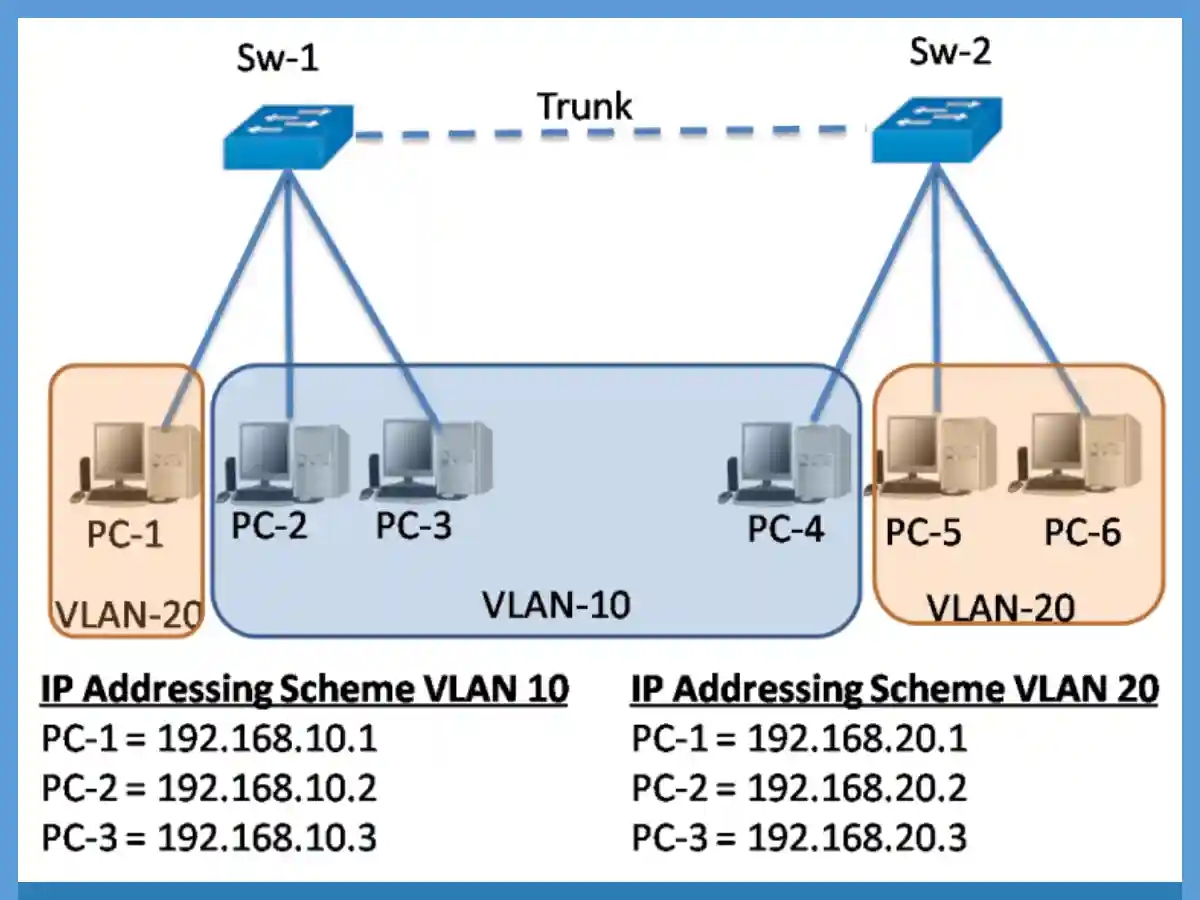
Master SVI and VLAN Addressing Issues (Updated 2025)
Each VLAN in the network requires a unique IP subnet because two devices in the same VLAN with different subnet addresses cannot communicate. This is a common problem during VLAN configuration, and we can solve it by identifying the incorrect IP address configuration and changing the address to the correct one. For example, if you...
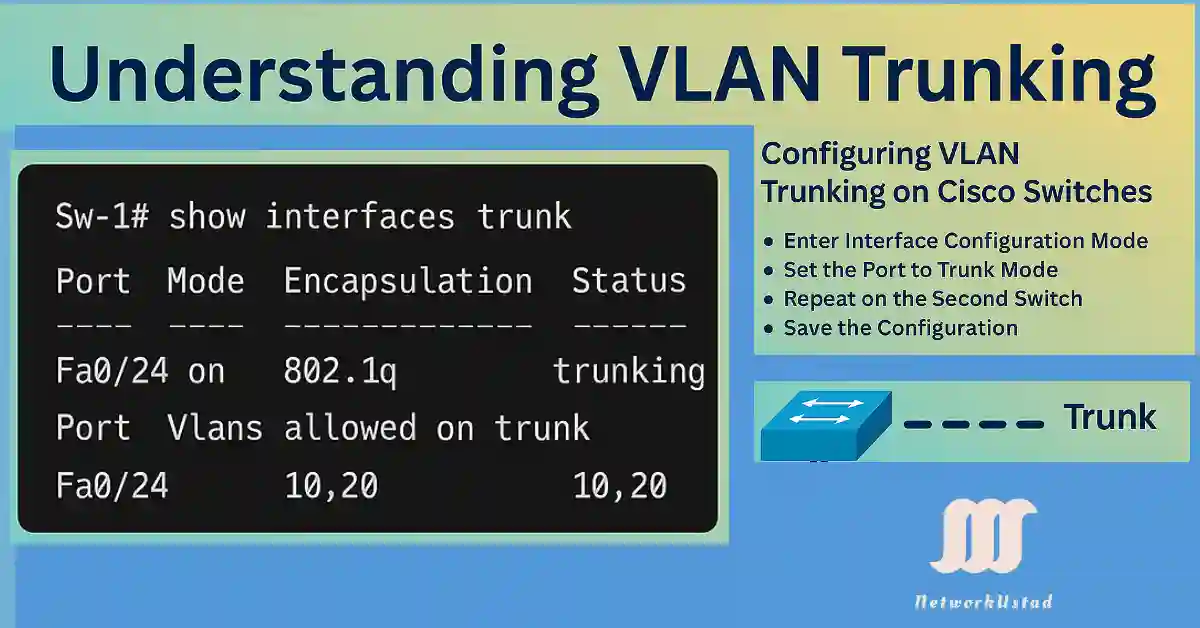
Master VLAN Trunking: Discover the Power of Seamless Networking with our 2025 Guide
VLAN trunking is a critical networking concept that allows multiple VLANs to traverse a single link between network devices, such as switches or routers. By enabling communication between devices in the same VLAN across different switches without requiring a router, trunking enhances network efficiency and scalability. For CCNA and CCNP students, understanding VLAN trunking is...
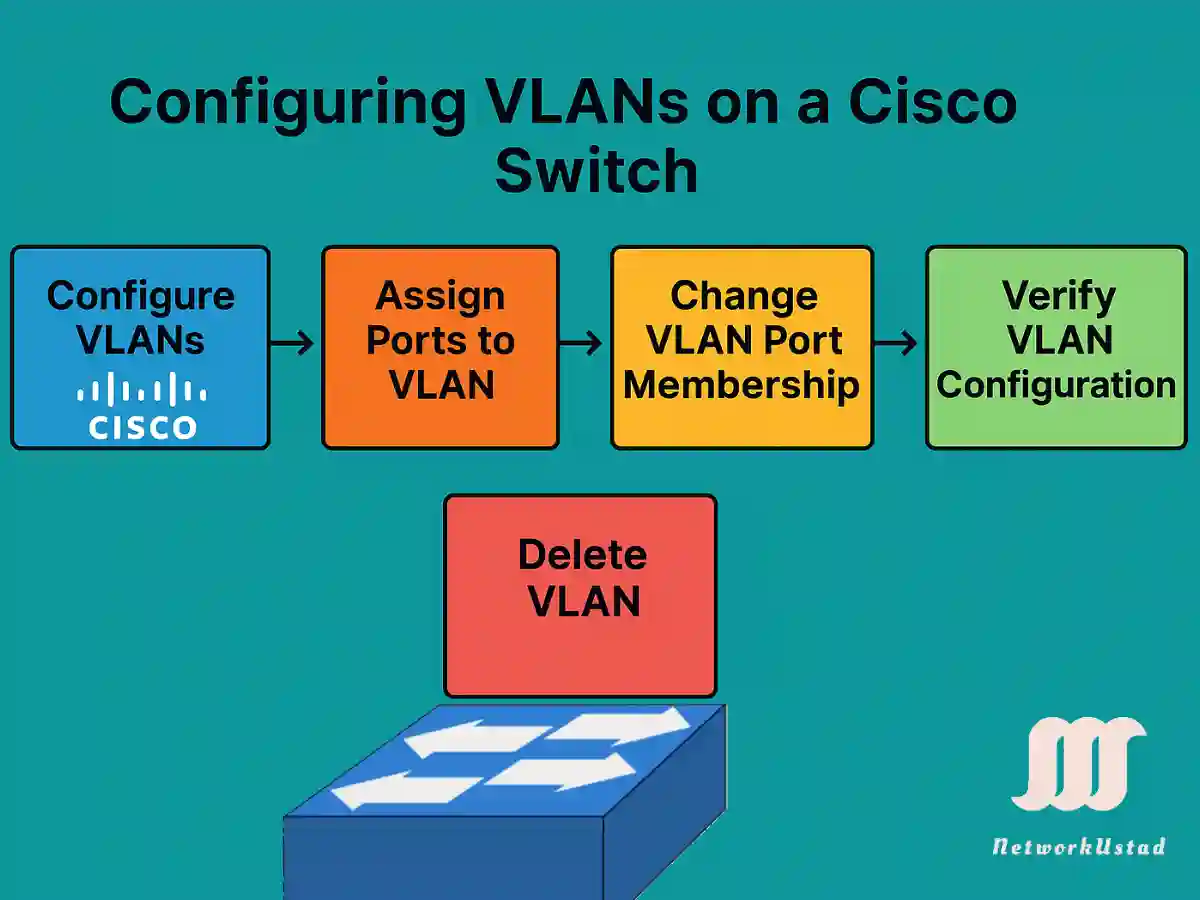
Master VLAN Configuration in Cisco Switches – Updated 2025
Virtual Local Area Networks (VLANs) are a fundamental concept in network engineering, allowing network administrators to segment a physical network into multiple logical networks. This segmentation enhances security, optimizes traffic flow, and simplifies network management. For CCNA and CCNP students, mastering VLAN configuration on Cisco switches is critical, as it forms the backbone of many...