
CCNA
Cisco Certified Network Associate certification resources
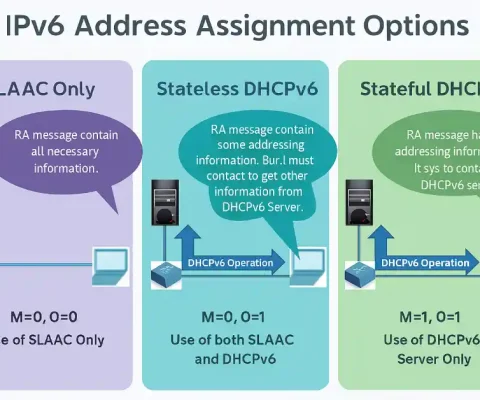
SLAAC and DHCPv6 – Exclusive Details
Remember that we already discussed the introduction of the SLAAC and DHCPv6 in Router Advertisement (RA) messages. Now, we will briefly discuss both SLAAC and DHCPv6. Recall that the router sends a Router Advertisement (RA) message. The setting of the Router Advertisement (RA) message decides whether a client can obtain its IPv6 address information automatically...
Master Troubleshooting DHCPv4 – IP Conflicts, Relay Agents & Debug Commands
Troubleshooting DHCPv4 problems is the most important topic because of the importance of DHCP services. It is the most important service for a small, medium, and large network. In this article, we will take a look at several common DHCP errors and their solutions. DHCPv4 failure occurs due to multiple reasons, such as problems in...
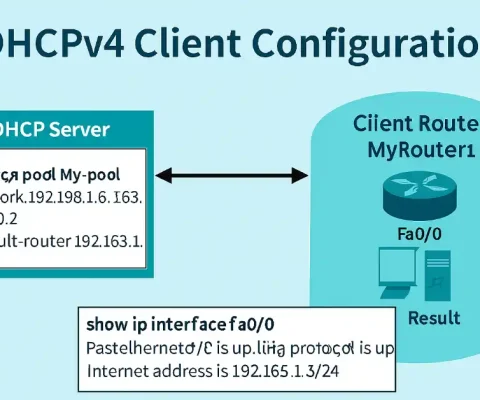
Configure Router as DHCPv4 Client: Instantly Get Dynamic IP (Updated 2025)
In some cases, we need a router to be configured as DHCPv4 clients just like a client computer. But this method is not recommended for routers in an internal network. The dynamic addressing is extremely useful for routers that connect to the Internet through an ISP. We can simply connect a router using just the...
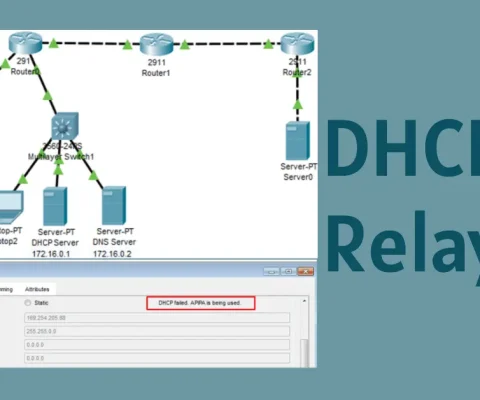
What is DHCPv4 Relay?
In enterprise networks, dedicated servers are usually used to provide DHCP, DNS, TFTP, and FTP services. The clients are not generally on the same subnet as those servers. The clients used to broadcast messages to locate the servers and get services. Now, look at the figure below. Laptop0 is attempting to acquire an IPv4 address...
Master DHCPv4 Server Configuration (Updated 2025)
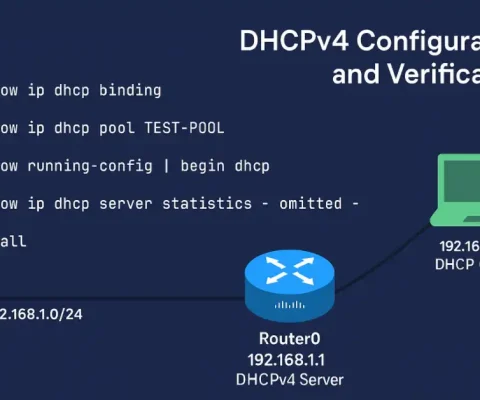
A Cisco router can be configured as a DHCPv4 server. The DHCPv4 server assigns and manages IPv4 addresses from specified address pools within the router to DHCPv4 clients. The steps for configuring the DHCPv4 server on Cisco routers are the following: Excluding IPv4 Addresses The router configured as the DHCPv4 server assigns all IPv4 addresses...
Understanding DHCPv4 Message Format
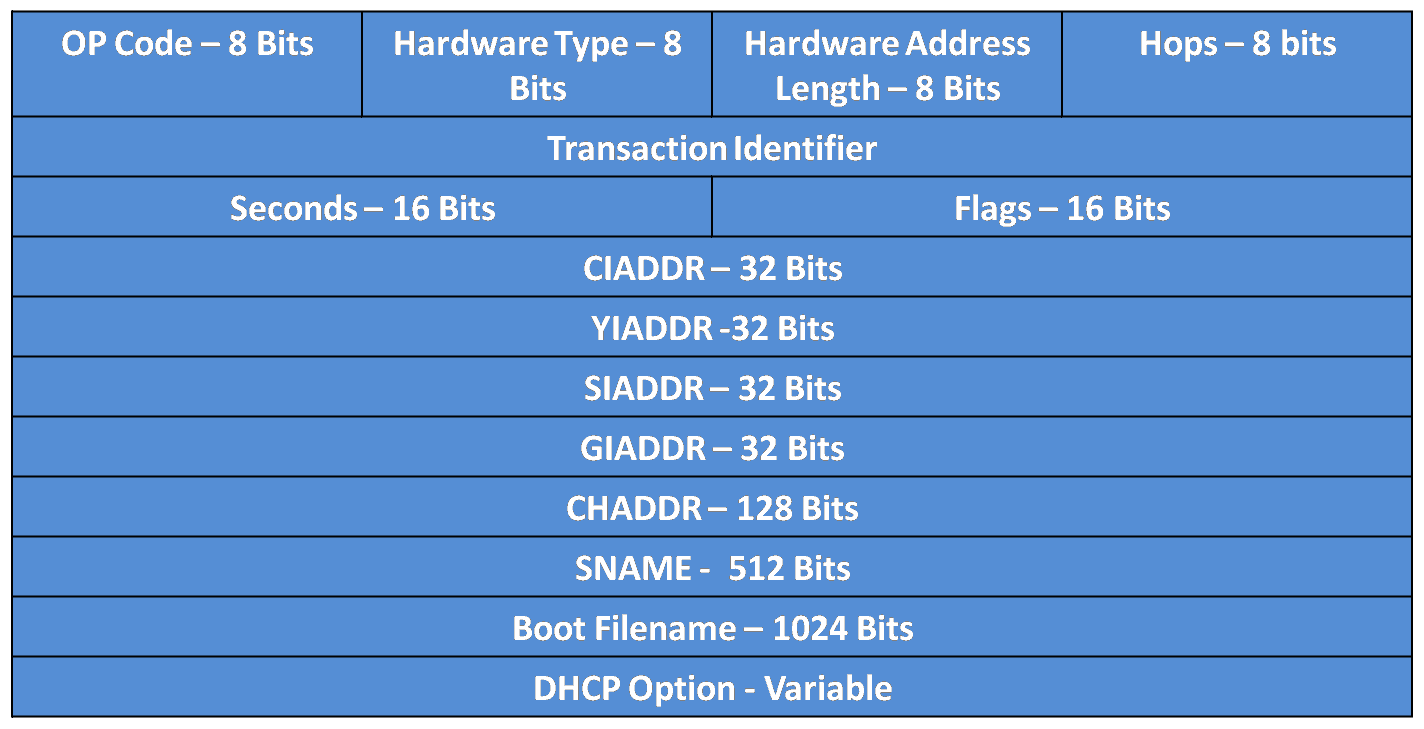
Dynamic Host Configuration Protocol version 4 (DHCPv4) is a cornerstone of IP address management in IPv4 networks, automating the assignment of IP addresses, subnet masks, default gateways, and other network parameters. Based on the Bootstrap Protocol (BOOTP), DHCPv4 uses UDP ports 67 (server) and 68 (client) to exchange messages between clients and servers. This article...
Understanding DHCPv4: A Comprehensive Guide
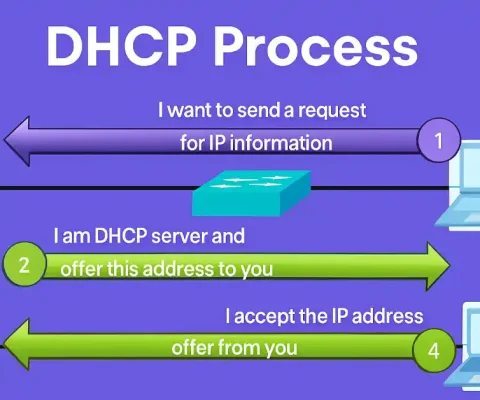
In modern networking, every device requires a unique IP address to communicate effectively. Understanding IP address management is crucial for network management. Static IP addresses are manually assigned to devices like routers, servers, and printers with fixed locations, enabling easy remote management. However, managing IP addresses for mobile or frequently changing devices is challenging, which...
Understanding IPv6 ACLs Configuration: Step-by-Step Guide
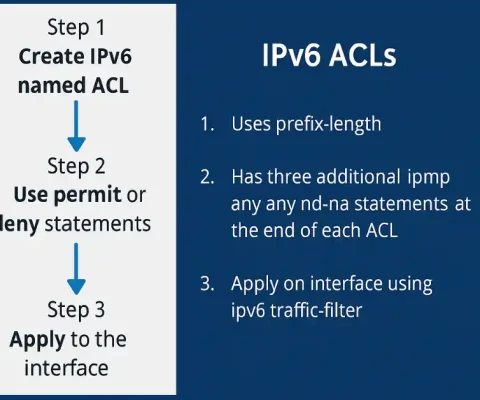
Access Control Lists (ACLs) are a fundamental component of network security, and understanding IPv6 ACLs is essential for CCNA and CCNP certification candidates. As networks transition from IPv4 to IPv6 to accommodate the growing number of devices, mastering IPv6 ACL configuration is critical for securing modern networks. This comprehensive guide explains IPv6 ACLs, compares them...
How to Troubleshoot ACL Errors
Access Control Lists (ACLs) are fundamental to network security and traffic management in Cisco environments. However, misconfigurations can lead to ACL errors, blocking legitimate traffic or allowing unauthorized access. This article explores common ACL errors with examples, focusing on troubleshooting techniques using show commands. Understanding these errors is crucial for passing certification exams and excelling...
Inbound and Outbound ACL Logic
Access Control Lists (ACLs) are a fundamental component of Cisco networking, used to filter traffic based on predefined rules. For CCNA and CCNP students, mastering ACLs is critical for securing networks and passing certification exams. ACLs allow network engineers to permit or deny packets based on criteria like source and destination IP addresses, protocols, and...