
Networking
CCNA tutorials, Cisco guides, and enterprise networking insights for IT professionals.

The Evolution of Peer-to-Peer Communication in the Digital Age
Peer-to-peer communication has changed the way people share, connect, and collaborate. It removes the need for central authorities. Users speak directly with each other. Over the past decades, peer-to-peer, or P2P, has evolved from basic data exchange to complex, real-time systems. It has shaped messaging, file sharing, online conferencing, and more. This article comprehensively and...
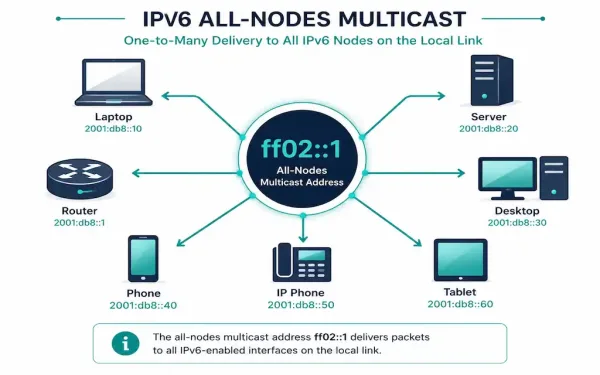
IPv6 Multicast Addresses Explained: Structure, Types, and Configuration
IPv6 has no broadcast address at all — a deliberate design change from IPv4. Everything broadcast used to handle is now done through multicast instead, which is both more efficient and more precise, since a multicast group only reaches devices that actually joined it. Understanding how IPv6 multicast addressing works isn’t optional background knowledge; it’s...
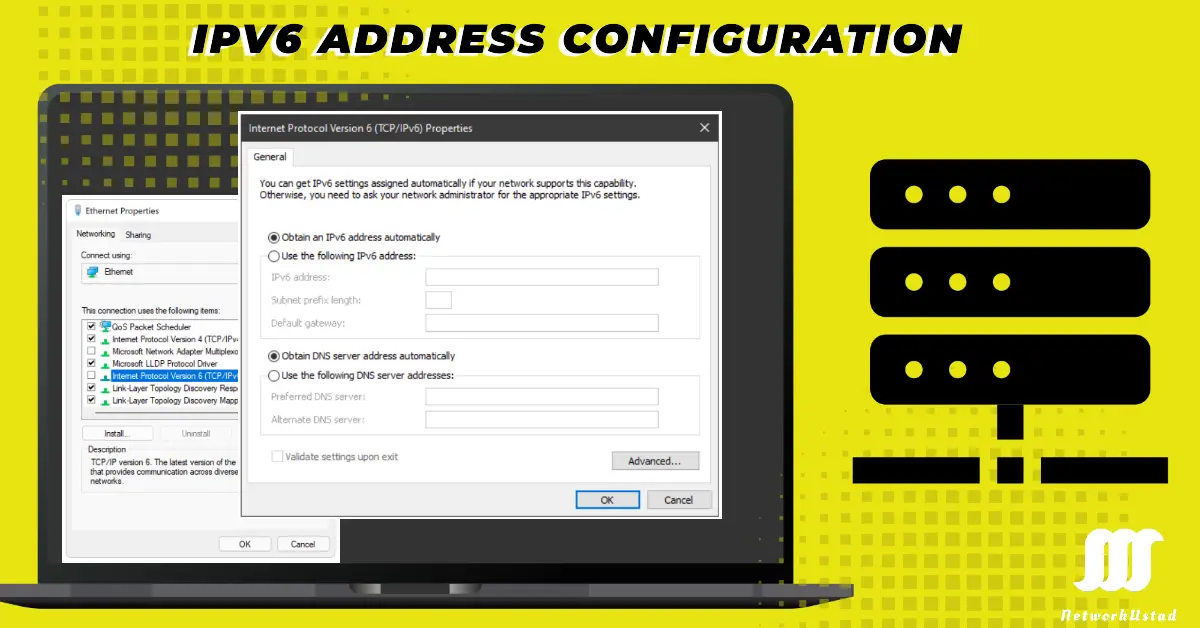
Global IPv6 Unicast Addresses Configuration
Configuring global IPv6 addresses can feel difficult, but don’t worry—you are at the right place, and we will guide you step by step. Whether you’re a beginner setting up your first IPv6 network or a pro looking to refine your skills, this guide covers everything. We’ll break down the three main methods—manual configuration, Stateless Address...
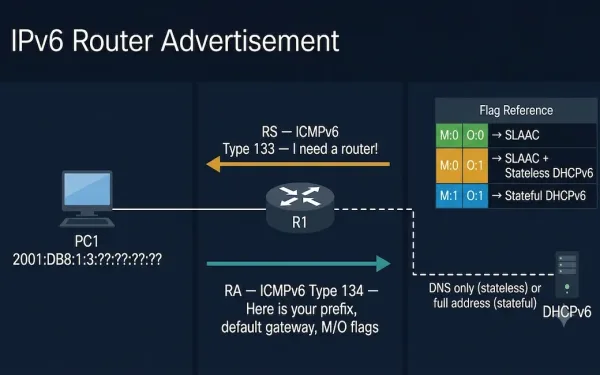
Router Advertisement (RA) Messages: IPv6 Auto-Configuration Explained
Router Advertisement (RA) messages are a cornerstone of IPv6 networking, allowing routers to broadcast their presence and share critical configuration details with devices on the network. Every IPv6 device on a LAN segment learns its addressing information, default gateway, and DNS configuration through the RA process — making RA messages the primary mechanism by which...
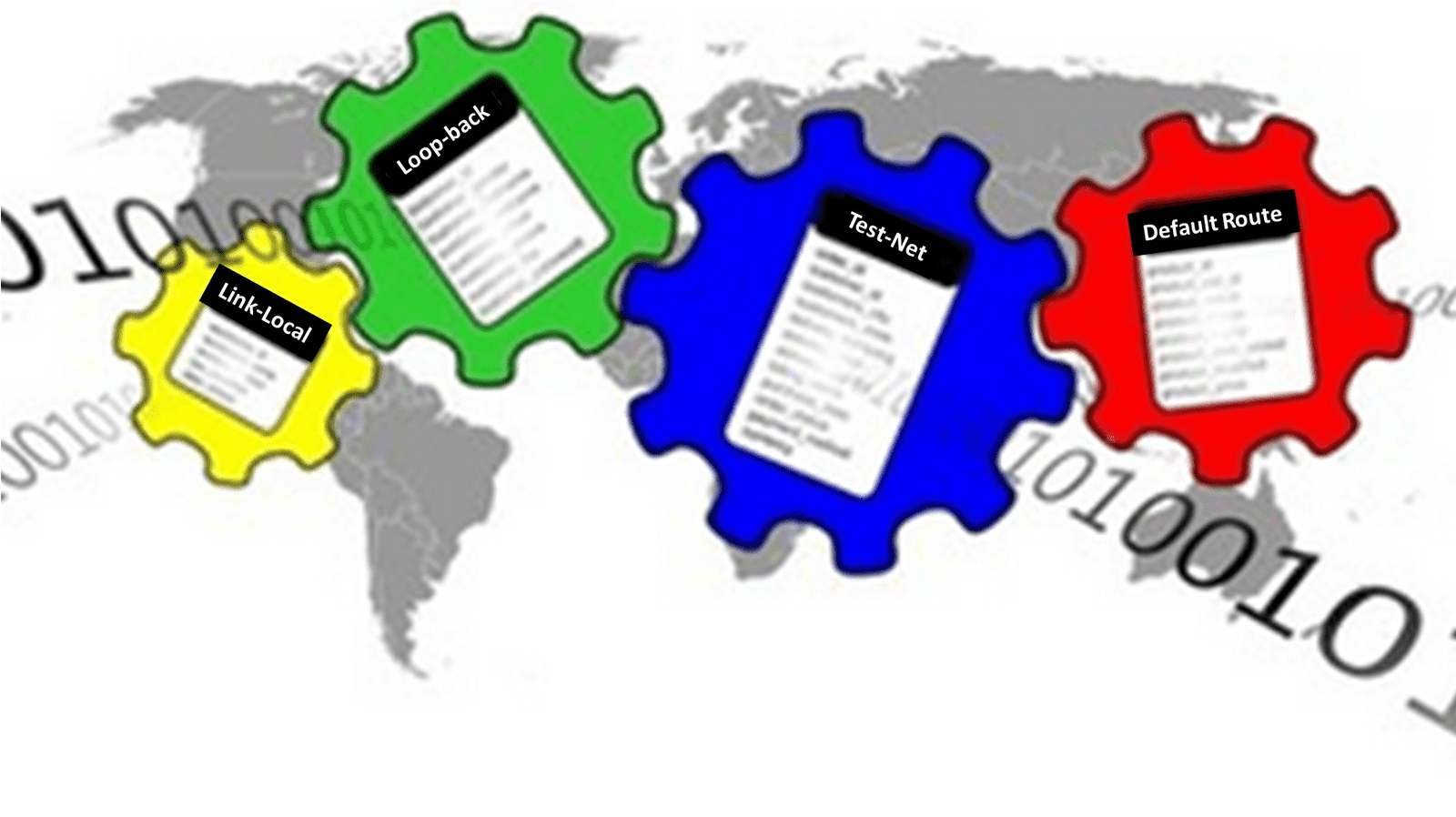
Special-Purpose IP Addresses – IPv4 and IPv6 (Updated April 2025)
IP addresses are the backbone of network communication, but not all IP addresses are created equal. Some are reserved for special purposes, serving unique roles in networking, from local testing to private networks and multicast applications. As of April 2025, with IPv6 adoption surpassing 70% of global internet traffic (per industry estimates), understanding both IPv4...
Classful vs. Classless IP Addressing: A Complete CCNA Guide
IP addressing is the foundation of every network. Every device — a laptop, a server, an IoT sensor — needs an IP address to send and receive data. But the way those addresses are organized has changed fundamentally since the early internet. The original system, classful addressing, divided the address space into rigid classes and...
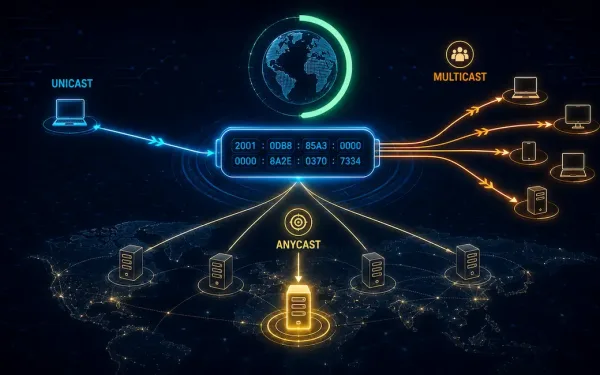
IPv6 Address Types Explained: Unicast, Multicast, and Anycast
What are the IPv6 address types? That’s the focus of this guide. Previous articles in this series covered IPv4 address classes, classless and classful addressing schemes, and special-purpose IP addresses, along with unicasting, multicasting, and broadcasting in IPv4. IPv6 addressing follows a similar conceptual split — unicast, multicast, and anycast — but with a much...
What Are Features of the Best VPN Services
VPNs—Virtual Private Network—have become crucial for protecting online privacy, anonymity, and security. There are a range of reasons to use these networks aside from safeguarding sensitive data, including bypassing geo-restrictions. Varied developers come up with different VPN types, and choosing the right server is essential. What should you look for in the best VPN services?...
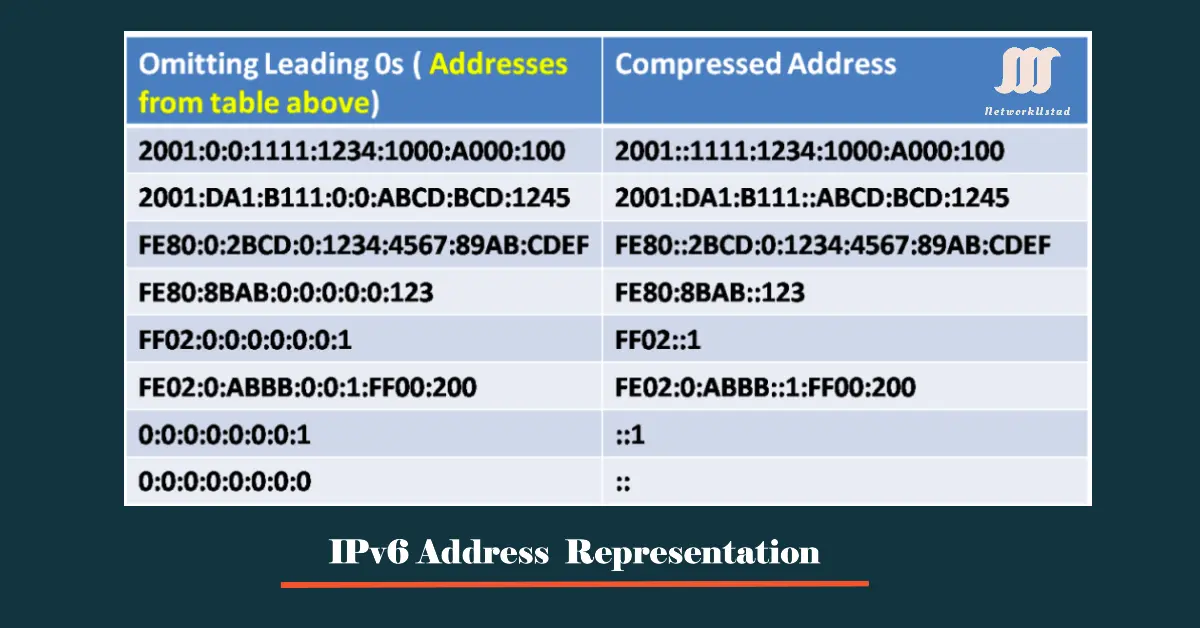
IPv6 Address Representation: Formats, Compression, and Prefix Notation
An IPv6 address is 128 bits long, written as eight groups of four hexadecimal digits separated by colons, where each group represents 16 bits. Addresses can be written in lowercase or uppercase. The preferred format is x:x:x:x:x:x:x:x, where each x is a group of four hexadecimal digits. Each such group is called a hextet —...
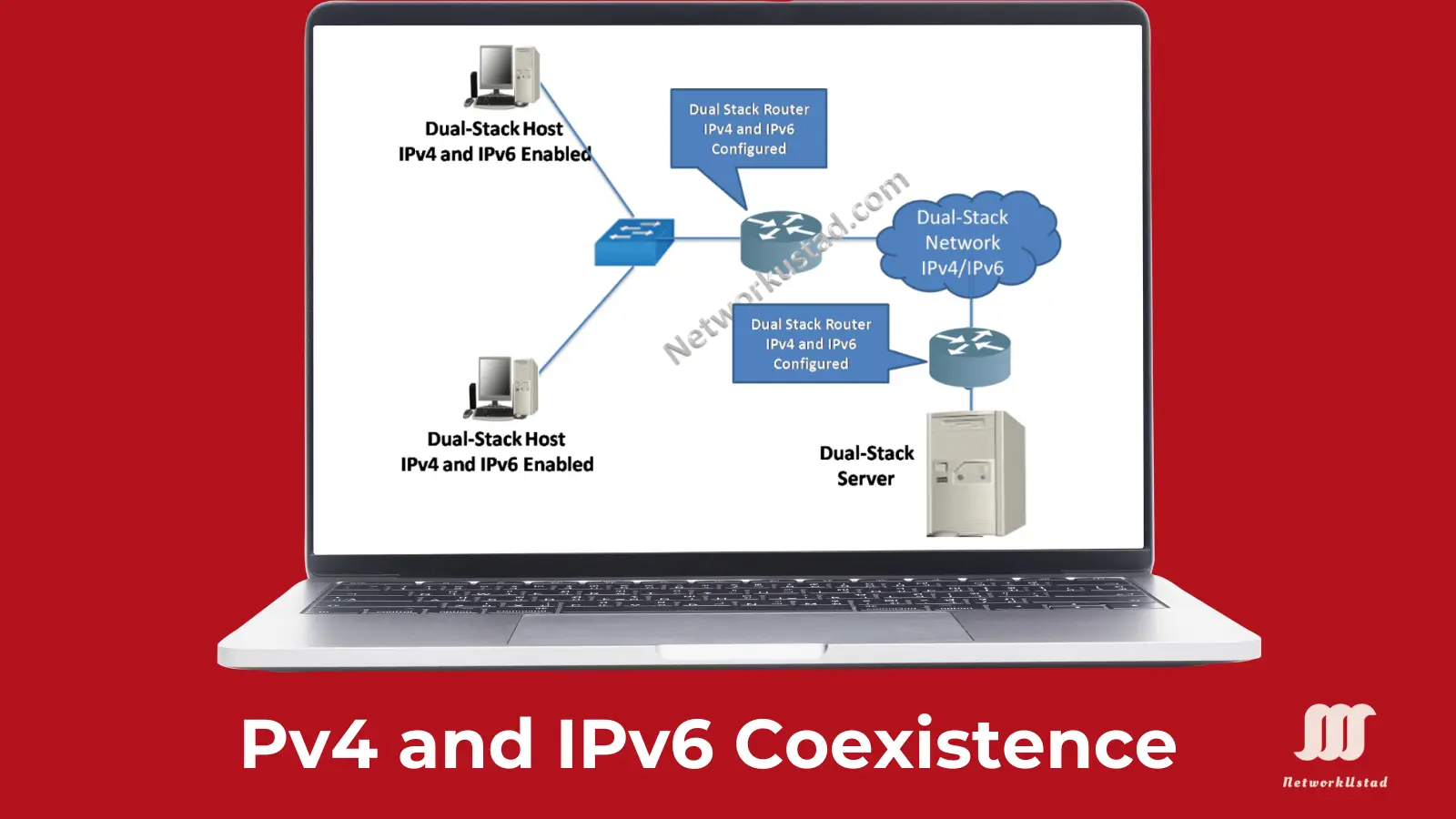
Comprehensive Guide to IPv4 and IPv6 Coexistence: Strategies, Challenges, and Future Outlook
The limited IPv4 address space is one of the main issues for network administrators, IT professionals, and businesses worldwide. So, the time frame for IPv4 to IPv6 transition is important. The main problem in the transition from IPv4 to IPv6 is the size of the Internet. The one-time migration from IPv4 to IPv6 addresses is...