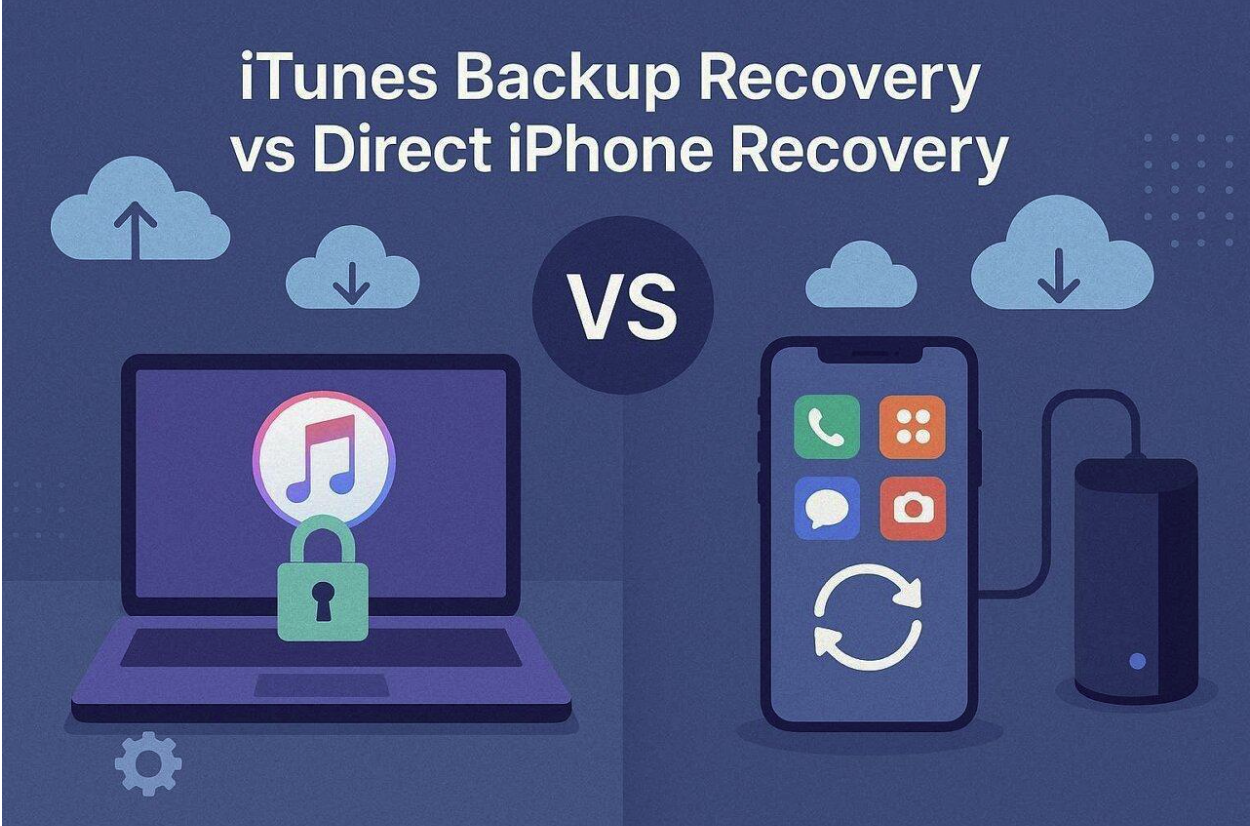
iPhone users often face confusion when choosing data recovery methods after a loss. Some situations allow direct device recovery, while others require older backup extraction. Therefore, choosing the correct method depends on device condition and data availability factors. Each recovery path offers different benefits depending on how the data was lost.
However, understanding both options reduces the likelihood of errors during recovery attempts. Some individuals also explore Dr.Fone data recovery software for recovery solutions. So, in this comparison guide, we explain when to use device scanning or backup recovery.
Part 1. When Direct iPhone Data Recovery Is the Most Effective Option
Direct scanning is the primary solution when the mobile hardware remains functional. This method is used when a data loss event happened very recently. Still, success depends on whether new data has overwritten the space used by files. Yet, individuals should stop using their mobiles to preserve the existing storage state. Using a direct connection allows the software to communicate with the device database.
It can then identify records that the system has marked for future deletion. This method applies when devices have not synchronized data with cloud services. Alongside that, it enables file recovery without requiring any previously created backup files. However, the smartphone must stay powered on and connected throughout the entire process.
Part 2. When iTunes Backup Recovery Works Best for Restoring Lost iPhone Data
iTunes backup recovery is used when device-based scanning cannot restore lost data. It works by extracting information stored in previous iPhone backup files. Many users depend on this method when files are no longer on device storage. This approach allows recovery of data even after permanent deletion from device memory. it is used in scenarios involving how to recover deleted photos from iPhone.
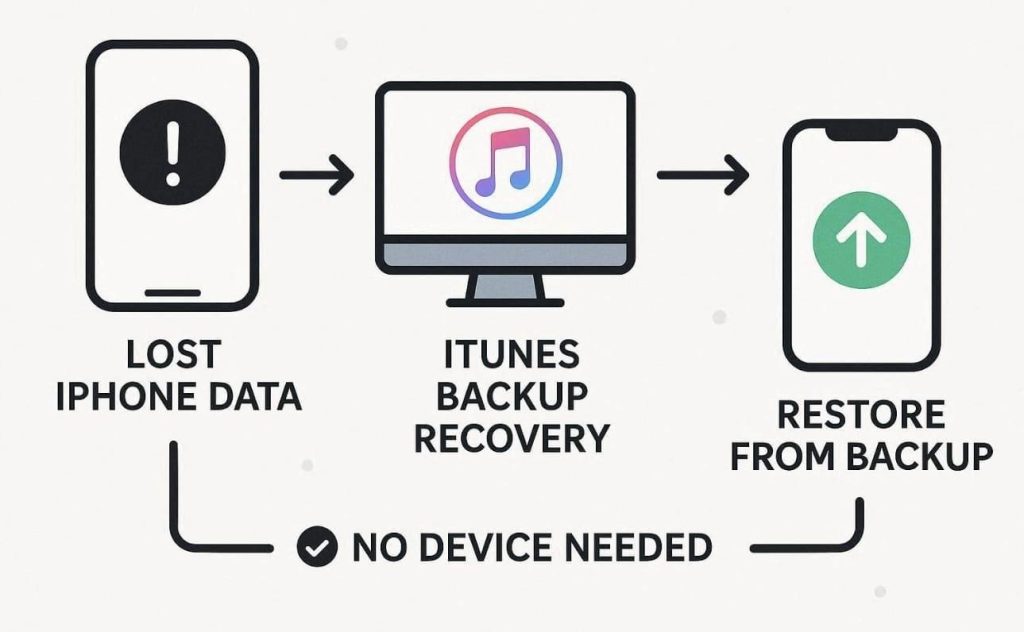
Apart from that, users choose this method when their phone is damaged or unresponsive. In such cases, backups become the commonly used source for missing information recovery. The process does not require the phone to be in working condition. Instead, backup files stored on a computer or iTunes account are accessed. it is a viable option when direct recovery is no longer possible.
Part 3. Key Differences Between iPhone Device Recovery and iTunes Backup Recovery
Choosing between recovery methods depends on device condition and data loss type. Each approach offers different results based on storage access and backup availability. Here, many users consider data recovery software when comparing both recovery options. The table below explains the key differences between device recovery and iTunes recovery:
| Feature | Device Recovery | iTunes Backup Recovery |
|---|---|---|
| Data Source | Directly from iPhone internal storage | From saved iTunes backup files |
| Device Requirement | Requires a working and accessible device | Works without connecting the device |
| Recovery Speed | Generally faster scanning and recovery process | Slower due to backup extraction steps |
| Data Availability | Limited to recoverable deleted files | Includes older stored backup data |
| Risk Level | Slight risk of overwriting live data | Safer, as it uses stored backups |
| Usage Condition | Appropriate for recent data loss cases | Right for older or lost-device cases |
Part 4. Which Recovery Method Is Best for Messages, Photos, and App Data
Different types of digital files require specific methods for a successful restoration. Some items are easier to find in backups, while others remain in storage. choosing an iPhone data recovery software depends on which files are missing. So, the given points explain which method works well for each common data category:
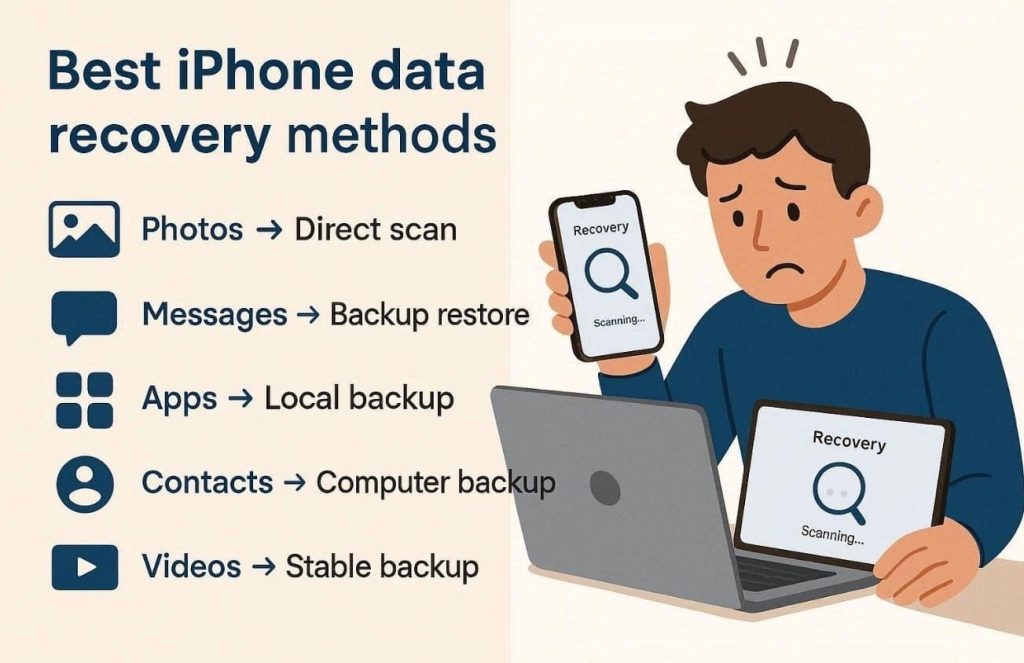
Deleted Photos: Direct scanning is commonly used to locate recently erased image files. This method looks for hidden file fragments before they are overwritten by others.
Message History: Backup extraction is typically used to retrieve long chat histories. It provides a full database of previous chat records from a specific time.
Social Apps: Most app data is recovered through local backup files, iCloud sources, or direct device scanning, depending on how the app stores information. WhatsApp is a common example because users may lose chats, photos, voice notes, videos, documents, or attachments after accidental deletion, app crashes, device changes, or failed restore attempts. For WhatsApp-specific cases, users can check a dedicated iPhone WhatsApp recovery workflow before choosing between direct iPhone recovery, iCloud recovery, or iTunes backup extraction.
Contact Lists: Restoring phone numbers is faster when using a recent local backup. This ensures that every name and number is returned to its correct place.
Large Videos: HD video files are commonly recovered from a stable and existing backup. Scanning for large video fragments can often be difficult for direct device tools.
Part 5. How Recovery Software Helps Users Choose the Right Path
The selection of suitable iPhone data recovery software provides a functional option. These tools support multiple recovery paths for accessing various data sources. They often allow for the simultaneous scanning of internal storage and external backups. Such an approach helps users identify the recovery method available.
Technical software often includes a preview feature to verify content before recovery. This allows users to select and recover only the required files for specific scenarios. having access to various sources protects against a single method failure. If a physical connection is impossible, the utility pivots toward extracting digital archives.
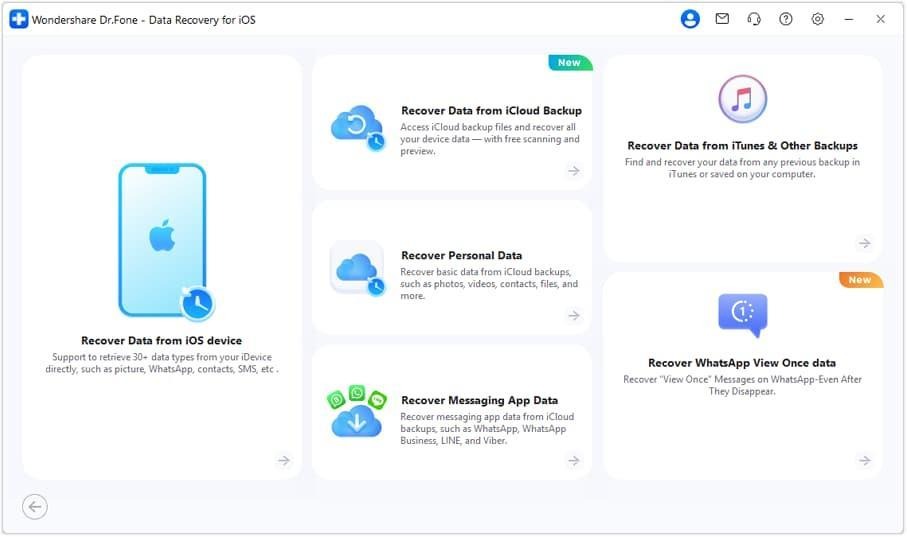
For example, when users need to recover deleted WhatsApp data from an iPhone, recovery software can guide them through different available sources instead of forcing a full-device restore. The following steps explain how a structured WhatsApp recovery process usually works:
Step 1: Stop using the iPhone immediately.
After WhatsApp messages or media are deleted, users should avoid sending new messages, downloading files, recording videos, or installing apps. This helps reduce the chance that recoverable data fragments will be overwritten.
Step 2: Install and open Dr.Fone – Data Recovery (iOS).
Launch the recovery software on a computer and connect the iPhone or iPad with a USB cable. The device should remain connected during the scanning process.
Step 3: Choose the WhatsApp recovery path.
Select the option related to WhatsApp data recovery. If the deleted chats were recently lost and the device still works, direct iPhone scanning can be considered first. If the data is no longer available on the device, users can choose iCloud, iTunes, or local backup recovery based on where the older WhatsApp data may still exist.
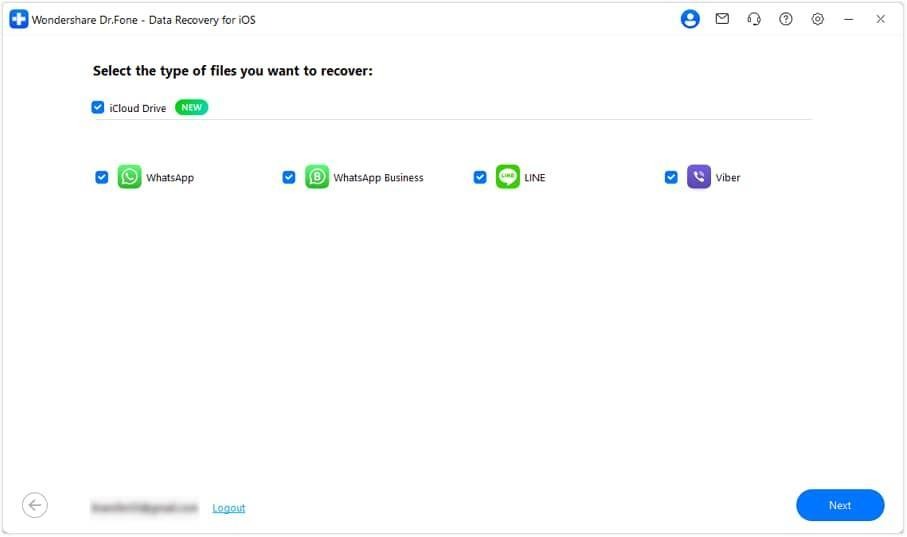
Step 4: Scan the selected source.
Let the software scan the iPhone, iCloud source, or iTunes/local backup file. For encrypted iTunes backups, users may need to enter the backup password before the software can access the stored WhatsApp database.
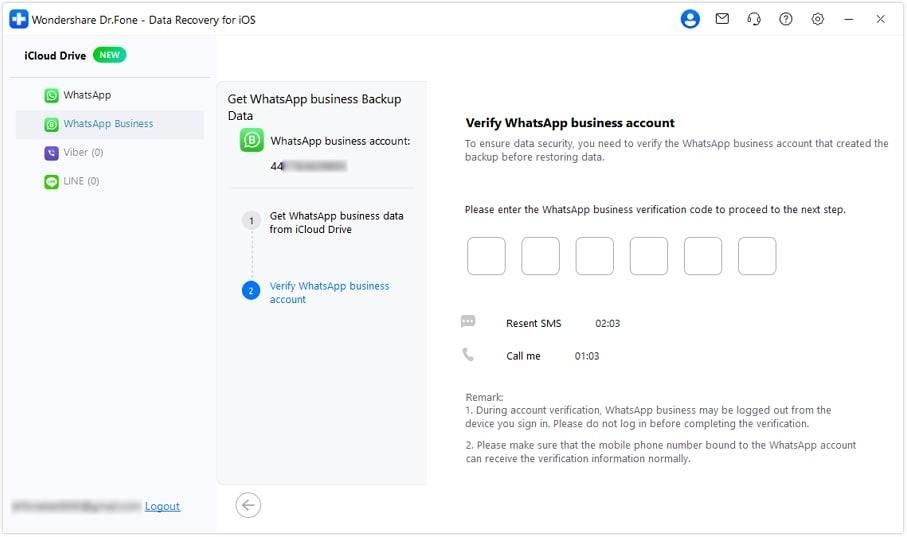
Step 5: Preview WhatsApp chats and media.
After scanning, users can review recoverable WhatsApp messages, photos, videos, documents, voice notes, and attachments. Previewing results helps confirm whether the missing data is available before recovery.
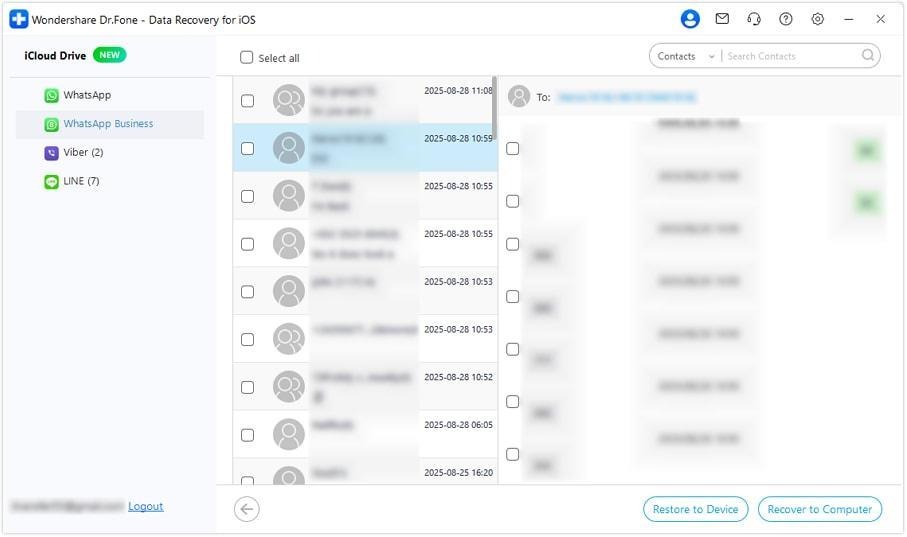
Step 6: Select and recover only the needed data.
Choose the specific WhatsApp conversations or files to recover. This selective recovery approach is safer than restoring an entire backup because users do not need to replace all current iPhone data just to retrieve a few missing chats or media files.
Conclusion
recovery outcomes come from matching the chosen method to the scenario. Readers must evaluate if the device is functional or if backups exist elsewhere. One option for managing these technical choices is Dr.Fone data recovery software. This utility enables scanning internal storage or extracting previously saved backup file archives. For WhatsApp-specific losses, users can also follow a dedicated iPhone WhatsApp recovery path to preview and recover selected chats, media, and attachments without relying on a full-device restore. Following these technical steps supports a structured recovery process across different mobile scenarios.