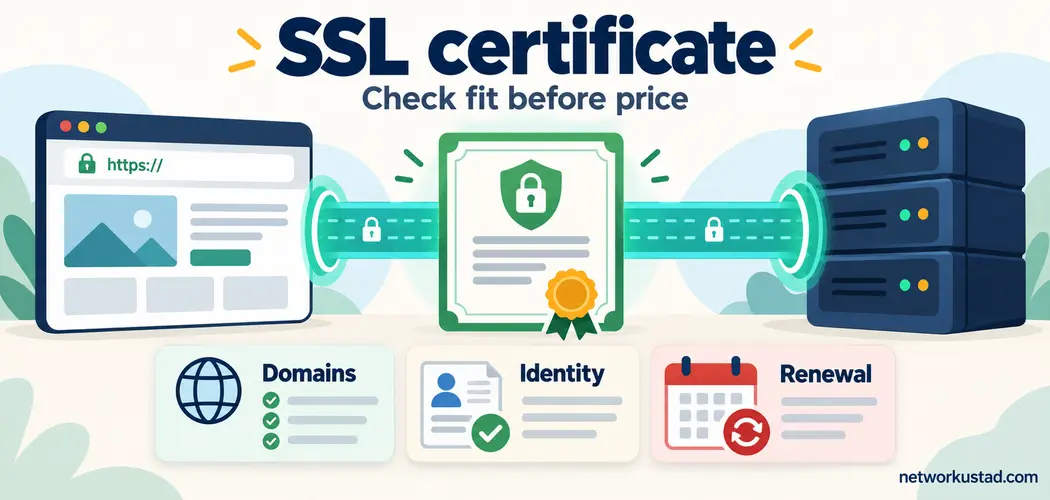
Buying an SSL certificate is not simply a choice between a cheap product and an expensive one. You are choosing how a website will prove its identity to browsers, which names the certificate will cover, and who will keep it working after installation. A purchase that ignores those details can leave a site with browser warnings even when the certificate itself is valid.
Start with your hosting setup and operational needs. A small publishing site may already have everything it needs through managed HTTPS. A business with several public services may need a documented approval process, organization validation, and support across multiple systems. Neither situation is solved by choosing the most impressive badge on a sales page.
This guide explains what an SSL certificate does, when paying makes sense, and which questions to settle before you order. The aim is a working HTTPS service with reliable renewal, rather than an unnecessary subscription.
What an SSL certificate actually does
The familiar product name persists, but modern HTTPS uses Transport Layer Security, or TLS. Older SSL protocols are obsolete. A website certificate binds a public key to the domain names listed in the certificate, within the trust framework used by the connecting browser or application.
During a typical certificate-authenticated TLS connection, the client checks the server’s certificate and the server proves possession of the corresponding private key. The connection also negotiates cryptographic settings and establishes keys for protecting traffic. The certificate is not a document that independently encrypts every page, and its purchase price does not determine the strength of the negotiated connection. MDN’s TLS overview explains the relationship between authentication and encrypted transport.
Transport protection also has limits. HTTPS does not establish that a merchant is honest, eliminate phishing, or remove vulnerabilities in a website’s software. Chromium specifically warns against treating a connection-security symbol as a guarantee of website trustworthiness in its explanation of the browser’s lock-icon changes .
Do you need to pay for an SSL certificate?
Check your hosting control panel before buying anything. Managed hosting, a website platform, or a content delivery network may already provide certificates and handle their renewal. Ask what is included, which hostnames are covered, and whether the protection extends from the delivery network to the origin server.
Let’s Encrypt offers domain-validated certificates without a certificate fee . That makes free issuance a practical option for many blogs, information sites, and online businesses. Installation, monitoring, hosting, and technical assistance can still involve costs. Free issuance does not mean every associated service must also be free.
A paid SSL certificate can be worthwhile when the purchase includes something you actually need: verified organization information, compatible automation, procurement documentation, a particular support arrangement, or assistance with a complex deployment. Compare the service being supplied rather than assuming that a larger bill means stronger encryption.
Before accepting a sales recommendation, ask the supplier to identify the exact requirement that a managed free option cannot meet. A clear answer might justify the expense. A vague promise of better trust, without a measurable feature or contractual obligation, is not enough.
Separate identity validation from encryption
Certificate validation describes what the issuing certificate authority checks. It is a different question from which domain names are included or how TLS is configured on your server.
| Validation type | What it establishes | What to decide before ordering |
|---|---|---|
| Domain Validation (DV) | Control or authorization over the requested domain names. | Whether domain validation meets your application’s and organization’s requirements. |
| Organization Validation (OV) | Domain authorization plus checks of organization identity. | Whether verified organization information is required by your policy or customer arrangements. |
| Extended Validation (EV) | Additional identity verification under the applicable EV requirements. | Whether those checks satisfy a documented need rather than a marketing preference. |
The OWASP TLS guidance distinguishes these validation types. None of them is a substitute for secure server configuration. Do not buy an SSL certificate on the assumption that EV will restore an old green address bar or produce a special browser endorsement of the business.
If you need a wider explanation of certificates and organizational trust, NetworkUstad’s discussion of PKI for business partners provides related background. Keep public website authentication and private partner-access requirements separate when defining your project.
List the names your SSL certificate must cover
Write down the actual hostnames people and applications will use. For
example, example.com, www.example.com, and
shop.example.com are distinct names. A successful redirect
does not excuse a missing name: a browser visiting an HTTPS address needs
a valid TLS connection before it can receive the redirect.
A single-name certificate is suitable when its listed name matches the
service you are protecting. A multi-domain certificate can contain
several names in its Subject Alternative Name extension. A wildcard such
as *.example.com generally covers one label beneath that
domain, such as shop.example.com; it does not, by itself,
cover example.com or checkout.shop.example.com.
Check the issued name list rather than relying on a product label.
An SSL certificate that covers more names is not automatically the better choice. Sharing one certificate and private key across unrelated services can increase the consequences of a compromise. Separate certificates may make ownership, access control, and incident response easier.
Include the people who manage DNS in this decision. NetworkUstad’s Domain Name System guide explains the naming infrastructure involved. DNS access becomes especially important when your validation method requires adding records.

Understand the current validity limits
As of October 2026, the CA/Browser Forum’s requirements set the following maximum validity periods for newly issued publicly trusted TLS server certificates. These limits are based on issuance date, not the length of a subscription or purchasing agreement.
| Issued on or after | Issued before | Maximum validity |
|---|---|---|
| 15 March 2026 | 15 March 2027 | 200 days |
| 15 March 2027 | 15 March 2029 | 100 days |
| 15 March 2029 | No end date specified in this schedule | 47 days |
These are upper limits, not promised product durations. A provider may issue an SSL certificate for a shorter period. A multi-year service contract therefore involves replacement certificates over time, not one publicly trusted certificate valid for the entire contract. Consult the current baseline requirements, section 6.3.2 , when reviewing a quotation. Private internal certificate systems have separate policies.
Make automated renewal a buying requirement
Renewal is not complete when a new certificate appears in an account dashboard. The new certificate must also reach the right server, load balancer, or delivery platform and become the one clients receive. A process that issues successfully but fails during deployment can still cause an outage.
Ask whether the provider supports ACME, a protocol commonly used to automate certificate management, or another supported integration that fits your environment. Then establish who operates it. A hosting company may handle everything; a self-managed server may require you to maintain the client, credentials, scheduling, and deployment hooks.
The Certbot renewal documentation describes renewal testing and deployment hooks. Where Certbot is your chosen client, a dry run can help test the renewal path. Follow the documentation for the installed version and relevant plugins rather than copying commands intended for a different system.
Keep independent expiry monitoring as well. The person receiving alerts should have authority to fix the service, and there should be a backup contact. Recheck automation after a hosting migration, DNS-provider change, account-permission change, or replacement of a server image. Your SSL certificate renewal plan should survive ordinary maintenance, not just the first installation.
Confirm that validation works with your hosting
The certificate authority needs an approved way to establish domain authorization. Automated systems commonly use HTTP or DNS challenges, but the available methods and operational requirements depend on the issuer and client.
For Let’s Encrypt, HTTP-01 uses a challenge file reachable through HTTP on port 80, while DNS-01 uses a DNS TXT record and supports wildcard issuance. Its challenge-type documentation explains the relevant restrictions and tradeoffs. A CDN, firewall, unusual routing rule, or inaccessible challenge directory can prevent the expected response from reaching validators.
If you use DNS automation, prefer narrowly scoped credentials instead of giving a renewal service unrestricted access to every domain in your account. Identify who can replace those credentials if they expire or are revoked. An SSL certificate setup that depends on one person’s inaccessible account is an avoidable operational risk.

Protect the private key and understand termination
The private key is sensitive material. It should be generated, stored, and used within an appropriately controlled system. Do not send it through ordinary email or place it in a public repository. Establish which administrators, automation services, and hosting providers can access it, and how a suspected compromise will be handled.
Also identify where TLS terminates. A browser may connect to a CDN, which then makes a separate connection to your origin. Protecting the browser-facing connection does not automatically secure the second connection. Ask what validates the origin and whether authenticated encryption is enforced on that leg.
The network connection and TLS negotiation are related but distinct. For background on conventional TCP connection establishment, see NetworkUstad’s TCP three-way handshake guide . Do not confuse a successful TCP connection with successful certificate validation or a completed TLS session.
Compare the service contract, not just the sticker price
Request a written description of what the SSL certificate purchase includes. Separate issuance charges from installation, managed renewal, additional names, support, replacement, and emergency assistance. A low advertised price can become less attractive if routine tasks require paid intervention.
Check the renewal price and billing interval. A discount for an initial term is not the same thing as a stable long-term operating cost. Ask whether adding a hostname triggers a new order, whether moving to another hosting provider is supported, and how cancellation affects certificates already deployed.
Evaluate support with a realistic question: if renewal fails outside normal office hours, who investigates, and what response is actually promised? A service-level commitment should describe the obligation clearly. An attractive badge does not answer that question.
If a product includes a warranty, read its scope, exclusions, eligible claimant, and claim conditions. Do not treat a headline warranty amount as automatic reimbursement for every attack or business interruption. The buying decision should be based on features you can use and obligations you can verify.
Test the deployment before declaring success
After installation, inspect the live service from outside your hosting
environment. Confirm the expected hostname, certificate chain, validity
dates, and certificate actually presented. Test the apex domain, the
www version, and other relevant services separately.
Look beyond the certificate. An HTTPS page can still request insecure resources. MDN’s mixed-content guidance explains why these requests can weaken protection or be blocked by browsers. Check theme assets, embedded media, scripts, and links generated by older plugins.
Set up appropriate HTTP-to-HTTPS redirects. Consider HSTS only after confirming the intended HTTPS coverage and understanding the effects on subdomains and future access. The HSTS documentation explains those implications. An SSL certificate is one component of the deployment; reliable configuration and maintenance complete the job.
SSL certificate buying checklist
- Existing coverage: confirm whether hosting or your delivery platform already supplies managed certificates.
- Names: document every hostname and verify the requested certificate’s actual coverage.
- Identity: choose DV, OV, or EV against a documented requirement.
- Compatibility: confirm support for the relevant server, clients, and automation.
- Renewal: name the owner of issuance, deployment, testing, and monitoring.
- Access: protect private keys and limit DNS automation credentials.
- Costs: compare the full service term, renewal pricing, and support obligations.
- Recovery: document how to replace a certificate and key after an incident.
For a typical small publishing website, start by checking a managed DV option on the existing host. For a multi-service business, start with an inventory and ownership plan. Those are starting points for evaluation, not universal product recommendations. A suitable SSL certificate arrangement is the one that meets your requirements and can be operated reliably by the people responsible for it.
Frequently asked questions about an SSL certificate
Can a free certificate protect an online store?
Yes, a properly deployed, browser-trusted DV certificate can support HTTPS on an online store. Paying more is not itself a cryptographic upgrade. The store still needs secure application software, appropriate payment handling, account protection, and reliable certificate renewal. Check any contractual requirements separately before selecting a validation type or provider.
Does a wildcard include the main domain?
The wildcard name *.example.com does not by itself cover
example.com. A certificate may include both names, but you
must verify that they are actually listed. Also check deeper names:
a certificate for that wildcard does not automatically cover
checkout.shop.example.com. Write down the intended names
before placing the order.
Can one SSL certificate last for several years?
A multi-year subscription is different from an individual certificate’s validity. Under the current public TLS schedule, newly issued certificates have substantially shorter maximum lifetimes. A long contract therefore needs repeated issuance and deployment. Ask how that replacement process works and whether it is included in the quoted service.
Does a certificate prove a website is trustworthy?
No. A valid certificate and a protected connection do not guarantee honest business practices or safe website content. Check the domain carefully and assess the organization and transaction separately. An SSL certificate supports connection authentication; it cannot replace judgment about the party operating the website.
What should I do after a private-key leak?
Treat it as an incident. Identify the affected deployments, arrange replacement using a new key, and follow the issuer’s revocation process for the compromised certificate. Remove the exposure and investigate how it happened. Simply renewing with the same exposed key does not address the underlying problem.
Why does a browser still show a warning after installation?
Possible causes include a hostname mismatch, an expired certificate, a missing intermediate certificate, or a deployment serving the wrong certificate. Check the exact warning and the certificate presented by the affected address. Buying another product without identifying the cause may leave the same configuration problem in place.
Choose the arrangement you can maintain
Before you buy an SSL certificate, settle domain coverage, identity requirements, hosting compatibility, and renewal ownership. Then compare the services that meet those needs. Free issuance may be entirely sufficient; a paid arrangement should earn its place through specific capabilities or support.
The best purchase is not the most elaborate badge. It is a certificate deployment that browsers can validate, administrators can renew, and your team can recover when something changes.