When a new Tamil film comes out, the quickest way to find a legitimate copy is to start with the film’s exact title and year. Check whether it’s still in cinemas, whether a distributor has announced a streaming date, and what your local streaming app actually offers. A film may be included with a subscription in one country and available only as a rental in another. It may also be missing from both catalogs until a local release is arranged.
If you want to watch on a train or flight, check for a download option before you pay. Streaming availability and offline availability are separate questions. The service, plan, device, and film can all affect what you can save and how long you have to watch it.
How to Watch Tamil Movies Legally in Your Country
Start with the exact film. Search for the title alongside its release year or a lead actor’s name. Tamil films are often listed in both Tamil script and Latin transliteration, so try both spellings when a search turns up nothing. Compare the poster, cast, and running time before paying. A remake, an older film with a similar title, and a dubbed edition can all appear in the same results.
Check the production company’s or distributor’s official channels for release information. A theatrical release announcement usually tells you when the film reaches cinemas. A separate streaming announcement may name the service, date, region, and available languages. If a post names a platform without saying where it will carry the film, open the title in that platform’s catalog from your own country. A release announcement for India may tell you little about when the film reaches the UK, Malaysia, Singapore, Pakistan, or North America.
Look for the playback or purchase options on the film’s page. A thumbnail on a search engine or a mention in a list of upcoming releases cannot confirm that the film is playable today. Even a platform’s public listing can differ from what the app shows when you sign in. If you’re deciding whether to subscribe for one film, confirm that your local listing shows the right edition and access option first.
Which Streaming Services Should You Check?
Netflix and Prime Video are reasonable places to search, especially if you already subscribe. Depending on your region, Prime Video may show separate options for titles included with membership, rentals, purchases, or channels that require an additional subscription. Read the label beside the play button. Seeing a film in an app does not by itself tell you what the subscription includes.
For viewers in India, use the current name JioHotstar when looking up films listed in older guides under Disney+ Hotstar. JioStar’s launch announcement confirms that JioCinema and Disney+ Hotstar were brought together under JioHotstar in February 2025. Check the individual film and plan in the app. An announcement that describes the platform as a whole cannot tell you whether your film is included, what languages it has, or whether downloads are enabled.
Sun NXT and aha Tamil are also places to check for Tamil-language films where their services are available. A regional catalog may be useful when a major international service has thin Tamil coverage in your area. A film can still be exclusive to another distributor, and a service may use different plans or catalogs outside India. Before signing up, check the local price, the device you plan to use, and the title itself.
For free viewing, look for full films uploaded by a studio, distributor, or broadcaster on its official channel. Check the channel identity and its connection to the film. A full-length upload can have a convincing title and poster even when the uploader has no connection to the rights holder. Some free licensed releases are ad-supported. NetworkUstad’s guide to legal movie streaming covers broader subscription and free viewing options.
How to Check Tamil Audio and Subtitles Before Paying
A film listed under Tamil may have original Tamil dialogue, a Tamil dub, or Tamil subtitles with audio in another language. Open the audio and subtitles details before subscribing or renting. If you want the original performance, confirm that the film was produced in Tamil and that the listing includes the original audio track. If you’re watching with someone who reads English or another language, check whether that subtitle track appears for the exact edition you’re buying.
During playback, open the audio and subtitles menu and test the combination you want. Some films offer more than one audio track or more than one version of a subtitle track. A subtitle track intended for deaf and hard-of-hearing viewers may include speaker labels and descriptions of sound. If the film’s listing doesn’t show the details you need, check whether the service’s help or support team can confirm them before you pay.
For offline viewing, test the downloaded title on the actual device you’re taking. Select your preferred audio and subtitles and play a few minutes before leaving. Service and device behavior can differ. A quick test at home is especially useful if several people will share a tablet on a trip or if the film will be watched somewhere with unreliable mobile service.
How to Download Tamil Movies for Offline Viewing
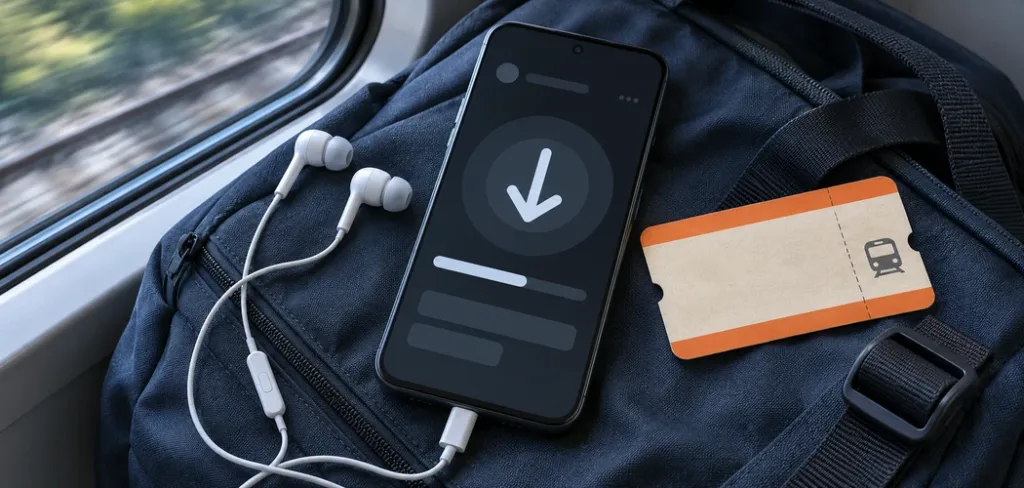
Use the service’s official app on a device that supports offline playback. Open the film’s page and look for the download button. Netflix’s offline viewing instructions explain where to find downloadable titles and which devices support the feature. Prime Video’s download instructions list the apps and devices that support offline viewing. Check the service you use for the rules that apply to your plan and film.
Once you start a download, leave enough time for it to finish. If your app offers a choice of video quality, choose a size that fits your storage and the screen you’ll watch on. A higher-quality file can take more space and longer to download. If you need free space, check which downloads are already on the device and remove films you’ve finished watching. A download that looks ready in a search result may still be incomplete, so open the app’s Downloads area and check its status.
Open the movie once before your trip, then test playback with your connection off. Check whether the app remains signed in and the title is available offline. Some downloads expire, and some services apply a shorter viewing window after you start a title. A rental can have its own deadline. Check the expiry shown in the app and plan to finish within that window. If the download won’t open, reconnect and follow the service’s instructions before you leave.
App downloads generally stay inside the service’s app and follow its license terms. If you need the film on a different device, see whether you can download it again there. Copying files from one device to another won’t necessarily make them playable. Likewise, an app that supports downloads on a phone may offer only streaming through its TV app or browser player.
When to Rent, Buy, Subscribe, or Wait
If you only want one movie, compare the cost and terms of a rental with a subscription. A rental may be the simpler choice if it has the audio and subtitles you want and you can finish within the viewing window. Check when that window starts, whether a download is available, and how playback works on the device you’ll use. Keep the receipt in case a payment goes through but the film doesn’t appear in your library.
If you expect to watch several films, check whether the catalog has enough titles to justify a subscription. Search for three or four films you actually want to see, and confirm which are included under the plan you’re considering. Also check renewal and cancellation terms. A trial or introductory price may change before you finish your list, and a film’s availability can change during your subscription.
A digital purchase may offer longer access, subject to the store’s terms. If you expect to revisit the film frequently, compare those terms with the cost of renting again or buying an authorized physical edition where one exists. Confirm how you’ll play it, what languages the edition includes, and whether you can use it on the devices you normally watch on.
If there’s no licensed offer in your country, follow the film’s distributor or a local cinema for a later announcement. A new film may remain in cinemas before it reaches an app, and its streaming date can vary across regions. Use release posts as leads and confirm the final details in the local service or cinema listing. You can use the same process for older titles that return to a catalog after a licensing change.
What to Check if the Film Won’t Download
First, try a different title in the same app. If the other title downloads, the issue may be specific to the film you chose. If neither film downloads, check your device’s free storage, the app version, your connection, and any device or download limits shown in your account. If a title disappeared, check whether it expired or left the catalog before spending time troubleshooting the device.
Avoid unofficial players, browser extensions, and apps advertised as tools for unlocking a movie outside the service’s own catalog. A VPN does not verify who distributed a copy or grant playback rights. When a search page offers an unfamiliar installer instead of directing you to an official app or storefront, close it and return to the distributor’s listing.
Before paying or packing, confirm four things: the correct film, the Tamil audio and subtitles you want, an access option in your region, and a download that plays on your device if you need one. That check matters more than a platform name in a release roundup, especially when you’re planning a trip around watching the film offline.
Streaming availability note
This guide covers licensed viewing and in-app downloads. Catalogs, plans, languages, device support, and download limits can change by country and title. Check the service’s local listing and terms before paying.