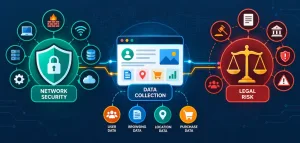
In 2026, a Pew Research Center study reveals that 59% of parents report their children have encountered inappropriate online content, highlighting the urgent need for robust parental controls on home networks. This statistic underscores the growing risks in our digital world, where kids spend an average of 7 hours daily on screens, making step-by-step implementation of safeguards essential for family safety.
Why Parental Controls Matter for Home Networks
Parental controls have evolved from simple software blocks to sophisticated network-level tools that manage access and monitor behavior across devices. These features not only protect children from cyber threats but also foster healthy digital habits, reducing exposure to risks like cyberbullying and predatory content.
A 2024 report from the National Center for Missing and Exploited Children (NCMEC) shows that 45% of teens have experienced online harassment, emphasizing why every home network should prioritize these controls. By integrating parental controls, families can create a safer online environment tailored to their needs.
Historical Evolution of Parental Controls
Parental controls first gained prominence in the late 1990s with basic web filters on dial-up connections, but they have advanced significantly with broadband and smart devices. By the early 2010s, tools like content filtering and time limits became standard in routers from brands such as Netgear and TP-Link.
As of 2026, the evolution includes AI-driven monitoring, as noted in a study by the Internet Society, which found that adaptive controls reduced inappropriate exposure by 30% compared to static methods. This shift reflects a broader move toward proactive, user-friendly solutions that adapt to emerging threats.
Current State of Parental Controls in 2026
Today, parental controls are integrated into most modern routers and apps, with features like geofencing and real-time alerts becoming commonplace. A 2026 survey by Kaspersky Lab indicates that 72% of households use these tools, up from 50% in 2022, driven by increased awareness of data breaches.
Experts like those at Common Sense Media recommend combining network controls with device-specific apps for comprehensive protection. This layered approach ensures that even with multiple connected devices, parents maintain oversight without overwhelming complexity.
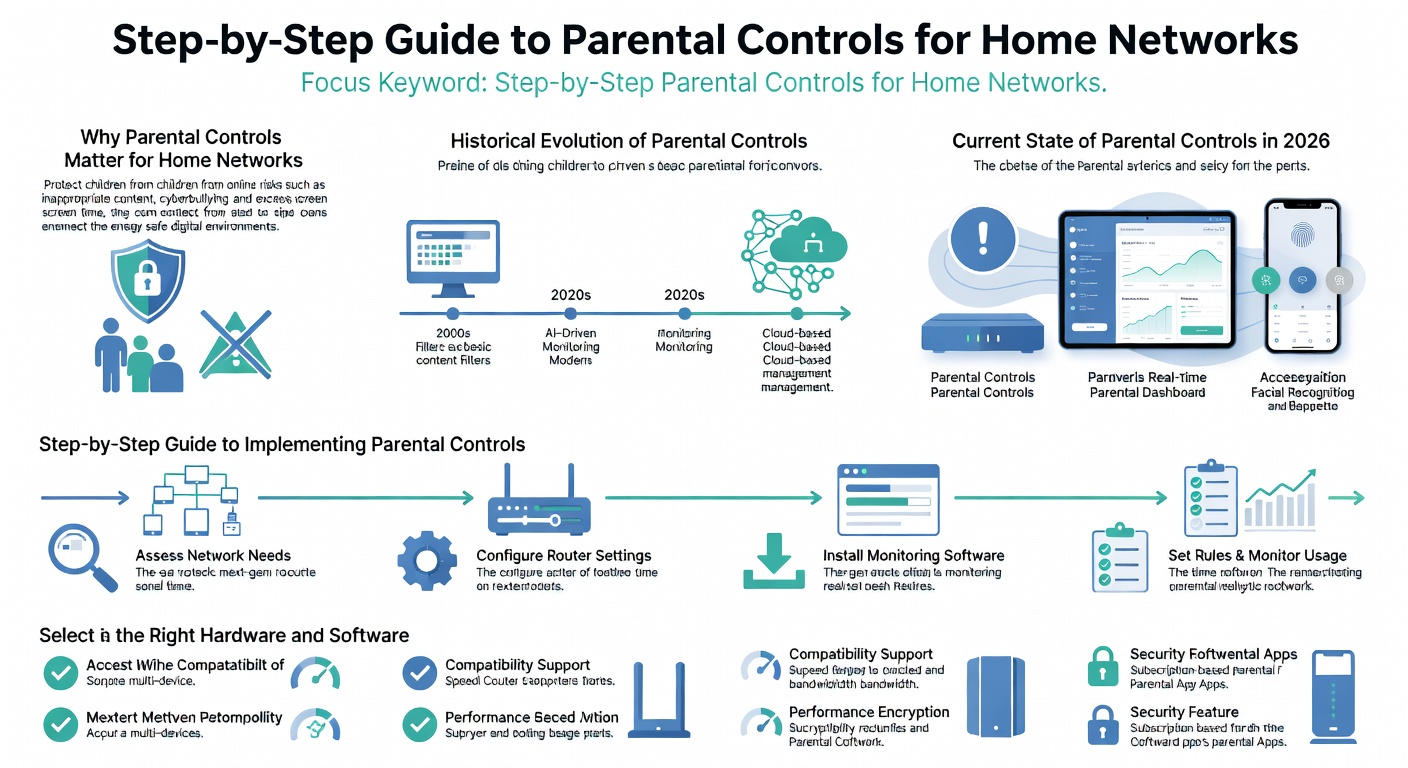
Step-by-Step Guide to Implementing Parental Controls
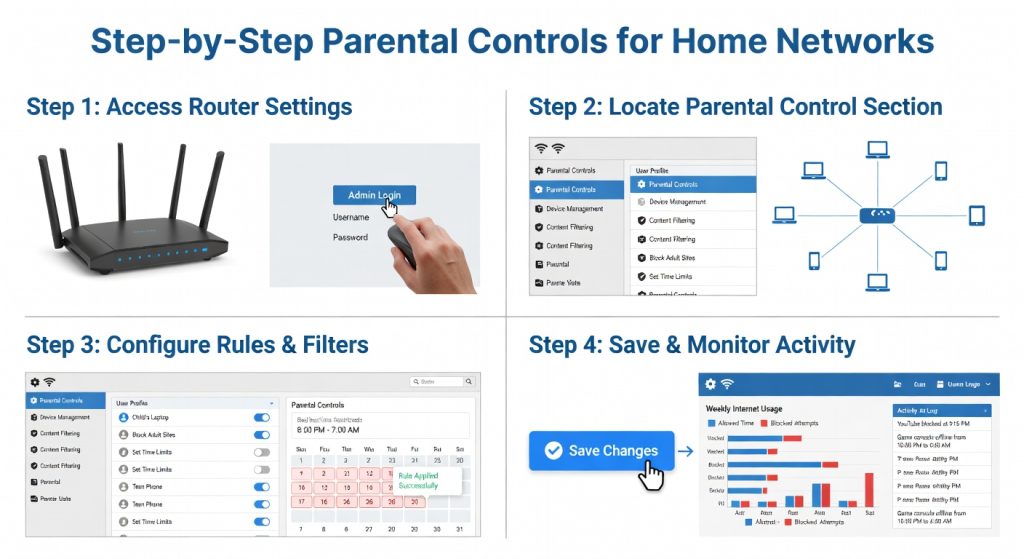
Setting up parental controls starts with assessing your home network’s capabilities and your family’s specific needs. Begin by logging into your router’s admin interface, which is often accessible via a web browser using the default IP address.
Follow these steps to configure effectively: First, update your router’s firmware for the latest security patches. Then, enable features like content filtering and device prioritization to manage access.
Selecting the Right Hardware and Software
Choose a router that supports advanced parental controls, such as the high-performance gaming router options for robust customization. Brands like Google Nest and Xfinity offer user-friendly apps that allow scheduling and content restrictions.
According to a 2025 Consumer Reports analysis, routers with built-in AI, like those from TP-Link, block 85% of malicious sites automatically. Pair this with apps from trusted providers for an extra layer of control, ensuring compatibility with your existing setup.
Configuring Settings for Optimal Safety
Once your hardware is ready, navigate to the parental control section in your router’s settings. Set up profiles for each family member, assigning age-appropriate restrictions and time limits.
For instance, use tools to block social media during school hours or filter adult content, as recommended by a 2026 guide from the Federal Trade Commission (FTC). Test these settings regularly to adapt to your child’s online activities, making adjustments based on usage reports.
Benefits and Drawbacks of Parental Controls
Parental controls offer significant advantages, including enhanced child safety and peace of mind for parents. They can limit screen time, promote educational content, and prevent accidental exposure to harmful material.
However, drawbacks exist, such as potential overreach that stifles a child’s independence, as noted in a 2024 study by the University of Oxford, which found that 25% of teens felt monitored controls invaded their privacy. Balancing these pros and cons requires open family discussions to ensure controls enhance rather than hinder development.
Pros: Enhancing Family Dynamics
One major pro is the ability to foster better habits; for example, a 2026 report from the American Academy of Pediatrics states that controlled access correlates with a 40% reduction in sleep disturbances from excessive screen use. Additionally, these tools provide educational opportunities, like directing kids to safe learning resources.
Real-world applications show that families using controls report higher satisfaction, with tools like Disney’s parental features helping maintain age-appropriate viewing. This proactive approach strengthens trust and communication within households.
Cons: Potential Limitations and Alternatives
Drawbacks include the risk of tech-savvy kids bypassing controls, with a 2025 Norton study revealing that 15% of adolescents find ways around basic filters. Compared to alternatives like school-based programs or family media agreements, network controls might feel impersonal.
For a more holistic solution, consider combining controls with basic Wi-Fi security practices, which address broader threats. This comparison highlights that while parental controls are vital, they’re most effective when integrated with other strategies.
Expert Opinions and Real-World Case Studies
Security experts emphasize the importance of these tools; for instance, cybersecurity authority Bruce Schneier states, “Parental controls are a critical first line of defense in protecting children from the digital wild west.” His insights, drawn from years of analyzing online risks, stress the need for customization.
According to a 2026 report by the Electronic Frontier Foundation, effective controls can reduce cyberbullying incidents by 35% when properly implemented.
Case Studies from Leading Organizations
A case study from NCMEC in 2025 details how a family in California used network controls to monitor and prevent grooming attempts, resulting in safer online interactions for their children. This example illustrates practical applications in everyday scenarios.
Another perspective comes from home Wi-Fi innovations, where integrated controls helped a household block over 1,000 inappropriate sites monthly, as per user testimonials shared in a Xfinity case study.
Future Predictions and Emerging Trends
Looking ahead, AI and machine learning will make parental controls more intuitive, predicting and blocking threats in real-time. By 2028, experts predict 90% of routers will feature automated adjustments based on user behavior, according to a 2026 forecast by Gartner.
Emerging trends include voice-activated controls and integration with smart home devices, offering seamless management. However, challenges like data privacy laws may shape these developments, as discussed in a recent MIT Technology Review article.
Comparison with Related Topics in Cybersecurity
Parental controls share similarities with general network security measures, such as firewalls, but they focus specifically on content and access for minors. Unlike seamless home connectivity solutions, which prioritize speed, controls emphasize safety.
In a table comparison, parental tools excel in user monitoring but may lag in performance compared to dedicated security suites like those from Norton, which offer broader threat protection.
| Feature | Parental Controls | General Cybersecurity Tools |
|---|---|---|
| Content Filtering | High effectiveness for age-based restrictions | Moderate, focused on malware |
| Time Management | Excellent for scheduling | Limited |
| Cost | Often free with routers | Subscription-based |
In conclusion, implementing step-by-step parental controls for home networks empowers families to navigate online dangers confidently. Key takeaways include starting with reliable hardware, customizing settings, and staying informed on trends to adapt as needed. Take action today by reviewing your network setup and exploring resources like detailed setup guides for enhanced protection. Smartwatch: Every Student’s Best Friend in 2025