
Wireless communication transmits information between devices using radio waves instead of a physical medium like copper cable or fiber. It’s one of the fastest-growing areas in networking specifically because it removes the one constraint wired networks can’t escape: a device has to stay tethered to wherever its cable ends.
What a WLAN Actually Is
A Wireless Local Area Network (WLAN) is a wireless network commonly deployed in homes, offices, and campus environments, typically standardized under the IEEE 802.11 family (what most people just call Wi-Fi). Instead of Ethernet cabling, a WLAN uses radio frequencies — most commonly the 2.4 GHz and 5 GHz bands, with 6 GHz added by more recent standards — to connect client devices to an access point, which in turn connects back into the wired switched network, the same kind of switched infrastructure covered throughout this series.
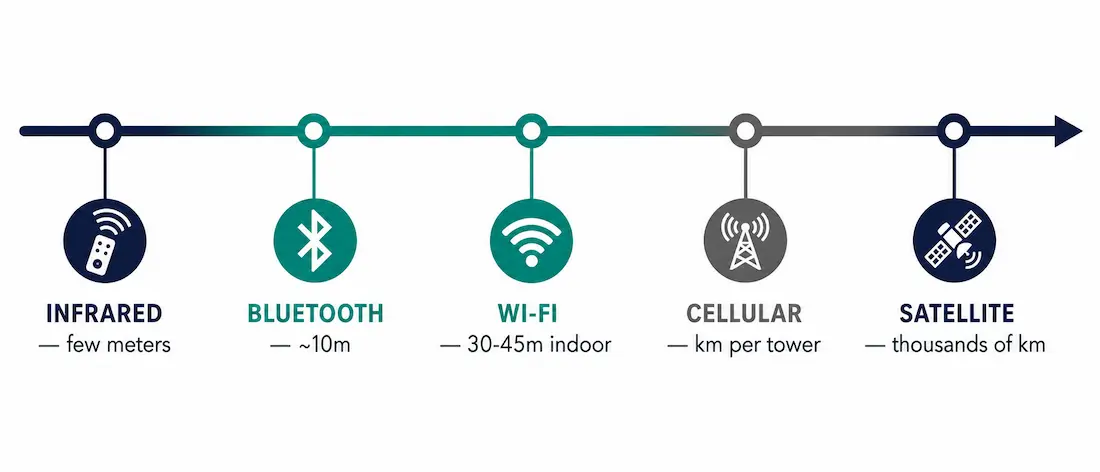
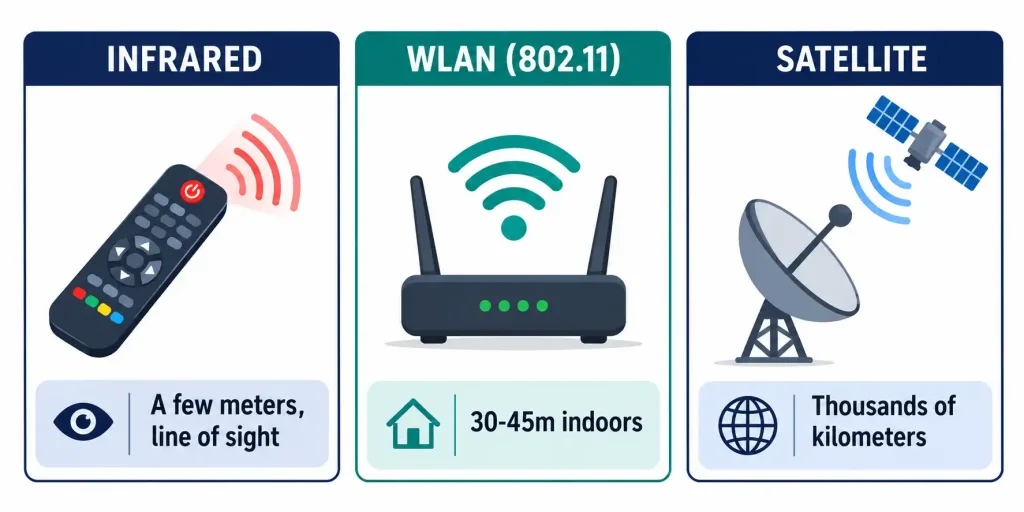
A WLAN’s typical range depends heavily on the environment: roughly 30 to 45 meters indoors through typical office or home construction, and considerably further outdoors with a clear line of sight and no obstructions. This is nothing like a TV remote control, which uses infrared light and works only within a few meters, line of sight, in the same room. It’s also nothing like satellite communication, which spans thousands of kilometers between a ground station and an orbiting satellite. These are all “wireless” in the broad sense, but they occupy completely different ranges, frequencies, and use cases — conflating them is a common source of confusion for anyone new to the topic.
Frame Format: Similar to Ethernet, With More Fields
The 802.11 frame format is similar to the Ethernet (802.3) frame format, in that both consist of a header, a payload, and a frame check sequence for error detection — but 802.11 frames carry meaningfully more fields than Ethernet frames do. Where an Ethernet frame carries exactly two MAC addresses (source and destination), an 802.11 frame’s header can carry up to four address fields, along with additional control information for things Ethernet never has to deal with: retransmission tracking, power management state, and wireless-specific security parameters.
This extra complexity exists because a shared radio medium behaves nothing like a switched wire. Multiple devices contend for the same airspace, signals can be lost to interference or simply fail to arrive, and a battery-powered client needs a way to signal it’s temporarily sleeping to conserve power — none of which a wired Ethernet link needs to account for.
This is also why 802.11 defines three broad frame categories beyond simple data transport: management frames (handling tasks like advertising a network’s presence and negotiating a client’s connection to it), control frames (coordinating access to the shared airspace itself), and data frames (actually carrying the payload traffic destined for the wired network). Ethernet has no equivalent to management or control frames at all, since a switched wired link doesn’t need to negotiate shared access to anything — each device simply has its own dedicated physical connection.
Why Businesses Actually Deploy WLANs
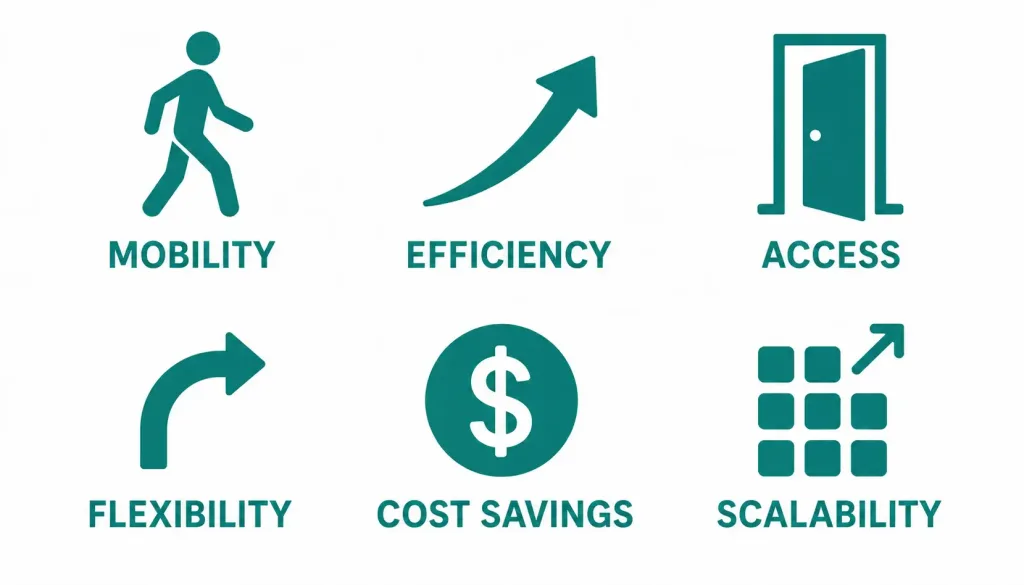
Mobility. The core value proposition: devices stay connected while moving around a building or campus, without ever needing to be physically re-cabled to a different point. A laptop, tablet, or phone can move from one end of an office to another and stay on the network the entire time, handed off between access points automatically.
Increased efficiency. Wireless connectivity improves how quickly employees, partners, and customers can exchange data, simply by removing the friction of finding and plugging into a physical port.
Access and availability. Users connect without needing a cable, an adapter, or a specific desk — meaningful for any environment where people move between meeting rooms, floors, or buildings throughout the day.
Flexibility. Wireless connectivity supports remote and hybrid work patterns directly — an employee working from home benefits from the exact same underlying WLAN technology as one sitting in a conference room at the office.
Cost savings. Deploying a WLAN avoids the cost of running physical cable to every device, which is especially valuable in buildings with structural or historical constraints that make cable runs difficult or where a property owner won’t permit new cabling at all — retrofitting an older building with full Ethernet cabling to every desk can be dramatically more expensive than deploying a handful of access points to cover the same space.
Scalability. Adding a new device to a WLAN typically means nothing more than connecting to the existing SSID — no new cable run, no new switch port, no physical infrastructure change required at all, which matters considerably as an organization’s device count grows.
WLAN vs. Other Wireless Technologies
It’s worth placing WLAN in context against other wireless technologies people commonly encounter, since the terms get used loosely:
| Technology | Typical Range | Common Use Case |
|---|---|---|
| Infrared (TV remotes) | A few meters, line of sight | Simple point-to-point device control |
| Bluetooth | Roughly 10 meters | Personal Area Network — headphones, keyboards, short-range accessories |
| Wi-Fi (802.11 WLAN) | 30-45 meters indoors, more outdoors | Local network connectivity for laptops, phones, IoT devices |
| Cellular (4G/5G) | Kilometers per cell tower | Wide-area mobile connectivity |
| Satellite | Thousands of kilometers | Communication where no terrestrial infrastructure exists |
The further down this list, the more infrastructure and licensed spectrum is typically involved — a WLAN can be stood up with an access point and an internet connection, while cellular and satellite communication require infrastructure well beyond what any single organization typically owns or operates. This is a useful mental model whenever a “wireless” claim seems too good, or too limited, to be true: the specific technology behind that claim determines the realistic range far more than the word “wireless” itself does.
Core WLAN Components
- Access Point (AP). The device that bridges wireless clients to the wired network, transmitting and receiving the actual radio signal client devices connect to. In most business deployments, multiple access points are placed throughout a building specifically so a device can roam from one AP’s coverage area into another’s without losing connectivity.
- Wireless client (station). Any device — laptop, phone, tablet, IoT sensor — that connects to the WLAN through an access point rather than acting as infrastructure itself.
- SSID (Service Set Identifier). The network name broadcast by an access point, what a user actually selects when choosing which wireless network to join. Multiple access points across a building commonly broadcast the same SSID, which is what makes seamless roaming between them possible from the user’s perspective.
- Wireless standards. The specific IEEE 802.11 amendment in use (802.11n, 802.11ac, 802.11ax, and so on) determines the maximum theoretical speed, supported frequency bands, and feature set like beamforming or multi-user data streams — covered in more depth below.
How Wireless Standards Have Evolved
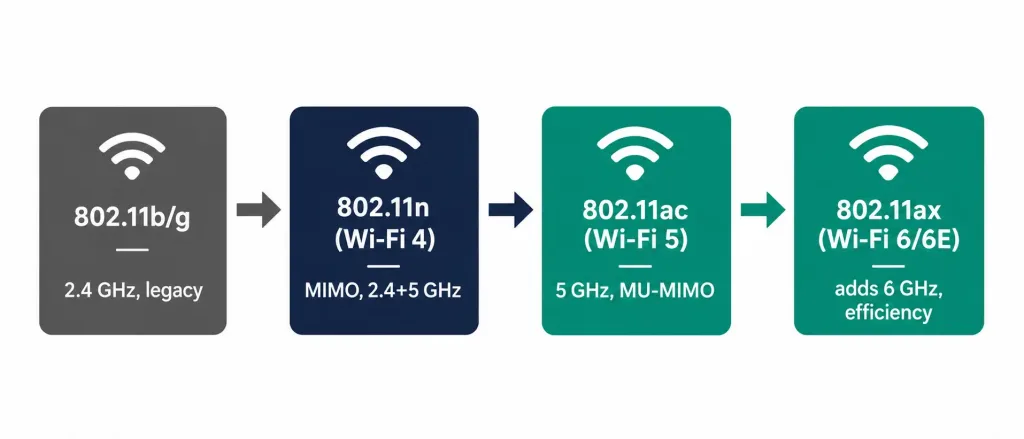
The IEEE 802.11 standard has gone through several amendments since its original 1997 release, each one improving speed, range, or reliability without abandoning backward compatibility with older devices:
- 802.11b/g — early, widely-deployed standards operating in the 2.4 GHz band, now largely legacy but still occasionally encountered with very old equipment.
- 802.11n (Wi-Fi 4) — introduced multiple-antenna (MIMO) technology, operating in both 2.4 GHz and 5 GHz, meaningfully improving speed and reliability over earlier standards.
- 802.11ac (Wi-Fi 5) — 5 GHz only, higher throughput, wider channels, and multi-user MIMO allowing an access point to serve several clients more efficiently at once.
- 802.11ax (Wi-Fi 6 / 6E) — adds the 6 GHz band (in regions where it’s been allocated), further efficiency improvements for dense environments with many simultaneous devices, and better performance in congested airspace.
Each generation remains backward compatible with client devices running older standards, though a client using an older standard won’t benefit from the newer standard’s speed or efficiency improvements — the access point simply serves it at whatever rate that older client actually supports.
Frequently Asked Questions
What is the difference between wireless communication and a WLAN specifically?
Wireless communication is the general concept of transmitting data without a physical connection — it covers everything from infrared remotes to satellite links. A WLAN is a specific application of that concept: a wireless local area network, standardized under IEEE 802.11, used to connect client devices to a switched network within a building or campus.
How far does a typical WLAN actually reach?
Roughly 30 to 45 meters indoors, depending on building construction, obstacles, and interference from other wireless devices, and considerably further outdoors with a clear line of sight. This is a completely different scale than infrared remote controls (a few meters) or satellite communication (thousands of kilometers) — all three are “wireless,” but the comparison stops there. Actual real-world range in any specific building always depends on factors like wall materials, the number of competing networks nearby, and the specific access point hardware in use, so these figures are a reasonable planning baseline rather than a guarantee.
Is the 802.11 wireless frame format the same as an Ethernet frame?
Similar in overall structure — both use a header, payload, and frame check sequence — but not the same. An 802.11 frame carries up to four MAC address fields versus Ethernet’s two, plus additional fields for retransmission, power management, and wireless security that a wired Ethernet frame never needs.
What are the main business benefits of deploying a WLAN?
Mobility for users moving through a building without losing connectivity, reduced cabling costs (especially valuable where running new cable is difficult or restricted), and the flexibility to support remote and hybrid work using the same underlying technology whether someone is in a conference room or working from home.
What’s the difference between an access point and a wireless client?
An access point is the fixed infrastructure device that bridges the wireless and wired networks, broadcasting the SSID that clients connect to. A wireless client (or station) is any end-user device — laptop, phone, tablet — that connects through an access point rather than serving as infrastructure itself.
Why does 802.11 need more frame fields than Ethernet?
Because a shared radio medium introduces problems wired Ethernet never has to solve: multiple devices contending for the same airspace, signals lost to interference, and battery-powered clients needing to signal power-saving states. The extra address fields and control information in an 802.11 frame exist specifically to handle these wireless-specific realities.
Conclusion
A WLAN solves a specific problem wired networking can’t: keeping a device connected while it moves. Understanding where WLAN actually sits — a local, tens-of-meters technology built on IEEE 802.11, distinct from short-range infrared and vastly different from long-range cellular or satellite links — is the foundation for everything that follows in wireless networking, from access point placement and channel planning to the security protocols that keep a wireless network from being just as accessible to someone outside the building as to the intended users inside it.



