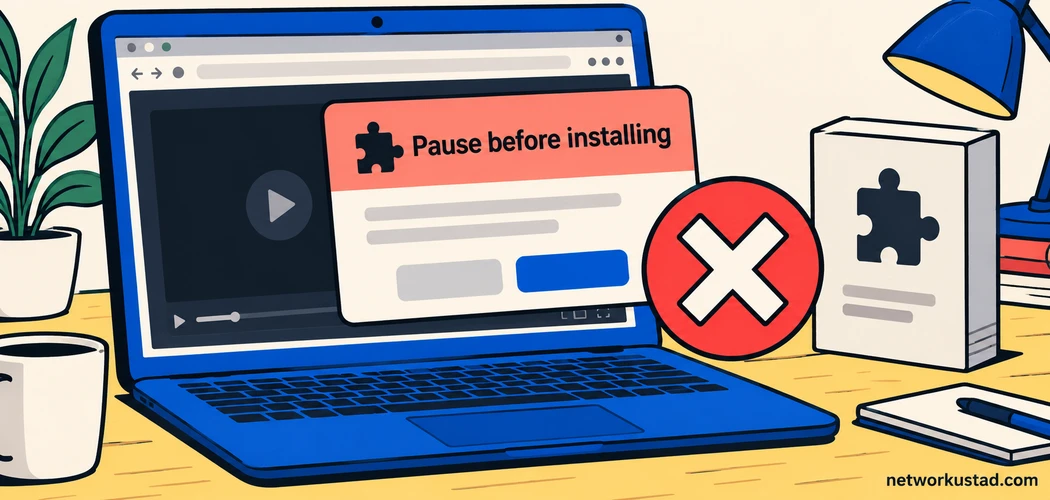
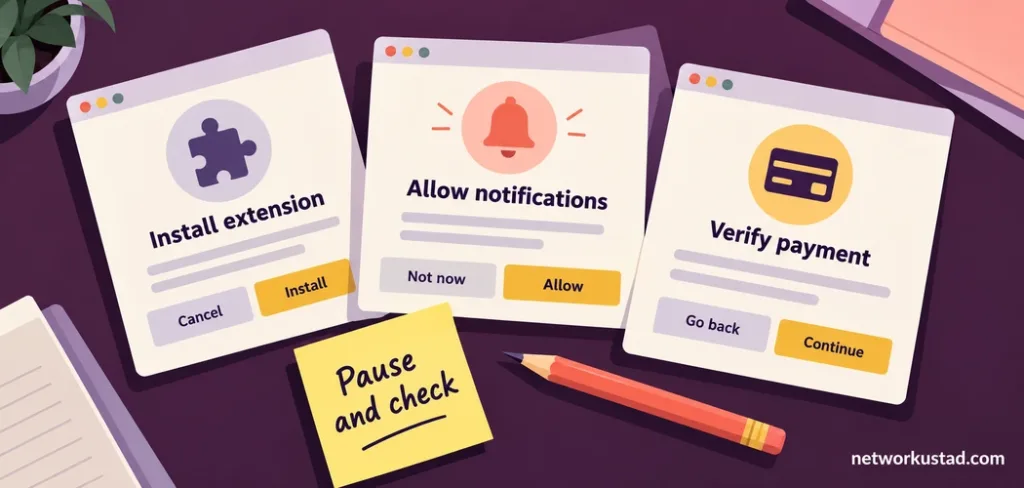
A movie page opens. The poster looks familiar, the play button is prominent, and the film appears to be available without a subscription. Then another window asks you to install an extension, allow notifications or enter a card for verification. That request deserves more attention than the movie listing.
Understanding Flixer TV risks starts with a simple distinction: a recognizable name does not establish who runs a website, whether it has distribution rights, or what an unexpected download will do. Similar names can appear on unrelated domains. An article about one address cannot certify every page using the same branding.
This guide explains how to assess the requests a streaming page makes, what to do after an accidental interaction, and how to find authorized viewing options. It does not supply mirror addresses, access workarounds or unsupported infection percentages. You can make a sensible decision without pretending those numbers are known.
What Flixer TV risks can—and cannot—tell you
Treat “Flixer TV” as a search term requiring verification, rather than a single, permanently identifiable service. Without a specific address and reliable operator information, claims about its ownership, history, traffic or software behavior should remain unconfirmed. Similar spelling is not evidence that two websites share an owner.
There is also a difference between a general hazard and a finding about a particular website. Security researchers have documented malicious advertising associated with illegal streaming websites. That establishes a real attack pattern; it does not establish that a named page infects a particular percentage of visitors.
Likewise, an unfamiliar domain is not automatically malicious. The useful question is what evidence supports trusting it. Can you identify the operator? Does it explain its service and billing? Is an app distributed through a recognizable official channel? Does the requested permission make sense for the task?
If you cannot answer those questions, leaving is a reasonable decision. You do not need to investigate a suspicious page until you can prove a crime. For ordinary viewers, reducing unnecessary exposure matters more than establishing a complete technical attribution.
Separate three different questions before pressing play
Discussions of Flixer TV risks often combine copyright, device security and service reliability. These issues overlap, but evidence about one does not settle the others. A polished player does not prove authorization, and a broken player does not prove malware.
| Question | Useful evidence | What does not settle it |
|---|---|---|
| Is viewing authorized? | Identifiable distributor, rights-holder information and applicable local terms | A large catalog or a familiar title |
| Is the interaction trustworthy? | Expected permissions, verified software source and consistent account process | HTTPS alone or a professional layout |
| Will it work on your device? | Supported-device list, regional availability and provider support | A promise of universal HD playback |
Use these questions independently. For example, a legitimate subscription service may fail because an older television no longer supports its app. That is a compatibility problem. It does not justify downloading an unknown player from a different website.
A helpful personal rule for assessing Flixer TV risks is to pause whenever the next requested action changes the nature of the activity. Watching a video and installing software are different decisions. So are watching a trailer and granting recurring payment authorization.
Recognize requests that deserve an immediate pause
The most actionable Flixer TV risks involve requests you can observe directly. Pay attention to those requests instead of relying on a claim that a website is either completely safe or inevitably harmful.
An extension is supposedly required to play a film
Be cautious when a page insists that playback requires an unfamiliar browser extension, codec, download manager or security utility. An installation can grant capabilities beyond showing a video. A reassuring name or a positive review on the same page does not verify the software.
Close the request and check the genuine browser or device documentation independently. If you actually need an established streaming app, obtain it through the provider’s verified distribution channel. Do not let a countdown or an animated download arrow make that decision for you.
Notifications are presented as a viewing requirement
A permission prompt may ask to send notifications. That permission can enable future messages from the site; it does not establish that the site has verified your identity or unlocked a film. Decline an unexpected request rather than treating it as an unavoidable playback step.
If a page tells you to allow notifications to prove you are human, stop. A webpage’s explanation of a browser permission can be misleading. Read the permission itself and consider whether you want that ongoing relationship.
A warning demands urgent payment or remote access
A dramatic webpage can claim your device is infected and supply a telephone number. Do not pay or call simply because the warning is loud, difficult to dismiss or styled like a system message. Check your installed security software through its normal application interface instead.
The FTC’s warning about illegal streaming apps describes malware and information-theft concerns associated with pirate apps and add-ons. It supports caution about installation, rather than a numerical prediction for an unidentified Flixer TV domain.
Why common protective tools have limits
Managing Flixer TV risks means understanding what a protective tool actually does. Buying more software does not make an unknown site’s requests trustworthy.
A VPN changes aspects of how a connection is routed. It does not establish a distributor’s rights, inspect every downloaded file for you, or stop you from entering a password on an imitation login page. It should not be presented as permission to ignore browser warnings.
An advertising blocker may reduce unwanted elements, but it cannot certify an entire service. A clean-looking screen may still ask for an unnecessary download or payment. Evaluate the remaining request rather than assuming the absence of visible advertisements proves safety.
Private browsing also has a narrower purpose than many viewers expect. It changes how certain browsing information is retained locally; it does not transform an untrusted download into a safe application. Avoid using a privacy feature as a substitute for checking a software source.
For account protection, use unique credentials and multi-factor authentication where available. These measures help protect accounts, but they do not approve a website’s content or remove malicious software from a device.
What to do after opening a suspicious streaming page
Your response to Flixer TV risks should reflect what happened. Simply seeing a page is different from running an installer, giving away credentials or authorizing a payment. Avoid both panic and false reassurance.
If you only opened the page
Close the tab and avoid revisiting it to test whether it is safe. Review whether a download started, a permission was granted or another application opened. Keep your browser and operating system updated through their normal update mechanisms.
An unfamiliar page alone does not prove a compromise. Equally, the lack of a dramatic symptom does not provide a security certificate. If warnings or unusual behavior persist, use the device maker’s guidance or a trusted support professional.
If you allowed notifications
Review the browser’s site-permission settings and remove permission for the unfamiliar address. The exact menu varies across devices and browser versions. Use the address shown in the settings rather than relying on a notification’s displayed brand name.
Google provides official instructions for removing unwanted ads, pop-ups and malware. Select the guidance for your platform. Persistent website notifications can require a permission change; repeatedly closing individual messages may leave that permission intact.
If you downloaded something
Do not open the file to discover what it is. If it has not run, remove the unwanted download using your device’s normal controls and follow any security warning. A filename that resembles a movie does not establish the file’s actual format or purpose.
If you installed or executed software, stop using that device for sensitive transactions until you have assessed it. Run updated security checks and seek trusted help if you are uncertain. For a work or school device, contact its administrator promptly and describe exactly what occurred.
If you entered a password or payment details
Use a device you trust to reach the real account provider independently. Change an exposed password, replace reused passwords elsewhere, review active sessions and check recovery settings. Follow the provider’s account-recovery instructions when access or settings have changed.
If you supplied card details or authorized a questionable charge, contact the card issuer using a verified channel. Explain the transaction accurately and follow its instructions. Do not send additional payments to an unfamiliar service that promises to reverse the first one.
Build a short incident record instead of guessing
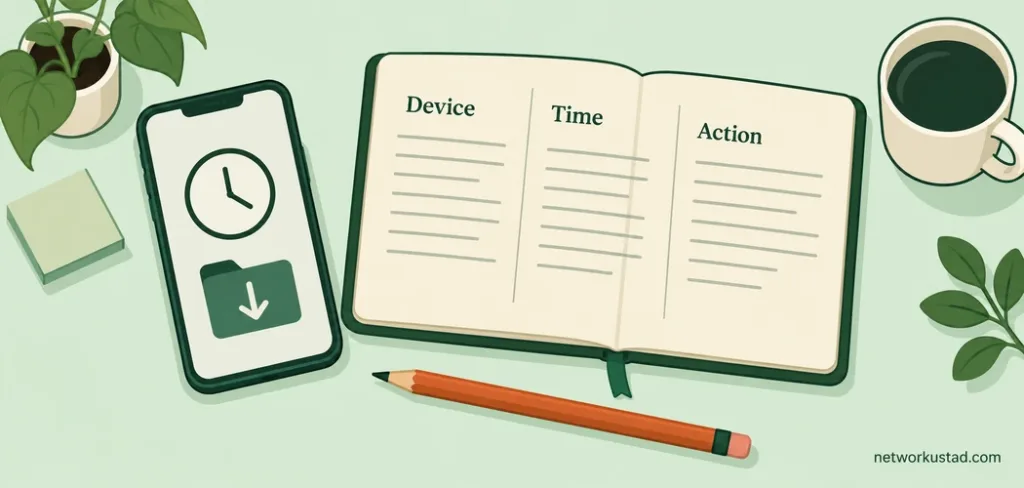
When dealing with Flixer TV risks after an interaction, write down a small set of facts while they are fresh. Record the time, device, browser, visible domain and the action you took. Note whether a file was merely downloaded or actually opened.
Keep relevant screenshots or transaction references privately if they can help a trusted technician or financial provider. Avoid sharing passwords, card numbers, session links or personal documents in public forums. You can explain an incident without publishing sensitive evidence.
For a household device, tell other users what happened so they do not approve the same prompt later. For a managed device, do not erase or reset it before asking the administrator how to preserve useful evidence. The appropriate response depends on the device and the incident.
This record also prevents unnecessary troubleshooting. A notification problem, an account takeover and a suspicious installed application require different checks. Clear observations help someone assist you without inventing a diagnosis from a vague description such as “the movie site hacked everything.”
How to find licensed viewing options without chasing mirrors
You can reduce Flixer TV risks by starting with the film or program you want to watch, rather than searching for a replacement domain. Look for its official distributor, broadcaster or production information, then check available viewing options in your location.
A free service is not automatically unauthorized. Some legitimate services fund access through advertising, while broadcasters may provide selected programs through their own platforms. Availability, account requirements and supported devices still need checking.
Before subscribing or renting, confirm that the specific title is available to your account in your country. Search results can describe a catalog that differs by region or has changed. A service’s own current title page and help information are better purchase checks than an old comparison article.
Also check whether the offer is a subscription, a one-time rental or a purchase under the provider’s terms. Those arrangements can have different renewal conditions, viewing windows and device restrictions. Read the current offer rather than assuming every play button represents the same transaction.
If a title is unavailable, consider another authorized format or wait for a later release. Avoid treating a blocked or missing title as a technical problem that an unknown extension can legitimately solve.
Protect shared televisions and household accounts
Household planning can reduce Flixer TV risks without turning every viewing session into a technical investigation. Agree that nobody installs a player, enters payment details or grants remote access simply because a movie page asks.
Use separate profiles where the service supports them, and review purchase restrictions on devices used by children. Appropriate parental controls can support household rules, but they do not establish that every accessible page is authorized or safe.
Keep streaming devices and their apps supported and updated. Obtain updates through the manufacturer’s or provider’s normal process. A message inside an unfamiliar movie page is not a reliable substitute for the device’s own update interface.
Review who can administer the router and which devices belong on the network. Broader smart home security guidance can help with device-management habits; it should not be read as evidence that a particular streaming page has compromised your household.
For children, make the reporting rule simple: an accidental click should be reported immediately, without embarrassment. Early reporting gives the household a better chance to address an unwanted permission, purchase or installation before someone repeats it.
Questions readers ask about Flixer TV risks
Is there one official Flixer TV address that this guide verifies?
No. This guide does not establish a verified operator or official domain. Search results, copied logos and similar names are insufficient to prove ownership. Avoid treating a mirror directory or an anonymous recommendation as authoritative evidence of identity, licensing or security.
Does HTTPS prove a movie website is trustworthy?
HTTPS helps protect a connection to the domain you reached. It does not prove the operator has distribution rights or that its payment and download requests are honest. Read the address carefully and assess the requested action independently of the connection indicator.
Does watching an unauthorized stream always trigger a fixed fine?
No universal fixed fine should be assumed. Applicable law, location, conduct and case-specific facts matter. Hosting, distributing, downloading and viewing should not be casually treated as identical activities. Seek qualified local advice about an actual notice or dispute rather than relying on a generic penalty chart.
Can a website accurately tell me that my whole device is infected?
A frightening webpage message is not a reliable device diagnosis. Do not install its suggested cleaner or call its displayed support number on that basis. Check the device through trusted security tools and official support channels, especially if you already executed an unfamiliar program.
What if the movie played and nothing unusual happened?
Successful playback does not establish authorization or prove that every related interaction is trustworthy. You also should not assume an infection without evidence. Review what permissions, downloads, credentials or payments were involved, and base any response on those observations.
A practical decision before your next movie
The most useful way to handle Flixer TV risks is to make the next decision smaller and clearer. Verify who is offering the content. Question any request to install software or grant an unrelated permission. Choose an authorized source whose account and viewing terms you understand.
If an interaction has already gone wrong, respond to the actual exposure: permissions, software, credentials or payments. Keep a factual record and use verified support channels. A measured response is more useful than a dramatic statistic that nobody can substantiate.
This article provides general educational information, not a security certification, device diagnosis or legal advice. It does not verify an official Flixer TV operator or endorse any similarly named website. Laws, software behavior and viewing availability vary. Use authorized services, follow current device and provider instructions, and seek qualified help for a suspected compromise or legal notice.