Asad Ijaz
NetworkUstad's lead networking architect with CCIE certification. Specializes in CCNA exam preparation and enterprise network design. Authored 2,800+ technical guides on Cisco systems, BGP routing, and network security protocols since 2018. Picture this: I'm not just someone who writes about tech; I'm a certified expert in the field. I proudly hold the titles of Cisco Certified Network Professional (CCNP) and Cisco Certified Network Associate (CCNA). So, when I talk about networking, I'm not just whistling in the dark; I know my stuff! My website is like a treasure trove of knowledge. You'll find a plethora of articles and tutorials covering a wide range of topics related to networking and cybersecurity. It's not just a website; it's a learning hub for anyone who's eager to dive into the world of bits, bytes, and secure connections. And here's a fun fact: I'm not a lone wolf in this journey. I'm a proud member and Editor of Team NetworkUstad. Together, we're on a mission to empower people with the knowledge they need to navigate the digital landscape safely and effectively. So, if you're ready to embark on a tech-savvy adventure, stick around with me, Asad Ijaz Khattak. We're going to unravel the mysteries of technology, one article at a time!"
Comparison Between WLAN and LAN – Exclusive Explanation
A WLAN allows devices to connect and communicate without using wires or cables. However, traditional wired LAN devices communicate over Ethernet cables. Both WLAN and LAN share a similar origin. The IEEE has chosen the 802 network standards for LAN/MAN portfolios of computer network architecture. The two primary 802 standards are 802.3 Ethernet and 802.11...

IEEE 802.11 Standards Exclusive Introduction
The IEEE 802.11 WLAN represents the IEEE designation for wireless networking. IEEE 802.11 standard defines how RF in the unlicensed ISM frequency bands is used for the physical layer and the MAC sub-layer of wireless links. Several implementations of the IEEE 802.11 standard has defined by IEEE over the years. All the standards use the...
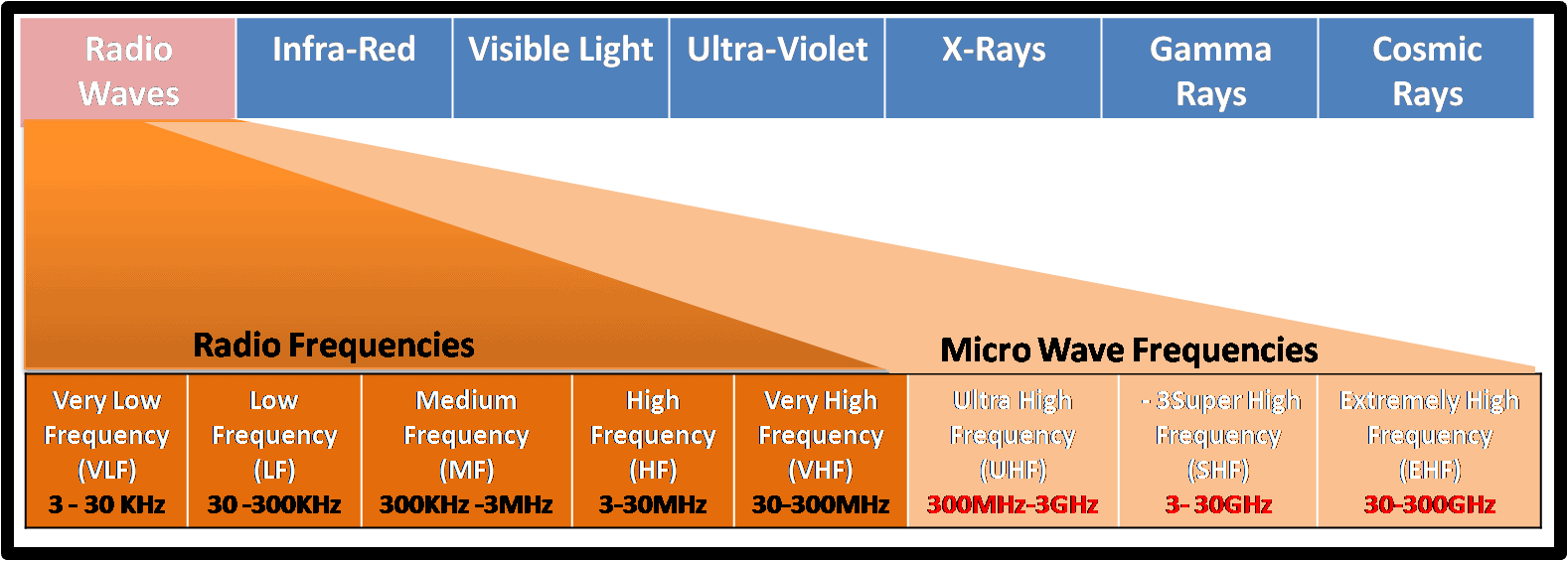
Radio Frequencies Exclusive
Radio frequencies refer to the rate of oscillation of electromagnetic radio waves in the range of 3 kHz to 300 GHz. This band is used for communications transmission and broadcasting. Different radio frequencies are useful for different wireless technologies. For example, some frequencies are used for radio broadcasting, and others are used for television broadcasting....

Wireless Technologies in 2025: What’s New, What’s Changed, and What’s Next
Wireless technologies refer to technology that makes it possible to communicate over a distance without using wires or any other conductors. We can use wireless technologies for both long and short distances. Wireless technologies networks are based on electromagnetic waves, such as radio frequencies (RF), infrared (IR), satellites, etc. Remember when Wi-Fi was a luxury...
What is Wireless? Exclusive Introduction
Wireless Communication is the fastest-growing and most vibrant technological area in the communication field. It can provide client mobility, the ability to connect from any location and at any time, and the ability to roam while staying connected. It is the technique of transmitting information from one point to another without using any connection like...
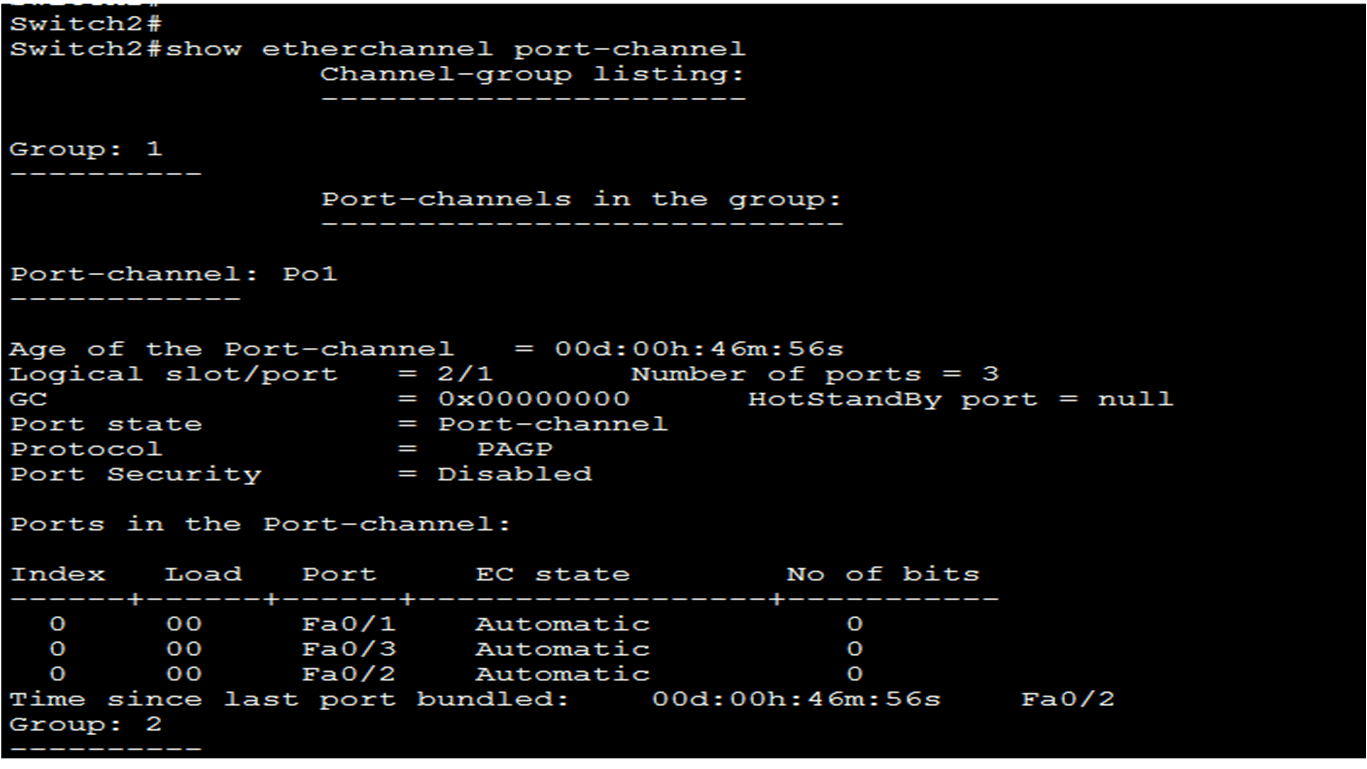
How to configure EtherChannel?
In this lesson, I am going to configure EtherChannel. EtherChannel in networking has a set of restrictions that state what you can do and what you cannot do. Before configure and establish the EtherChannel, it is important to know the restrictions. Here are some basic restrictions and guidelines on setting up EtherChannel: EtherChannel support– Ethernet...
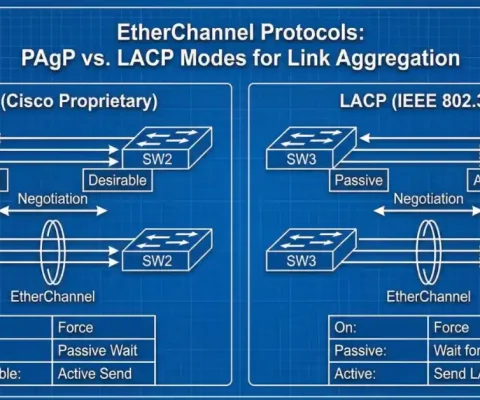
EtherChannel Protocols: PAgP and LACP – Master Link Aggregation in 2026
EtherChannel is used to bundle physical links into a single logical link. We can bundle a maximum of 8 physical links into one logical link. When physical links are bundled into a single logical link, the STP only sees one and cannot block anything. Two types of protocols are used for EtherChannel: Port Aggregation Protocol...
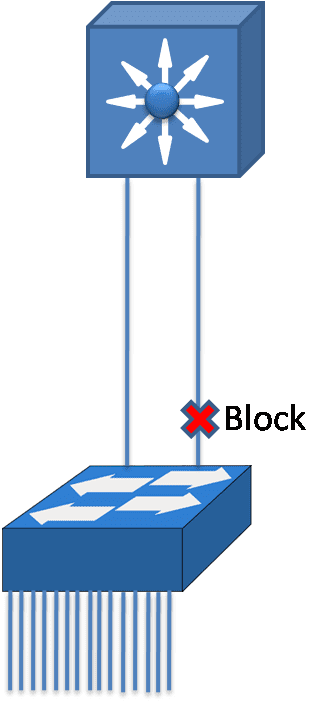
EtherChannel Exclusive
We can implement EtherChannel by bundling multiple physical ports into one or more logical Ether Channel links. The interface speed and type for a single EthernetChannel must be same. The EtherChannel provides maximum 800 Mbps full-duplex speed in case of Fast EtherChannel and or 8 Gbps speed in case of Gigabit EtherChannel between one switch...
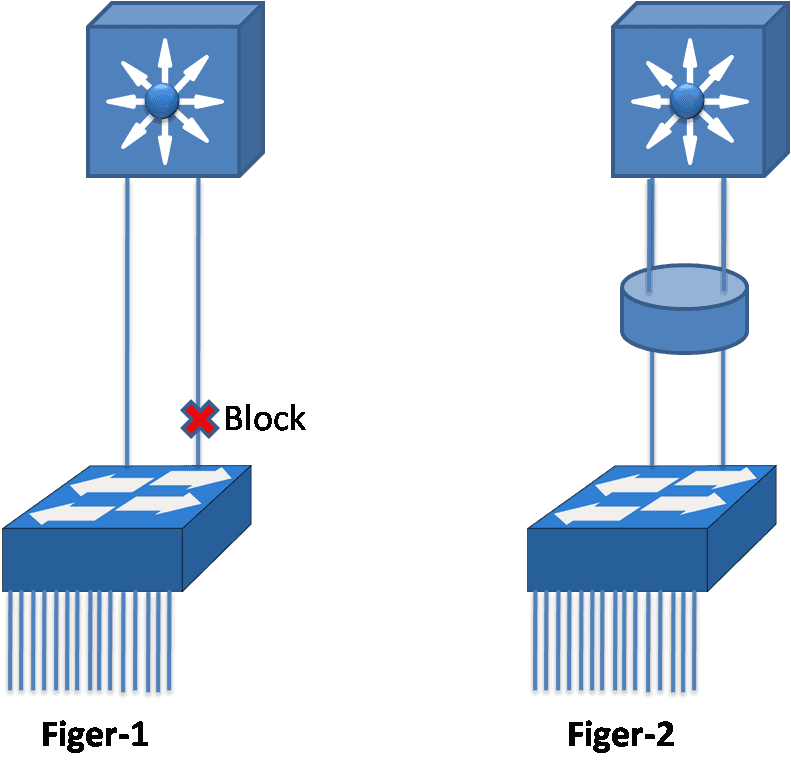
What is Link Aggregation?- Exclusive Introduction
Link aggregation is the capability to produce one logical link using several physical links between two devices. Network devices and management functions care for the link aggregation group (LAG) of multiple Ethernet connections as a single link. Link aggregation allows load sharing among the multiple physical links, rather than having STP block one or more...
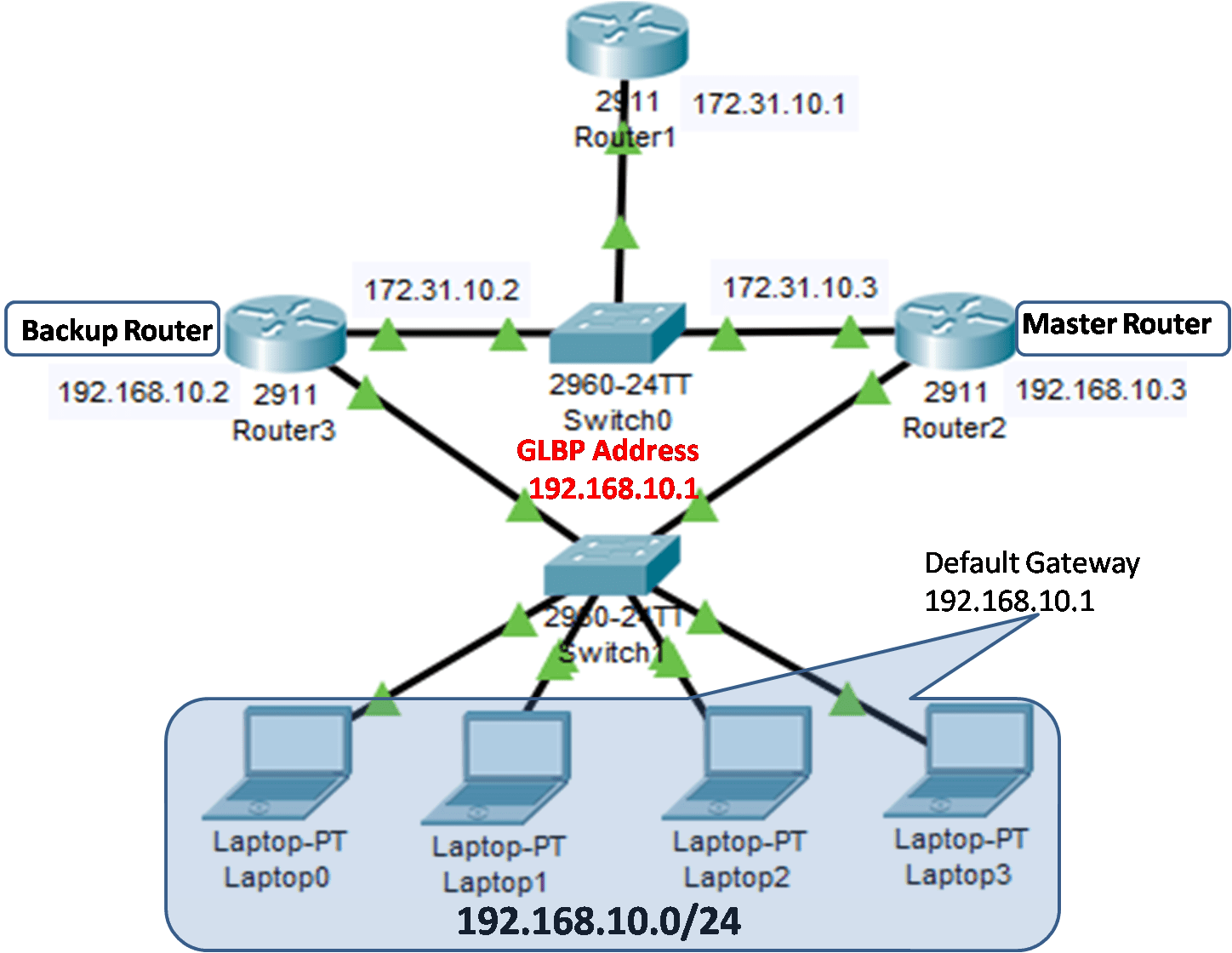
How to configure Virtual Router Redundancy Protocol
Virtual Router Redundancy Protocol (VRRP) is very similar to HSRP and can create a virtual gateway but the difference that it is not the Cisco Proprietary Protocol. It is a standard protocol defined by the IETF in RFC 3768. If you learn and understood HSRP then it is very easy for you to understand the...