
Networking
CCNA tutorials, Cisco guides, and enterprise networking insights for IT professionals.
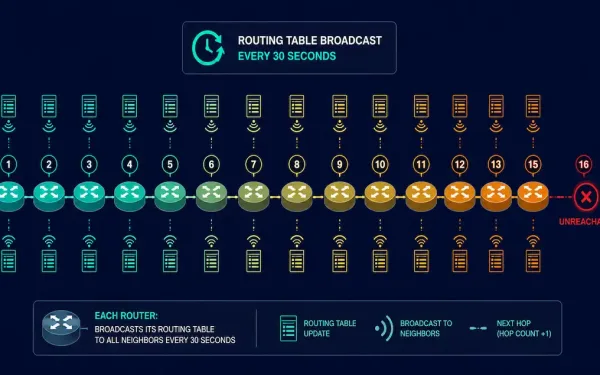
Routing Information Protocol (RIP): Configuration, Passive Interfaces, and Default Route Propagation
Routing Information Protocol (RIP) is a dynamic routing protocol that lets routers running IP share information about how to reach other networks. It’s rarely used in production networks today, but it remains the standard starting point for learning dynamic routing, and it’s directly tested on the CCNA exam. This guide covers how RIP works, how...
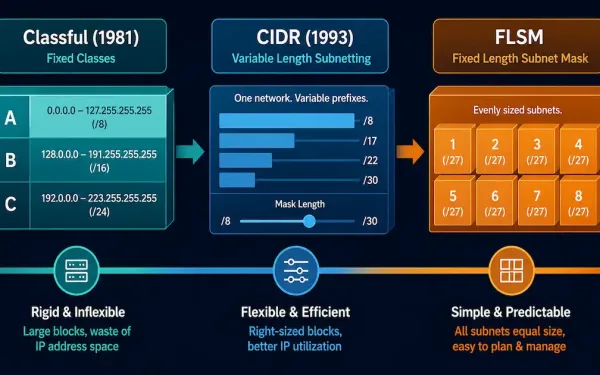
From Classful Network Addressing to CIDR and Fixed-Length Subnet Masking
IPv4 addressing didn’t arrive in its modern form all at once. It started as a rigid, class-based system, was replaced by a far more flexible scheme called CIDR, and along the way developed subnetting techniques — starting with Fixed-Length Subnet Masking (FLSM) — for splitting a network into smaller pieces. Understanding this progression matters for...
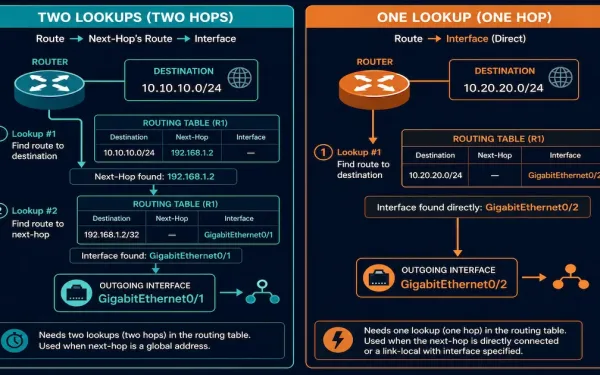
Static IPv6 Routes: Next-Hop Address vs. Directly Connected (Exit Interface)
A static IPv6 route can be built two different ways: pointing only at a next-hop IPv6 address, or pointing at an exit interface directly. These aren’t just two syntax options — they produce genuinely different lookup behavior in the router, and understanding that difference is core CCNA and CCNP material. This guide covers both forms,...
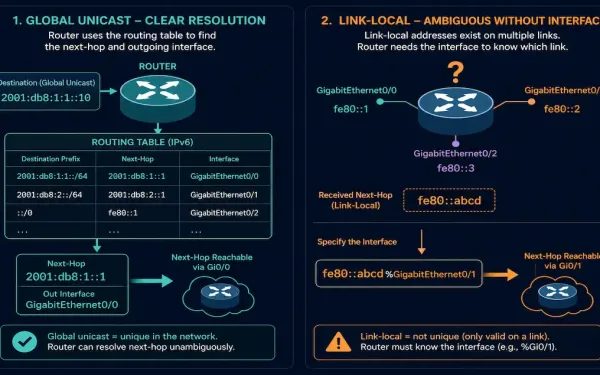
The IPv6 Route Next-Hop Option: Global vs. Link-Local, Explained
Configuring a static IPv6 route looks almost identical to configuring a static IPv4 route — but IPv6 has one real syntax wrinkle that trips up a lot of people moving from IPv4: whether the next hop needs an interface specified alongside it depends entirely on whether that next hop is a global unicast address or...
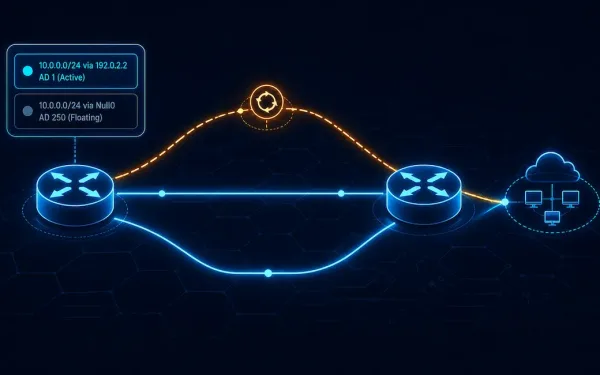
IPv6 Route Command: Configuring Static Routes on Cisco Routers
If you already know how to configure a static route for IPv4, configuring IPv6 static routes will feel familiar — the syntax and underlying logic are nearly identical, with only minor differences. IPv6 static routes are configured using the ipv6 route command in global configuration mode. The general syntax is: The parameters here map almost...
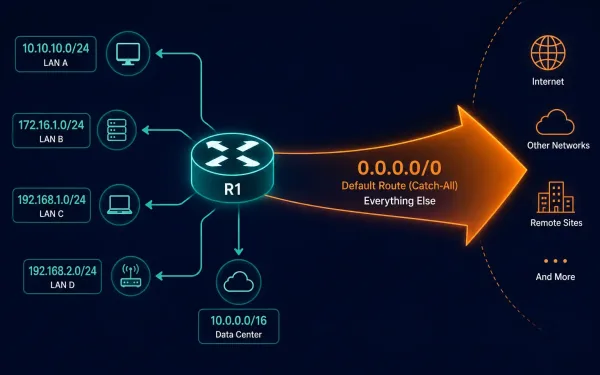
How to Configure a Default Route on a Cisco Router
A default static route is a route that matches any destination network not otherwise present in a router’s routing table. Routers use default routes that are either configured locally as static entries or learned dynamically from another router through a routing protocol — this guide covers the static configuration. [See Infographic: Default Route as the...
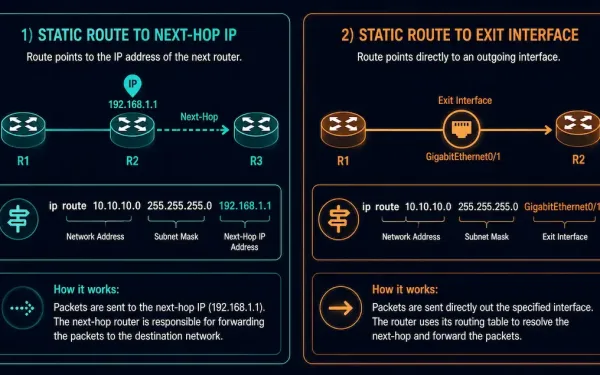
Directly Connected Static Routes: Configuration and When to Use Them
A static route can point to a destination in one of two ways: by specifying the next-hop IP address, or by specifying the exit interface directly. This second form — using the exit interface — is what’s called a directly connected static route, and understanding when and why to use it is a useful piece...
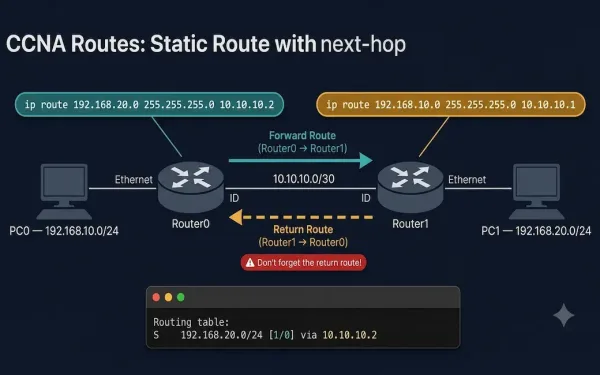
How to Configure a Static Route with a Next-Hop Address
Static routing is a fundamental skill for network engineers, essential for directing traffic in small to medium-sized networks or as a backup in dynamic routing environments. For students, understanding how to configure static routes using next-hop addresses is critical for mastering Cisco router configurations. In this guide you will learn: What Is a Next-Hop Address...
What Is the Next-Hop in Networking?
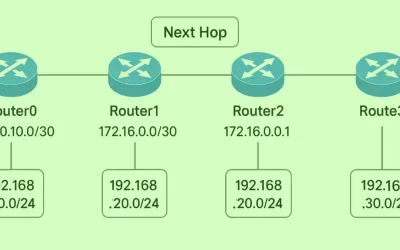
The next-hop is the IP address of the next router a packet is forwarded to on its way toward its final destination. When a router receives a packet, it looks up the destination in its routing table and forwards the packet to the next-hop — the immediately adjacent router along the best path. That router...
The ip route Command: Syntax and Parameters Explained
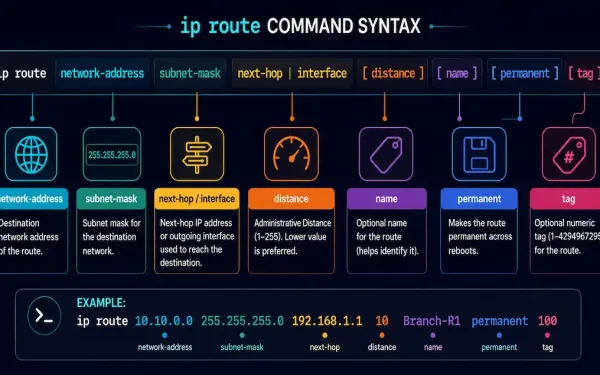
The ip route command is the fundamental tool for configuring static routes on Cisco IOS devices. Static routes give a secure, predictable way to direct traffic in small to medium-sized networks, and understanding every parameter of this command is a core CCNA and CCNP skill. Here’s what each parameter does. network-address The first parameter —...