CCNA
Cisco Certified Network Associate certification resources
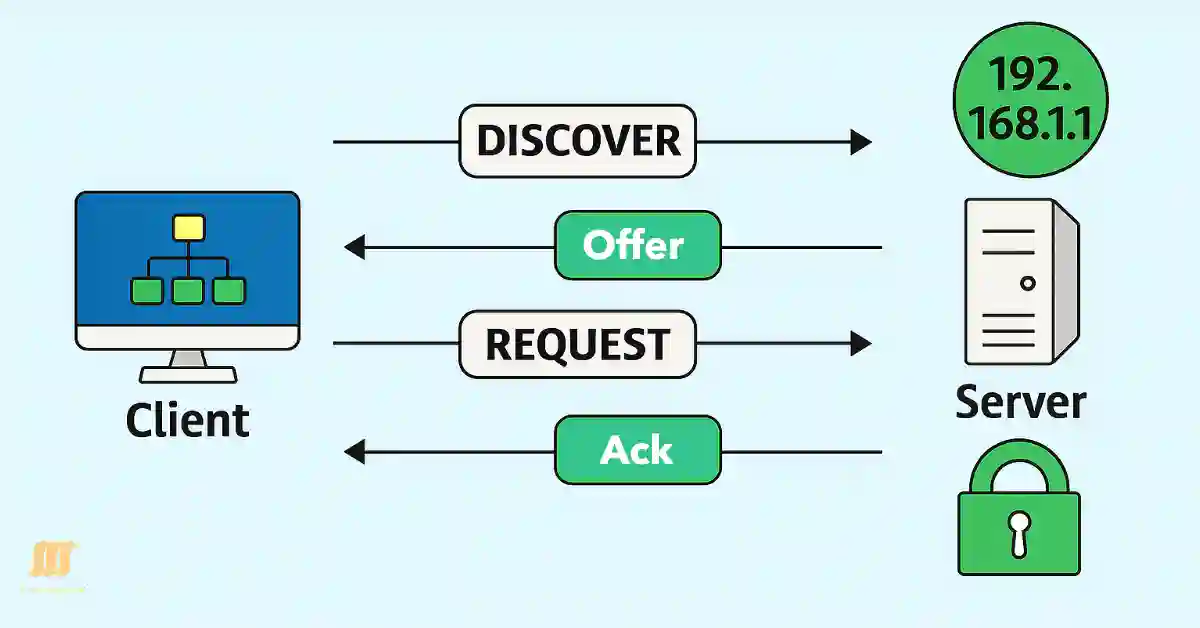
Dynamic Host Configuration Protocol(DHCP) Updated 2025
The Dynamic Host Configuration Protocol (DHCP) is a cornerstone of modern networking, automating IP address allocation to streamline network management. For CCNA and CCNP students, understanding DHCP is critical, as it simplifies the configuration of IP addresses, subnet masks, default gateways, and DNS servers in both small and large networks. Unlike static IP addressing, which...

Master File Transfer Protocol (FTP) Secure Your FTP Protocol Today (Updadted 2025)
This guide is tailored for network administrators and students using Windows (e.g., versions 10 or 11) and Linux (e.g., Ubuntu 22.04 or CentOS 7) operating systems. FTP operations can be performed using the built-in ftp command on both platforms, accessible via the Command Prompt (cmd) on Windows or the terminal (Ctrl + Alt + T)...
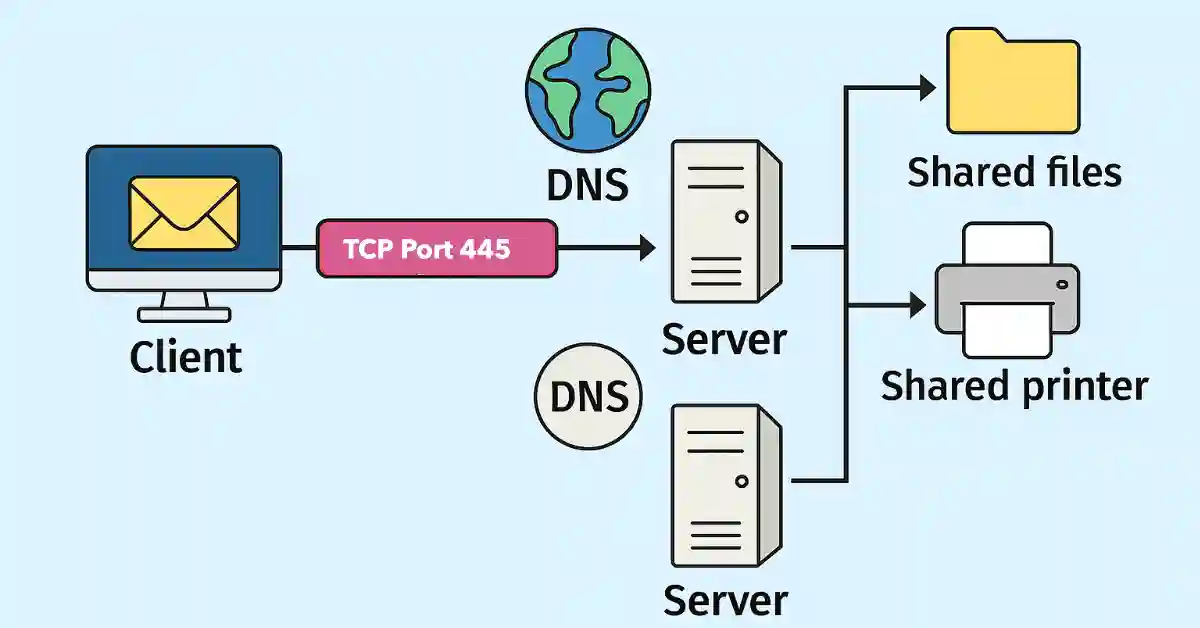
Master Server Message Block (SMB) Protocol and Boost Your Network Skills (Updated 2025)
The Server Message Block (SMB) is a network protocol that allows the host to share data within the same network. It shares directories, files, printers, and serial ports as quickly as on the local computer. It is a request-response protocol that uses TCP port 445 for communication. All the messages of the SMB protocol have...
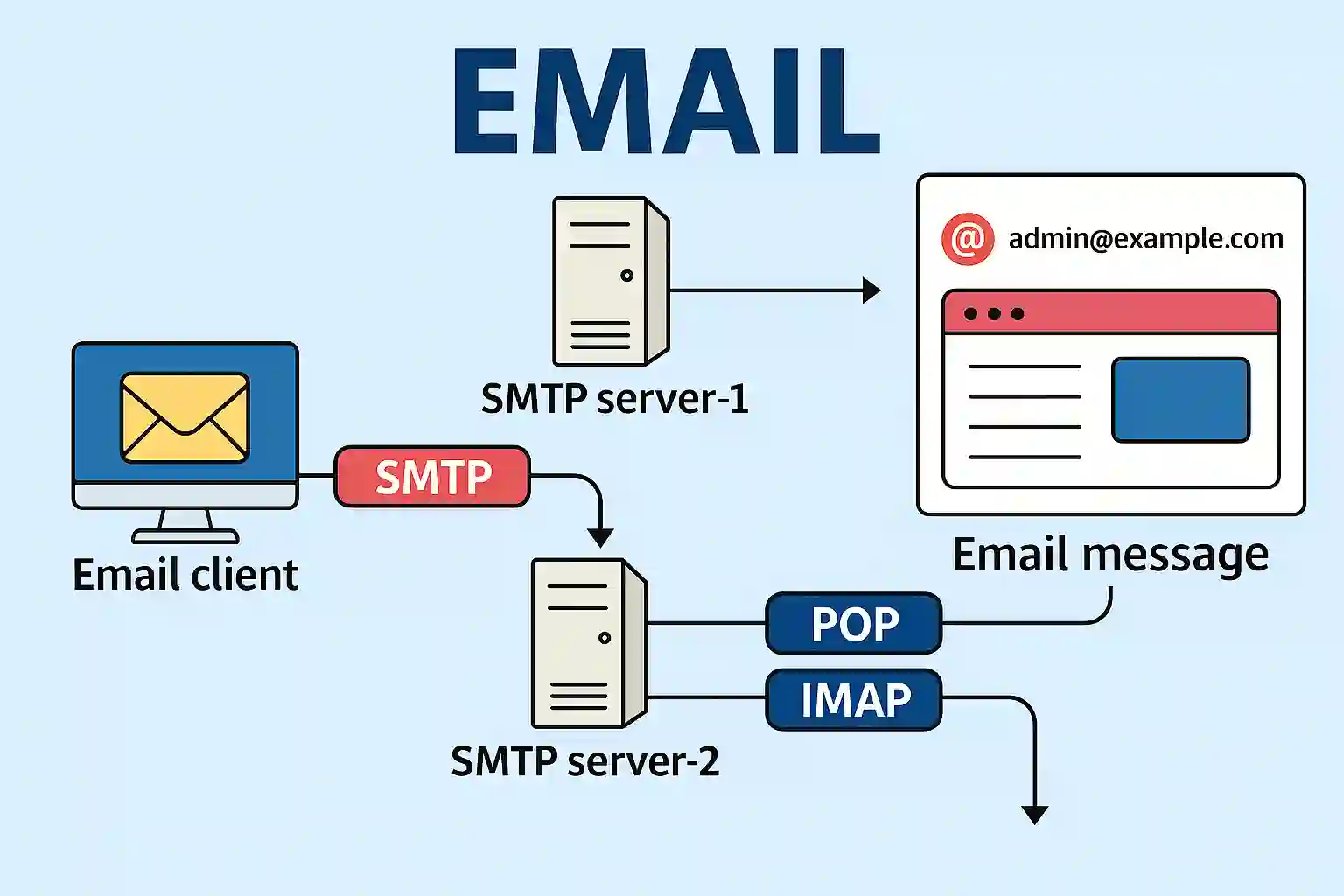
Master SMTP, POP, and IMAP for Seamless Email Success (Updated 2025)
Email is one of the primary services running on the Internet. So, what application, protocol, and services are required for email? The email server stores email messages in a database. Email uses the store-and-forward method for sending and storing messages. Email clients communicate with the servers running mail services to send and receive email. The...
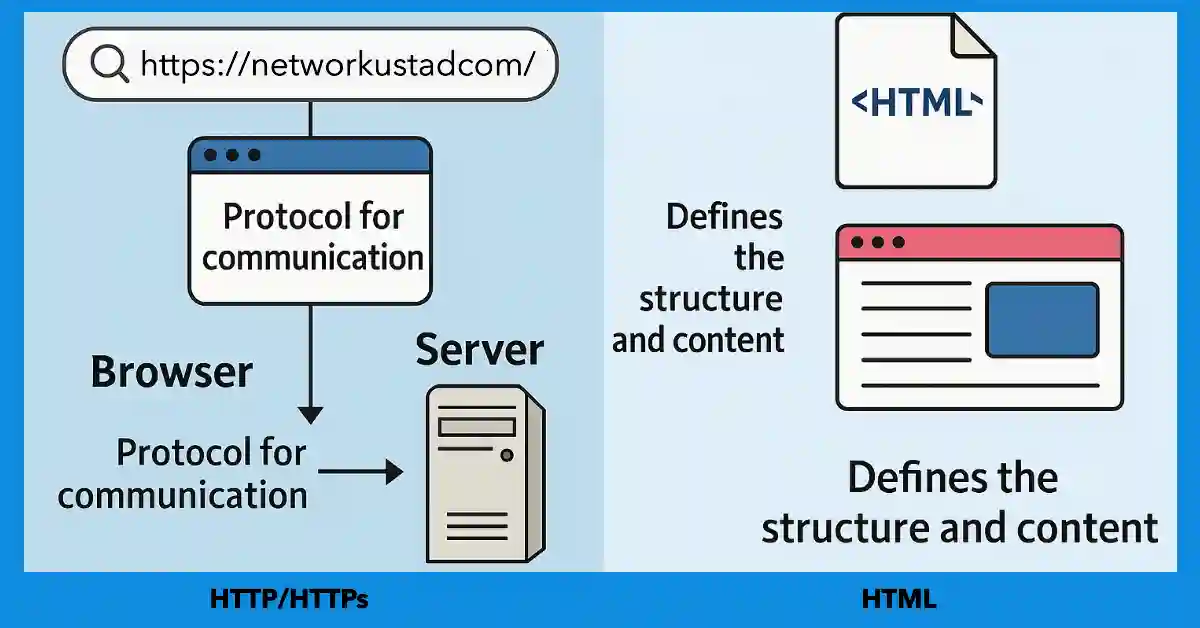
Master HTTP and HTML and Boost Your Skills With Our 2025 Exclusive Guide
HTTP is an abbreviation for HyperText Transfer Protocol, whereas HTML stands for HyperText Markup Language. Learn About HTTP and HTML are the application-layer protocol that governs data exchange between web servers and clients, while HTML is the markup language used to structure and present content on web pages. HTTP facilitates transmission, whereas HTML defines the...

Master Client-Server and Peer-to-Peer and Boost Your Skills (Updated 2025)
Client-server and Peer-to-Peer terms are often used in computer networks. Both are network models that we use in our day-to-day lives. The Client-Server model focuses on information sharing, whereas the Peer-to-Peer network model focuses on connectivity to remote computers. The detailed explanation of both models is the following:- Client-Server Network Model In the client-server model,...
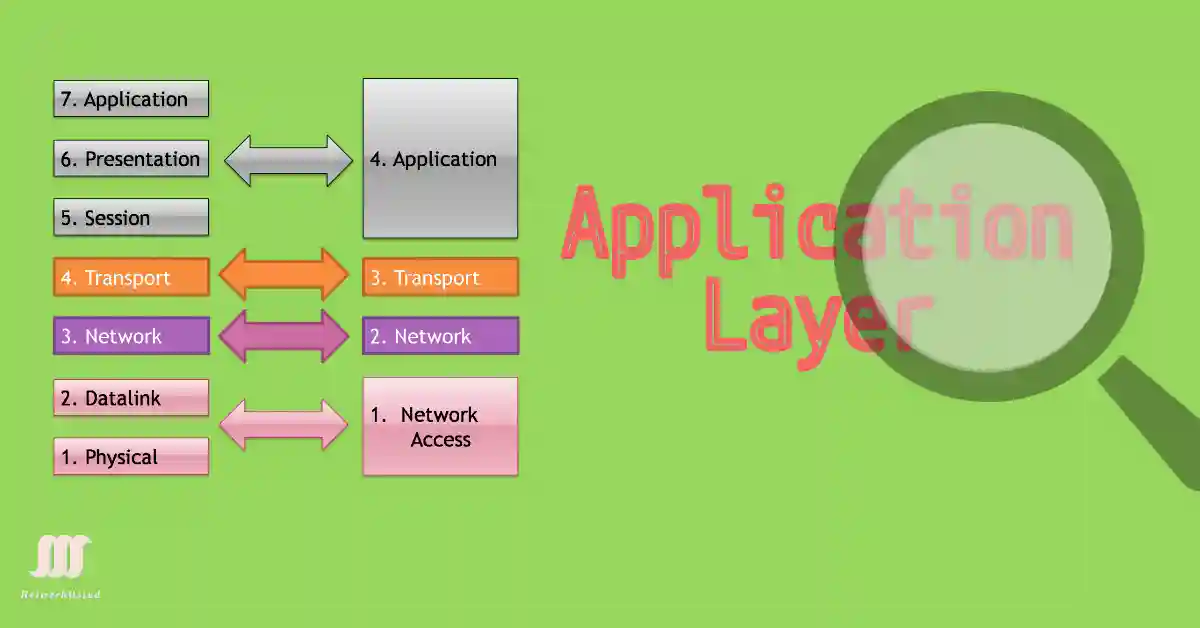
Master Application Layer and Boost Your Skills With this Exclusive Guide (Updated 2025)
This guide applies to Windows (e.g., 10/11) and Linux (e.g., Ubuntu 22.04). Configure application layer services via Command Prompt (cmd) on Windows or terminal (Ctrl + Alt + T) on Linux, as of 2025. It is the topmost OSI Model layer, consolidating the OSI’s application, presentation, and session layers into the TCP/IP model’s single application...
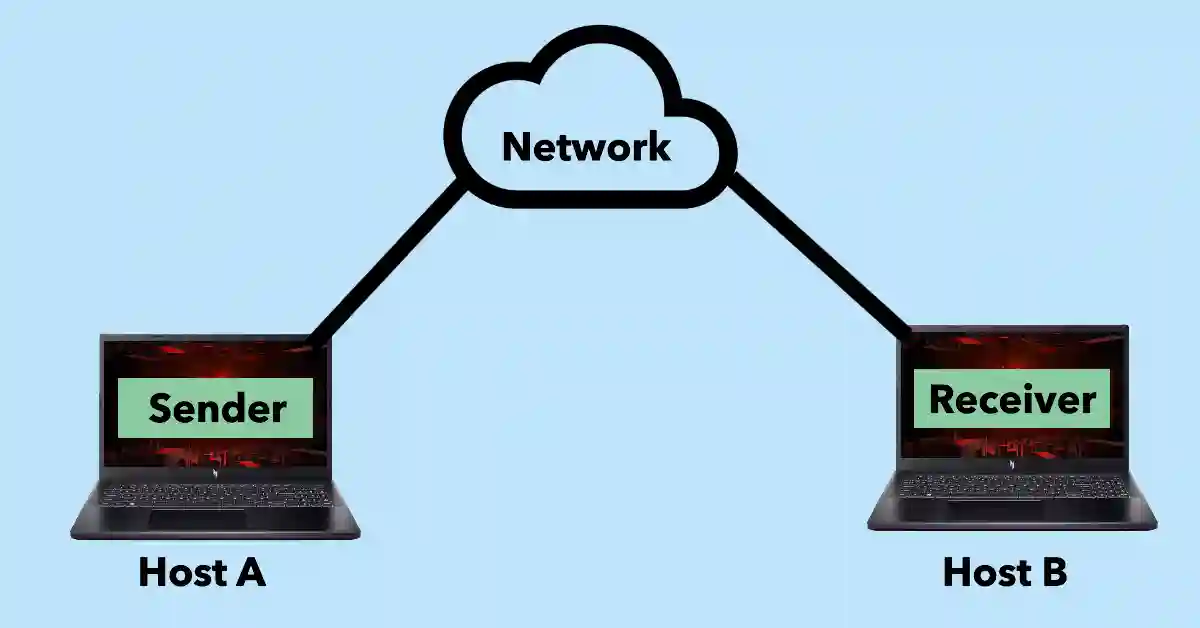
Master User Datagram Protocol (UDP) With Our Exclusive 2025 Guide
The User Datagram Protocol (UDP) is a lightweight communication protocol optimized for low-latency, loss-tolerant data transmission, ideal for Internet applications. Paired with IP (UDP/IP), it sends datagrams—small data packets—alongside TCP, serving CCNA/CCNP learners in 2025 network design. User Datagram Protocol (UDP) Low Overhead vs Reliability UDP provides basic transport layer functions with lower bandwidth overhead...
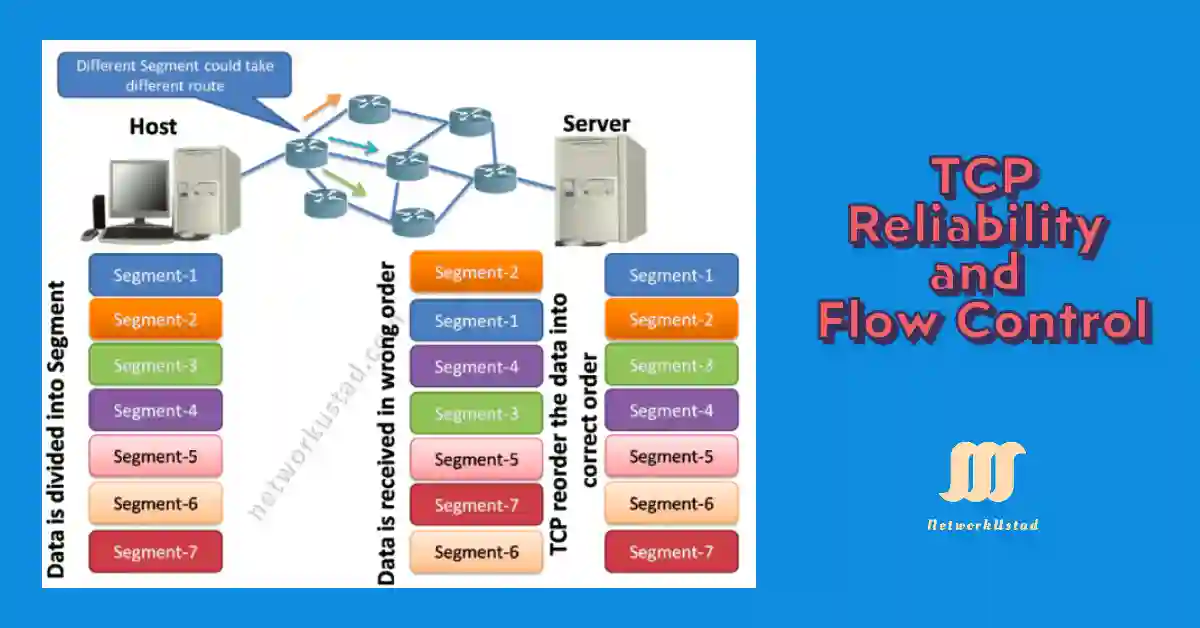
Master TCP Reliability and Flow Control With our Exclusive Guide (Updated 2025)
Transmission Control Protocol (TCP) accepts data, segments it into chunks with headers, and encapsulates these into IP datagrams for peer exchange. TCP Reliability and Flow Control ensure complete, ordered delivery on Windows or Linux, critical for 2025 networks as of July 2025. TCP Reliability The TCP segments will possibly arrive at their destination out of...
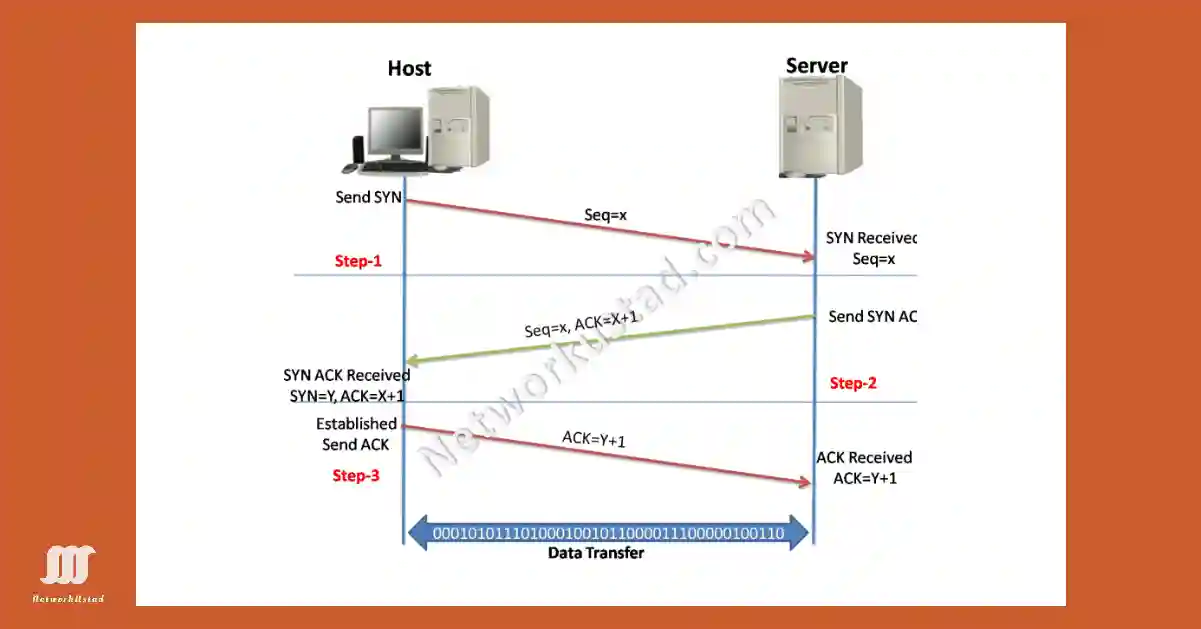
Master TCP 3-Way Handshake and Boost Your Skills (Updated 2025)
The TCP 3-way handshake is also known as the TCP handshake. It contains three message handshakes or SYN, SYN-ACK, and ACK. It is the method for TCP/IP connection over an IP-based network. TCP’s 3-way handshaking is often called the SYN, SYN-ACK, ACK technique because there are three messages transmitted by TCP to negotiate and start...