
CCNA
Cisco Certified Network Associate certification resources
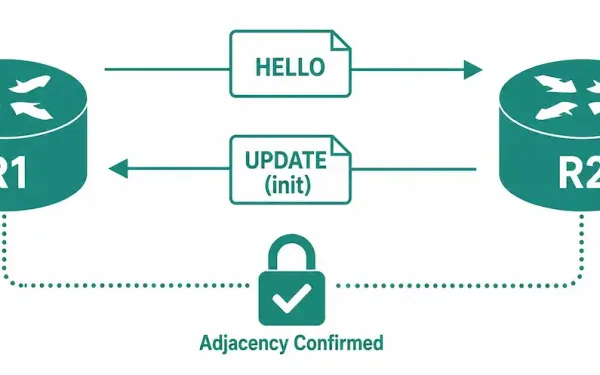
Introduction to EIGRP Neighbor Adjacencies
Before exchanging any EIGRP update packets between routers, EIGRP must first discover its neighbor. An EIGRP neighbor is an adjacent router running EIGRP on a directly connected network. EIGRP hello packets are used both to establish new neighbor adjacencies and to maintain existing ones — hellos don’t stop once the adjacency is up; they continue...
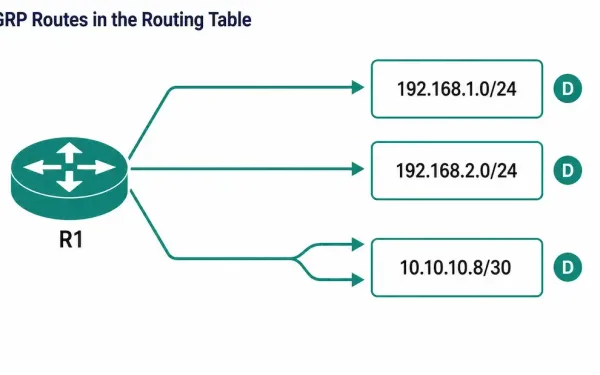
Examine EIGRP in the Routing Table
Once EIGRP neighbors are up and exchanging routes, the next verification step is confirming those routes actually made it into the router’s routing table — not just the topology table. The show ip route command is the tool for this: it displays the complete routing table, including remote networks learned dynamically, directly connected networks, and...
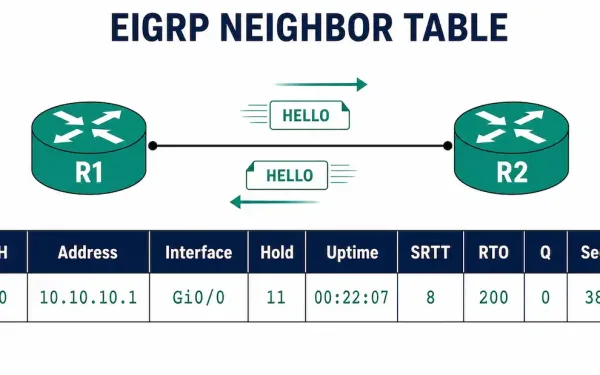
Introduction to EIGRP Neighbors
EIGRP-enabled routers establish neighbor adjacencies with other EIGRP-enabled routers by exchanging EIGRP hello packets. Without a neighbor adjacency, two routers cannot send or receive any EIGRP updates between them — no routes, no topology information, nothing. This is why neighbor formation is the first thing to check whenever EIGRP routes aren’t showing up where you...
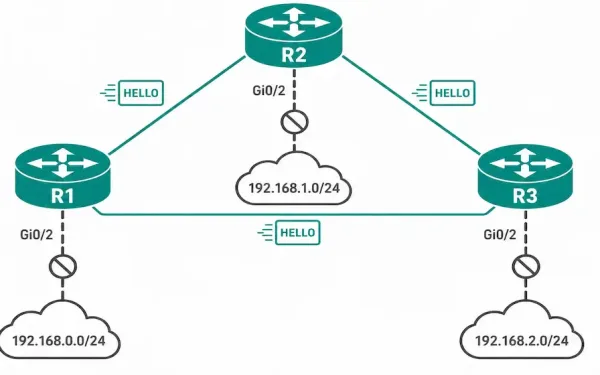
How to Configure EIGRP Passive-Interface
A passive interface is a feature used across routing protocols that stops routing updates from being sent and received on a specific interface, though the exact mechanics vary from one protocol to another. In EIGRP specifically, configuring the passive-interface command stops the router from sending outgoing hello packets on that interface. Because EIGRP neighbor adjacencies...
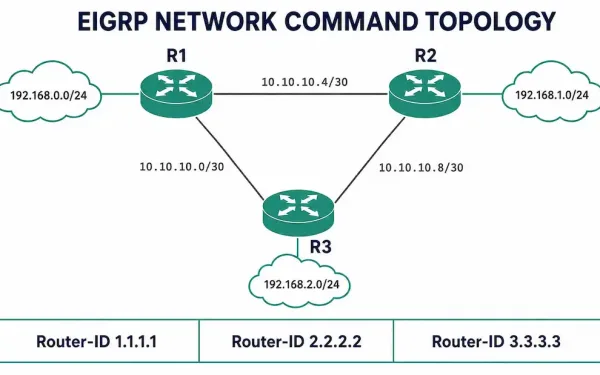
The EIGRP Network Command — Complete Configuration Guide
The network command is what actually turns EIGRP on. Configuring router eigrp <AS> only starts the EIGRP process — it does nothing on its own. Until you issue a network statement, EIGRP is not running on a single interface, and your router will not form a single neighbor adjacency. This article covers both ways to...
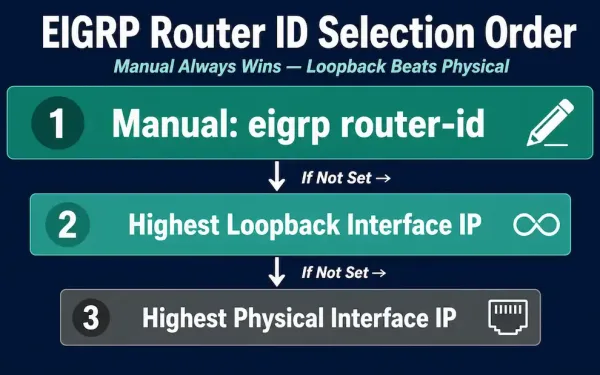
EIGRP Router ID: Selection Rules and Configuration
An EIGRP router ID is a 32-bit unique identifier assigned to each router in the EIGRP domain, represented in the same dotted-decimal format as an IPv4 address. This guide covers exactly how EIGRP selects a router ID automatically, how to configure one manually, a genuinely useful “sticky” behavior that catches people off guard when they...
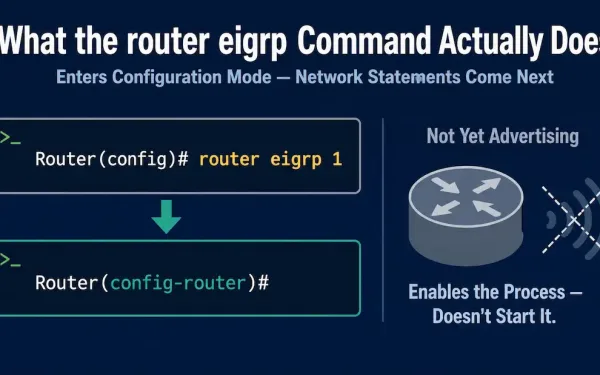
The “router eigrp” Command
The router command in global configuration mode is the starting point for configuring any dynamic routing protocol on Cisco IOS. This guide covers exactly what router eigrp does, its argument’s valid range, what it does and doesn’t accomplish on its own, the modern EIGRP Named Mode alternative worth knowing alongside it, and the small set...

BGP’s ASN vs EIGRP’s “AS Number” — Same Name, Different Meaning
An Autonomous System Number (ASN) is a globally unique identifier assigned to an autonomous system — a group of networks under the administrative control of a single organization, presenting one common routing policy to the internet. The guidelines for creating, selecting, and registering an autonomous system are described in RFC 1930. This guide covers how...
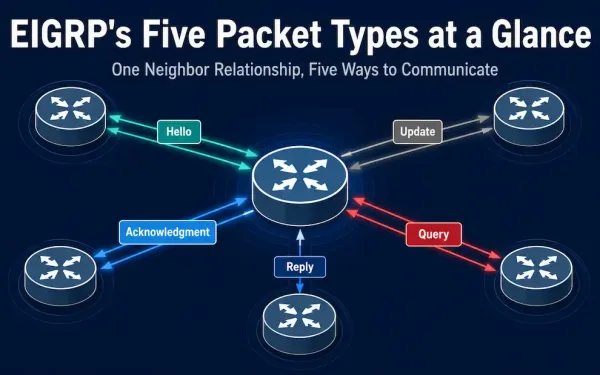
EIGRP Packet Types: Hello, Update, Acknowledgment, Query, and Reply Explained
EIGRP uses five different types of packets to communicate with its neighbors: Hello, Update, Acknowledgment, Query, and Reply. Depending on the packet type, EIGRP sends them with reliable or unreliable delivery, and as unicast, multicast, or sometimes both. These packet types are sometimes also referred to as EIGRP packet formats or EIGRP messages. Here’s a...
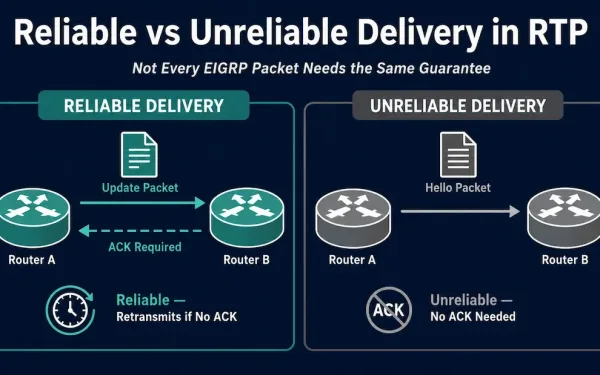
What Is EIGRP’s Reliable Transport Protocol (RTP)?
EIGRP doesn’t use TCP or UDP to deliver its packets. Instead, it uses its own purpose-built delivery mechanism called Reliable Transport Protocol (RTP) — not to be confused with the unrelated Real-time Transport Protocol used in VoIP and streaming, which shares the same acronym but nothing else. EIGRP’s RTP is what guarantees Update, Query, and...