
Networking
CCNA tutorials, Cisco guides, and enterprise networking insights for IT professionals.
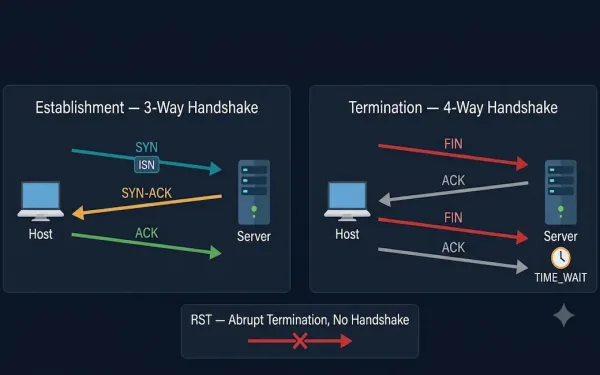
TCP Connection Establishment and Termination
All application processes on a server use unique port numbers. A network administrator can use default ports (e.g., 80 for HTTP, 21 for FTP) or configure custom ports manually, ensuring no conflicts. An active server application listening on an open port means the transport layer accepts and processes segments addressed to that port number. Every...
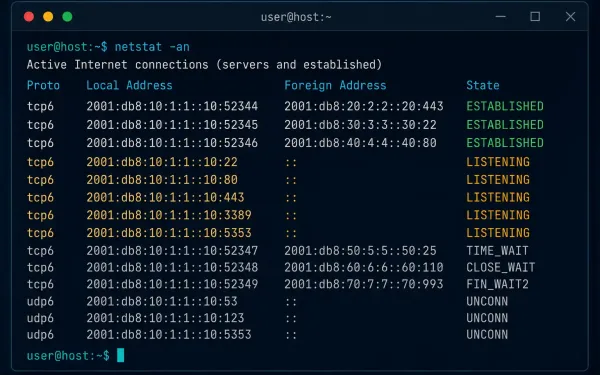
The Netstat Command: Monitor and Troubleshoot Network Connections
Knowing which TCP connections are active on a host is one of the fastest ways to catch a problem before it becomes an incident. An unexplained outbound connection can mean malware. A port stuck in the wrong state can mean a misbehaving application. The netstat command gives you visibility into both, on Windows and Linux...
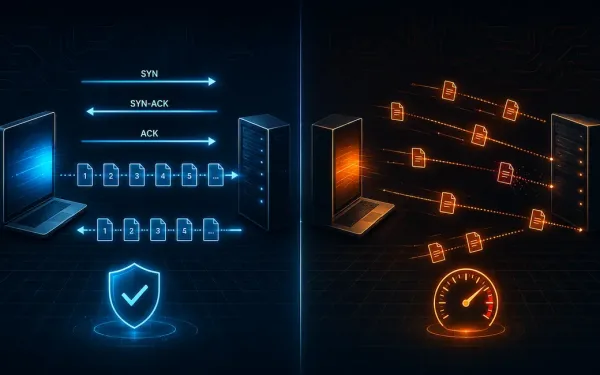
TCP vs UDP: Transport Layer Protocols Explained
TCP and UDP are the two primary transport layer protocols handling data communication between hosts on an IP network. TCP is connection-oriented; UDP is connectionless. That single distinction cascades into almost every other difference between them — reliability, ordering, flow control, and overhead all follow from that one design choice. TCP: Connection-Oriented and Reliable Transmission...
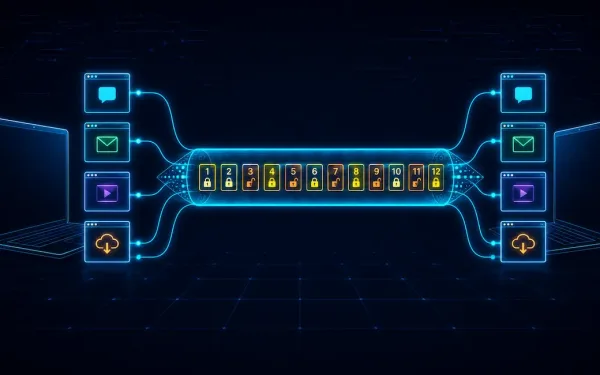
The Transport Layer Explained: Process-to-Process Delivery, TCP, UDP, and Beyond
We routinely run multiple applications on a single device at once — a browser, an email client, a video call — and each needs its data delivered to the right place without interference from the others. The transport layer, Layer 4 of the OSI model, is what makes this possible: it accepts data from the...
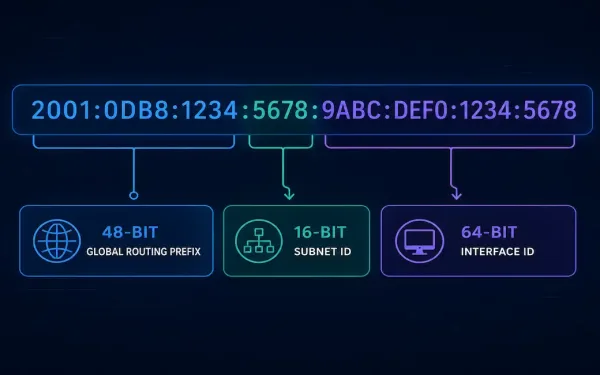
IPv6 Subnetting Explained: Structure, Worked Examples, and Best Practices
IPv6 subnetting works differently from IPv4 subnetting. There is no address shortage to manage, so the goals change. Instead of squeezing every possible host out of a block, IPv6 subnetting is about building a clean addressing hierarchy. This guide walks through the address structure, a full worked example, LAN and WAN allocation, and the troubleshooting...
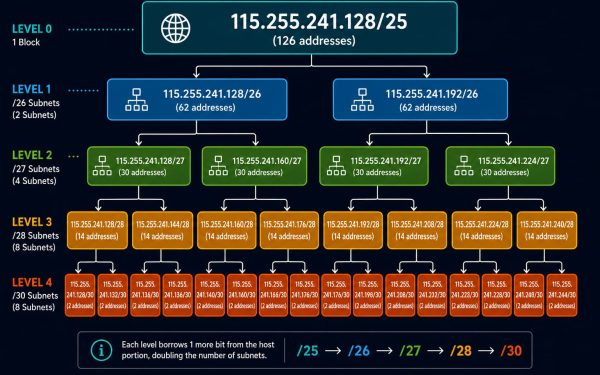
Variable Length Subnet Masking (VLSM) Explained
VLSM lets a single address block be divided into subnets of genuinely different sizes, rather than forcing every subnet to share one uniform mask. This guide continues directly from the network-requirement subnetting example covered previously, taking one of those eight /25 subnets and subdividing it further, three levels deep, to show exactly how VLSM avoids...
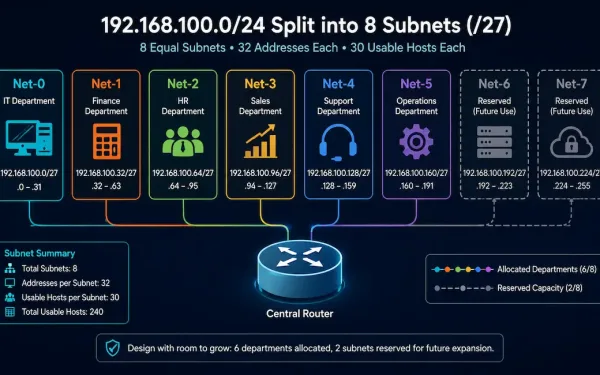
Subnetting Based on Network Requirements
Sometimes the number of subnets an organization needs matters more than the number of hosts each one supports. A company separating traffic by department, for instance, cares primarily about ending up with enough distinct subnets, one per department, even if that means each subnet has more host capacity than strictly necessary. This guide works through...
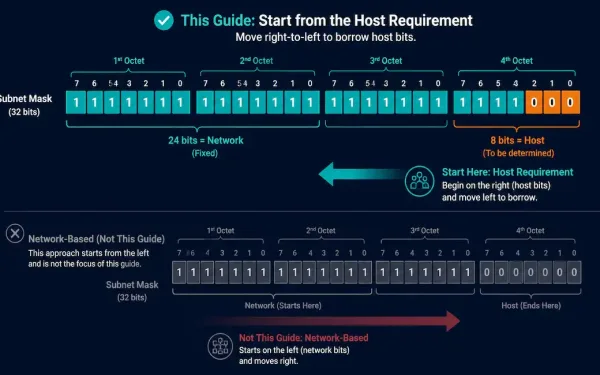
Subnetting Based on Host Requirements
There are two ways to approach a subnetting problem: start from how many subnets you need, or start from how many hosts each subnet needs to support. This guide covers the second approach, host-based subnetting, which flips the usual left-to-right bit-borrowing process on its head and starts from the right instead. The Core Trade-Off Subnetting...
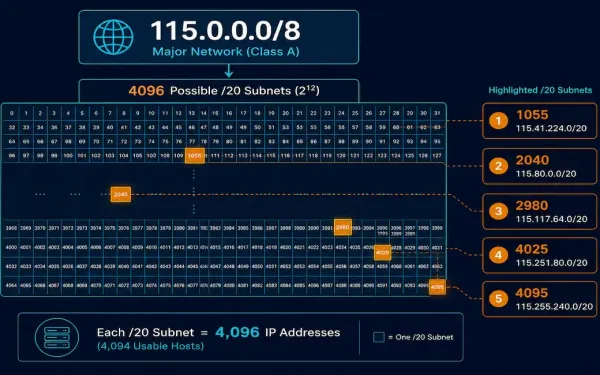
Creating 4,000 Subnets from a /8 Prefix
Some organizations need far more subnets than a typical /24-based design provides. A small ISP allocating a separate subnet to each of 4,000 clients is a realistic example: with a /8 network to work with, there’s plenty of host-portion room to borrow from. This guide works through the full process, including five completely worked examples...
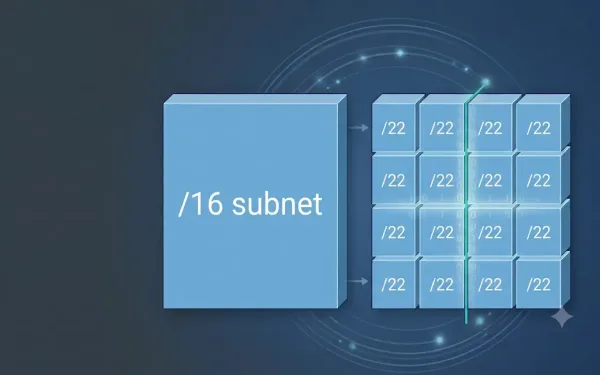
Subnetting Example with a /16 prefix – Exclusive How To Guide
In many situations, we require a large number of subnets. For example, the class B network address 130.20.0.0 has a default mask of 255.255.0.0 or /16 Prefix. So, this address has 16 network bits in the network portion and 16 host bits in the host portion. The 16 bits in the host portion are available...