Asad Ijaz
Lead Networking Architect and Editor at NetworkUstad. BS in Computer Networks and Security, CCNP and CCNA certified, with 11+ years of experience in enterprise network design, implementation, and troubleshooting. Writes practical tutorials on routing, IPv4 management, network automation, and security fundamentals.
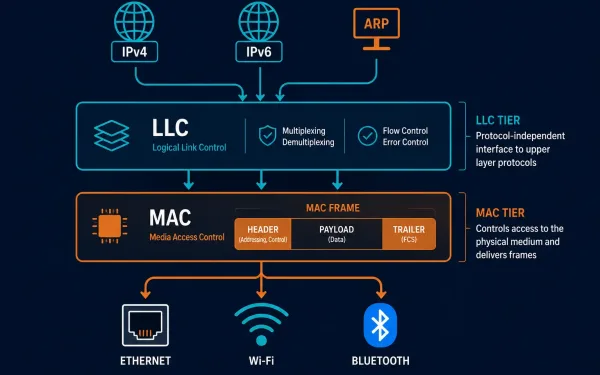
LLC and MAC Sublayers: What Each One Actually Does
The Data Link Layer, Layer 2 of the OSI model, splits into two distinct sublayers, and understanding exactly where the line falls between them clears up a lot of confusion about how Layer 2 actually works. The Logical Link Control (LLC) sublayer talks to the Network Layer above it; the Media Access Control (MAC) sublayer...
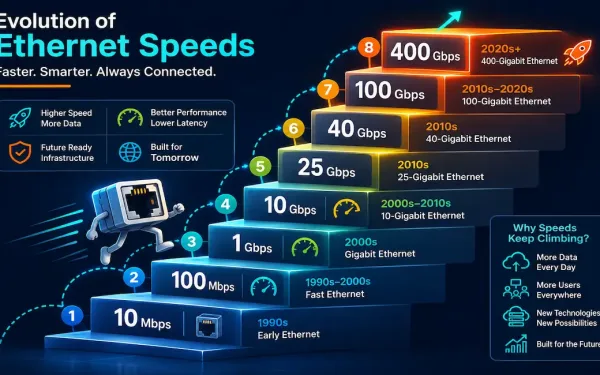
Ethernet Standards Explained: From 10 Mbps to 400 Gbps
Ethernet has been the dominant wired LAN technology for decades, and it’s kept that position by continuously scaling to meet new bandwidth demands rather than being displaced by a competing technology. This guide walks through the major Ethernet standards, from the original 10 Mbps specification through today’s 400 Gigabit Ethernet, what cabling each one needs,...
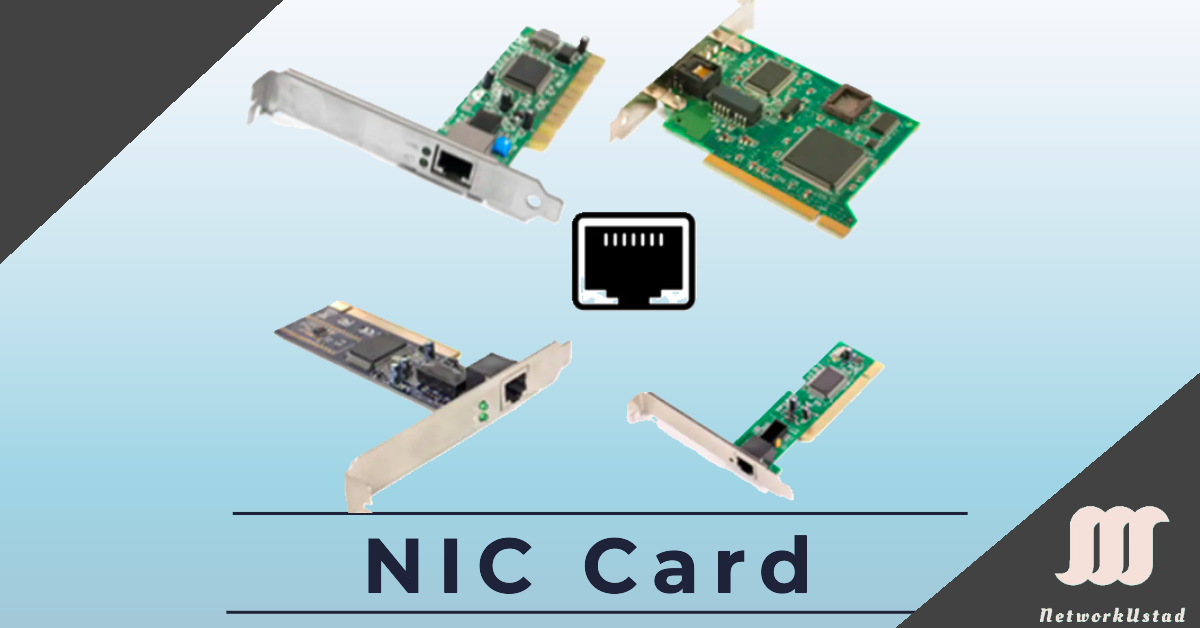
Network Interface Card (NIC) and Ethernet: A Complete Guide
A Network Interface Card (NIC), also known as an Ethernet card or network adapter, is the hardware component that lets a computer connect to a network — whether a home network or the wider internet — using an Ethernet cable with an RJ-45 connector or wireless technology. The NIC provides a dedicated connection to the...
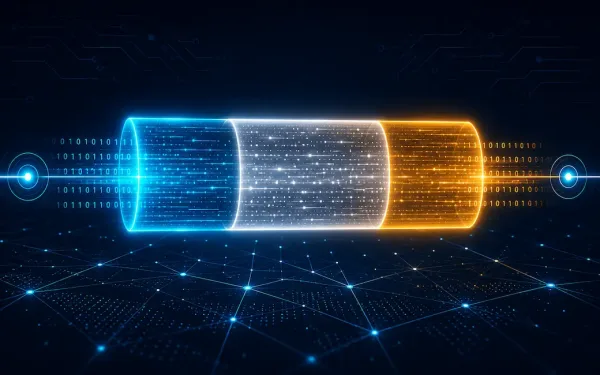
Framing in the Data Link Layer
Data-link layer framing is a critical process in networking that enables reliable data transmission across diverse media. The data-link layer takes packets from the Network Layer and encapsulates them into frames, the fundamental data units for network communication. If a packet is too large for a single frame, it may be divided into smaller frames...
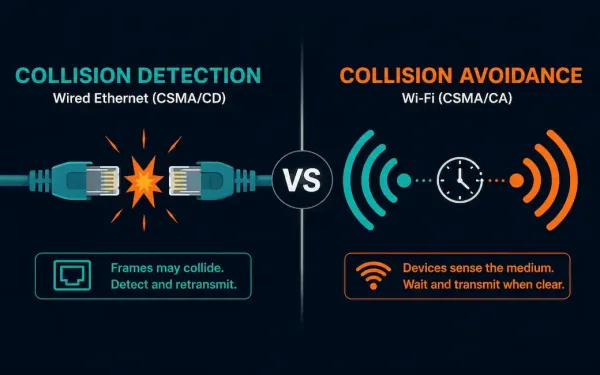
Carrier Sense Multiple Access (CSMA) Explained
Carrier Sense Multiple Access (CSMA) is the family of media access control protocols behind both Ethernet’s collision handling and Wi-Fi’s collision avoidance. The core idea is simple: before a device transmits, it listens to the shared medium first, checking whether it’s clear. What each device does next, detect a collision after it happens, or actively...
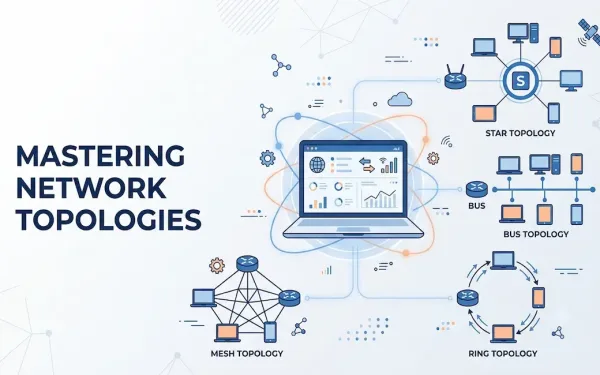
Understanding Network Topology: A Comprehensive Guide
Network topology defines the schematic arrangement of devices, nodes, and connections within a computer network. It determines how data flows between devices, directly affecting performance, scalability, and reliability. Topologies are broadly categorized into physical network topology, the tangible layout of cables and devices, and logical network topology, the virtual path that data actually travels. Understanding...
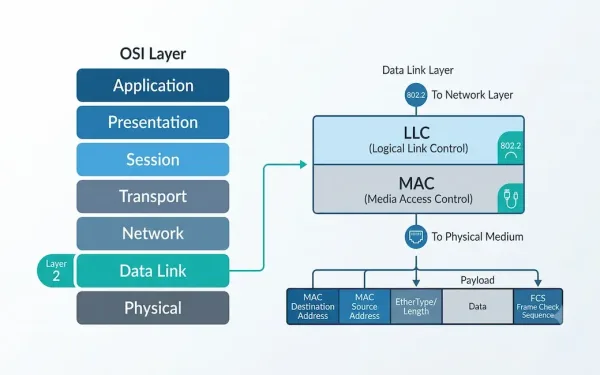
What Is the Data Link Layer? A Complete Guide to OSI Layer 2
The Data Link Layer is the second layer of the OSI model, and it plays a critical role in how devices communicate across a network. Sitting between the physical layer below and the network layer above, it is responsible for reliable node-to-node delivery of data over a physical link. This guide explains what the Data...
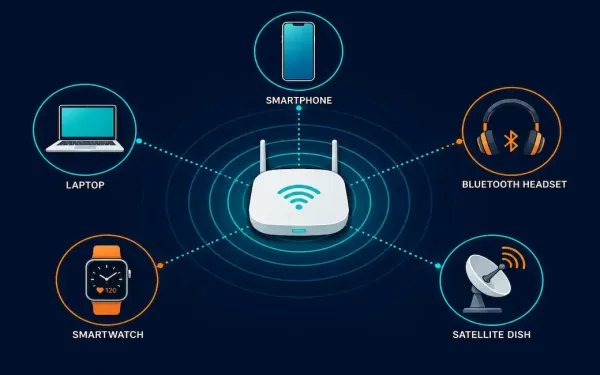
Wireless Media Explained: Wi-Fi, Bluetooth, WiMAX, and Cellular
Wireless media carries data through radio frequency (RF) signals instead of a physical cable. It’s the technology behind Wi-Fi, Bluetooth, cellular networks, satellite internet, and dozens of other everyday connections, from cordless keyboards to GPS receivers. This guide covers how wireless media actually works at the physical and data link layers, the main standards you’ll...
Unshielded Twisted Pair (UTP) Cabling Explained
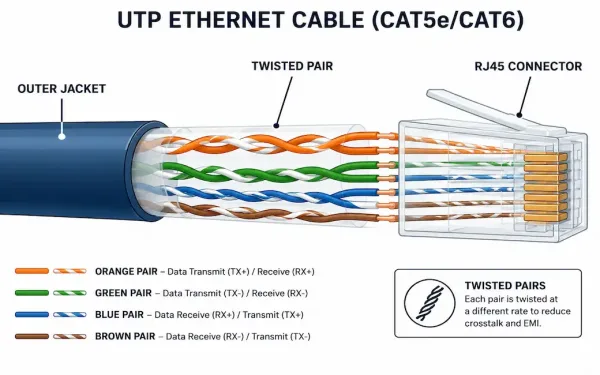
Unshielded Twisted Pair, or UTP, is the cabling behind most Ethernet networks and telephone systems in use today. It’s lightweight, inexpensive, and easy to install, which is exactly why it became the default choice for LAN cabling decades ago and still is. This guide covers how UTP actually works, what each cable category really supports,...
Data Link Layer and Network Layer Addresses Explained
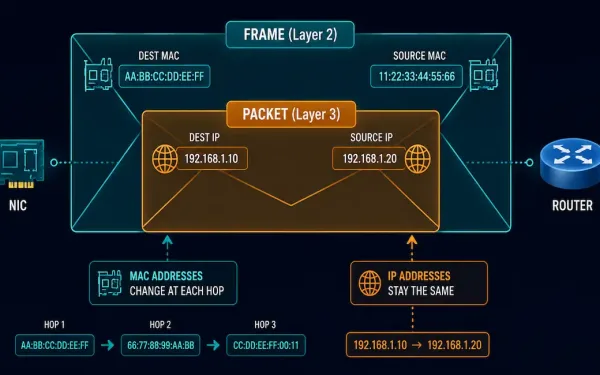
Every packet that crosses a network carries two different kinds of addresses at once. One address stays the same for the whole trip. The other changes at every single hop. Mixing these two up is one of the most common sources of confusion for anyone studying networking or working toward CCNA. This guide breaks down...