
Networking
CCNA tutorials, Cisco guides, and enterprise networking insights for IT professionals.
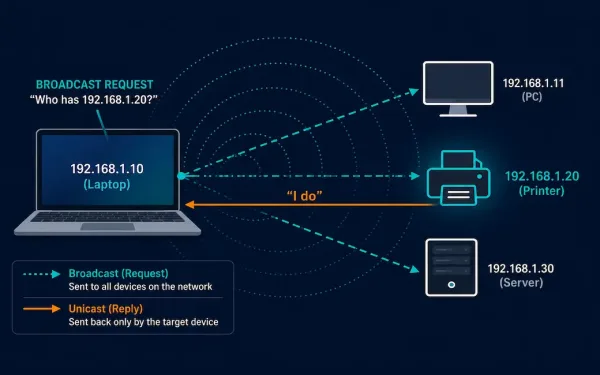
Address Resolution Protocol (ARP) Explained
Every device on a network has both an IP address and a MAC address, and something has to bridge the two. That’s the job of the Address Resolution Protocol (ARP): mapping a known IP address to the MAC address a device actually needs to build an Ethernet frame. This guide covers exactly how that resolution...
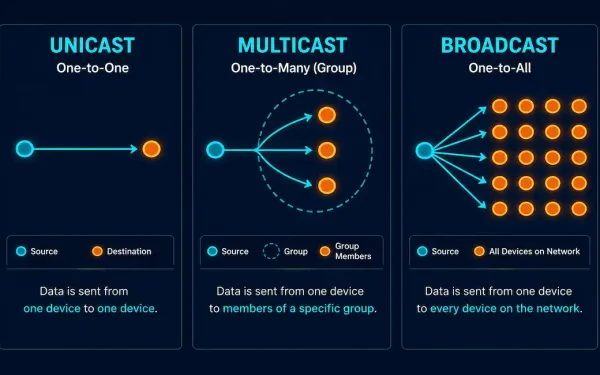
Unicast, Multicast, and Broadcast Addresses Explained
Every packet on a network needs a way to specify who should receive it. Networks handle this through three distinct address types: unicast for one-to-one delivery, multicast for one-to-a-group delivery, and broadcast for one-to-everyone delivery. This guide covers exactly how each one works at both the IP and MAC address level, and where you’ll actually...
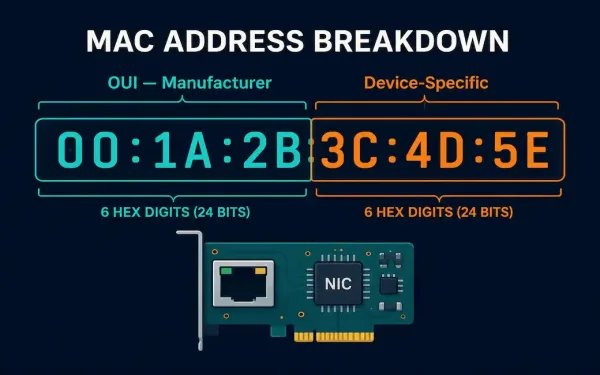
MAC Addresses Explained: Structure, Format, and How to Find Yours
A MAC address, short for Media Access Control address, is a worldwide unique identifier assigned to a network interface controller. It’s also called a hardware address or physical address, and it’s what allows communication within a local network segment. Most IEEE 802 network technologies, including Ethernet, Wi-Fi, and Bluetooth, rely on MAC addresses for this...
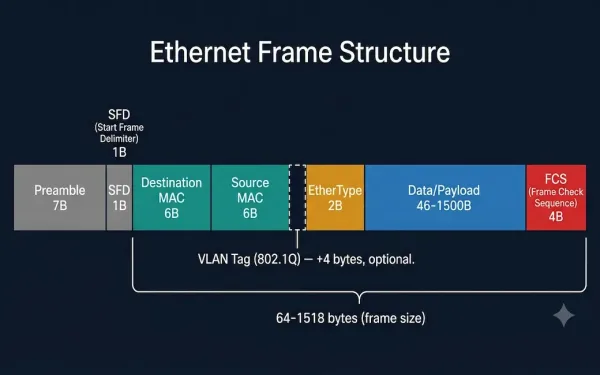
Ethernet Frame Structure: IEEE 802.3 and Ethernet II Fields Explained
The Ethernet frame structure is the backbone of wired networking, enabling reliable data transfer across everything from small office LANs to hyperscale data centers. This guide explores each component of an Ethernet frame, their exact byte sizes, their roles, and how VLAN tagging extends the basic structure for modern segmented networks. Overview of Ethernet Frame...
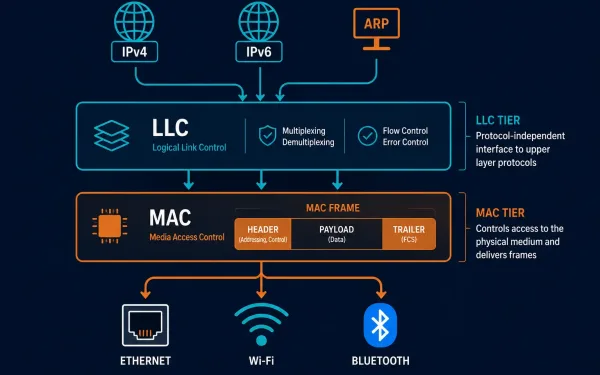
LLC and MAC Sublayers: What Each One Actually Does
The Data Link Layer, Layer 2 of the OSI model, splits into two distinct sublayers, and understanding exactly where the line falls between them clears up a lot of confusion about how Layer 2 actually works. The Logical Link Control (LLC) sublayer talks to the Network Layer above it; the Media Access Control (MAC) sublayer...
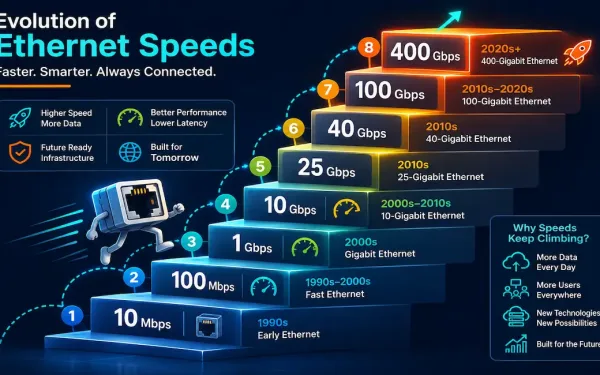
Ethernet Standards Explained: From 10 Mbps to 400 Gbps
Ethernet has been the dominant wired LAN technology for decades, and it’s kept that position by continuously scaling to meet new bandwidth demands rather than being displaced by a competing technology. This guide walks through the major Ethernet standards, from the original 10 Mbps specification through today’s 400 Gigabit Ethernet, what cabling each one needs,...
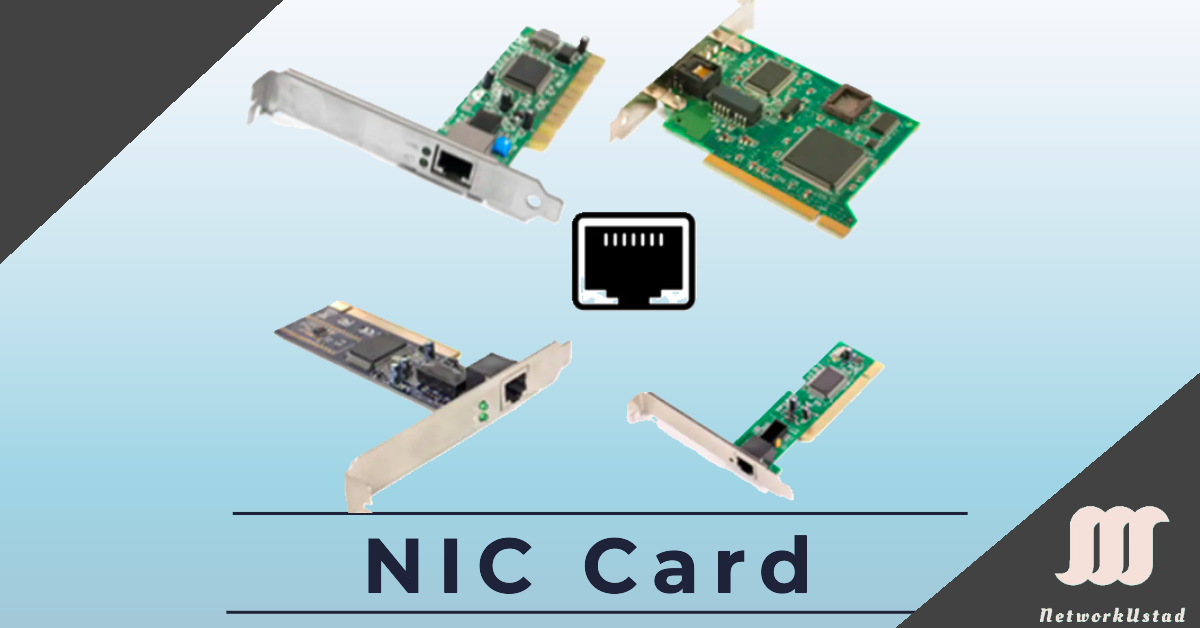
Network Interface Card (NIC) and Ethernet: A Complete Guide
A Network Interface Card (NIC), also known as an Ethernet card or network adapter, is the hardware component that lets a computer connect to a network — whether a home network or the wider internet — using an Ethernet cable with an RJ-45 connector or wireless technology. The NIC provides a dedicated connection to the...
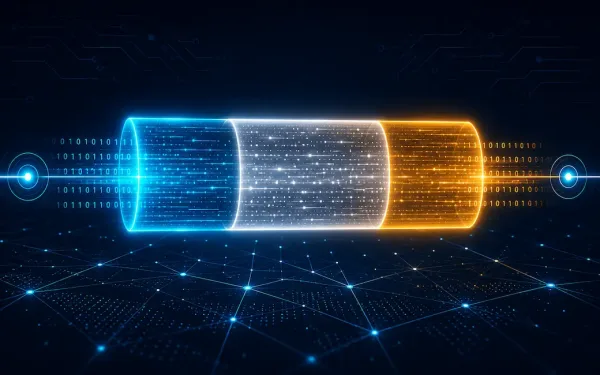
Framing in the Data Link Layer
Data-link layer framing is a critical process in networking that enables reliable data transmission across diverse media. The data-link layer takes packets from the Network Layer and encapsulates them into frames, the fundamental data units for network communication. If a packet is too large for a single frame, it may be divided into smaller frames...
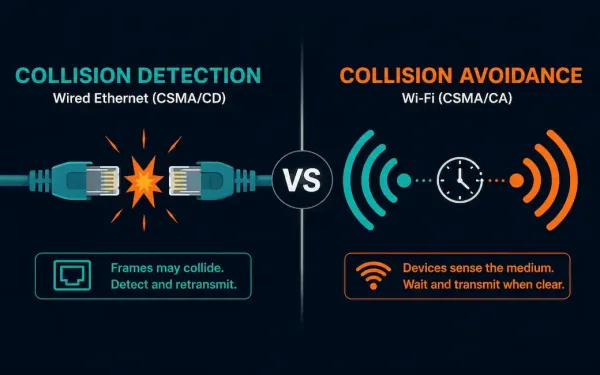
Carrier Sense Multiple Access (CSMA) Explained
Carrier Sense Multiple Access (CSMA) is the family of media access control protocols behind both Ethernet’s collision handling and Wi-Fi’s collision avoidance. The core idea is simple: before a device transmits, it listens to the shared medium first, checking whether it’s clear. What each device does next, detect a collision after it happens, or actively...
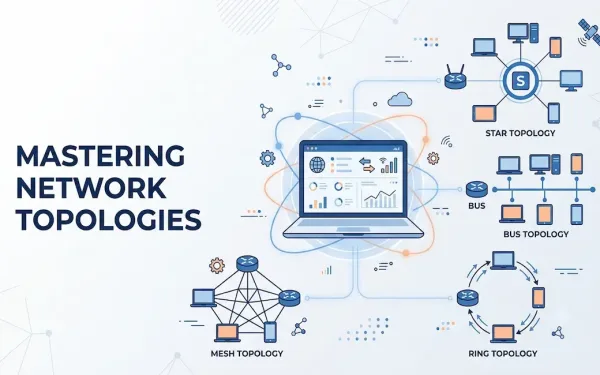
Understanding Network Topology: A Comprehensive Guide
Network topology defines the schematic arrangement of devices, nodes, and connections within a computer network. It determines how data flows between devices, directly affecting performance, scalability, and reliability. Topologies are broadly categorized into physical network topology, the tangible layout of cables and devices, and logical network topology, the virtual path that data actually travels. Understanding...