
Networking
CCNA tutorials, Cisco guides, and enterprise networking insights for IT professionals.
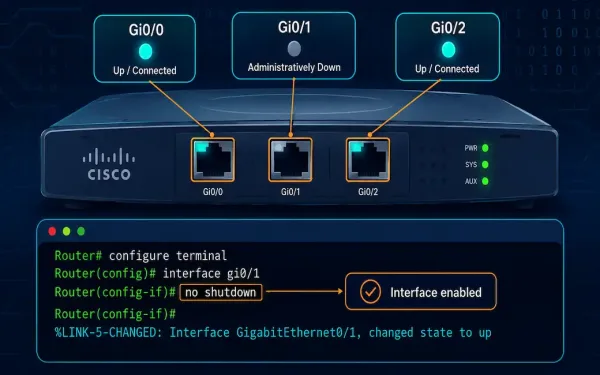
Cisco Router Interface Configuration: A Complete CLI Guide
Configuring a router’s interfaces correctly is foundational to everything else that router does. A misconfigured or disabled interface means no traffic flows, regardless of how well everything else on the device is set up. This guide covers the full interface configuration process, from selecting the right interface through verification and troubleshooting, using the core commands...
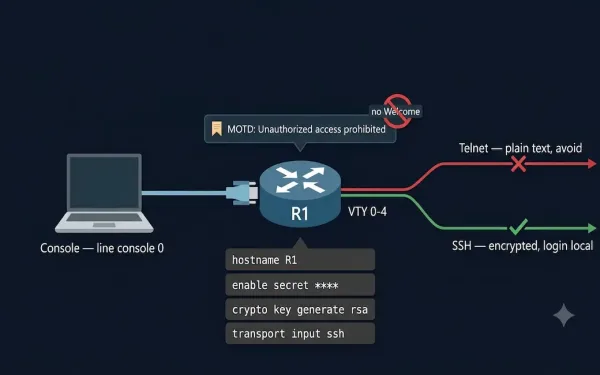
Basic Cisco Router Configuration: Complete Step-by-Step Guide
Different IP networks cannot communicate with each other without a router. Routers do this job by forwarding packets from one IP network to another using routing. Before a router can do any of this, some basic configuration is required. This guide covers the complete basic Cisco router configuration process, using Cisco Packet Tracer for simulation,...
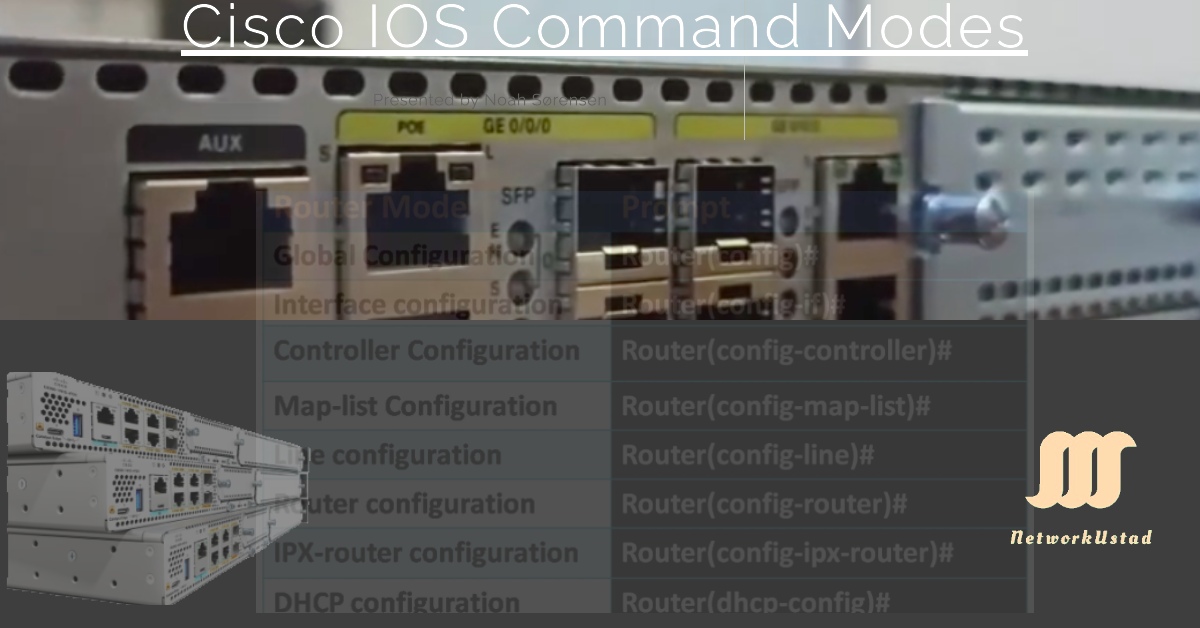
Cisco IOS Command Modes Explained: User EXEC, Privileged EXEC, and Global Configuration Modes
Cisco IOS devices use hierarchical command modes to control access and prevent accidental misconfigurations. Whether you’re managing a router, switch, or preparing for the CCNA exam, understanding these modes is fundamental: Global configuration mode contains a number of sub-configuration modes (also called specific or extended configuration modes). The table below lists common configuration modes and...
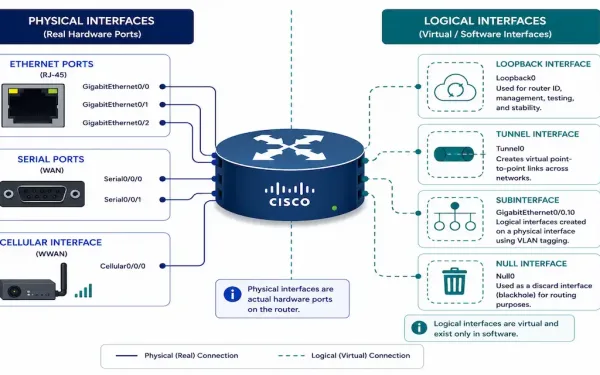
Cisco Router Interfaces: Types, Configuration, and Troubleshooting
Every router interface falls into one of two broad categories: physical, where actual traffic enters and exits over real cabling or radio, and logical, which exist purely in software but serve genuinely important roles — a stable router ID, a VPN endpoint, a way to carve one physical port into many logical ones. Knowing which...
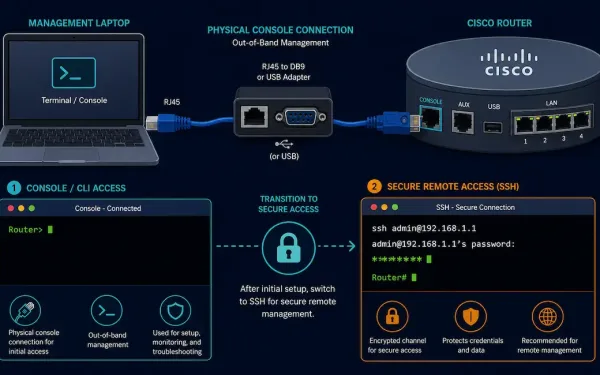
How to Connect and Access a Cisco Router
Connecting to a Cisco router for the first time is a foundational skill for anyone working toward CCNA or managing real network hardware. This guide covers the physical console connection every router needs for initial setup, the CLI basics you’ll use immediately after connecting, and how to move from insecure Telnet to properly configured SSH...
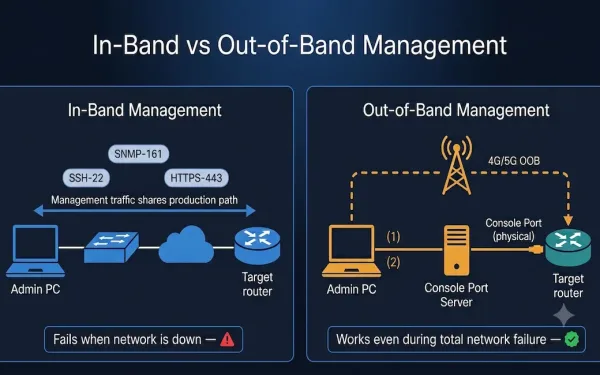
In-Band and Out-of-Band Network Management: A Complete Guide
Network management is critical for businesses, IT teams, and CCNA students learning the fundamentals of how networks are administered. Two fundamental approaches — in-band and out-of-band (OOB) management — determine how administrators monitor, configure, and troubleshoot devices. Understanding when to use each method, how to configure them on Cisco IOS, and how they relate to...
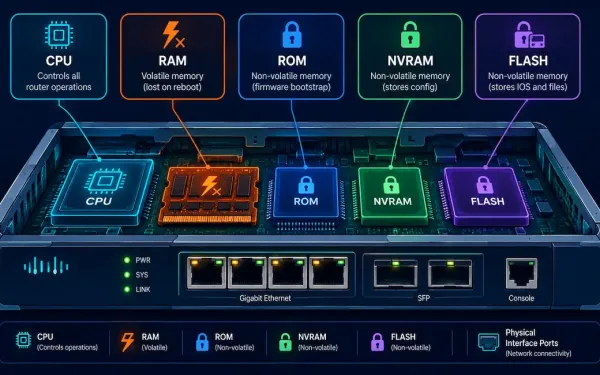
Cisco Router Components Explained: CPU, Memory Types, and IOS
A Cisco router is, at its core, a specialized computer. Regardless of its size, price, or role in a network, every router shares the same fundamental set of components: a CPU to execute instructions, an operating system to run, several distinct types of memory, physical interfaces to connect to the network, and a mechanism for...
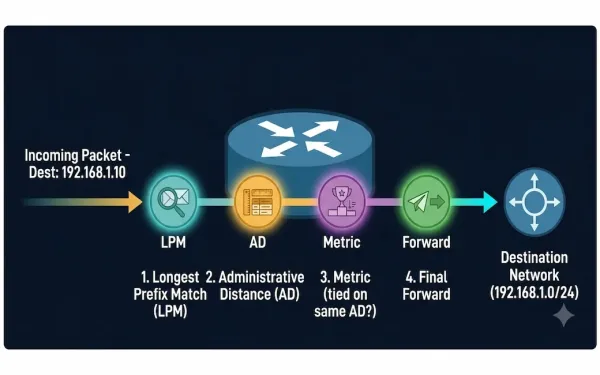
How a Router Makes a Packet Forwarding Decision: A Step-by-Step Guide
Routers are the traffic directors of the internet, guiding data packets to their destinations with precision. But how exactly do they decide where to send each packet? This guide breaks down the router packet forwarding process step by step, covers the Longest Prefix Match and Administrative Distance rules that actually determine route selection, and explains...
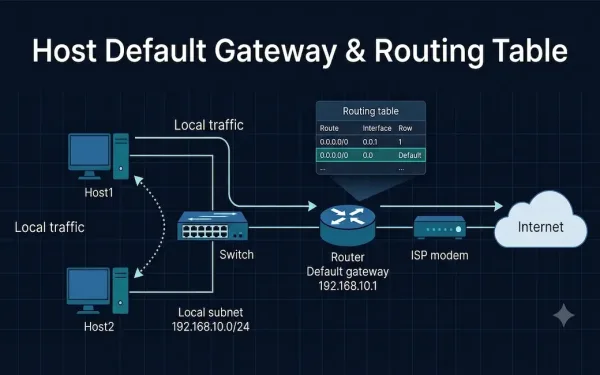
Host Default Gateway and Routing Table: A Complete Guide
When a host needs to reach another device, two components decide where its traffic goes: the host’s default gateway and its routing table. Together they answer a single question for every packet — “Is this destination on my own network, or do I need to hand it off to a router?” This guide explains how...
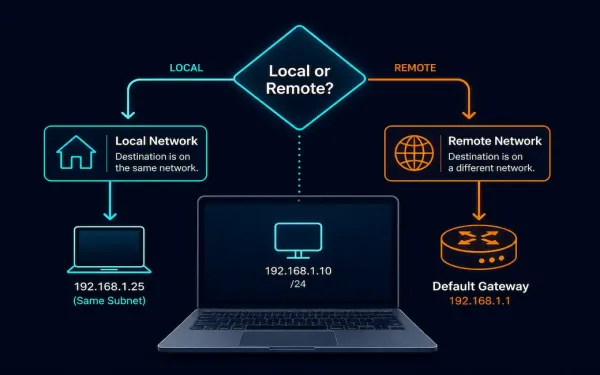
Host Forwarding Decisions: How Hosts Actually Route Their Own Traffic
Every networked device, whether it’s a dedicated router or an ordinary laptop, has to decide how to get a packet toward its destination. Routers specialize in this, but end hosts, PCs, servers, phones, make their own forwarding decisions too, using a much simpler process built on subnetting, a minimal routing table, and address resolution. This...