
CCNA
Cisco Certified Network Associate certification resources
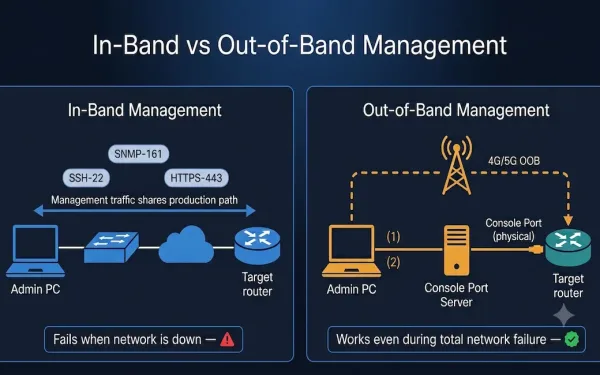
In-Band and Out-of-Band Network Management: A Complete Guide
Network management is critical for businesses, IT teams, and CCNA students learning the fundamentals of how networks are administered. Two fundamental approaches — in-band and out-of-band (OOB) management — determine how administrators monitor, configure, and troubleshoot devices. Understanding when to use each method, how to configure them on Cisco IOS, and how they relate to...
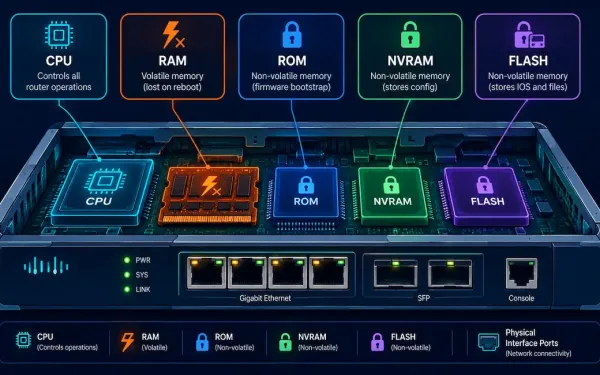
Cisco Router Components Explained: CPU, Memory Types, and IOS
A Cisco router is, at its core, a specialized computer. Regardless of its size, price, or role in a network, every router shares the same fundamental set of components: a CPU to execute instructions, an operating system to run, several distinct types of memory, physical interfaces to connect to the network, and a mechanism for...
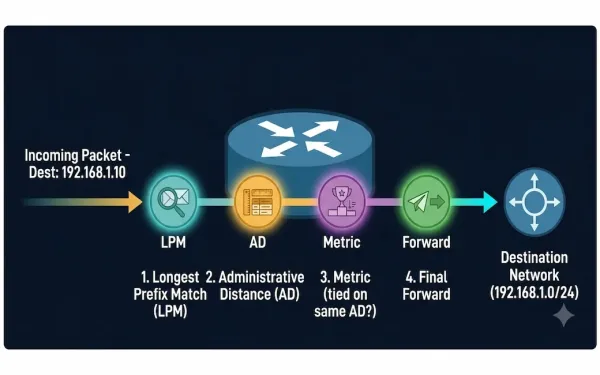
How a Router Makes a Packet Forwarding Decision: A Step-by-Step Guide
Routers are the traffic directors of the internet, guiding data packets to their destinations with precision. But how exactly do they decide where to send each packet? This guide breaks down the router packet forwarding process step by step, covers the Longest Prefix Match and Administrative Distance rules that actually determine route selection, and explains...
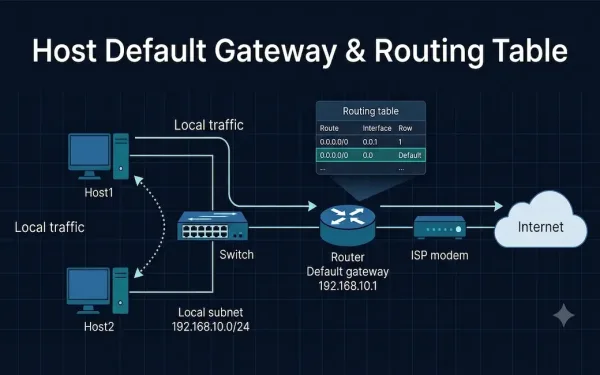
Host Default Gateway and Routing Table: A Complete Guide
When a host needs to reach another device, two components decide where its traffic goes: the host’s default gateway and its routing table. Together they answer a single question for every packet — “Is this destination on my own network, or do I need to hand it off to a router?” This guide explains how...
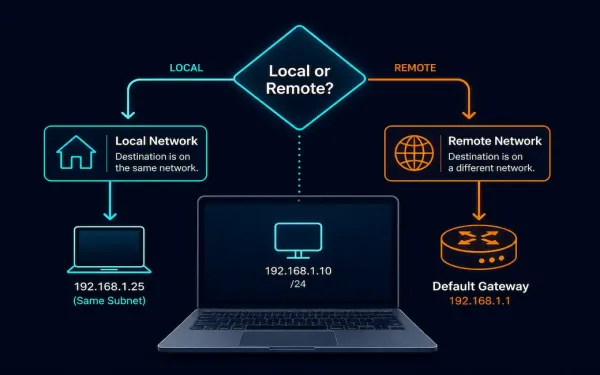
Host Forwarding Decisions: How Hosts Actually Route Their Own Traffic
Every networked device, whether it’s a dedicated router or an ordinary laptop, has to decide how to get a packet toward its destination. Routers specialize in this, but end hosts, PCs, servers, phones, make their own forwarding decisions too, using a much simpler process built on subnetting, a minimal routing table, and address resolution. This...
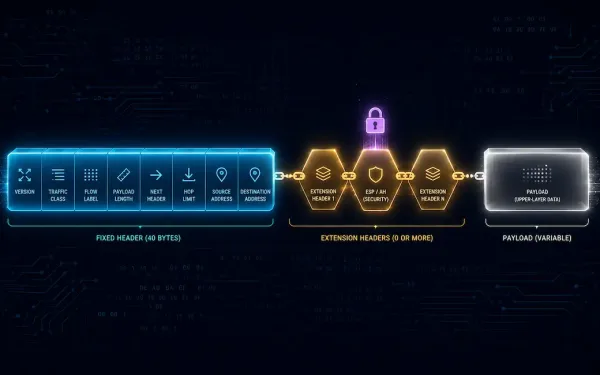
IPv6 Header and Fields Explained
IPv6 is the improved version of the Internet Protocol, and the IPv6 header is one of its most significant improvements over the IPv4 header. The header format has been dramatically simplified: some IPv4 header fields have been removed entirely, others have moved into optional IPv6 Extension Headers, and the fields that remain are streamlined for...
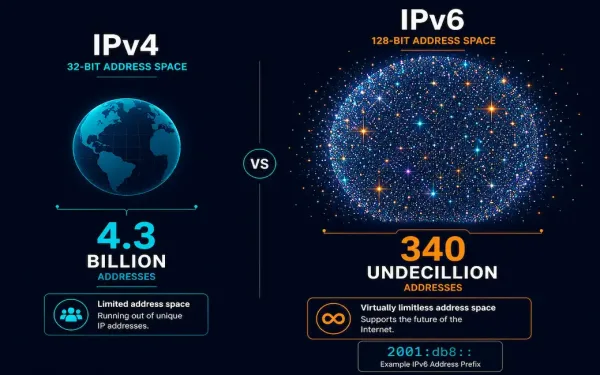
Introduction to IPv6 Addresses
IPv6 was developed by the IETF specifically to overcome IPv4’s limitations, most notably its exhausted address space, while also cleaning up several architectural inefficiencies IPv4 had accumulated over decades of patches and workarounds. This guide covers IPv6’s address structure, its three address types, and the concrete advantages and tradeoffs that come with adopting it. Just...
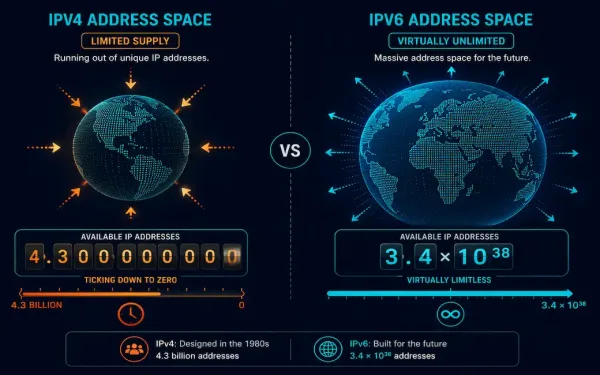
The Limitations of IPv4: Why the Internet Needed IPv6
When IPv4 was defined in RFC 791 back in 1981, nobody designing it anticipated that the internet would eventually connect billions of devices worldwide. That original design has been patched and extended repeatedly over the decades since, but several fundamental limitations remain baked into IPv4’s architecture. This guide covers exactly what those limitations are, why...
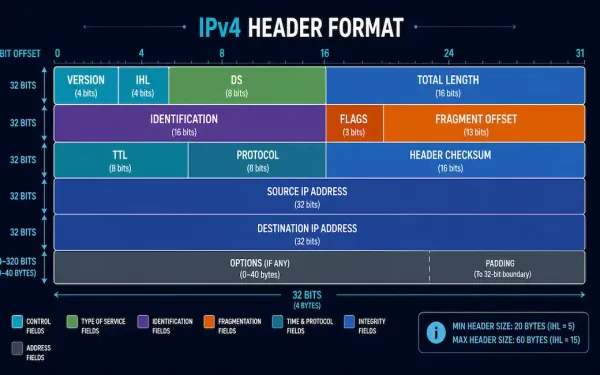
The IPv4 Packet Header: Every Field Explained
The IPv4 packet header is what actually carries a packet across a network: source and destination addressing, fragmentation information, and everything a router needs to make a forwarding decision, all packed into a compact 20-to-60-byte structure. This guide breaks down every field in the header, what each one actually does, and how the whole thing...
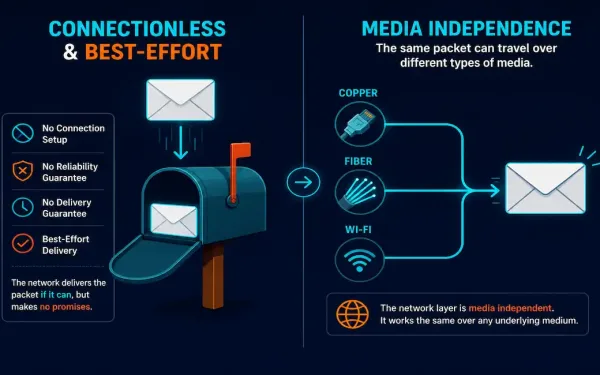
Characteristics of IP: Connectionless, Best-Effort, and Media Independent
The Internet Protocol has three defining characteristics that shape how every IP-based network actually behaves: it’s connectionless, it provides best-effort (unreliable) delivery, and it’s media independent. Understanding these three properties explains a lot about why the internet is architected the way it is, and why so much responsibility for reliability gets pushed up to higher...