
Networking
CCNA tutorials, Cisco guides, and enterprise networking insights for IT professionals.
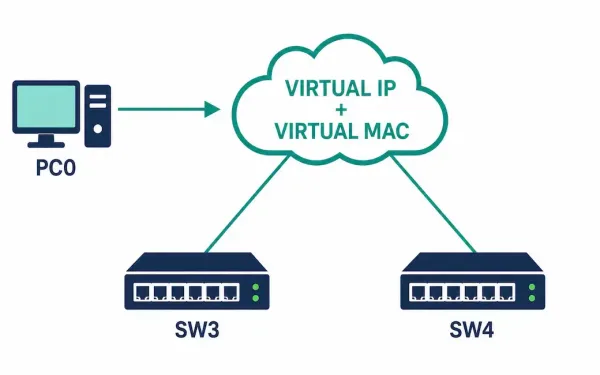
Router Redundancy: How Virtual Routers Actually Work
The previous article in this series covered why a single static default gateway is a network’s hidden single point of failure. This one covers the mechanism that actually fixes it: the virtual router. A virtual router isn’t a separate physical device. It’s a shared identity — one IP address and one MAC address — that...
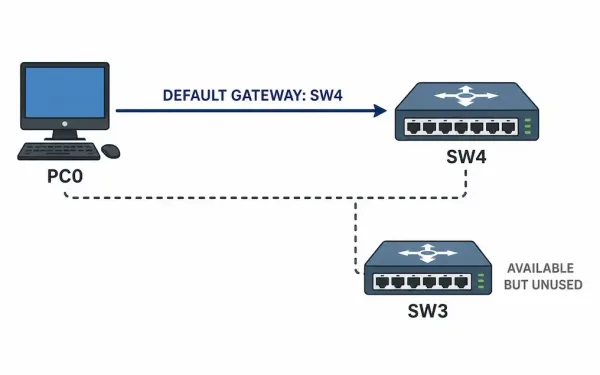
Default Gateway Limitations: Why One Static Gateway Isn’t Enough
A host doesn’t route. It knows its own subnet, and for everything outside that subnet, it sends traffic to exactly one configured address: its default gateway. That single point of dependency is the limitation this article covers — and understanding it is what motivates every First Hop Redundancy Protocol (FHRP) that exists, from HSRP to...
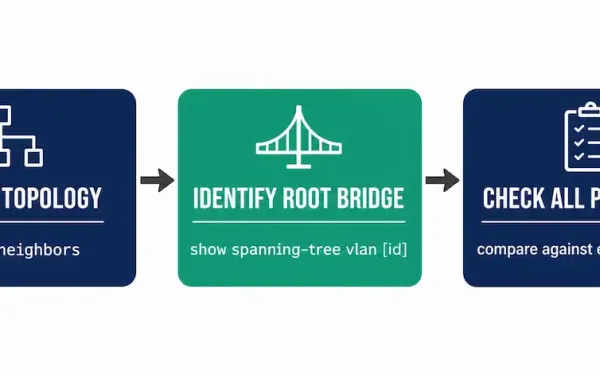
Troubleshooting Spanning-Tree Protocol: A Practical Workflow
Spanning tree topology is usually planned as part of the network design — root bridge placement, priority values, and which links should end up blocked. But actual switches on actual cabling don’t always match that plan, especially after months or years of undocumented changes. Troubleshooting STP starts with a simple question: does the network’s actual...
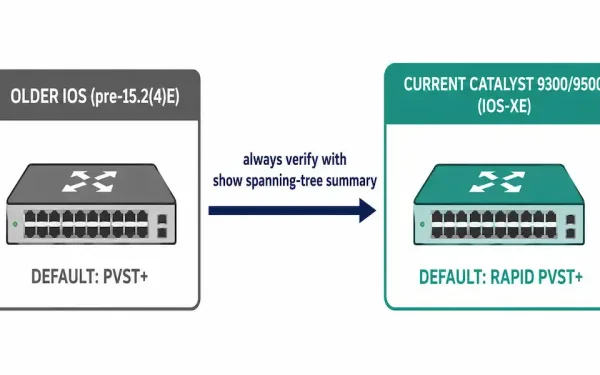
How to Configure Spanning-Tree Mode: Rapid PVST+
Rapid Per-VLAN Spanning Tree Plus (Rapid PVST+) is Cisco’s per-VLAN implementation of RSTP, and it’s the default spanning tree mode on current Cisco Catalyst hardware, including the 9300 and 9500 series running IOS-XE. This guide walks through configuration, verification, and troubleshooting on Cisco Catalyst switches — whether simulating in Packet Tracer or deploying in production....
PVST+: Per-VLAN Spanning Tree Explained
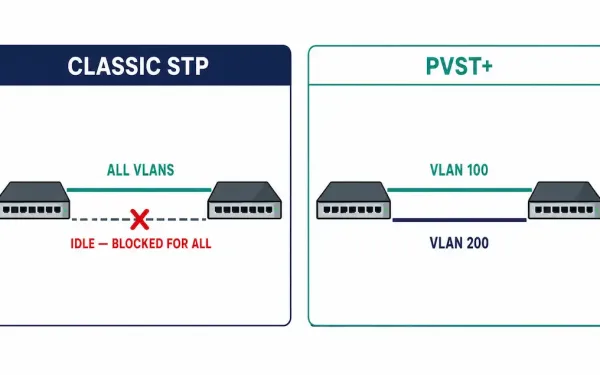
Classic STP runs one spanning tree for the entire switched network, no matter how many VLANs exist. That means every VLAN shares the same root bridge and the same blocked links — one uplink ends up carrying nothing while every other uplink carries everything, regardless of which VLANs actually need which paths. PVST+ (Per-VLAN Spanning...
How to Configure PortFast and BPDU Guard
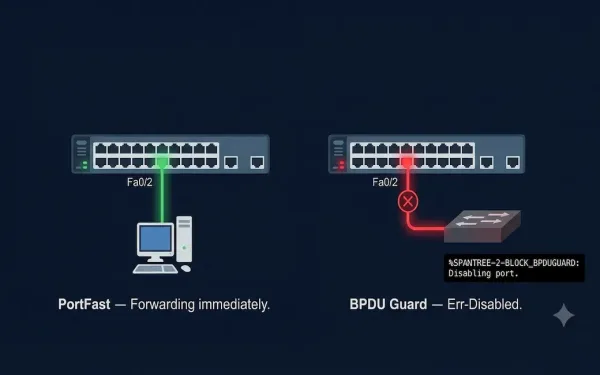
This guide covers PortFast and BPDU Guard configuration for CCNA (200-301) and CCNP (ENARSI) exams, including hands-on labs, best practices, and how these features interact with RSTP. The switch port directly connected to an end station cannot create a bridging loop, so the port can safely skip straight to the forwarding state rather than progressing...
Spanning Tree Bridge ID Configuration: Root Primary and Root Secondary Explained
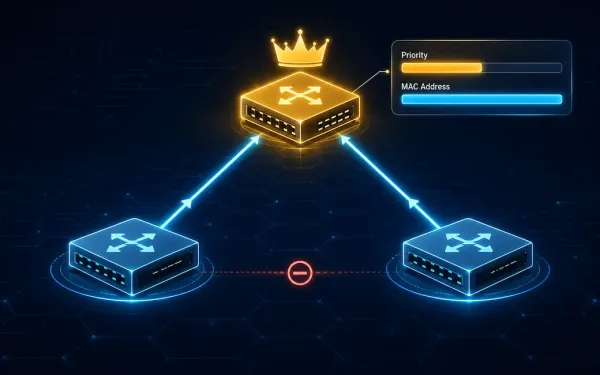
When configuring a specific switch as the root bridge, its bridge ID priority value must be lower than the bridge priority values of all other switches on the network — in Spanning Tree Protocol (STP), a lower priority value always wins the root bridge election. There are two different methods for configuring the bridge priority...
What is RSTP and Rapid PVST+: Exclusive Details
RSTP- IEEE 802.1w is the advanced version of STP, providing faster convergence than CST but holding with the same single root bridge in the topology. Most parameters in RSTP are the same as STP, so users who understand STP can effortlessly configure the RSTP. Rapid PVST+ is Cisco’s proprietary implementation of RSTP that operates on...
What is PVST+ – Revolutionize VLAN Load Balancing and Banish Network Loops Forever (Updated 2025)
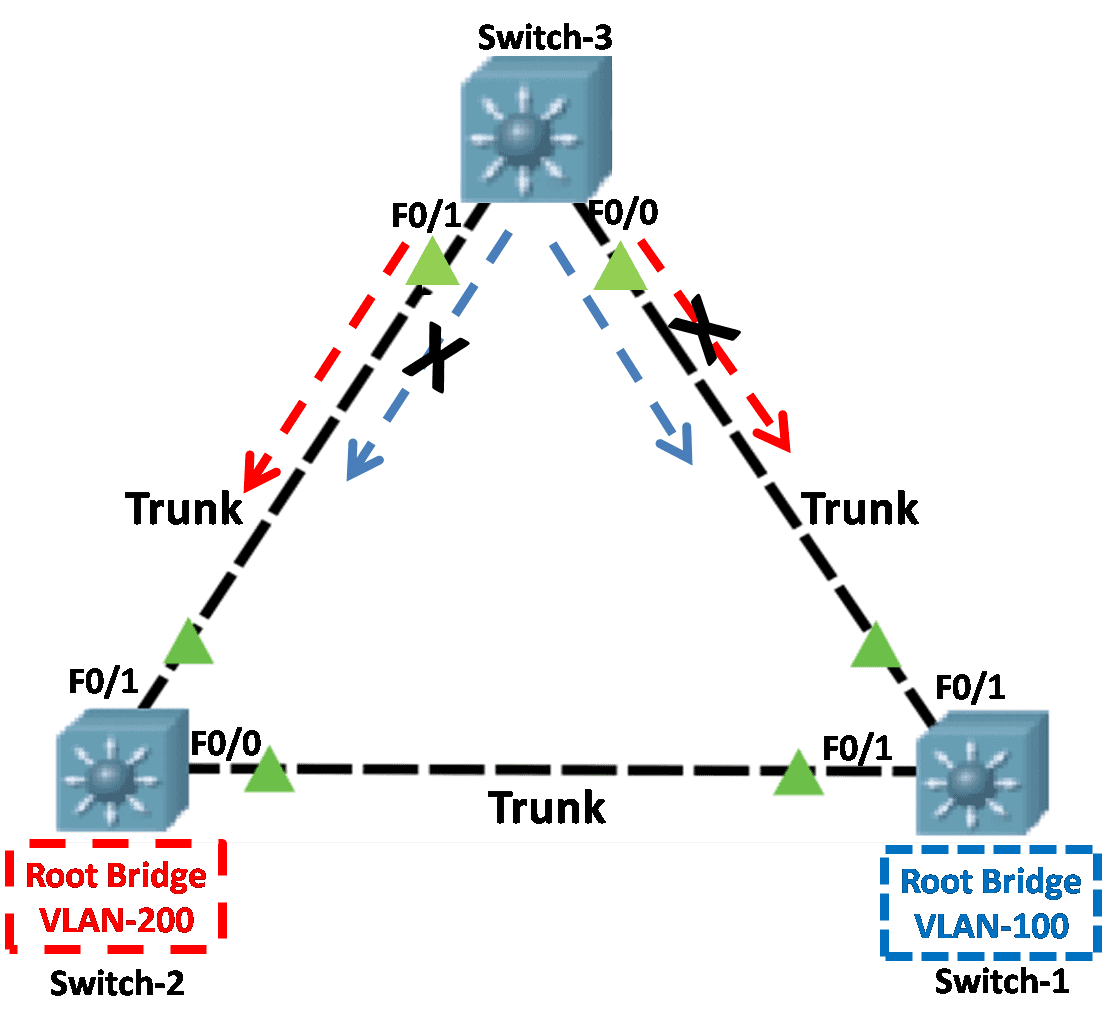
The original IEEE 802.1D standard spanning tree protocol assumes only one spanning-tree instance for the entire switched network, regardless of the number of VLANs. A network running cannot ensure load balancing because one uplink must block all VLANs, but the CPU is free because there is only one instance of a spanning tree working. The...
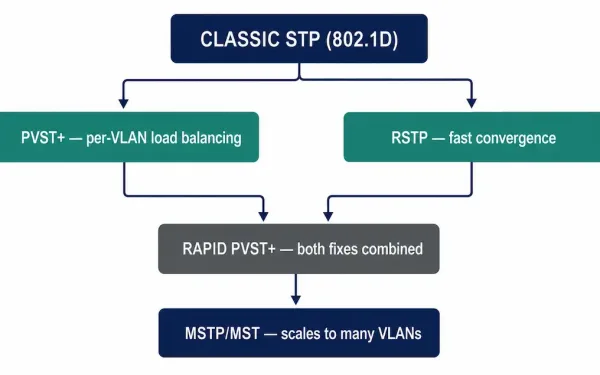
Types of Spanning Tree Protocols: STP, PVST+, RSTP, Rapid PVST+, and MSTP Compared
Spanning Tree Protocol prevents Layer 2 loops, but “STP” isn’t one single implementation — it’s a family of standards and Cisco extensions that evolved over three decades to fix the original protocol’s two biggest weaknesses: slow convergence and one-size-fits-all topology. This article ties together the whole family covered so far in this series — what...